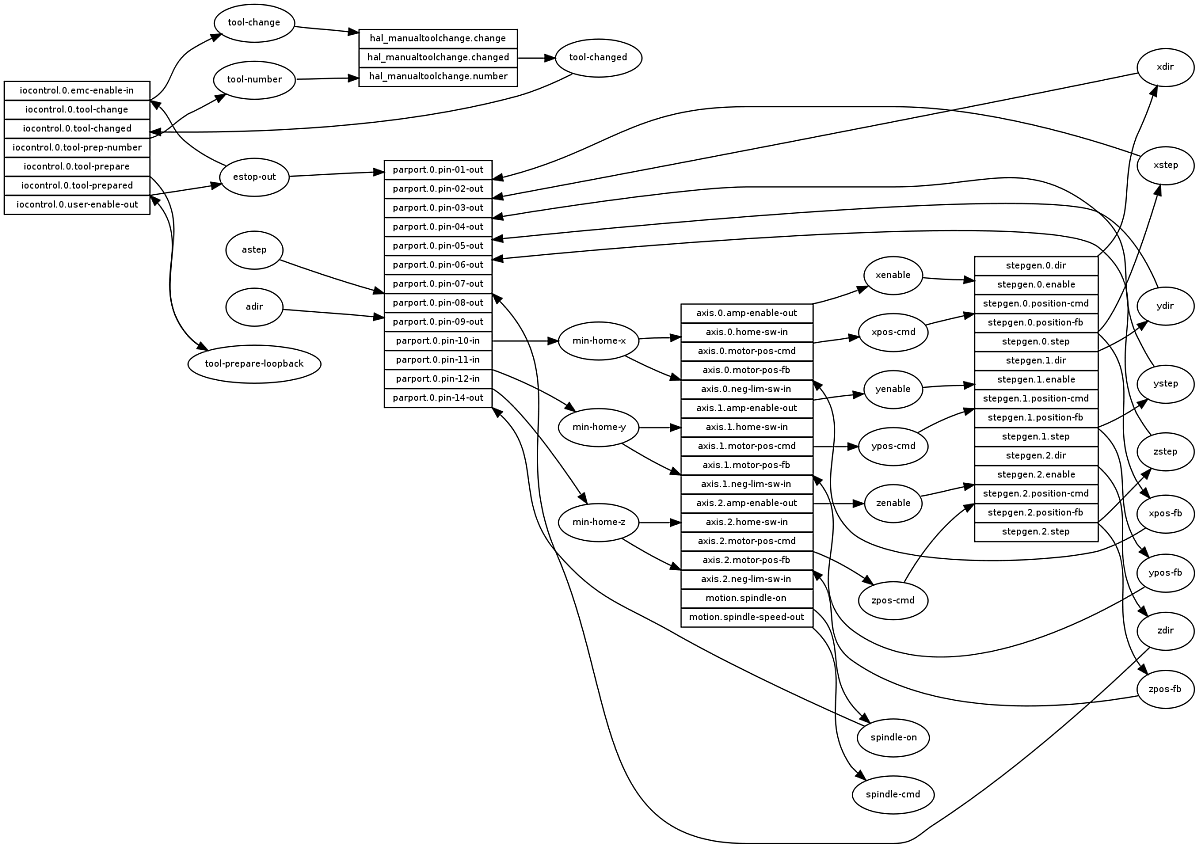
I'm learning some python and I needed a quick hack to get a visual map on hal nets, so I made this little python script that reads input from "halcmd show" and outputs a graphviz file. Maybe you will find it useful.
You need to:
1) install graphviz, using "sudo apt-get install graphviz"
2) download the hal_sigs_graphviz.py attachment in a directory of your choice.
3) make a shell script inside the same dir, with the following lines in it and run it:
Code:
halcmd -s show pin | grep "==" > pin.out
halcmd -s show sig | grep -v "^$" > sig.out
python hal_sigs_graphviz.py > gv.in
dot -Tpng gv.in > gv.png
Attached is an example of what I get when running it with my (stepconf generated) hal configuration I use on my first cnc router. Tables are components and circles are nets.
I will probably add more features like colors and some fine tuning on how graphviz outputs the image, when I find some time to learn more about this excellent application. But it's probably good enough for a quick visualization as it is now.