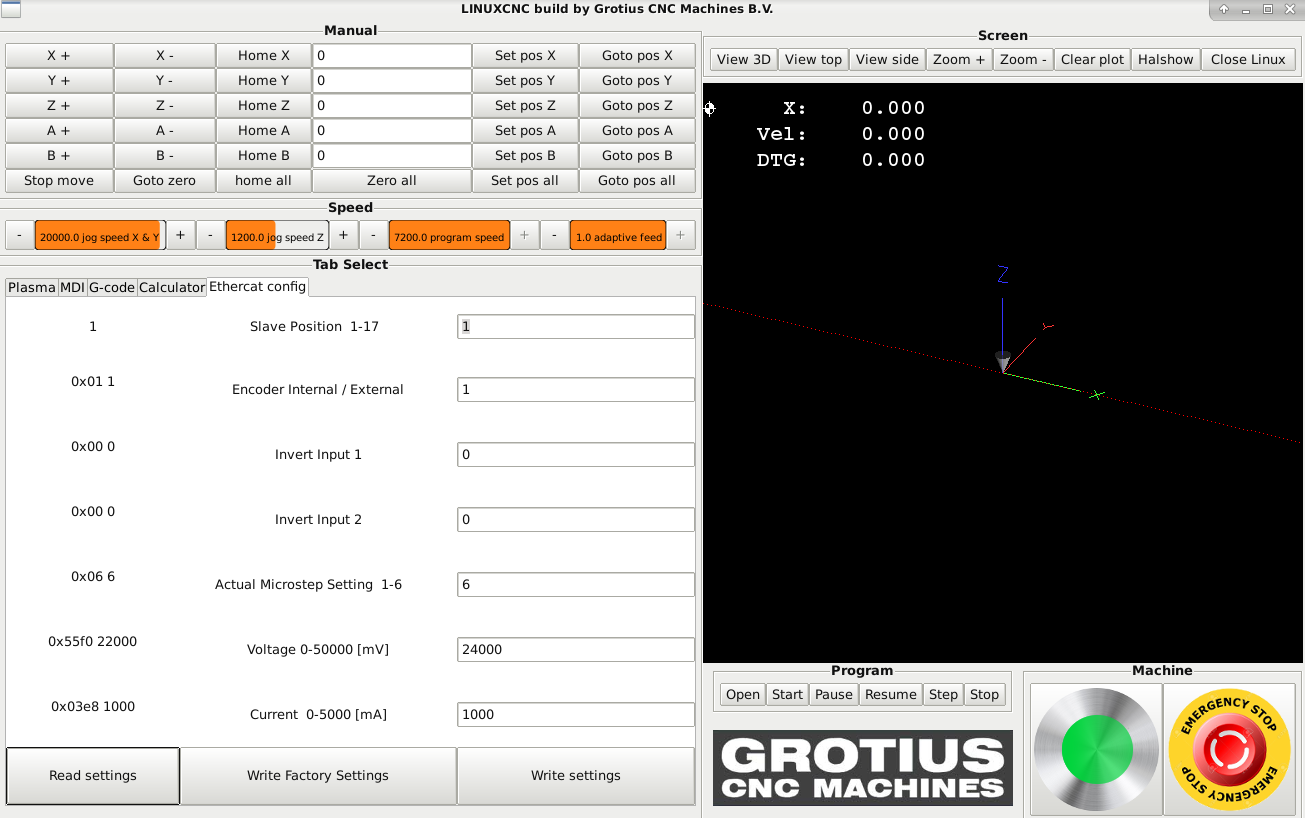
Next level is to integrate the parameter settings into the linuxcnc gui.
If you have a multi axis configuration, typing command line entry's for 3 or 4 axis can take a while.
In fact you have to set driver voltage, motor current, etc for all axis separate.
To make a quick configuration possible without terminal usage, i made a gui integration example.
The main function is :
1. Load all important stepper drive settings from stepper drive 1 to stepper drive 17
2. Customize and set all important stepper drive settings from drive 1 to 17
User has to make a glade screen, just like the picture above with button's, label's and text entry's.
The attached code uses subprocess. This are terminal command's like os.system command's.
The subprocess write command's to terminal, also read value's back from terminal output.
The terminal command's are expanded with .format strings to make a kind of variable terminal command's possible.
Because Ehercat is working outside of Linuxcnc, stepper and servo driver settings can be set in a running program.
This is a big advantage ! You don't have to restart Linuxcnc.