More - Error Finishing Read

More
2 years 2 months ago #307019 by steveb48
Hi All,
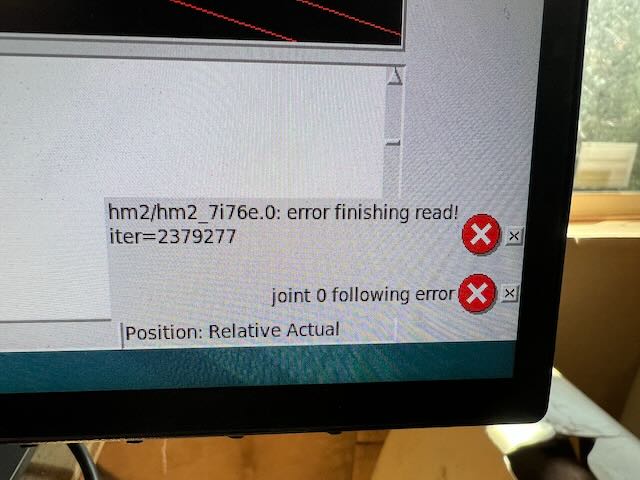
I'm getting an Error Finishing Read after a couple hours of run time on a Dell OptiPlex 9020.
I followed Rod's Google doc (Nice job!). I've also rattled the ethernet cable while running and routed it away from some noise sources.
It is not shielded cable. I believe it's an Intel NIC. 

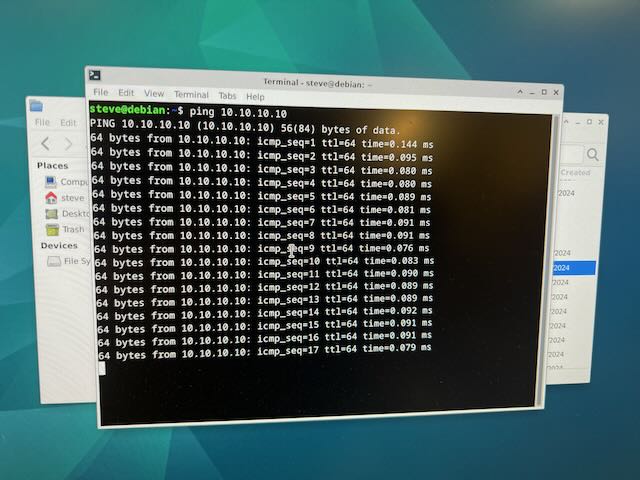
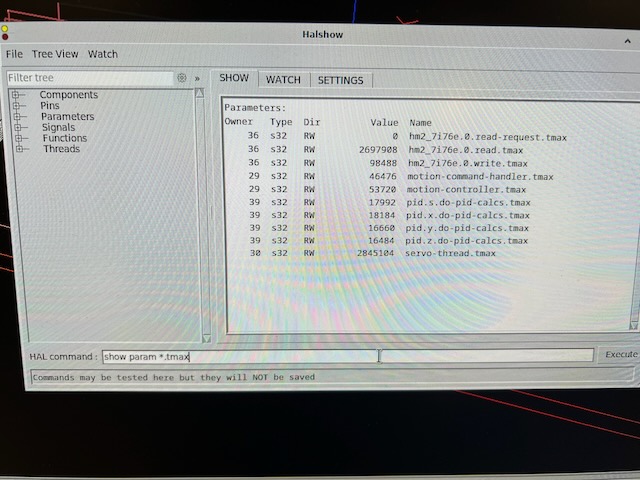
 I've included some images which show values from questions in other threads. 

Any suggestions?

Thanks,
Steve
 

Please Log in or Create an account to join the conversation.
More
2 years 2 months ago - 2 years 2 months ago #307020 by PCW
Replied by PCW on topic More - Error Finishing Read
First, to make sure of your hardware, you can run

lshw -class network

 
Last edit: 2 years 2 months ago by PCW.

Please Log in or Create an account to join the conversation.
More
2 years 2 months ago #307021 by steveb48
Command not found.

Please Log in or Create an account to join the conversation.
More
2 years 2 months ago #307022 by PCW
Replied by PCW on topic More - Error Finishing Read
dmesg | grep -i eth

or perhaps

sudo dmesg | grep -i eth

should also work

or install lshw

Please Log in or Create an account to join the conversation.

More
2 years 2 months ago #307023 by steveb48
steve@debian:~$ sudo lshw -class network
*-network
description: Ethernet interface
product: Ethernet Connection I217-LM
vendor: Intel Corporation
physical id: 19
bus info: pci@0000:00:19.0
logical name: eno1
version: 04
serial: 98:90:96:b4:ce:f7
size: 1Gbit/s
capacity: 1Gbit/s
width: 32 bits
clock: 33MHz
capabilities: pm msi bus_master cap_list ethernet physical tp 10bt 10bt-fd 100bt 100bt-fd 1000bt-fd autonegotiation
configuration: autonegotiation=on broadcast=yes driver=e1000e driverversion=6.1.0-18-rt-amd64 duplex=full firmware=0.13-4 ip=10.0.0.123 latency=0 link=yes multicast=yes port=twisted pair speed=1Gbit/s
resources: irq:28 memory:f7c00000-f7c1ffff memory:f7c39000-f7c39fff ioport:f080(size=32)
*-network
description: Ethernet interface
product: RTL8111/8168/8411 PCI Express Gigabit Ethernet Controller
vendor: Realtek Semiconductor Co., Ltd.
physical id: 0
bus info: pci@0000:02:00.0
logical name: enp2s0
version: 06
serial: 00:e0:4c:68:1f:2a
size: 100Mbit/s
capacity: 1Gbit/s
width: 64 bits
clock: 33MHz
capabilities: pm msi pciexpress msix vpd bus_master cap_list ethernet physical tp mii 10bt 10bt-fd 100bt 100bt-fd 1000bt 1000bt-fd autonegotiation
configuration: autonegotiation=on broadcast=yes driver=r8169 driverversion=6.1.0-18-rt-amd64 duplex=full firmware=rtl_nic/rtl8168e-2.fw ip=10.10.10.1 latency=0 link=yes multicast=yes port=twisted pair speed=100Mbit/s
resources: irq:16 ioport:e000(size=256) memory:f0004000-f0004fff memory:f0000000-f0003fff
steve@debian:~$

Please Log in or Create an account to join the conversation.

More
2 years 2 months ago #307026 by PCW
Replied by PCW on topic More - Error Finishing Read
OK it looks like you have the Realtek Ethernet setup for the 7I76E

Is that what you had intended?

If so, you need to

1. Install the Realtek 8168 DKMS driver
2. Disable Ethernet and ASPM PCIE power management in the kernel command line

Please Log in or Create an account to join the conversation.

Moderators: PCW, jmelson
Time to create page: 0.067 seconds
Powered by Kunena Forum
