Is LinuxCNC just for networked PC's ? Gurus ?

More
10 years 6 months ago #72761 by numbskull
I've been sitting here online literally for days, reading forum posts. I am very proficient in Windows but I know almost nothing about Linux. So should I be looking elsewhere for software ? I am frustrated because I know so little about Linux even though I have been using it as an end-user for years. Most of the posts that MAY have been helpful are totally moot (to me) because they mostly say to just apt get this or update that from www.whoknowswhere or download this or sudo blahblah or compile that, whiz bang thank you ma'am and it works. I saw one or two posts by people asking for 'how-to's' using a USB stick because they, like me, have a PC running their CNC machine out in the garage with no LAN, WiFi or internet of any sort. I can envision commercial shops without internet at their machines too. The typical advice was 'just use the *.iso file (all-in-one) and be done with it'. Or some super technical mumbo jumbo custom setup.

But there are no 'all-in-one; iso files for various recommended combinations. One guy says 'hiss boo to Debian' just use Ubuntu or Mint or something then add LinuxCNC to that. Another swears by Debian. Then, were I to want a Mesa 2i34 board I'd need RT Peempt? But that only works with thus and such. --- I have no clue how to go about that after all the varied opinions or even who's full of B.S. and who's on the up and up. Or worse, everyone means well and there are a thousand ways to do "it".

If an aficionado were to give me a list of files and where to get them I could download them using my windoze desktop in my house and put them on a stick. I've also used LiLi (Linux Live) on occasion (to make a bootable stick from an ISO) and loaded that (after setting the right BIOS stuff to boot it). But then I'm lost. That list should tell me exactly where (on a default install) to copy each file from the stick (onto the LinuxCNC PC). Then exactly what to blindly type in a terminal or using some accessory. Step by step like a 6-year-old. If someone who is more proficient in Linux were to see that site/post they'd laugh and go away or just skim over it. Fine! I just want to get my machine running again and making chips. I ran 2.5.0 for a while and got all messed up after (I thought it was a good thing) updating to 2.7.4. Which never worked; machine hosed. Like someone else posted, from the graphical install of the downloaded iso it got about 1/3 of the way across the progress bar during 'system install' and bombed out.
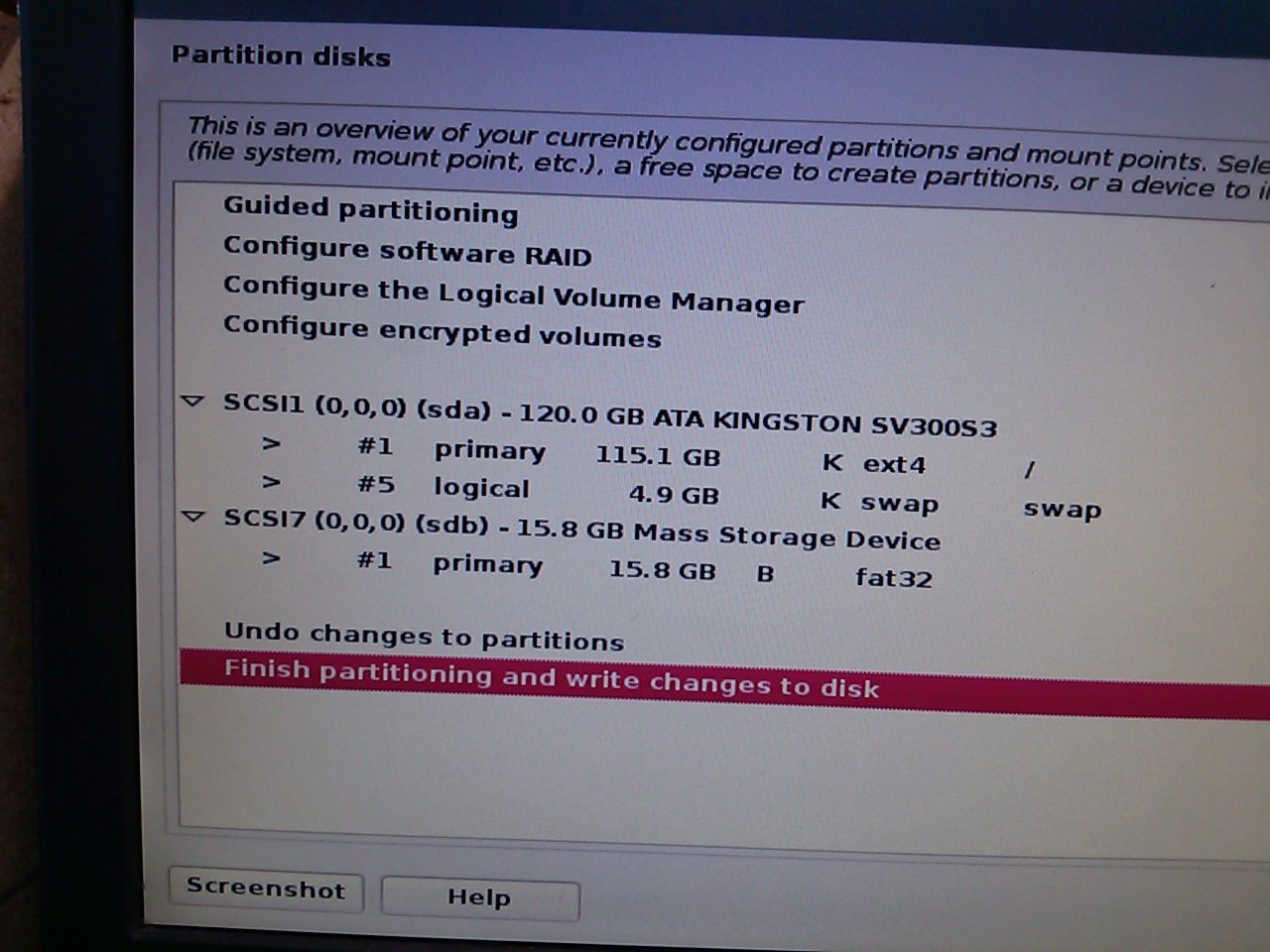
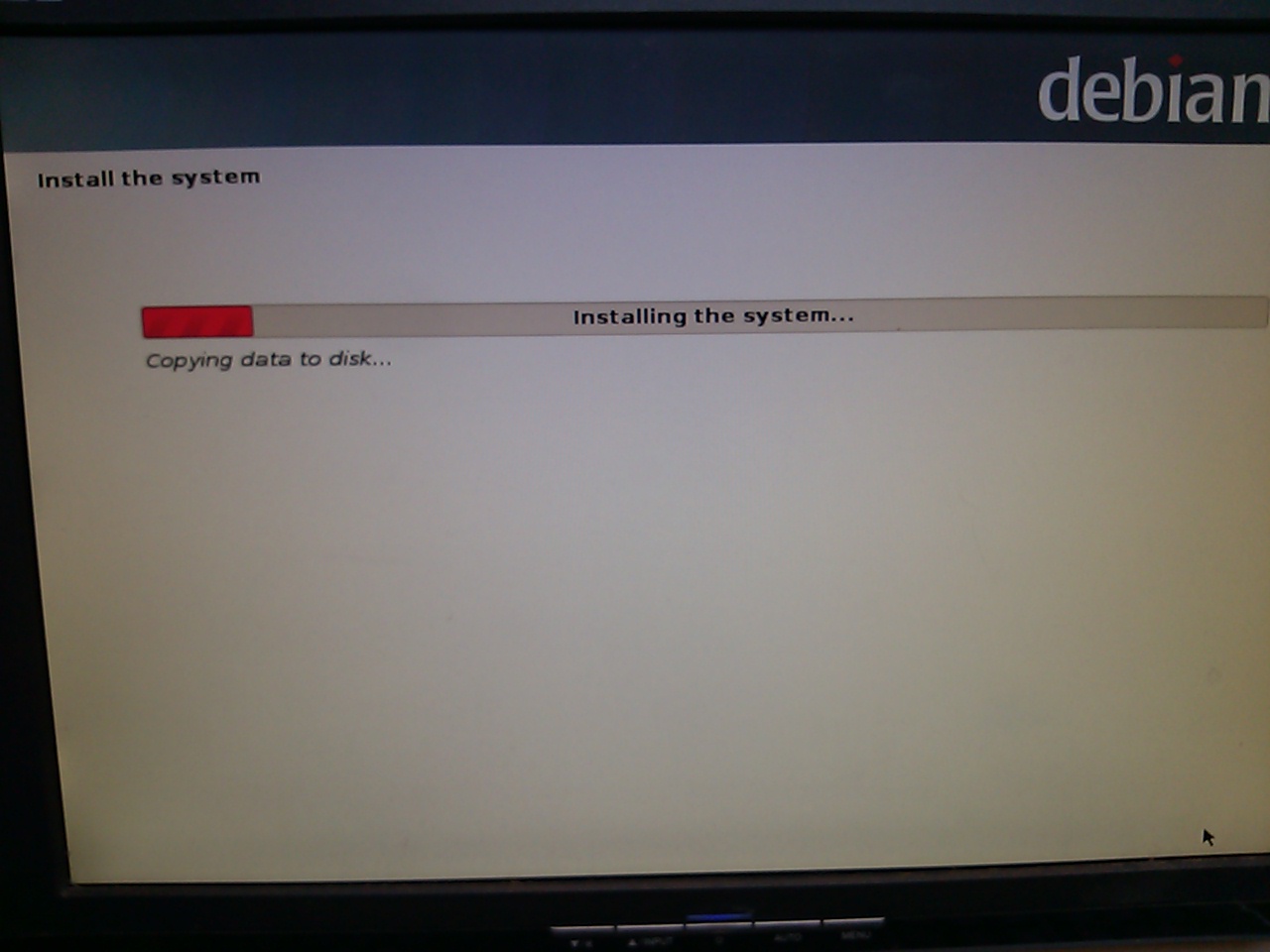


I tried several variations of partitions including 'entire disk' just to make sure it was clean for the install. I never got 2.7.4 to install. I did go back and install 2.5.0 and today installed 2.6.4.

Once I get to everything loaded and the main LinuxCNC application running I can run the config and allocate all the bits and get the machine running. It's getting the right Linux and the right file pieces and the right kernel and the right real-time stuff that doesn't make coherent sense to me. Like I said, if an aficionado were to give me all the details, step by step, for the common combinations and for use via a USB stick (no internet) then I think I (we) would be happy campers.

I know there are a lot of very knowledgable and well-meaning people who know how to do these things and reading some of these posts. I hope you'll consider the predicament of noobs without internet on their CNC's. Maybe, one day, after we have some success, we can contribute to this forum too. Right now it's just frustrating and not getting us anywhere after beating our heads against a brick wall!

I have an Asus motherboard, an AMD Athlon 64bit CPU, 4GB ram, 25us latency of 21000 ns. a 120GB SSdrive.
I have a parallel port BOB now but I'm interested in a Mesa 6i25/7i76 soon, if I can get everything else going.
For practical purposes my machine is a fresh Deb7 with LinuxCNC 2.6.4, but don't mind reformatting and starting it as a virgin PC.

But I'd really appreciate if there were more explicit; 'step-by-step how-to' posts or sites. I suspect there are many others who would as well. Our hope is to make chips without having to first be Linux gurus.

If you read this far, thanks!
The following user(s) said Thank You: Fastest1, harvolt

Please Log in or Create an account to join the conversation.

More
10 years 6 months ago - 10 years 6 months ago #72765 by geoffs
As far as installing Linuxcnc 2.7, the easiest option is to get the Debian 2.7 distribution ( www.linuxcnc.org/linuxcnc-2.7-wheezy.iso )

All that's needed is to boot it and run an install, answer the prompts, select the defaults for everything. To verify that the process is really this simple, I've done an install from that ISO and it worked just fine. If it doesn't work for you, then post the errors you get.
Your hardware configuration looks fine. Although I've never installed Linuxcnc to an SSD, I can't see that there would be any difference.

Don't worry about Linux expertise at this stage, you don't need it if all you want to do is to get a running Linuxcnc installation. While the install will try to set up networking, you can tell it to skip that step.

If you want to learn Linux and need a system to play around with (and possibly destroy!), then consider installing something like Virtualbox on your windows system. It's an easy alternative to setting up dedicated hardware for leaning.
Last edit: 10 years 6 months ago by geoffs.

Please Log in or Create an account to join the conversation.

More
10 years 6 months ago - 10 years 6 months ago #72774 by Rick G
There are options to allow more and more hardware to be used with linuxcnc.

But before assuming there is a problem and a more complex path may need to be taken try the simple approach shown in getting started...
linuxcnc.org/docs/html/

After re reading your post it appears you already have tried this. Was this on a new blank disk?

Rick G
Last edit: 10 years 6 months ago by Rick G.

Please Log in or Create an account to join the conversation.

More
10 years 6 months ago #72779 by ArcEye

For practical purposes my machine is a fresh Deb7 with LinuxCNC 2.6.4, but don't mind reformatting and starting it as a virgin PC.


If you already have Debian and Linuxcnc 2.6.4 installed, why are you trying to reinstall the whole operating system, just to 'upgrade'
to Linuxcnc 2.7.4?

Linuxcnc is just software, it upgrades through packages like any other software.

If you can actually name a change between 2.6 and 2.7 that you require, there is nothing in your post that suggests you know of one, just check synaptic for updates to linuxcnc.
(you may have to install synaptic first - sudo apt-get install synaptic- in a terminal)

Version number chasing is how Microsoft makes its money and windoze users get trained to do it.
How many people who have 'upgraded' to windoze 10, wish that they had just left well alone B)

Please Log in or Create an account to join the conversation.

More
10 years 6 months ago - 10 years 6 months ago #72783 by numbskull
Geoffs, The first thing I tried was the easiest option is to get the Debian 2.7 distribution ( www.linuxcnc.org/linuxcnc-2.7-wheezy.iso ) because the LinuxCNC website said "users are encouraged to upgrade" . It failed during the 'installing system' portion of the graphical install (like the photos I posted before). That's WHY I tried all the other stuff and eventually went direct to the Debian (see below), which DID install.


Rick G., I did follow the procedures but they did not work. I've read hundreds of posts here and 99.44% of them assume 'poster-nominal' cases if not 'corner' cases. They depict procedures where things go as the poster expects or as the poster has had experience doing. But as we all know there are a jillion permutations of both hardware and software and procedures that work for one case don't always work in others. In the cases of we in the "others" category, we are up a creek without a paddle in the absence of additional info regarding exceptions.

I ran my machine under LinuxCNC 2.5.0 for a year before a hiatus of a year. I came back to 'shop damage' to some wiring. I decided to upgrade when I repaired that. I had a parport card but it was not adequate for the motors and i/o that I want so that's why I'm interested in a Mesa or other hardware. I expect to get back to a simple parport before proceeding to change hardware.


ArcEye, Yes - I have already tried a number of things. I usually end up (after it fails to install) back with a 'virgin' PC (SSD=reformatted). I even loaded Win7/64 the other day and it worked fine, I exercised a bunch of stuff, no problems. Then I went direct to the Debian website and downloaded cdimage.debian.org/cdimage/archive/7.9.0....9.0-amd64-DVD-1.iso and used LinuxLive (Lili) to put that on a USB stick and voila - it loaded ! But I had no LinuxCNC at that point. Maybe I missed it or I don't understand enough, but I have never found any step-by-step instructions on this forum that tell me (a non Linux expert) how to ADD/CHANGE the required packages or whatever using a USB stick. I did finally manage to get the 2.6.4 iso loaded. It failed at first. I went back and tried to install the MBR and that failed. I tried to install the basic; that failed. Then I thought I'd try one more time to do the regular install and it worked. So now it is Deb+2.6.4.

I did the 1st step as you suggested:
(you may have to install synaptic first - sudo apt-get install synaptic- in a terminal)

It said it was already the latest. Seems good to me.

I guessed and found synaptic packaqe manager under the Accessories. I opened it.
I scrolled down the list looking for anything starting with "cnc" or "linuxcnc" and found 5 entries all starting with "Linuxcnc" including one with no extension, a 'dev' and 3 doc files (looks like for 3 different languages).

That's where I quit (did nothing more). I do see where I could mark them for further actions. But what do I do next? Remember: I have no network on that machine, I just carry everything out there on a USB stick (which auto mounts when plugged in and I see the files).

BTW, yeah I know about 'version chasing' I started with CP/M before DOS in the 1970's and with GEM and Win1.0.

Thanks much for your help. If this ends up all working I'll write up a more detailed procedure/post; hopefully to help more people like me. I know that sometimes very well-meaning experts are just TOO close to a subject to explain it to people like me (from a non-expert's point of view)..
Last edit: 10 years 6 months ago by numbskull. Reason: I had omitted some details.

Please Log in or Create an account to join the conversation.

More
10 years 6 months ago #72785 by ArcEye
Afraid your first post completely confused me and not sure if I am any clearer now.

If the 2.7 iso will not install, download the 2.6 one
www.linuxcnc.org/binary.hybrid.iso
and install it.

If it is important to have 2.7, update it via synaptic
linuxcnc.org/docs/2.7/html/getting-start...dating-linuxcnc.html

What you cannot do without a lot more knowledge, is install a bog standard Debian iso and then just add linuxcnc.
There is more to it, which is why the distro which includes linuxcnc is produced.

Please Log in or Create an account to join the conversation.

Time to create page: 0.375 seconds
Powered by Kunena Forum
