

- Posts: 66
- Thank you received: 0
How to configure the tool position in 5axis kinematics?
6 years 2 weeks ago #186273
by bladekel
How to configure the tool position in 5axis kinematics? was created by bladekel
Hello to all.
I'm very new to 5axiskinematics. I have a machine like "XYZBC 5 axis bridge mill".
The difference of my machine from the sample one is the length of the axis-B and axis-C.
I can change the 5axisgui for my needs and catch the view of my real machine.
But the problem is I couldnt adjust the kinematic ( I dont know how).
How can I adjust the length ( or position) of the axis-B and axis-C ?
Here is the ss of the emc;
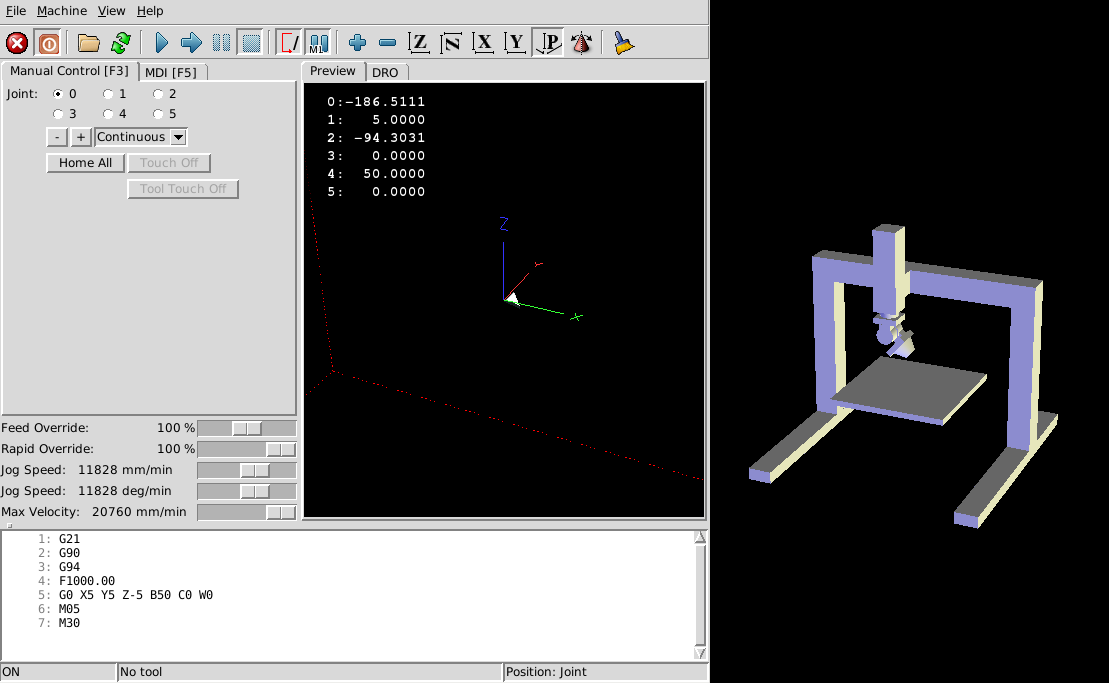
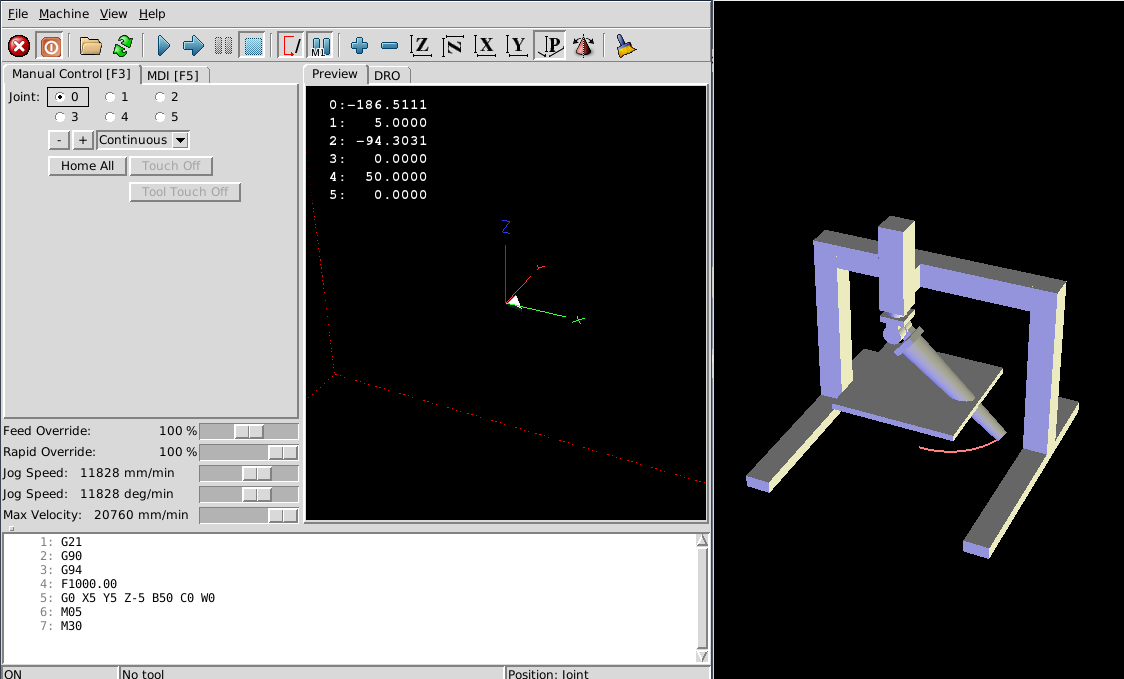
The gcode program file is the same for two configuration.
In my opinion after running the machine the 1st joint (x axis) positions have to be different for each configuration, but they are not.
How to solve this problem?
I'm very new to 5axiskinematics. I have a machine like "XYZBC 5 axis bridge mill".
The difference of my machine from the sample one is the length of the axis-B and axis-C.
I can change the 5axisgui for my needs and catch the view of my real machine.
But the problem is I couldnt adjust the kinematic ( I dont know how).
How can I adjust the length ( or position) of the axis-B and axis-C ?
Here is the ss of the emc;
The gcode program file is the same for two configuration.
In my opinion after running the machine the 1st joint (x axis) positions have to be different for each configuration, but they are not.
How to solve this problem?
Please Log in to join the conversation.

6 years 2 weeks ago #186274
by Grotius
Replied by Grotius on topic How to configure the tool position in 5axis kinematics?
Hi,
I don't know anything about linuxcnc 5 axis, but wiki.linuxcnc.org/cgi-bin/wiki.pl?FiveAxisGantry
It looks like the file wiki.linuxcnc.org/uploads/5axesgantry.tbl has a tool lenght input. I would supsect this is the
way to configure your tool position, but i am not sure.
I don't know anything about linuxcnc 5 axis, but wiki.linuxcnc.org/cgi-bin/wiki.pl?FiveAxisGantry
It looks like the file wiki.linuxcnc.org/uploads/5axesgantry.tbl has a tool lenght input. I would supsect this is the
way to configure your tool position, but i am not sure.
Please Log in to join the conversation.

6 years 2 weeks ago #186284
by Aciera
Replied by Aciera on topic How to configure the tool position in 5axis kinematics?
The kinematic creates a hal pin "5axiskins.pivot-length". Its preset to 250 but you can set it to another value in your hal.
For example 123:
setp 5axiskins.pivot-length 123
For example 123:
setp 5axiskins.pivot-length 123
Please Log in to join the conversation.
6 years 2 weeks ago #186285
by dgarrett
Replied by dgarrett on topic How to configure the tool position in 5axis kinematics?
The 5axis brigemill sim config has been extensively
updated recently in the *master* branch.
(configs/sim/axis/vismach/5axis/bridgemill/5axis.ini)
The updated sim config demonstrates how to compute the
kinematics pivot-length (5axiskins.pivot-length) based
on the current tool length (motion.tooloffset.z) and the
machine's pivot length (5axisgui.pivot_len for the
simulation)
Related video:
updated recently in the *master* branch.
(configs/sim/axis/vismach/5axis/bridgemill/5axis.ini)
The updated sim config demonstrates how to compute the
kinematics pivot-length (5axiskins.pivot-length) based
on the current tool length (motion.tooloffset.z) and the
machine's pivot length (5axisgui.pivot_len for the
simulation)
Related video:
Please Log in to join the conversation.
- Profed81
- New Member
-

Less
More
- Thank you received: 0
5 years 11 months ago #190402
by Profed81
Replied by Profed81 on topic ¿Cómo configurar la posición de la herramienta en 5axis cinemática?
What are the steps to bring this machine to reality? Do I need linuxcnc 2.9? That would be the master version?
O this is only working for a simulation?
O this is only working for a simulation?
Please Log in to join the conversation.
5 years 11 months ago #190409
by Aciera
Replied by Aciera on topic ¿Cómo configurar la posición de la herramienta en 5axis cinemática?
buildbot.linuxcnc.org/
Under "Master branch (development - 2.9)"
Choose the repo of your distribution and add that to you repositories list then update using the package manager.
linuxcnc.org/docs/html/getting-started/updating-linuxcnc.html
Under "Master branch (development - 2.9)"
Choose the repo of your distribution and add that to you repositories list then update using the package manager.
linuxcnc.org/docs/html/getting-started/updating-linuxcnc.html
Please Log in to join the conversation.
Time to create page: 0.088 seconds