
- Posts: 40
- Thank you received: 0
How do I rotate a coordinate system? Z axis horizontal milling machine
- Adam Maszynotwór
- Topic Author
- Offline
- Senior Member
-

Less
More
4 years 10 months ago #228792
by Adam Maszynotwór
How do I rotate a coordinate system? Z axis horizontal milling machine was created by Adam Maszynotwór
Hi how to make a view for a milling machine with a horizontal Z axis? By default, we have vertical Z and I need the view to be like on the machine, i.e. horizontally
www.steckermachine.com/hs-fs/hubfs/Blog/...g?width=600&name=CNC
-Machine-Axis-1.png.
I added the Lathe mode in INI but then I can not see the 3D image (there is only a top view) and I have a rotating C axis in the Z axis and I would like to see it in 3D like here forum.linuxcnc.org/media/kunena/attachme...-11-01at18.21.58.png
I tried to rotate the view manually, but it also does not work because it only allows you to rotate it by certain angles, so it is impossible to set the detail on the left side and the horizontal Z axis. Is it possible to set the view for such a machine?
I added the Lathe mode in INI but then I can not see the 3D image (there is only a top view) and I have a rotating C axis in the Z axis and I would like to see it in 3D like here forum.linuxcnc.org/media/kunena/attachme...-11-01at18.21.58.png
I tried to rotate the view manually, but it also does not work because it only allows you to rotate it by certain angles, so it is impossible to set the detail on the left side and the horizontal Z axis. Is it possible to set the view for such a machine?
Please Log in to join the conversation.

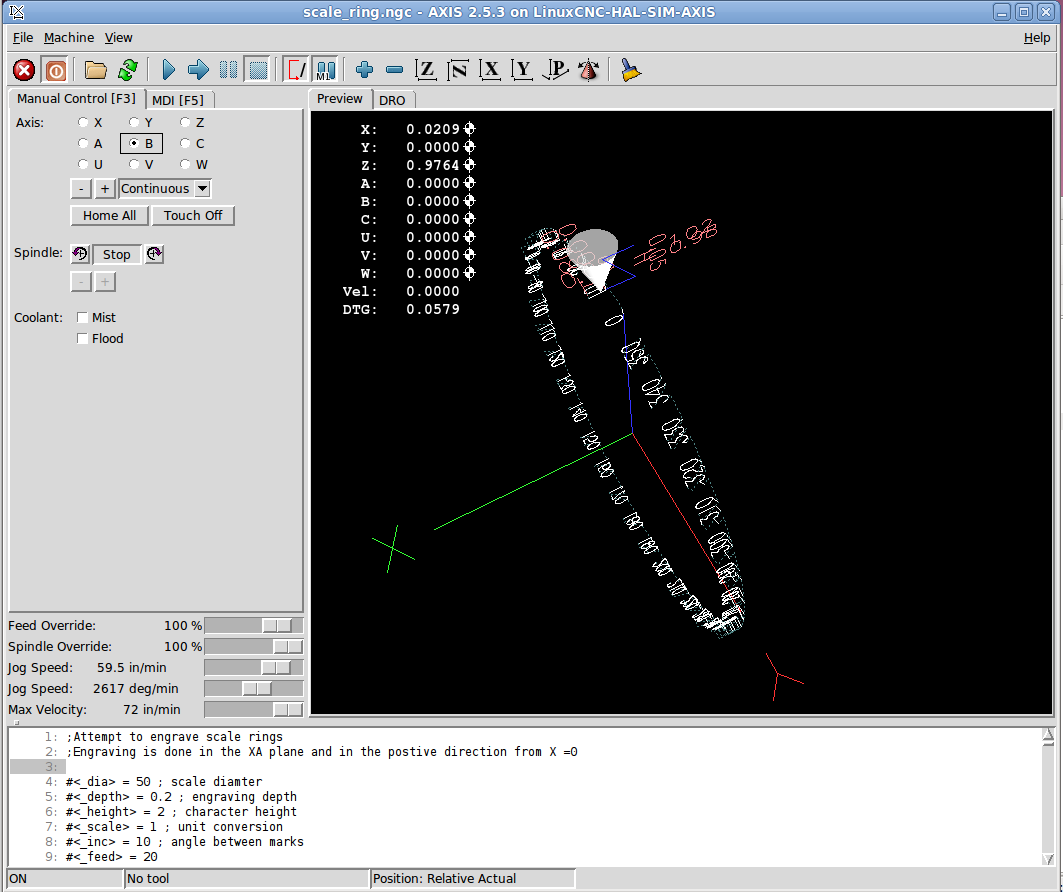
4 years 10 months ago #228927
by andypugh
Replied by andypugh on topic How do I rotate a coordinate system? Z axis horizontal milling machine
You don't need to rotate the coordinate system.
It sounds like what you want to do is to rotate the G-code graphical preview?Which GUI are you using?
It sounds like what you want to do is to rotate the G-code graphical preview?
Please Log in to join the conversation.
4 years 10 months ago #228928
by andypugh
Replied by andypugh on topic How do I rotate a coordinate system? Z axis horizontal milling machine
I think that the predefined views are set here:
github.com/LinuxCNC/linuxcnc/blob/12deb0...hon/rs274/glcanon.py
and it is controlled by the glTranslate glRotate commands. But it seems that these are coded separately for each element of the preview, so you would need to change the glRotate in several places to get the required result (but that is from a brief look at the code, I have not tried anything)
I can confirm, though, that "lathe" is not what you want.
github.com/LinuxCNC/linuxcnc/blob/12deb0...hon/rs274/glcanon.py
and it is controlled by the glTranslate glRotate commands. But it seems that these are coded separately for each element of the preview, so you would need to change the glRotate in several places to get the required result (but that is from a brief look at the code, I have not tried anything)
I can confirm, though, that "lathe" is not what you want.
Please Log in to join the conversation.
- Adam Maszynotwór
- Topic Author
- Offline
- Senior Member
-
Less
More
- Posts: 40
- Thank you received: 0
4 years 10 months ago #228991
by Adam Maszynotwór
Replied by Adam Maszynotwór on topic How do I rotate a coordinate system? Z axis horizontal milling machine
Thank You and I will try Your suggestion.
I'm trying to do something like in the video
The Z axis is horizontal and this is the view I would like to have the C axis wraps around the Z axis
The lathe view / mode does not have a 3D view option, it is only a top view and you cannot see what the machine is doing
https://www.forum.linuxcnc.org/21-axis/44499-how-do-i-rotate-a-coordinate-system-z-axis-horizontal-milling-machine#gallery www.forum.linuxcnc.org/21-axis/44499-how...ling-machine#gallery
I'm trying to do something like in the video
The Z axis is horizontal and this is the view I would like to have the C axis wraps around the Z axis
The lathe view / mode does not have a 3D view option, it is only a top view and you cannot see what the machine is doing
https://www.forum.linuxcnc.org/21-axis/44499-how-do-i-rotate-a-coordinate-system-z-axis-horizontal-milling-machine#gallery www.forum.linuxcnc.org/21-axis/44499-how...ling-machine#gallery
Please Log in to join the conversation.
4 years 10 months ago #229005
by andypugh
Replied by andypugh on topic How do I rotate a coordinate system? Z axis horizontal milling machine
Is your problem with the orientation of the display, or that the display does not show the B-axis rotation the way that you want?
Please Log in to join the conversation.
- Adam Maszynotwór
- Topic Author
- Offline
- Senior Member
-
Less
More
- Posts: 40
- Thank you received: 0
4 years 10 months ago #229031
by Adam Maszynotwór
Replied by Adam Maszynotwór on topic How do I rotate a coordinate system? Z axis horizontal milling machine
What I pasted is a real view of my G-code on the pipe. As you can see, this is a standard view with a vertical Z
www.forum.linuxcnc.org/21-axis/44499-how...ling-machine#gallery
. I want linuxCNC to run horizontally with the Z axis view like a real machine (that's why I pasted an image rotated 90 in "Paint" to show how I want to see the detail).
There is no problem with the C axis wrap around Z view, it works OK.
Even by hand, you can't rotate the view the way I want - Just linnuxCNC doesn't allow you to rotate the view at will - it has some frame encoded, limiting this freedom in the direction I need.
There is no problem with the C axis wrap around Z view, it works OK.
Even by hand, you can't rotate the view the way I want - Just linnuxCNC doesn't allow you to rotate the view at will - it has some frame encoded, limiting this freedom in the direction I need.
Please Log in to join the conversation.
4 years 10 months ago #229400
by andypugh
Replied by andypugh on topic How do I rotate a coordinate system? Z axis horizontal milling machine
I have experimented with changing the z2 view definition in glnav.py.
I haven't got what I wanted, but I think it can be done.
With a stock 2.8 installation the file is /usr/lib/python2.7/dist-packages/glnav.py
I tried changing the "Z2" view, to do this you need to edit line 386. The glRotatef(() line here:
As this is a system file you will need to use sudo to edit it. I used "sudo geany" from the command line to open the editor with the right privileges.
glRotatef is documented here:
www.khronos.org/registry/OpenGL-Refpages...1/xhtml/glRotate.xml
With some clearer examples here:
community.khronos.org/t/glrotatef/14062/2
You might need to rotate in two stages to get the view you want (which is why there are two rotates in the sample above)
You need to save the .py file then re-open LinuxCNC to check the result.
I haven't got what I wanted, but I think it can be done.
With a stock 2.8 installation the file is /usr/lib/python2.7/dist-packages/glnav.py
I tried changing the "Z2" view, to do this you need to edit line 386. The glRotatef(() line here:
Code:
def set_view_z2(self):
self.reset()
glRotatef(-90, 0, 0, 1)
glRotatef(45, 1, 1, 0)
mid, size = self.extents_info()
glTranslatef(-mid[0], -mid[1], -mid[2])
self.set_eyepoint_from_extents(size[1], size[0])
self.perspective = False
self.lat = 0
self.lon = 270
self._redraw()
As this is a system file you will need to use sudo to edit it. I used "sudo geany" from the command line to open the editor with the right privileges.
glRotatef is documented here:
www.khronos.org/registry/OpenGL-Refpages...1/xhtml/glRotate.xml
With some clearer examples here:
community.khronos.org/t/glrotatef/14062/2
You might need to rotate in two stages to get the view you want (which is why there are two rotates in the sample above)
You need to save the .py file then re-open LinuxCNC to check the result.
Please Log in to join the conversation.
- Adam Maszynotwór
- Topic Author
- Offline
- Senior Member
-
Less
More
- Posts: 40
- Thank you received: 0
4 years 10 months ago #229594
by Adam Maszynotwór
Replied by Adam Maszynotwór on topic How do I rotate a coordinate system? Z axis horizontal milling machine
Thank you for your help, you led me well
LinuxCNC 2.7.15 file is /usr/lib/pymodules/python2.7/glnav.py
Attachment not found
Attachment not found
Attachment not found
LinuxCNC 2.7.15 file is /usr/lib/pymodules/python2.7/glnav.py
Code:
glLoadIdentity()
tx, ty, tz = mat[12:15]
glTranslatef(tx, ty, tz)
glRotatef(snap(lat), *w.rotation_vectors[1])
glRotatef(snap(lon), *w.rotation_vectors[0])
glTranslatef(-xcenter, -ycenter, -zcenter)
w.lat = lat
w.lon = lon
def set_view_y(self):
self.reset()
glRotatef(90, 0, 1, 0)
glRotatef(-90, 0, 0, 1)
if self.is_lathe():
glRotatef(90, 0, 1, 0)
mid, size = self.extents_info()
glTranslatef(-mid[0], -mid[1], -mid[2])
self.set_eyepoint_from_extents(size[0], size[2])
self.perspective = False
self.lat = -90
self.lon = 0
self._redraw()
# lathe backtool display
Please Log in to join the conversation.
- Thayloreing
- Offline
- Premium Member
-

Less
More
- Posts: 94
- Thank you received: 0
2 years 3 months ago #305437
by Thayloreing
Replied by Thayloreing on topic How do I rotate a coordinate system? Z axis horizontal milling machine
I'm making a vertical lathe, and I need to change the view too, for lathe mode would it be the same way?
Please Log in to join the conversation.
Time to create page: 0.121 seconds