

- Posts: 116
- Thank you received: 0
Custom user Button Touchoff in Axis
6 years 2 months ago #179882
by EW_CNC
Custom user Button Touchoff in Axis was created by EW_CNC
I am setting up a custom user button in Axis that would let me set X0 Y0 sheet touchoff in one button press.
I set it up two ways.
First in .ini file:
BUTTON_5_NAME = Touchoff\X0 Y0
BUTTON_5_CODE = G10 L20 P1 X0 Y0
Second in .ini file:
BUTTON_13_NAME = Touchoff
BUTTON_13_CODE = o<touchoff> call
touchoff .ngc
O<touchoff> sub
G20
g10 l20 p0 x0 y0
G53 G0 Z[5 - 0.25]
O<touchoff> endsub
M2
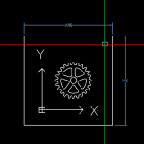
Both ways work, but I’m having one issue. If I have the program loaded first, it will set the coordinates to X0 Y0, but the display will not update to show the parts at actual position. Is there something that can be done to have it refresh the display? Is this just in Axis or does Gmoccapy perform the same?
What method are other users using?
EW
I set it up two ways.
First in .ini file:
BUTTON_5_NAME = Touchoff\X0 Y0
BUTTON_5_CODE = G10 L20 P1 X0 Y0
Second in .ini file:
BUTTON_13_NAME = Touchoff
BUTTON_13_CODE = o<touchoff> call
touchoff .ngc
O<touchoff> sub
G20
g10 l20 p0 x0 y0
G53 G0 Z[5 - 0.25]
O<touchoff> endsub
M2
Both ways work, but I’m having one issue. If I have the program loaded first, it will set the coordinates to X0 Y0, but the display will not update to show the parts at actual position. Is there something that can be done to have it refresh the display? Is this just in Axis or does Gmoccapy perform the same?
Attachment not found
What method are other users using?
EW
Please Log in to join the conversation.
6 years 2 months ago #179911
by phillc54
Replied by phillc54 on topic Custom user Button Touchoff in Axis
For Axis you could try:
this will set the coordinates then reload the program which refreshes the preview.
I don't think there is a solution for Gmoccapy.
Code:
g10 l20 p0 x0 y0 \ %axis-remote --reload
I don't think there is a solution for Gmoccapy.
Please Log in to join the conversation.
6 years 2 months ago #179920
by rodw
There might be. Gmoccappy has its own macro buttons. I use them for x,y touchoff using a laser pointer.
I've never bothered to look at the screen preview but maybe that will work becasue its using a Gmoccapy feature, not a plasmac feature. Check the gmoccapy documents fro details. Its well documented.
Replied by rodw on topic Custom user Button Touchoff in Axis
phillc54 wrote:
I don't think there is a solution for Gmoccapy.
There might be. Gmoccappy has its own macro buttons. I use them for x,y touchoff using a laser pointer.
I've never bothered to look at the screen preview but maybe that will work becasue its using a Gmoccapy feature, not a plasmac feature. Check the gmoccapy documents fro details. Its well documented.
Please Log in to join the conversation.
6 years 2 months ago #179928
by EW_CNC
Replied by EW_CNC on topic Custom user Button Touchoff in Axis
Excellent! It works, right what I was looking for.
You might want to consider adding it in PlasmaC documentation as a user button option.
Many Thanks,
Earl W
You might want to consider adding it in PlasmaC documentation as a user button option.
phillc54 wrote:
For Axis you could try:
g10 l20 p0 x0 y0 \ %axis-remote --reload
this will set the coordinates then reload the program which refreshes the preview.
Many Thanks,
Earl W
Please Log in to join the conversation.
- snowgoer540
- Offline
- Platinum Member
-

Less
More
- Posts: 2580
- Thank you received: 0
6 years 2 months ago #180107
by snowgoer540
Replied by snowgoer540 on topic Custom user Button Touchoff in Axis
I did this today, and found it a little annoying that it didn't clear the live plot (thick yellow line of where you'd jogged around) as well. A little digging around, and guess work, and I discovered that this does both:
Code:
G10 L20 P0 X0 Y0 \ %axis-remote --reload \ %axis-remote --clear
Please Log in to join the conversation.
- snowgoer540
- Offline
- Platinum Member
-
Less
More
- Posts: 2580
- Thank you received: 0
6 years 1 month ago #180867
by snowgoer540
One more thing would could be added to make this button perfect... it needs to re-zoom, to bring it back to the center of the screen and sized correctly. If I click "top view" it does what's needed, but I dont know how to do that via code. Any ideas?
Replied by snowgoer540 on topic Custom user Button Touchoff in Axis
snowgoer540 wrote: I did this today, and found it a little annoying that it didn't clear the live plot (thick yellow line of where you'd jogged around) as well. A little digging around, and guess work, and I discovered that this does both:
Code:G10 L20 P0 X0 Y0 \ %axis-remote --reload \ %axis-remote --clear
One more thing would could be added to make this button perfect... it needs to re-zoom, to bring it back to the center of the screen and sized correctly. If I click "top view" it does what's needed, but I dont know how to do that via code. Any ideas?
Please Log in to join the conversation.
6 years 1 month ago #180871
by EW_CNC
Replied by EW_CNC on topic Custom user Button Touchoff in Axis
snowgoer540 you took the words right out of my mouth!
I keep hitting the top view Z button to center the plot. I probably wouldn't need to, but it sure is ease of mind to see that it touched off correctly before I start to cut. I liked your addition to clear the plot. Thanks all for contributing to PlasmaC. I checked around, but with my limited understanding of LinuxCNC I didn't find a solution to centering the plot.
I keep hitting the top view Z button to center the plot. I probably wouldn't need to, but it sure is ease of mind to see that it touched off correctly before I start to cut. I liked your addition to clear the plot. Thanks all for contributing to PlasmaC. I checked around, but with my limited understanding of LinuxCNC I didn't find a solution to centering the plot.
Please Log in to join the conversation.
- snowgoer540
- Offline
- Platinum Member
-
Less
More
- Posts: 2580
- Thank you received: 0
6 years 1 month ago #180973
by snowgoer540
Hmm, I did poke around the Axis manual as well, but I couldnt come up with anything. I'll see if I can find anything over on the axis portion of this forum that already exists, maybe I'll ask there as well.
Replied by snowgoer540 on topic Custom user Button Touchoff in Axis
flamecutter wrote: snowgoer540 you took the words right out of my mouth!
I keep hitting the top view Z button to center the plot. I probably wouldn't need to, but it sure is ease of mind to see that it touched off correctly before I start to cut. I liked your addition to clear the plot. Thanks all for contributing to PlasmaC. I checked around, but with my limited understanding of LinuxCNC I didn't find a solution to centering the plot.
Hmm, I did poke around the Axis manual as well, but I couldnt come up with anything. I'll see if I can find anything over on the axis portion of this forum that already exists, maybe I'll ask there as well.
Please Log in to join the conversation.
6 years 1 month ago #180977
by phillc54
Replied by phillc54 on topic Custom user Button Touchoff in Axis
There is nothing I know of as standard. It probably wouldn't be too difficult to create something in plasmac_axis.py.
Please Log in to join the conversation.
- snowgoer540
- Offline
- Platinum Member
-
Less
More
- Posts: 2580
- Thank you received: 0
6 years 1 month ago #180978
by snowgoer540
I wouldn't even know where to start :laugh:
Replied by snowgoer540 on topic Custom user Button Touchoff in Axis
phillc54 wrote: There is nothing I know of as standard. It probably wouldn't be too difficult to create something in plasmac_axis.py.
I wouldn't even know where to start :laugh:
Please Log in to join the conversation.
Time to create page: 0.097 seconds