Probe Basic ATC Questions

More
1 year 2 months ago - 1 year 2 months ago #332767 by tsaG
Hi,

I updated ProbyBasic to the newest dev version and I am facing two Issues. After the update, I deleted all my old folders (user tabs, subroutines, python etc...) with the new folders from the example config. I am currently trying out the ATC Rack tool Changer. 

Issue1:
For this, I am trying to modify my linuxcnc.var file, manually changing the following Parameter:

"3973    10.000000
3979    1.000000
3981    -76.000000
3982    0.000000
3983    1137.000000
3984    615.680000
3985    1137.000000
3986    565.680000
3987    1097.000000
3988    615.680000"

However, when opening Linuxcnc, all the values are still 0. When modifying some values in the GUI, for example X Position for P1 to 1337, I get the error "Error: No Conditions Met, Rack ID Not Set" BUT when hitting "update Rack ATC Parameters" the Value is saved in the linuxcnc file (but all the other values above are overwritten to 0.

So, I would be fine with including all these in the GUI but the only value I can not change is the "ATC Rack ID", which seems to be write protected and, I assume, creates the error above.

EDIT: Okay, I filled now all Parameters and it seems to have created a RACK ID -> 4. And it is working now.

Issue 2:

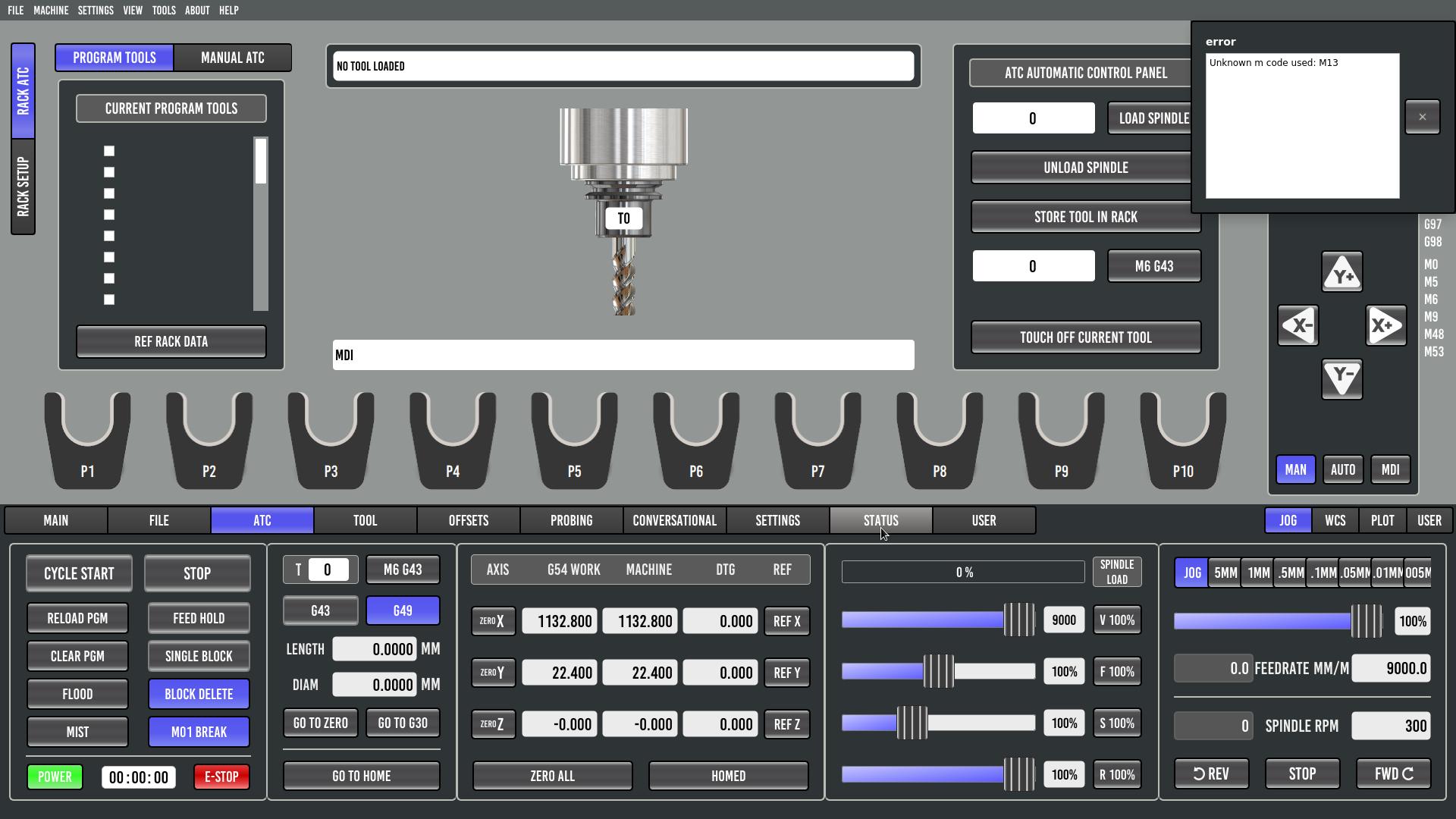
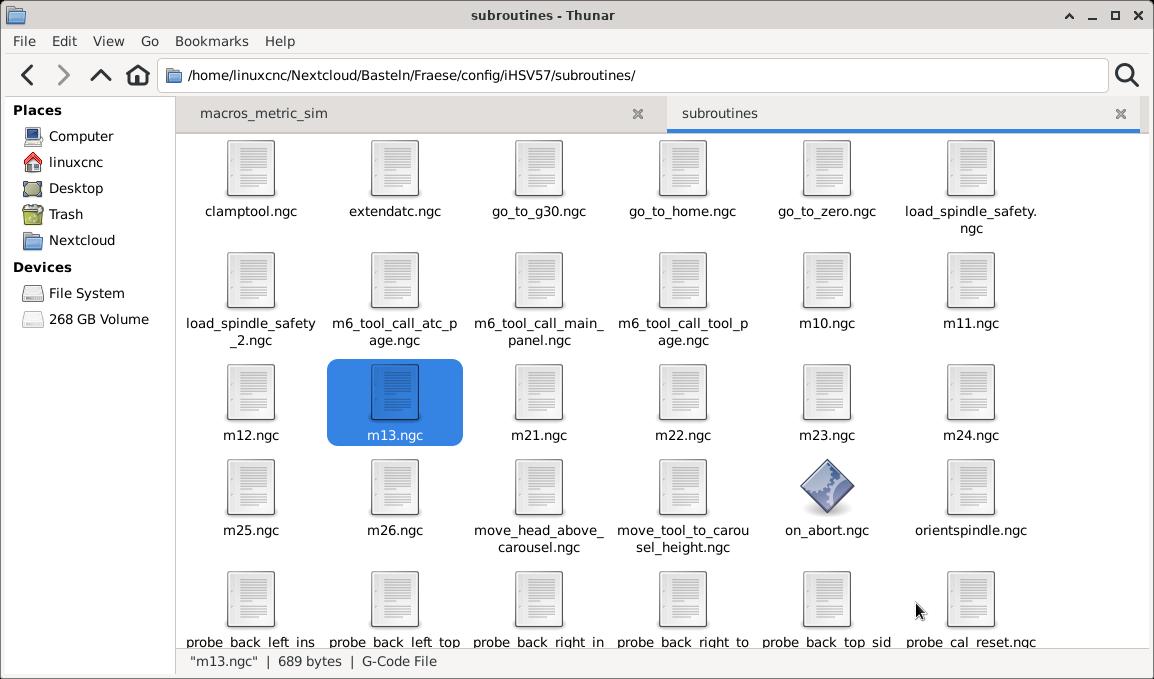
I set up everything and can now manually clamp and release the tools. The Tool touch off is also working (on both ATC and Tool Tab). However, when clicking "Store Tool in Rack", I get the Error "Unknown m code used: M10" but M10 is in the subroutines folder.
Similar to clicking "Ref Rack Data" (what does it actually do?) I get "Unknown m code used: M13".


Last edit: 1 year 2 months ago by tsaG.

Please Log in or Create an account to join the conversation.

More
1 year 2 months ago #332783 by Lcvette
Replied by Lcvette on topic Probe Basic ATC Questions
You need to set the parameters in the UI only

The rack is is calculated automatically based on your pocket location settings in the ui

Please Log in or Create an account to join the conversation.
More
1 year 2 months ago #332791 by tsaG
Replied by tsaG on topic Probe Basic ATC Questions
Thanks!

do you also have an idea for my second issue?

Please Log in or Create an account to join the conversation.
More
1 year 2 months ago #332830 by Lcvette
Replied by Lcvette on topic Probe Basic ATC Questions
you need the subroutines from the rack atc sim, they are specific to rack atc, the subroutines in the standard probe basic file are default for carousel type. copy over the complete subroutine folder from rack atc config sim folder to your machine config folder. should work then.

Please Log in or Create an account to join the conversation.

More
1 year 2 months ago - 1 year 2 months ago #332847 by tsaG
Replied by tsaG on topic Probe Basic ATC Questions
Thanks for the quick reply. On installation, I copied the "macros_metric_sim" folder into my "subroutines folder" from the "rack_atc_sim" folder, is this correct?

Manually clamping / unclamping works (so it seems to use the "clamping" and "unclamp" Gcode).

I attached my machine config (currently a bit messy as I switched from a custom Rack tool changer (which worked so far), to the probe basic one and I think I found one issue (which I fixed). For some reason, I had the following line included which broke something.

REMAP=M6   modalgroup=6  prolog=change_prolog   ngc=toolchange  epilog=change_epilog

Removing this at least lets me click "Store tool in Rack". However, it doesn't do anything except for setting the active tool to "No tool loaded". It doesn't move my spindle. Clicking "Ref Rack Data" (still don't know what it does) gives me the "Unknown M Code used: M13").


Last edit: 1 year 2 months ago by tsaG.

Please Log in or Create an account to join the conversation.

More
1 year 2 months ago #332853 by Lcvette

Please Log in or Create an account to join the conversation.

Moderators: KCJ, Lcvette
Time to create page: 0.069 seconds
Powered by Kunena Forum
