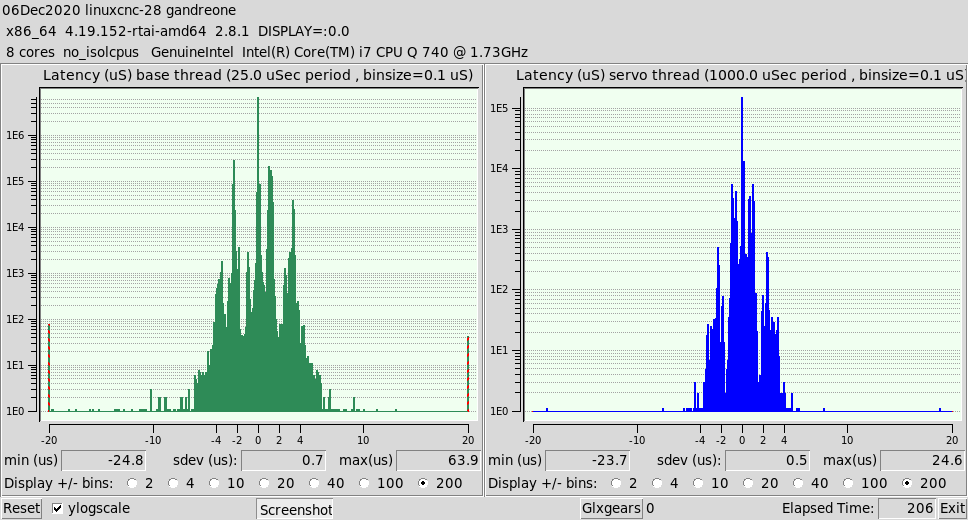
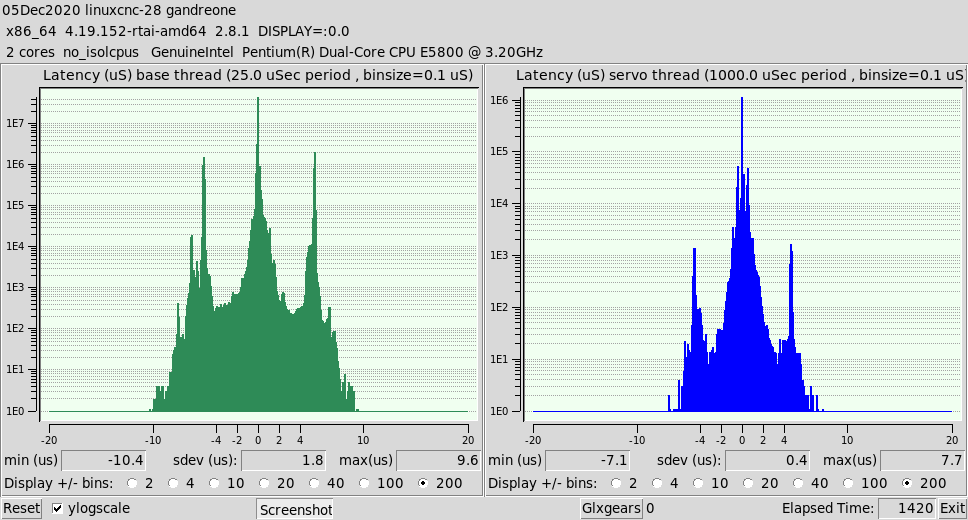
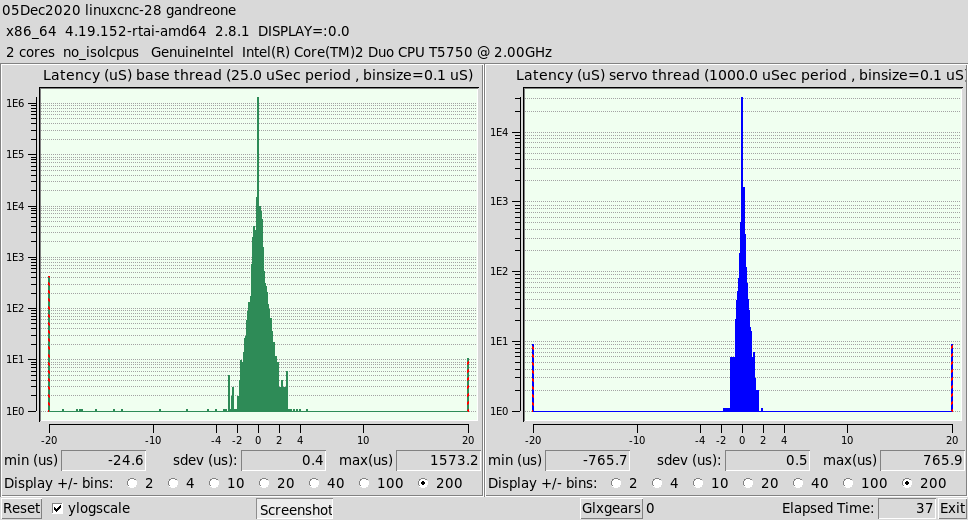
There is an error in the dmesg file named lboot2.log included in zip. I am not versed well enough to comment maybe this is a source of problems. Another strange occurrence is that all of the "Home" folders are greyed out in file manager.
The Computer is a old I7 with 8G of Dram. Is it possible I did something wrong?
Just in case the source install I tried to compiled caused the errors, I rebuilt a new disk from the Linuxcnc ISO 2.8 distribution with a graphical install.
1) Re partitioned USB disk so it has 2 primary partitions
2) Applied the grub bootloader to USB disk
3) Booted from USB
4) dpkg -i linux-image-4.19.152-rtai-amd64.deb
5) dpkg -i rtai-modules-4.19.152_5.2.3-linuxcnc_amd64
6) dpkg -i linuxcnc_2.8.1_amd64. Conflict with existing
7) Synaptic removed Linuxcnc all languages, uspace, and uspace-dev

dpkg -i linuxcnc_2.8.1_amd64. Conflict with existing: Successful install
9) latency-histogram --base 25000 --servo 1000000: Produced more errors then before!
10) sudo apt-get update
11) sduo apt-get dist-upgrade
12) latency-histogram --base 25000 --servo 1000000: Produced same error as before!
Code:
insmod: ERROR: could not insert module /usr/realtime-4.19.152-rtai-amd64/modules/linuxcnc/threads.ko: Unknown symbol in module
A RETEST of the USB functions without the previous errors. Did the use of the USB in the other 3 computers make changes? YES IT DOES!!! A repeat situation with a build of USB-2 drive created the same error as above. Following steps 1->5 below did not clear the problem. After USB-2 was booted on the Acer-Veritron with the latency-histogram test successful the USB-2 drive was moved to the ACER-8943G. The problem no longer occurred. Most likely the Environment variables changed? I was not smart enough to make a copy of them beforehand!
The Hang on reboot also disappeared. The reboot hang is similar to the what occurs when the UUID of the swap partition is incorrect. The following steps did NOT correct the problem. The hang occurs because the RTAI scheduler cannot be unloaded.
sudo halrun -U did not unload it.
sudo kill UID did not unload it.
The other changes made to the USB prior to the retest were.
1) Reinstalled ISO on partiton 1, Andy's packages on Partion 2 of USB
2) Reinstalled GRUB on MBR.
3) Edited /etc/fstab on Partiton 2 to reflect new UUID for Swap drive
4) Edited /etc/initramfs-tools/conf.d/remove on Partiton 2 to reflect new UUID for Swap drive
5) sudo update-initramfs -u on Partiton 2 to reflect new UUID for Swap drive