Hey guys, thanks for the swift and detailed responses; Lcvette your explanation and drawing helped clear some things up for me too.
The issue I'm having is what I'm seeing doesn't match those described behaviours (or I've misunderstood or missed something, in which case thanks in advance for your patience) in two key ways:
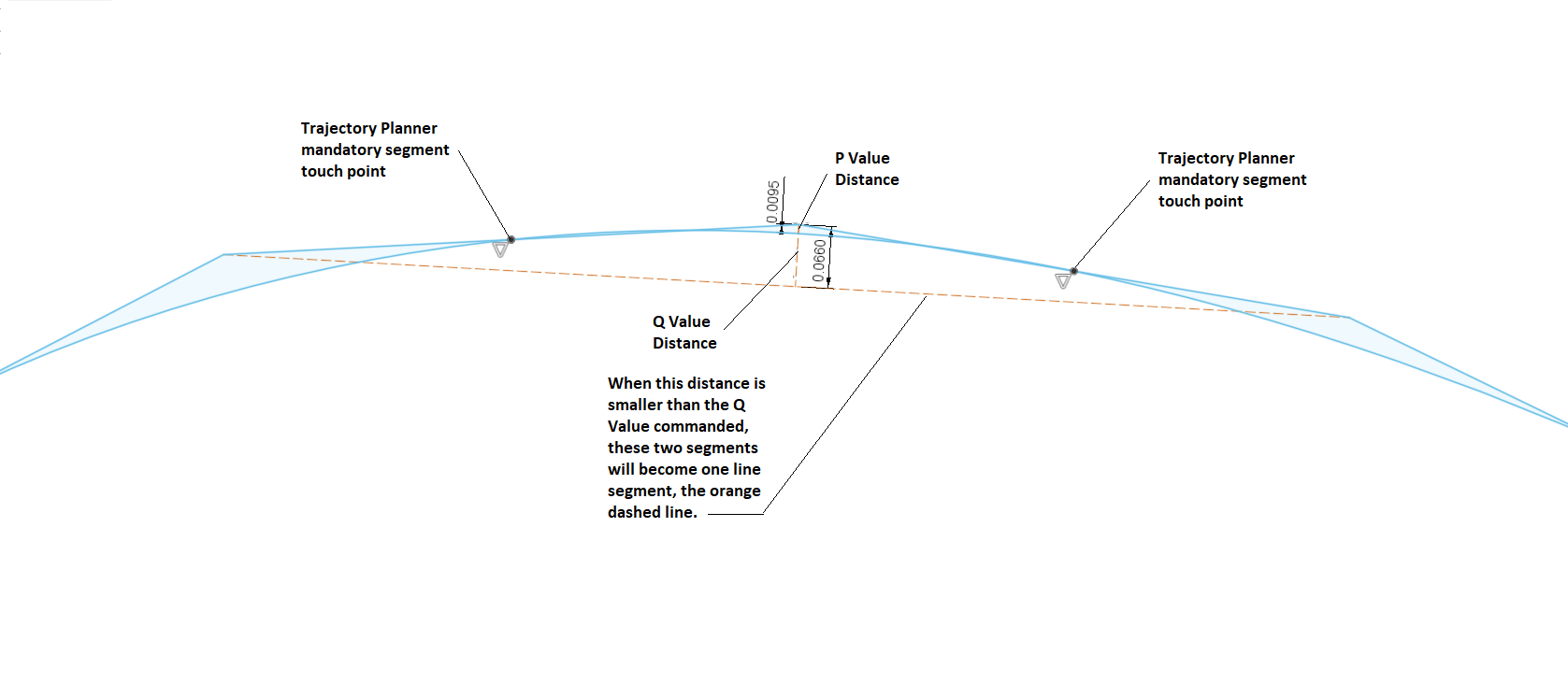
- "..the trajectory planner must touch each line segment at least once" - I'm seeing over a meter of travel, with around a thousand segments, where the path doesn't touch at all (see 'not touching points' image for hasty mspaint diagram) unless Q is set extremely low (0.5 = no touching/intersection, 0.01 does touch).
- Could this be due to some sort of averaging of the path? ie when niave cam detection acts across all segments in a long convex curve it averages the curve out towards flat?
- Low Q + lots of points = less freedom for P to act - This is where I'm more sure that the behaviour is odd: at the end of each curve is a 30mm horizontal lead out, 2mm step down, then 30mm lead in. When Q is set very low (ie to more accurately trace the curved paths) the lead ins and lead outs also get traced more accurately, as if the P value is ignored (see 'negated P' image).
- These motions are four points: (I just checked the gcode to be sure)
- end of curve/start of lead out,
- end of lead out +30mm in X
- stepdown -2mm in Z
- lead in/start of next curve -30mm in X
For a bit of context: This is a specialty machine that needs to work with a specific cam (that is still under development so I've been able to get a feature put in to reduce point density, though my results are similar with said feature), I need to be able to use path blending to smooth out the early stage transition moves (linear rectangles for now, asking for tangential extension curves but it's not coming anytime soon) while still reasonably accurately following the curved paths, hence the need for a low Q and a relatively high P. If I could get it to at least touch each segment post-Q point-decimation it would work perfectly, I'm just unable to get it to touch most line segments for reasonable Q and P values.
andypugh: Y and Z have very little work to do to keep up with X (long shallow curves) but they've got plenty of accel left on the table so I'll crank their accel right up and see what I get.
Cheers for your time guys.
Additional question/thought: is there a way to export/log the traveled path (ie the red line in backplot)?