SPINBOX DATA to G-Code Variable

More
8 years 2 months ago #116936 by JesusAlos
Hi. Following the ArcEye example, I trying to execute this gcode:

M3 S400
F1000
G1 X0 Y0
G4 P#<_hal[pyvcp.spinbox0]>
G1 X10 Y0
G4 P#<_hal[pyvcp.spinbox0]>
G1 X10 Y10
G4 P#<_hal[pyvcp.spinbox0]>
G1 X0 Y10
G4 P#<_hal[pyvcp.spinbox0]>
G1 X0 Y0
G4 P#<_hal[pyvcp.spinbox0]>
M5
M30

But the pause time value don't change while the machine is executing the Gcode.
Are there a solution to change the variable Gcode value during the machine is executing the Gcode?

Thank.

Please Log in or Create an account to join the conversation.

More
8 years 2 months ago #116939 by Todd Zuercher
Could you use m66 and parameter #5399. To input your value?

Please Log in or Create an account to join the conversation.

More
8 years 2 months ago #116948 by andypugh
Unfortunately #<_hal Pins are only updated when the G code starts, not live.
A tool change (even a dummy one) _might_ update them during G-code execution.

M66 and a Hal net is the dependable way.

Please Log in or Create an account to join the conversation.

More
8 years 1 month ago #117007 by JesusAlos
I tried:

G4 P[#5410]
The result is I have to reload the tool table to load the new diameter tool value.

G4 P#<_hal[pyvcp.spinbox0]>
M66 E<pin_number>

Both cases, have to stop the machine to load the new value.

I can't find a way to change a variable value during gcode execution.
Thank you.

Please Log in or Create an account to join the conversation.
More
8 years 1 month ago #117010 by Todd Zuercher
To update a parameter value in g code using m66.
In your hal file connect the pin "motion.analog-in-00" (motion.analog-in-nn) to the hal pin you are reading your analog value from.
Then in your G-code when you what the value updated insert
Code:
M66 E0 #<_your parameter>=#5399
The following user(s) said Thank You: Nico2017

Please Log in or Create an account to join the conversation.
More
7 years 7 months ago - 7 years 7 months ago #127493 by jurod
Hi everybody
I have two problems with spinbox.
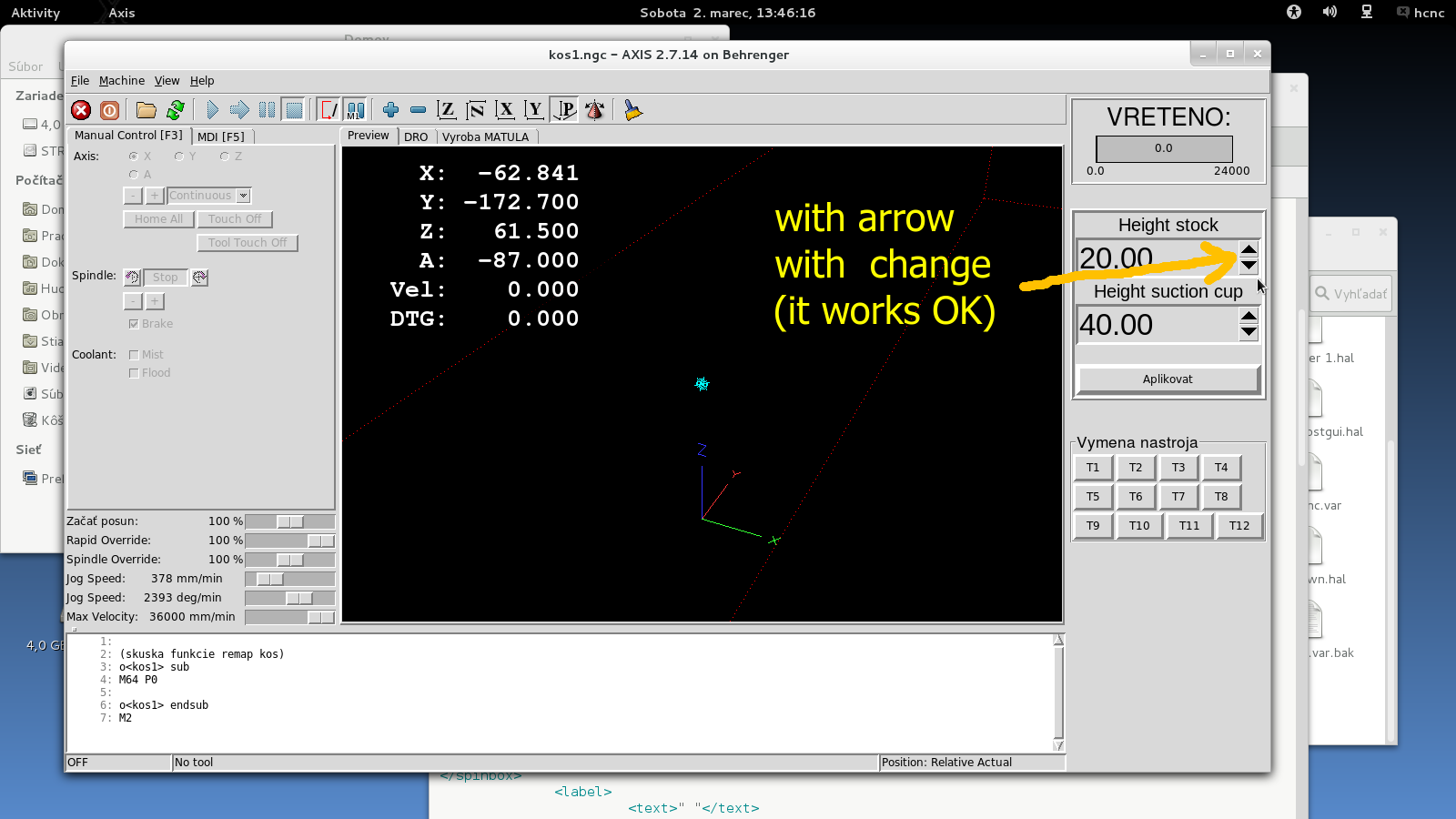
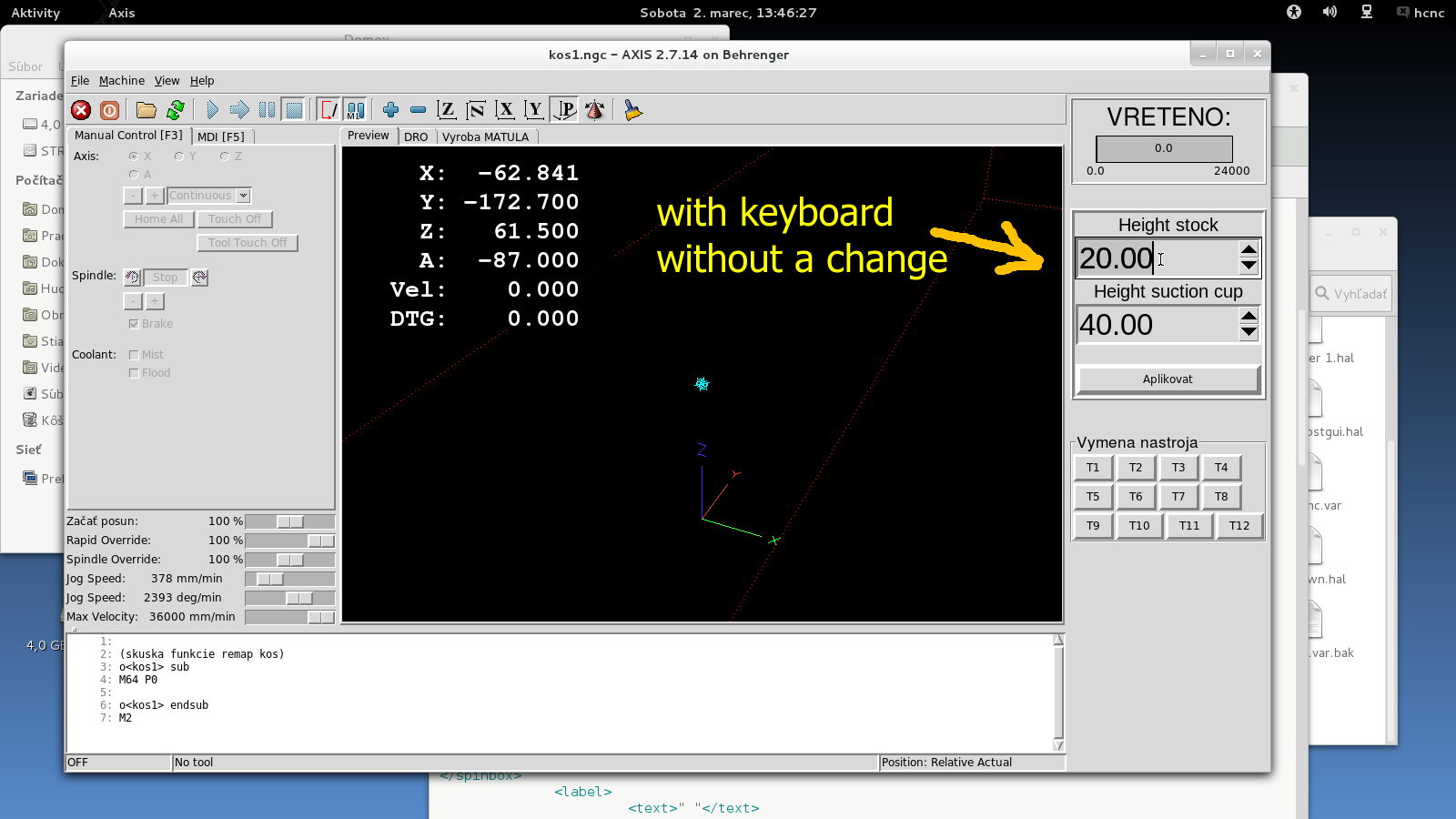
1. G code (aplikovat) is unchanged if I write to a spinbox with a keyboard. The number on the
screen is changed but gcode is without change.
A change with arrow G code (aplikovat) its OK. It works with changes.


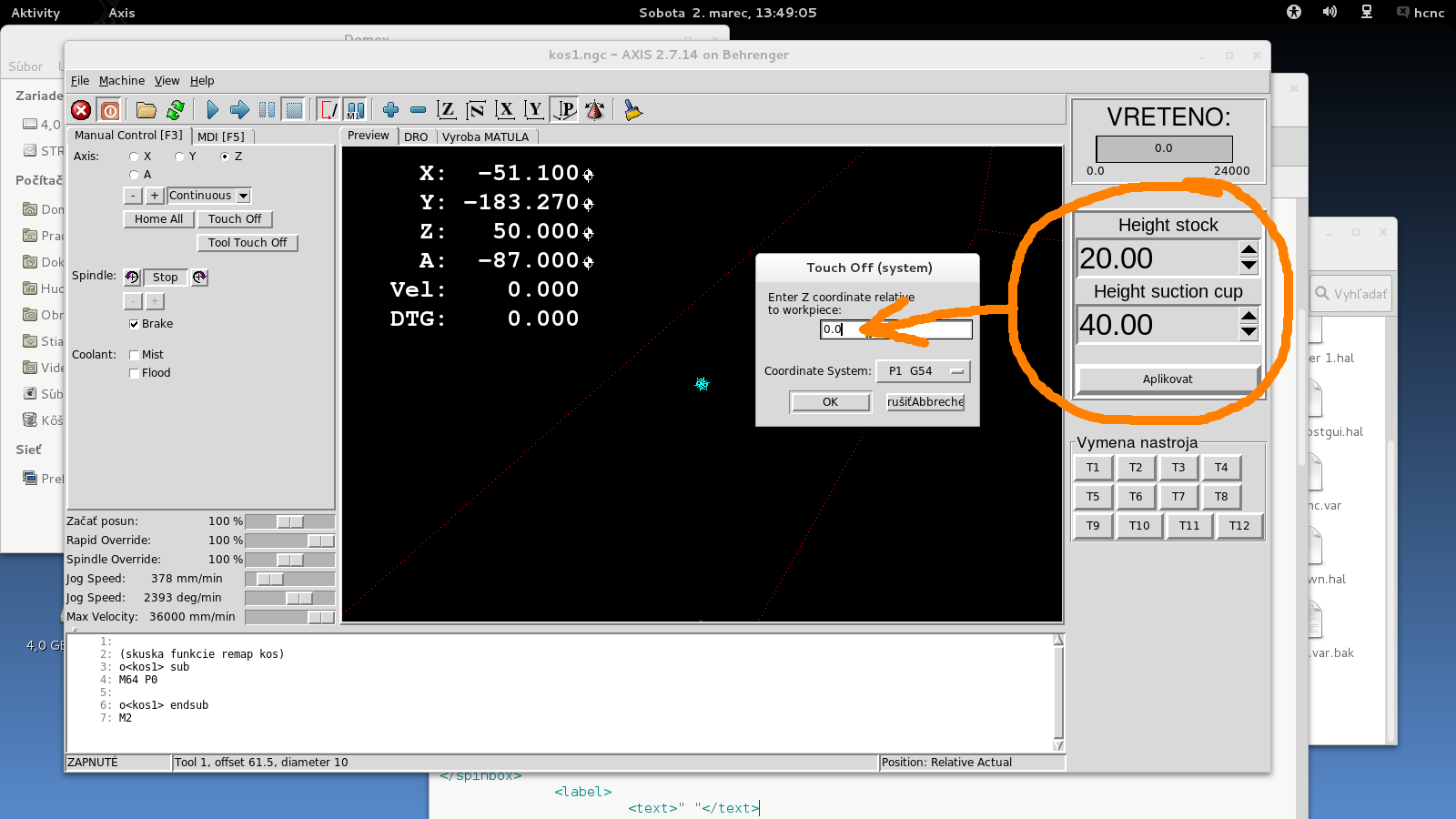
2. I wood like change "Z coordinate relative to workpiece" with button "Aplikovat" .
Why? Help please.

My config:
In file .ini.

[HALUI]
MDI_COMMAND= o <aplikovat> call

[DISPLAY]
PYVCP = pyvcp-panel.xml

[RS274NGC]
FEATURES = 12

In file pyvcp_options.hal
net appc halui.mdi-command-10 pyvcp.appc


.

File Attachment:

File Name: pyvcp-panel.xml
File Size:3.63 KB

File Attachment:

File Name: aplikovat_...3-02.txt
File Size:191 B
Last edit: 7 years 7 months ago by jurod.

Please Log in or Create an account to join the conversation.
Time to create page: 0.365 seconds
Powered by Kunena Forum
