Biesse Rover 322 MESA retrofit

More
6 years 1 month ago #180471 by tom_no
Thanks Tommy!

I know I need lot's of IO, but they may be spread (some in main cabinet, some underneat, some in head). 7i84 may make sense in some cases then, and I'll just have to wait and count IO's.

Trying to get ready to place an order with MESA, my patience (or lack thereof) requires me to order the cards asap, so I can start as soon as I've got the machine. A bit risky without having inspected the machine first, and checked what electronics I've got to work with. Everything except the output boards seems straight forward though.

Any tips on bits to get, workflow etc? E-stop -> servors -> homing -> spindle....?

Please Log in or Create an account to join the conversation.

More
6 years 1 month ago #180473 by tommylight
Do you have any of the schematics ? That would help a lot.
One of the many reasons i love using Mesa cards ( besides the very high quality and the best support on planet earth ) is the ability to replace a big mess of cables with a single CAT 6 cable, in most cases.
As for tips, have a run through this, it has plenty of info on almost everything you would need. In case i missed something, please do let me know. Thank you.
forum.linuxcnc.org/10-advanced-configura...ning-detailed-how-to

Please Log in or Create an account to join the conversation.

More
6 years 1 month ago #180497 by tom_no
I will pick the machine up myself with the current owner, and will sure try to get hold of all and any documentation on it. I've tried to search the net, but only found XNC 1.2 software manual that may be of relevance.

Thanks Tommy! What generousity! I will it get me off to a flying start. :-)
I'll sure let you know if I come up with suggestions underway.
The following user(s) said Thank You: tommylight

Please Log in or Create an account to join the conversation.

More
6 years 1 month ago #182281 by tom_no
Time for a update. ;-)

Picked up the machine last week, got it home and in temporary storage where I can work on it. Got it connected up to power and replaced the broken CRT with a temporary LCD and got the computer booted up. Almost had to wipe a tear of nostalgia with the 640k of memory and 3,5" floppy drive.

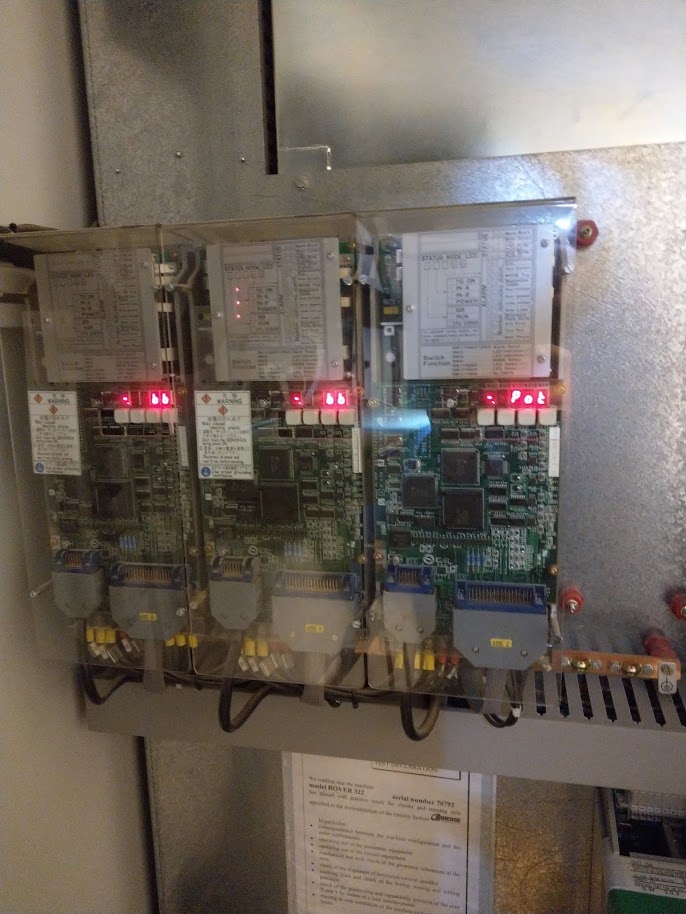
The owner got it new in '97 and I got a bunch of documentation with it (original manuals etc). Copied down all the IO's from the schematics into a spreadsheet, including wire numbers and descriptions. Verified at the machine and found a few extra here and there. Will be quite interesting to figure out what they are for. My list contains 168 IO (76 in, 92 outputs) so far. Servos, drive and control panel seem to all use serial connections and will come in addition.

A total of 9 CNI IO modules in the machine: 2 in the main switchboard, 2 in left side of table. 2 in center of table and 3 in the head.

Next up with the machine will be to add compressed air and vacuum pump and see if it comes alive for real. Unfortunately I do not have space currently to allow full Y-axis movement and thus cannot home it. Hope to be able to jog it at least, so I can confirm that everything else works.

Please Log in or Create an account to join the conversation.

More
6 years 1 month ago #182285 by tom_no
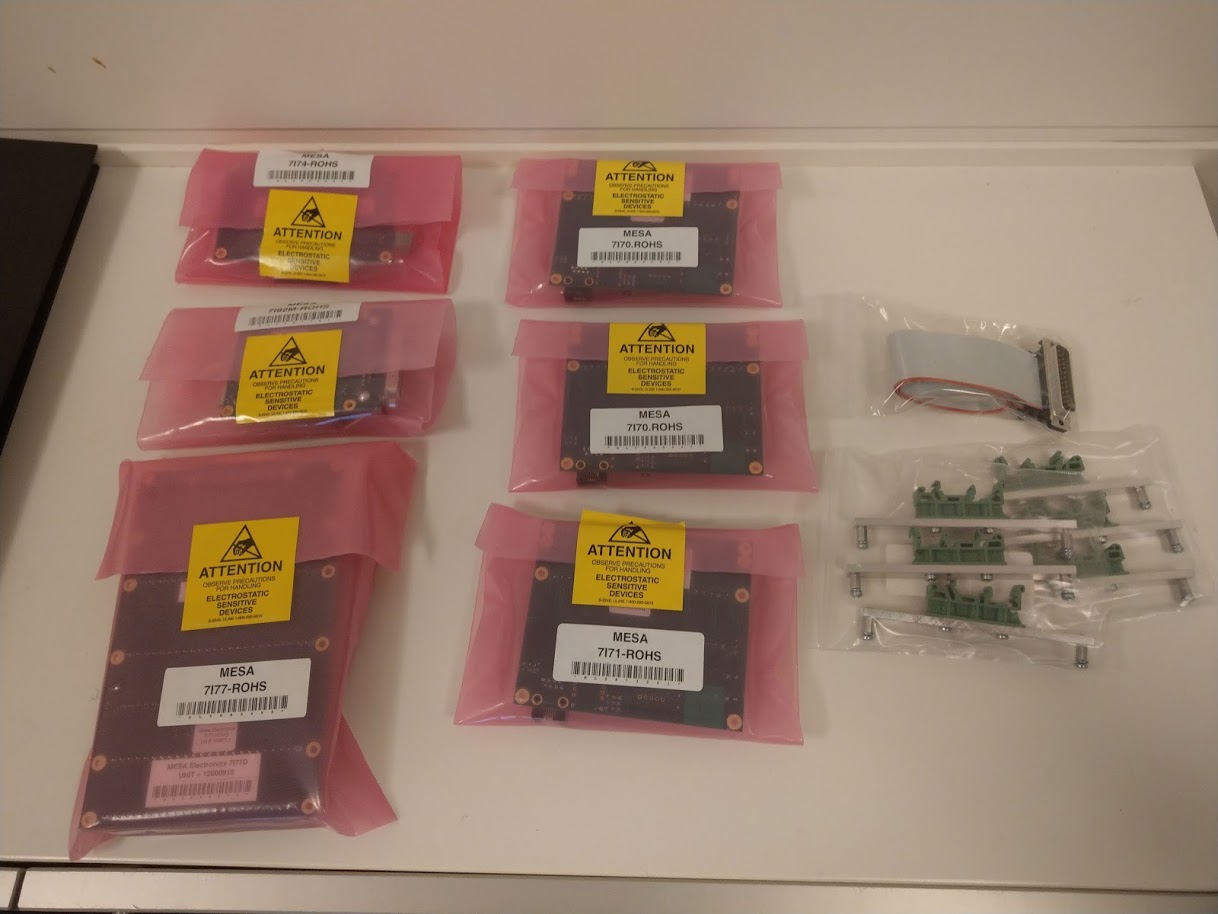
Today I've received the (first) shipment of MESA cards and started fiddling with a Laptop for testing. Got LinuxCNC 2.8.0 Debian 10 Buster installed and after some hassle got it to talk to the 7i92. Uploaded the firmware config for 7i92 + 7i77 + 7i44 through the terminal window.

If anyone reading here has the ability to give input to whomever compiles the packages for the ISO it would be nice if the WIKD Network Manager was replaced with the Gnome one - as the former does not have the functionality needed to configure a connection to the MESA 7i92.

Question: How do I add firmwares for card combinations to PNCCONF? There are only 6 combinations available in the drop-down list in the wizard, and I'd like to add the 7i77+7i44 one I'm using.


Looks like I need to add a 7i71 and a 7i83 to gain control over all IO's.

Please Log in or Create an account to join the conversation.

More
6 years 1 month ago #182292 by tommylight

tom_no wrote: Question: How do I add firmwares for card combinations to PNCCONF? There are only 6 combinations available in the drop-down list in the wizard, and I'd like to add the 7i77+7i44 one I'm using.

:woohoo: You have a 7i74, and there is no need for that, i did all that manually. The 7i74 is transparent so all you really see is the 7i70 and 7i71 connected to it.
You can also use pncconf to create the I/O pins for 7i77 then open the hal file and cut the I/O stuff and paste to a new text file, use "find and replace" feature on all Linux text editors to replace the 7i77.0.n with the relevant 7i70.n.n or 7i71.n.n, then paste them back to the main hal file. Or make a new hal file for the 7i70 and 7i71 as i did, add it to the ini file, and use the procedure above just to cut and paste and replace.
It might seem complicated, but it really is not, just give it a try and do not worry if it does not work, you can make as many configs as you like, and that is also a good advice, make a simple config and test, if it works make a copy of it and add more stuff then test then again copy and add more stuff, and so on. Saves a lot of time and nerves if something goes wrong as you can always make a copy of the last known good config and continue without having to start from scratch.

Please Log in or Create an account to join the conversation.
Time to create page: 0.389 seconds
Powered by Kunena Forum