Strange tool paths

More
4 years 7 months ago - 4 years 7 months ago #238897 by Tintin
Strange tool paths was created by Tintin
Dear all,

I'm a bit uncertain where to place this question as I'm puzzled where my issue comes from...

I have managed to setup a basic 3-axis machine just for learing the trade with a RPI talking to a Mesa 7i76e with open-loop steppers. The machine is basically running and ran several examples, that's how far I am. Mastering the CAM side seems to be the issue...

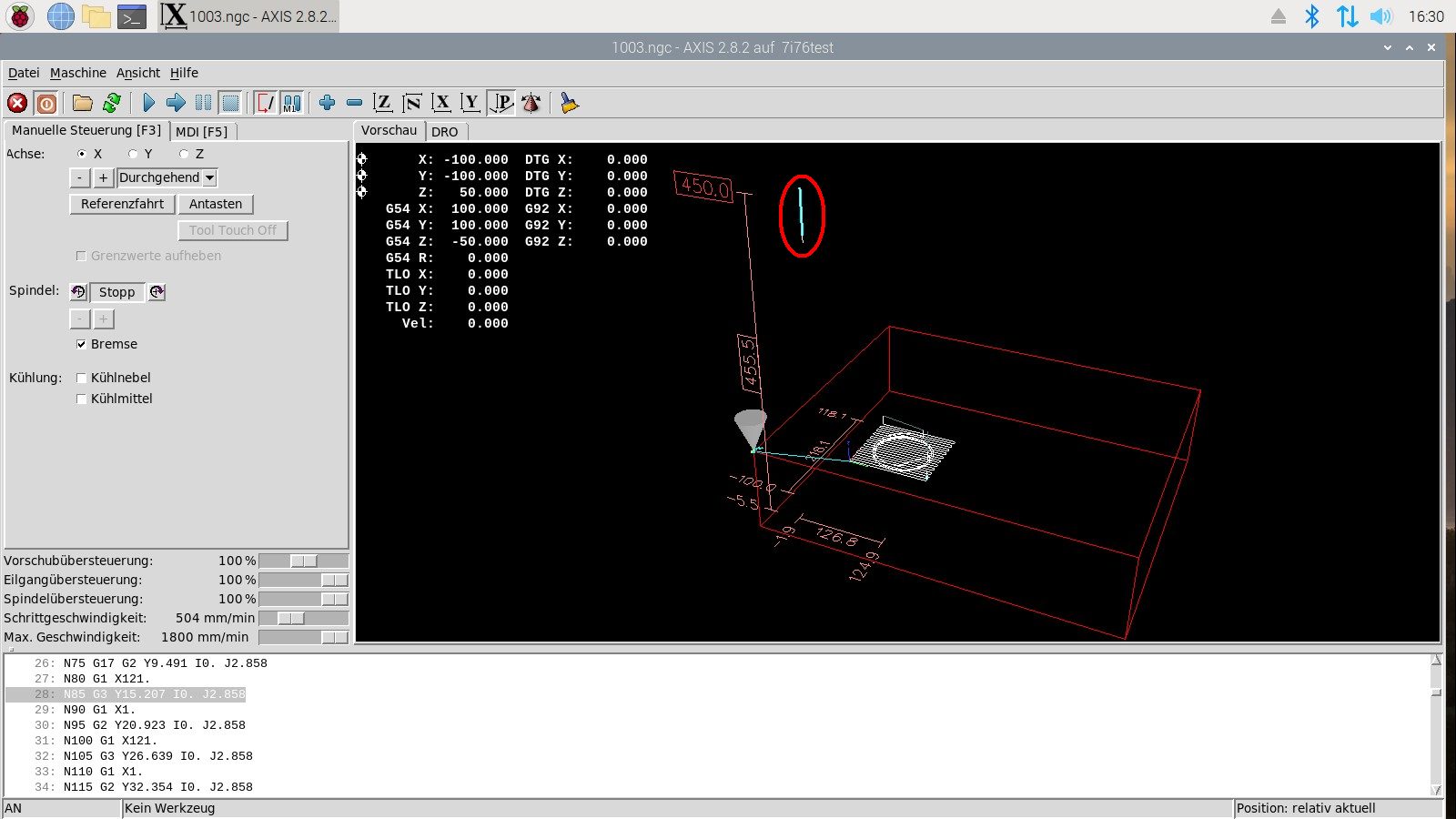
Whenever I load some self-generated NGC files I see some strange tool paths way up in the air and outside the machine's limits - see attached screenshot, that thing in the red circle. The strange thing is that this happened with two different CAM setups: First I tried a stone-old Catia V5R18 CAM to which I have very limited access through my old university CAD pool but that was just because I was used to this 15 years ago during a project. I've used the FANUC-PP which comes with Catia, btw. I then switched to Fusion 360 which I intend to use for the moment - however the same thing happened (the screenshot actually shows the F360 example). As I initially exported the CATPart and imported it into F360 via STEP I suspected some issue there - however the same issue happened when I created native geometry in F360. I've double checked the *.ngc files with NC corrector and there at least the F360 code looks spot-on.

I'm a bit lost as where to search for the root cause to be honest. As it happends with both CAM systems I'm tempted to think that I did something wrong in the LinuxCNC config but that should also show in the examples, shouldn't it?

Maybe somebody can shed some light on this.... 

EDIT: I've added the F360 file now. I can't even find a Z=450 reference in there. Sorry, but I'm completely lost.... image missing /media/kunena/emoticons/unsure.png

Best regards,


Tim


Last edit: 4 years 7 months ago by Tintin.

Please Log in or Create an account to join the conversation.

More
4 years 7 months ago #238914 by tommylight
Replied by tommylight on topic Strange tool paths
The attached file is not the same as the one in the picture.
Issues like that are always from the CAM, although can also be from any calls from gcode to other gcode.
Are you suing any remaps ?
The following user(s) said Thank You: Tintin

Please Log in or Create an account to join the conversation.

More
4 years 7 months ago - 4 years 7 months ago #238920 by Tintin
Replied by Tintin on topic Strange tool paths
Hi,

you're right, the screenshot is 1003.ngc and the file is 1004.ngc but they both show this strange runaway behaviour which puzzles me. Regardless of what I'm doing in both Catia and Fusion 360, as soon as I load the NGC file in LinuxCNC this motion up to this Z=450 limit is there and I have absolutely no idea where it could come from.

If I understand it correctly you had a look at the 1004.ngc? Do you see this runaway path?

I'm not using remaps - at least not that I'm aware of but obviously I'm still in the very steep section of the learing curve....

Best regards,

Tim
Last edit: 4 years 7 months ago by Tintin.

Please Log in or Create an account to join the conversation.

More
4 years 7 months ago #238922 by snowgoer540
Replied by snowgoer540 on topic Strange tool paths
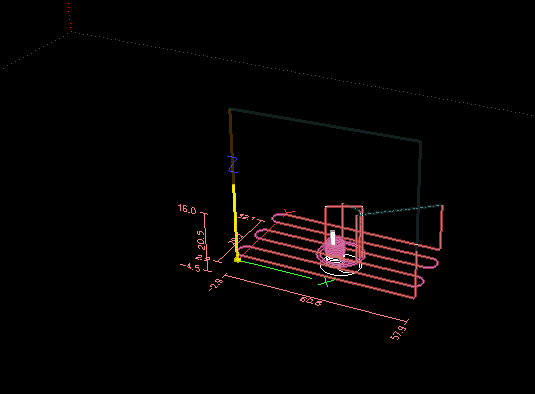
Ran the attached file in a sim.  I am on 2.9, but it simulates fine:

 
The following user(s) said Thank You: Tintin

Please Log in or Create an account to join the conversation.

More
4 years 7 months ago #238925 by BigJohnT
Replied by BigJohnT on topic Strange tool paths
You are wrapping the G code with % % and this does not do the same thing as using a Program End. I don't see a Preamble as well which would set up the environment for that G code.

Read this:
linuxcnc.org/docs/stable/html/gcode/over...de:file-requirements

Click on the strange line in the preview and see what line of code it is.

N numbers don't add anything to a G code file so they can be turned off. Error reporting is by line number not N numbers.

JT
The following user(s) said Thank You: Tintin

Please Log in or Create an account to join the conversation.

More
4 years 7 months ago #238933 by Tintin
Replied by Tintin on topic Strange tool paths
Hi JT,

the strange line is highlighted in the screenshot, it appears as it is always the same one "N85..." regardless of the actual geometry. I've created five test files so far and it always highlights this line (however the arguments in the line aren't always the same). I've bodged e.g. some pad with a pocket in Fusion 360 CAD and ran it through the CAM, that's the 1004.ngc IIRC. The files are as the linuxcnc-PP which comes with F360 creates them.

Best regards,

Tim

Please Log in or Create an account to join the conversation.

Time to create page: 0.063 seconds
Powered by Kunena Forum