I don't think it's a hardware problem

More
2 years 2 months ago #309037 by sajurcaju
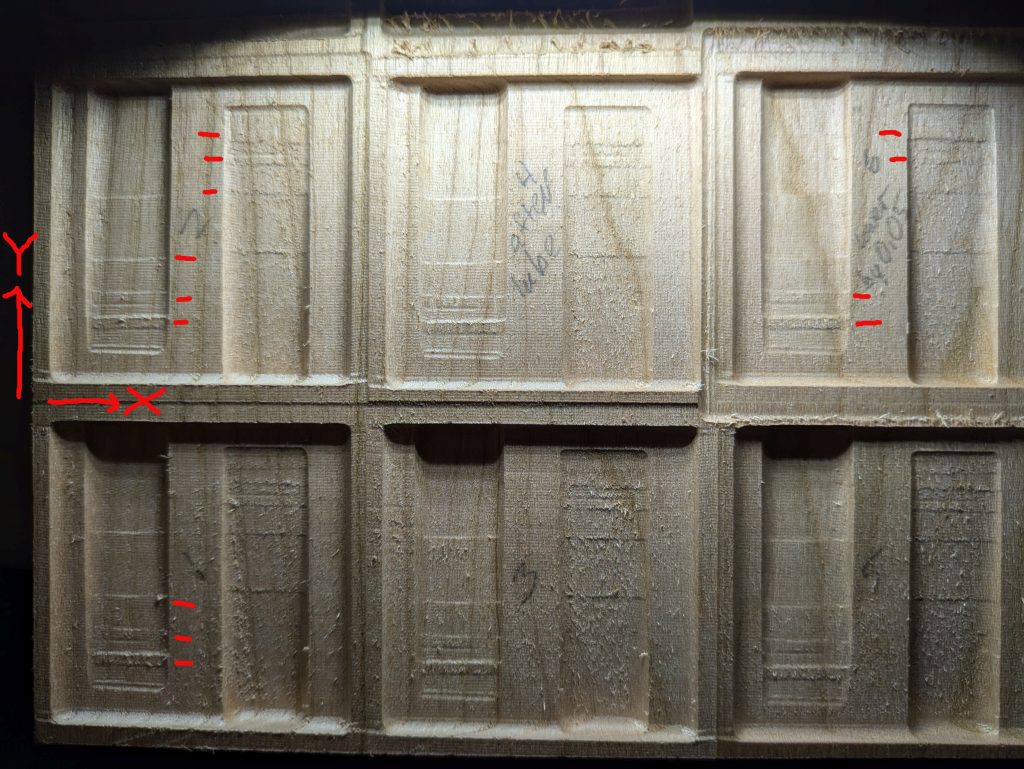
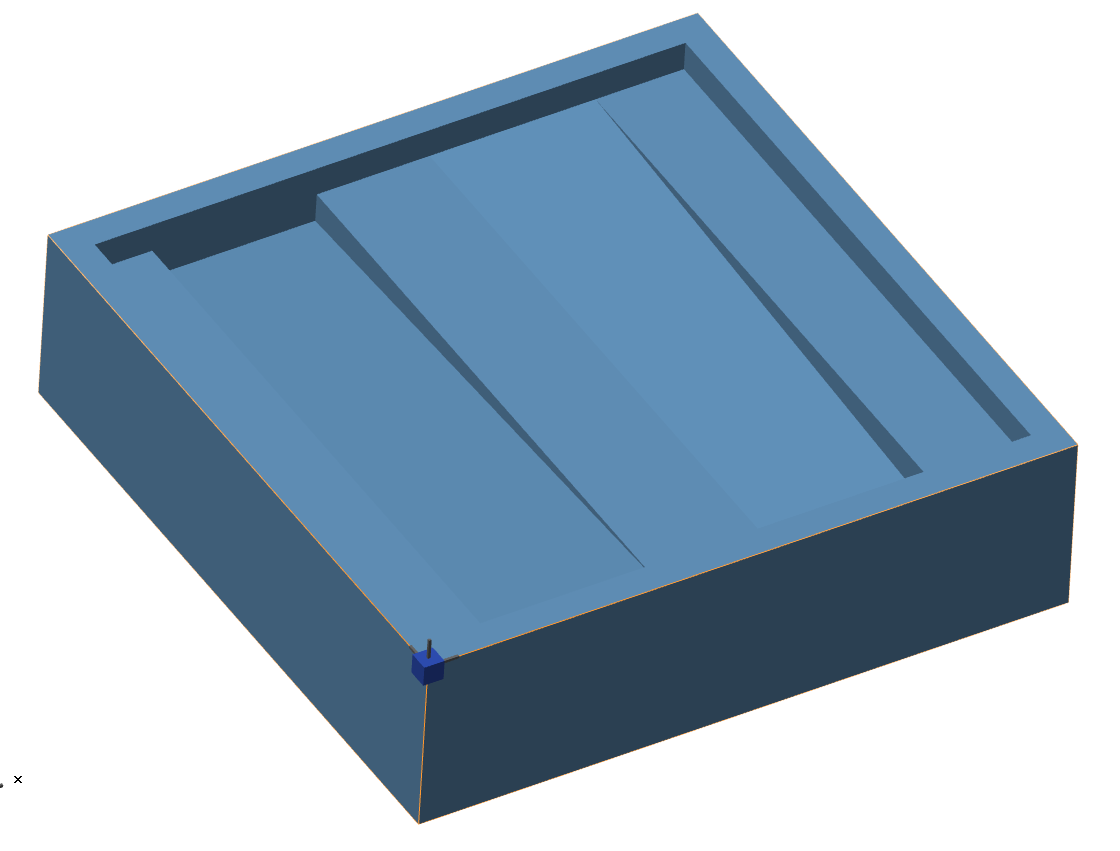
Summary: For test purposes (for this problem), I'm cutting two ramps, one up, one down, in a 2" square. A lot of the resulting ramps are smoothly surfaced, but there are places where the z level is incorrect, leaving a raised area. I'm thinking it isn't hardware because the same error pattern repeats: ramp up/ramp down, moving the test pattern in Y, moving it in X, and changing the Z level (using thinner stock). The pattern repeats across all these conditions. I am at a loss. Software sounds likely, but there is no sign of the errors in simulation.

My machine: home built, open loop steppers, Gecko 540 drivers at 48V. Ball screws XY, Z is currently a fast lead screw. LinuxCNC/Axis, DeskProto CAM. I use a Bosch 1617evs router, it is cutting with a tapered ball nose bit, end diameter 1/8".

This very likely is not a LinuxCNC problem, but in my experience, this forum has some very sharp and responsive people on it. I've been working on this for a month.

Thanks,
Steve

Please Log in or Create an account to join the conversation.

More
2 years 2 months ago #309041 by OT-CNC
What happens when you run the finish pass along the y direction?
Have you run the code with a tighter g64 like .005" or .001"?

Please Log in or Create an account to join the conversation.
More
2 years 2 months ago #309042 by scotth
I don't think it is a machine problem. Running it in sim and going block by block, Z is not reaching end point and ramping across the cut. I did not find a change of M code in the area of code. It could be a DeskProto CAM problem, but this is just a guess.

Please Log in or Create an account to join the conversation.
More
2 years 2 months ago #309043 by sajurcaju
I must be lacking the right simulator. How do you run it block by block?

Please Log in or Create an account to join the conversation.

More
2 years 2 months ago #309044 by scotth
I run AXIS front end. You hit the start button as normal to run, hit the pause key (two to the right) to stop program, then use the arrow button (between the start and pause) to advance one block.

Please Log in or Create an account to join the conversation.

More
2 years 2 months ago #309045 by tommylight
First, check what others have offered above, i will wait a bit more as you might not like my answer and it might also not be what i think the issue is.

Please Log in or Create an account to join the conversation.

Time to create page: 0.219 seconds
Powered by Kunena Forum
