Install GladeVCP on Raspberry Pi 4

More
3 years 6 months ago - 3 years 6 months ago #268777 by HansU

If you have any suggestions that I could try in order to get this solved I would of course be very happy to hear them.

The name of your GtkWindow is "window", right? It has to be "window1". Documented here: www.linuxcnc.org/docs/2.9/html/gui/glade...a_new_user_interface
Last edit: 3 years 6 months ago by HansU.

Please Log in or Create an account to join the conversation.
More
3 years 6 months ago - 3 years 6 months ago #268784 by Stef
Thank you for your quick help!
Although I read the documentation while I was installing it, I did not understand that part as I couldn't find anything in Glade that mentions "window1". But as the documentation describes that this is the default anyway I thought it would not cause any issue.
However, if I would need to change "window" to "window1" as you mentioned it would be of importance of course.

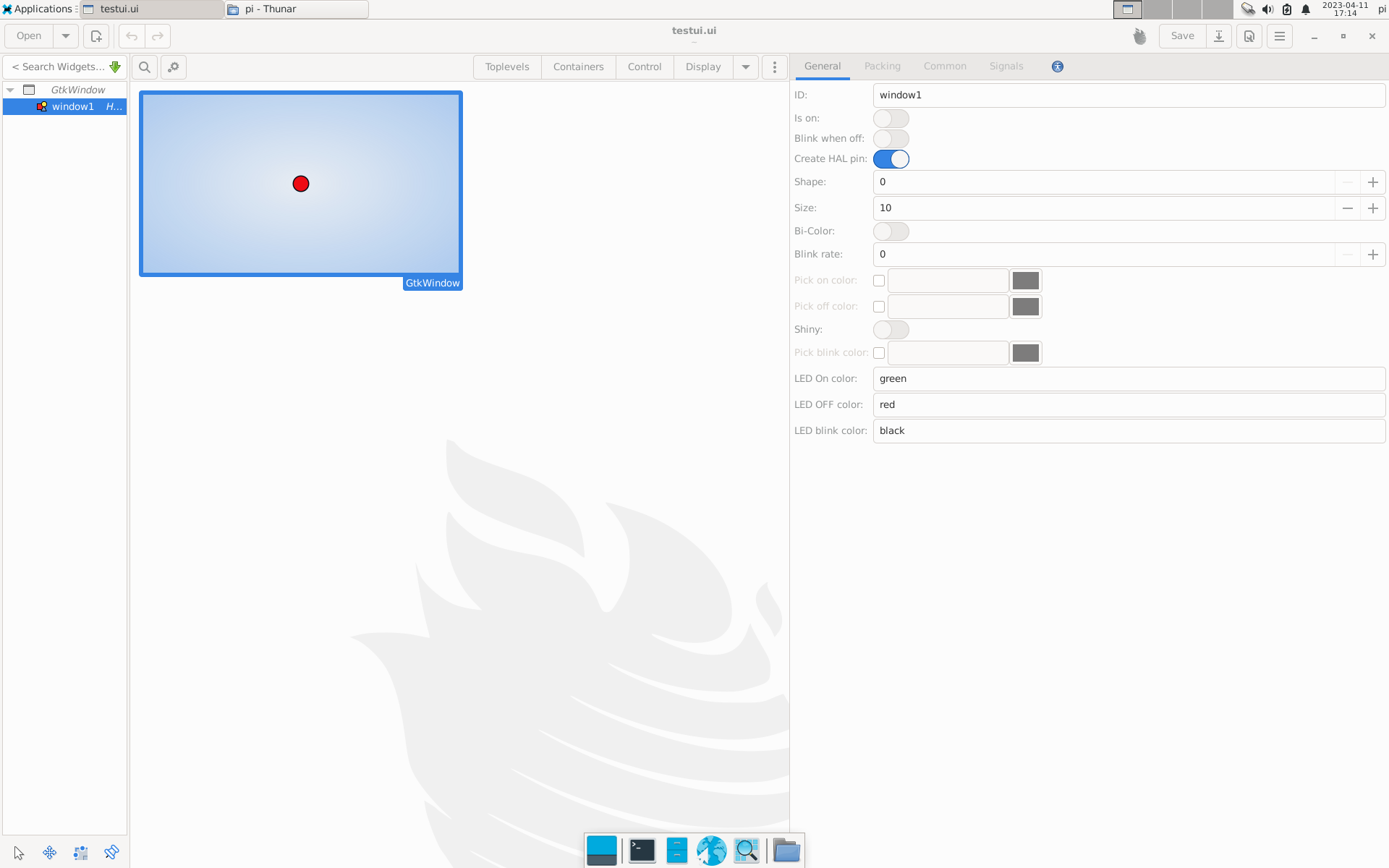
I searched for it again but I have not been able to find anything that mentions either "window" or "window1". (I only see it in the documentation screenshots, but Glade looks very differently on my device.)
Do you perhaps refer to the "Widget name" field in the "Common" tab? Or perhaps does it refer to the "ID" field in the "General" tab?
Both fields are empty by default, but if I enter "window1" the error still persists.
Last edit: 3 years 6 months ago by Stef.

Please Log in or Create an account to join the conversation.

More
3 years 6 months ago #268806 by HansU
It should be the id in the General tab:
The following user(s) said Thank You: Stef

Please Log in or Create an account to join the conversation.

More
3 years 6 months ago #268834 by Stef
By default the "ID" field in the "General" tab was empty, but after I entered the text "window1" in this field the error stays the same unfortunately.
 

Please Log in or Create an account to join the conversation.

More
3 years 6 months ago #268836 by HansU

By default the "ID" field in the "General" tab was empty,

Seems that the behavior in the "new" glade versions has changed. I will add that to the documentation.

but after I entered the text "window1" in this field the error stays the same unfortunately.

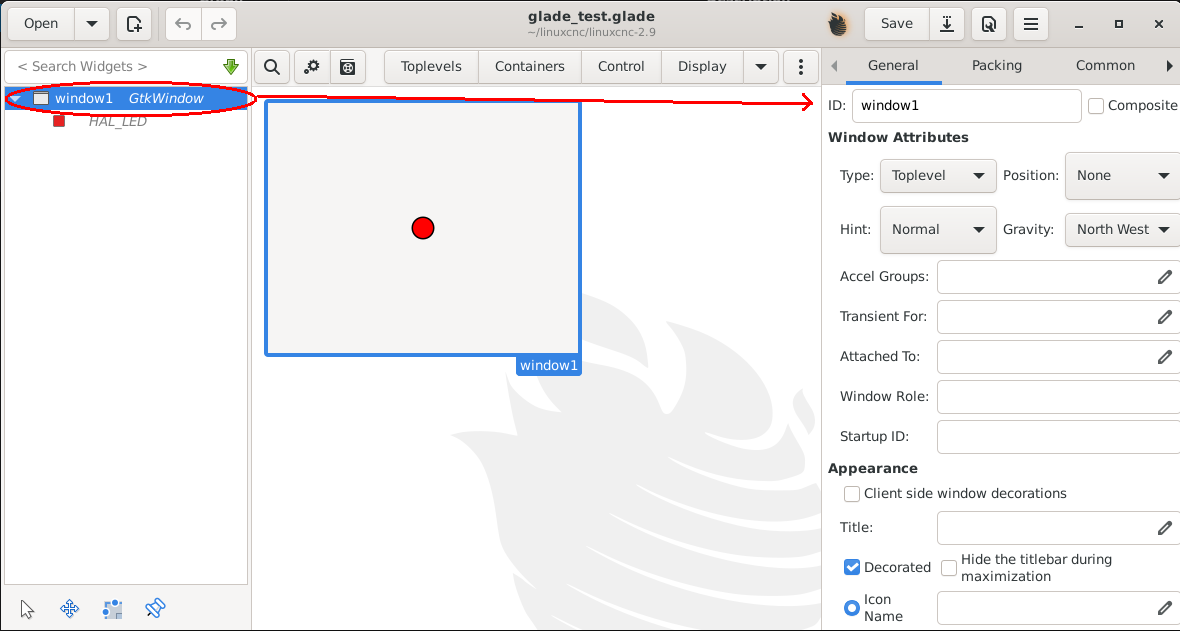
You have to name the GtkWindow "window1" not your HAL_LED. Pay attention what you have selected in the left panel:


Please Log in or Create an account to join the conversation.

More
3 years 5 months ago #272269 by Stef
Hi HansU,
I am sorry for my late reply (I didn't have a lot of time unfortunately lately to play around with my RPi) but I tried this and it did indeed solve my issue. I am now able to build a nice and functioning GUI, something I was looking forward to for a long time. :)
Thank you!
The following user(s) said Thank You: HansU

Please Log in or Create an account to join the conversation.

Moderators: HansU
Time to create page: 0.310 seconds
Powered by Kunena Forum
