
FlexGUI first attempt - basic layout?
- spumco
- Offline
- Platinum Member
-

Less
More
- Posts: 2180
- Thank you received: 905
14 Apr 2026 14:28 #345541
by spumco
FlexGUI first attempt - basic layout? was created by spumco
Just getting started with Flex; I've never really done a GUI from scratch so I haven't internalized any 'best practices' or anything.
Goal is something like below. I started fiddling last night but quickly realized I needed some experienced advice on how to organize & lay-out this thing.
Details aren't set in stone now, but I want a GUI with no on-screen controls/jogging on the main page. Will be used with 15.6" touchscreen 1920x1080p monitor - so I can't cram lots of small stuff in.
Maybe something like:
Thx
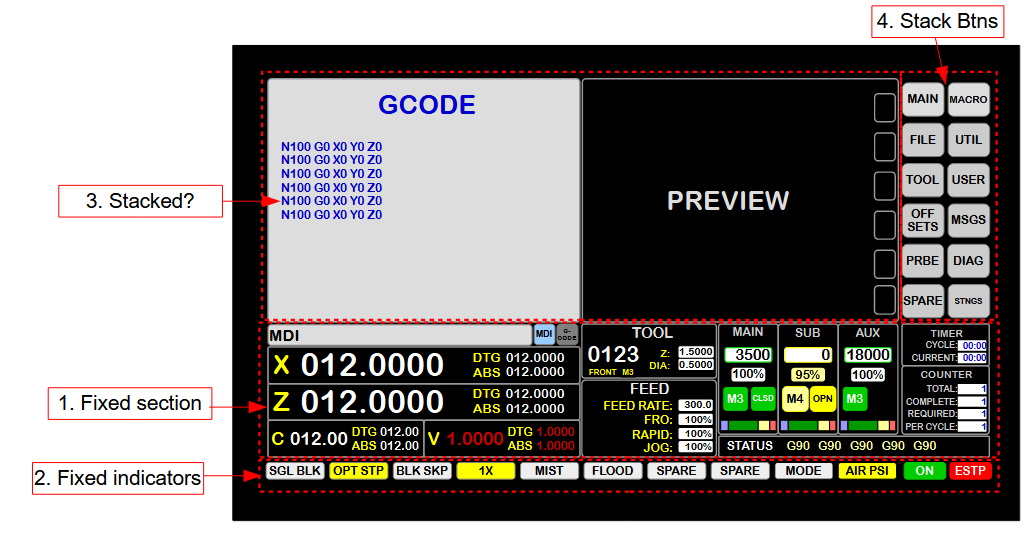
Goal is something like below. I started fiddling last night but quickly realized I needed some experienced advice on how to organize & lay-out this thing.
Details aren't set in stone now, but I want a GUI with no on-screen controls/jogging on the main page. Will be used with 15.6" touchscreen 1920x1080p monitor - so I can't cram lots of small stuff in.
Maybe something like:
- Main window
- Horizontal layout
- Frame (variable displays top)
- Vertical layout
- Stacked widget (left)
- Frame for stacked widget buttons (right)
- Vertical layout
- Frame (fixed displays middle)
- Vertical layout
- Frames across for each 'section'
- Vertical layout
- Frame (fixed indicators btm)
- Vertical layout
- indicators + estop/on btns
- Vertical layout
- Frame (variable displays top)
- Horizontal layout
Thx
Attachments:
The following user(s) said Thank You: tommylight, JT
Please Log in or Create an account to join the conversation.
- spumco
- Offline
- Platinum Member
-
Less
More
- Posts: 2180
- Thank you received: 905
16 Apr 2026 20:49 #345620
by spumco
Replied by spumco on topic FlexGUI first attempt - basic layout?
Well that was easy.
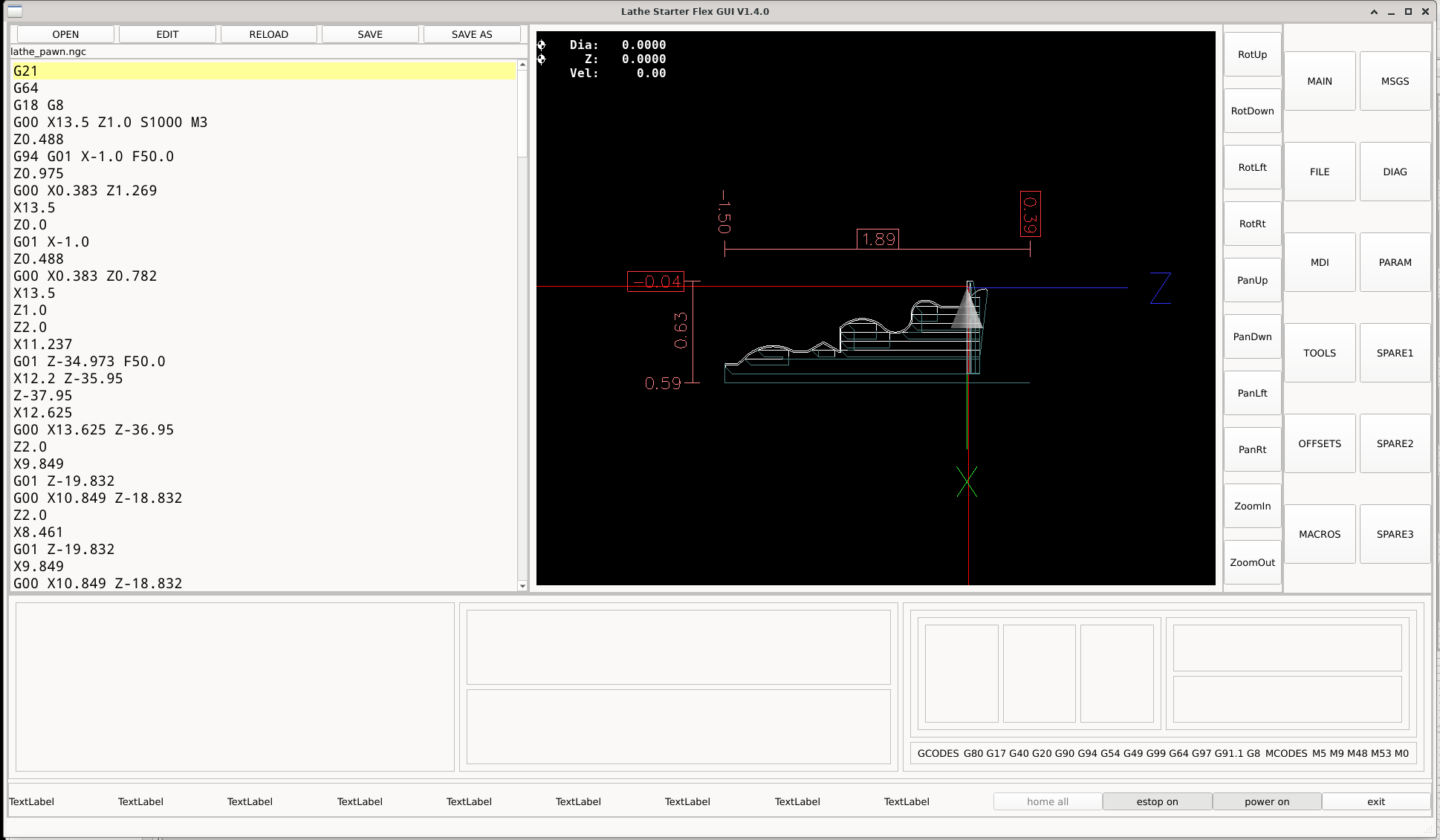
This is really, really nice for the computer Luddites.
Thank you JT!
This is really, really nice for the computer Luddites.
Thank you JT!
Attachments:
The following user(s) said Thank You: tommylight, pommen, JT
Please Log in or Create an account to join the conversation.
Moderators: JT
Time to create page: 0.230 seconds