

- Posts: 926
- Thank you received: 0
[solved]Axis for 800x480 screen w/ usercommand
4 years 6 months ago #240529
by cakeslob
Replied by cakeslob on topic [solved]Axis for 800x480 screen w/ usercommand
Ok, I just tested these out, everything should be good. this is for vanilla axis small, same layout, just smaller.
Code:
INSTALLING USERCOMMAND_800 aka AXIS SMALL
1. IDENTIFY YOUR LINUXCNC VERSION
-at startup, observe if you are running linuxcnc 2.8 or 2.9. If you are unsure, or installed linuxcnc
from a premade iso or download, (AT TIME OF WRITING IN 2022-04) you are most likely running linuxcnc 2.8
2. LOAD USERCOMMAND_800 INTO YOUR CONFIG FOLDER
- download the usercommand_800.py that matches your version,
(usercommand_800_28.py for linuxcnc v2.8 , etc)
- move the usercommand python file into your config directory, with your ini file.
3. CONFIGURE FOR USERCOMMAND_800
- in your ini file, under the [DISPLAY] section , add the following line ,without the quotes
"USER_COMMAND_FILE = usercommand_800_28.py"
4. RUN CONFIG
- when you star your config normally, axis will go fullscreen, you will need to quite from the File
drop down menu
- if your config does not load and you are presented with a pop up error, relating to mdi, you are most
likely running the wrong version.
5. EXTRA ADVANCED CONFIGURATION
- if you are unsatisfied with the buttons, sliders or text size/colour, you can make adjustments to the
usercommand file using this axis doc as guidance http://linuxcnc.org/docs/stable/html/gui/axis.html#_advanced_configuration
- sacrifices were made in order to make the screen fit, so not all buttons/sliders are included. you can
swap sliders/buttons by uncommenting/commenting them in the usercommand file
Code:
USER_COMMAND_FILE = usercommand_800_28.py
Attachment not found
Code:
USER_COMMAND_FILE = usercommand_800_29.py
Attachment not found
Please Log in to join the conversation.

4 years 6 months ago #240555
by geminis
Replied by geminis on topic [solved]Axis for 800x480 screen w/ usercommand
Thank you very much. Everything has worked very well.
It seems fair that I show you my progress after your invaluable collaboration.
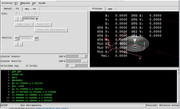
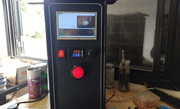
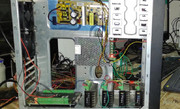
It seems fair that I show you my progress after your invaluable collaboration.
Please Log in to join the conversation.
4 years 6 months ago #240563
by geminis
Replied by geminis on topic [solved]Axis for 800x480 screen w/ usercommand
Hi there, after your help i was able to start with my own mods.
I plan to start with an extra tab for the basic functions of the machine, here is a small layout.
When I finish I make a small tutorial of how I did it so the post is more complete.
Please don't kill me, the graphic part was never my strong point.. ... and is only a layout.
Thank you.!
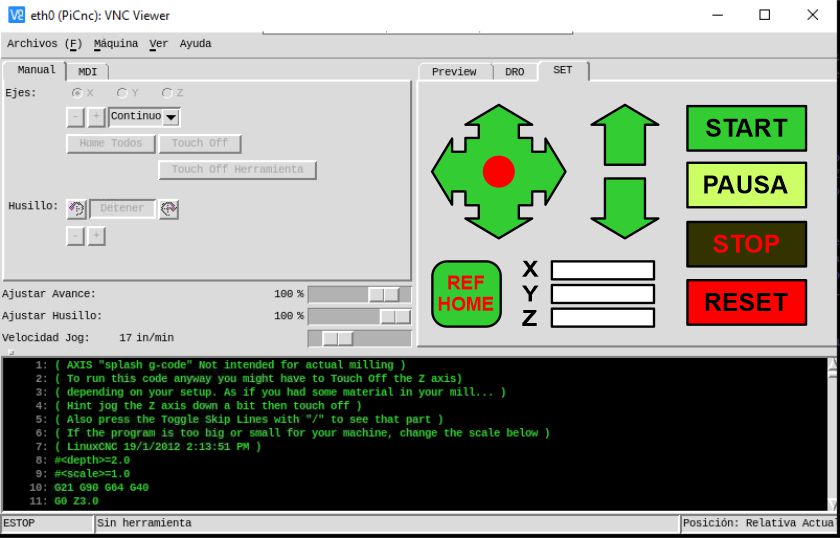
I plan to start with an extra tab for the basic functions of the machine, here is a small layout.
When I finish I make a small tutorial of how I did it so the post is more complete.
Please don't kill me, the graphic part was never my strong point..
... and is only a layout.Thank you.!
Please Log in to join the conversation.
4 years 6 months ago #240604
by cakeslob
Replied by cakeslob on topic [solved]Axis for 800x480 screen w/ usercommand
Hey, lookin good. I like when people post pictures also. You can upload them using the forum attachments next time also.
I have a question though, did the side buttons not show up for you? or did you remove them?
I have a question though, did the side buttons not show up for you? or did you remove them?
Please Log in to join the conversation.
4 years 6 months ago #240622
by geminis
Hi there ... i know about attachs, but i can upload more large files in this way.
I need to know now where the linuxcnc save screens or modules in order to make mi basic tab ... i am searching ... and reading ( axis - gui ; usercomand items ; etc ... ) but no lucky yet.
Regards.
Replied by geminis on topic [solved]Axis for 800x480 screen w/ usercommand
Hey, lookin good. I like when people post pictures also. You can upload them using the forum attachments next time also.
Hi there ... i know about attachs, but i can upload more large files in this way.
Buttons right side ?? this ones never show up, i assume thats are removed from your usercommand file.I have a question though, did the side buttons not show up for you? or did you remove them?
I need to know now where the linuxcnc save screens or modules in order to make mi basic tab ... i am searching ... and reading ( axis - gui ; usercomand items ; etc ... ) but no lucky yet.
Regards.
Please Log in to join the conversation.
4 years 6 months ago #240626
by cakeslob
Replied by cakeslob on topic [solved]Axis for 800x480 screen w/ usercommand
hmm maybe the translation for tool is breaking the size, this is was it is supposed to look like
Can you add this to the end of the usercommand file and see if it changed the size?
Attachment not found
Attachment not found
Can you add this to the end of the usercommand file and see if it changed the size?
Code:
root_window.tk.call(".pane.top.tabs.fmanual.jogf.zerohome.tooltouch","configure","-text","Touch off Tool");
Please Log in to join the conversation.
4 years 6 months ago #240647
by geminis
Sure i can .. anda i going to do ... But in fact it like more on this way.
Are u Spanish speaking ???
Regards.
Replied by geminis on topic [solved]Axis for 800x480 screen w/ usercommand
Can you add this to the end of the usercommand file and see if it changed the size?
Code:root_window.tk.call(".pane.top.tabs.fmanual.jogf.zerohome.tooltouch","configure","-text","Touch off Tool");
Sure i can .. anda i going to do ... But in fact it like more on this way.
Are u Spanish speaking ???
Regards.
Please Log in to join the conversation.
4 years 6 months ago #240650
by geminis
Replied by geminis on topic [solved]Axis for 800x480 screen w/ usercommand
Ok:
If i try your usercommandfile just like you poste it, right side bar don`t show up. (fig. 1)
If, i add the line you posted ni previus message i get an error, but .... is just for a breack line jump, once i correct thats i have same result: "right side bar don`t show up." (fig. 2)
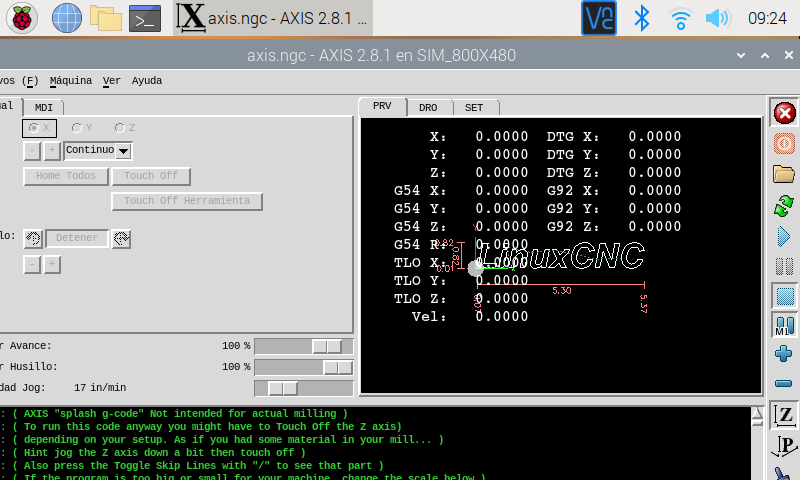
BUT: If i change mode from fullscreen to vw.geometry (800x480) al works fine, but now show entire screen, just a window.(fig. 3)
Fig. 1
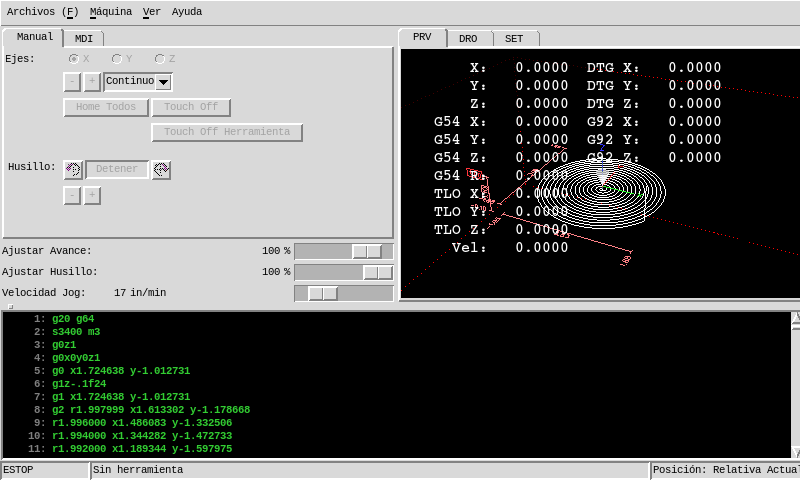
Fig. 2
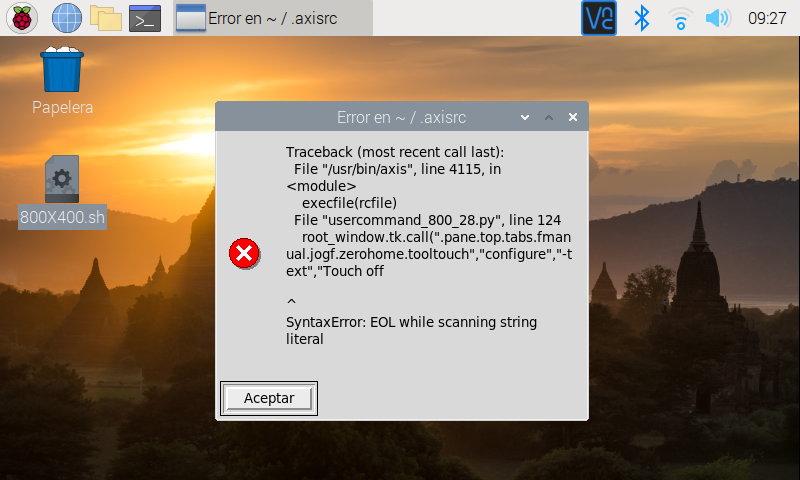
Fig. 3
Regards
If i try your usercommandfile just like you poste it, right side bar don`t show up. (fig. 1)
If, i add the line you posted ni previus message i get an error, but .... is just for a breack line jump, once i correct thats i have same result: "right side bar don`t show up." (fig. 2)
BUT: If i change mode from fullscreen to vw.geometry (800x480) al works fine, but now show entire screen, just a window.(fig. 3)
Fig. 1
Fig. 2
Fig. 3
Regards
Please Log in to join the conversation.
4 years 6 months ago #240692
by cakeslob
Replied by cakeslob on topic [solved]Axis for 800x480 screen w/ usercommand
Ok, thats cool if you like it more that way. lol no i dont speak spanish though. It looks like in fig2 the last part of the code line was missing. It is good to know the buttons showup, thank you.
Please Log in to join the conversation.
4 years 6 months ago #241366
by HansU
Replied by HansU on topic [solved]Axis for 800x480 screen w/ usercommand
Please Log in to join the conversation.
Time to create page: 0.075 seconds