
Probe Basic Errors after successfully probing
- kello711
-
 Topic Author
- Offline
- Junior Member
-

- Posts: 26
- Thank you received: 0
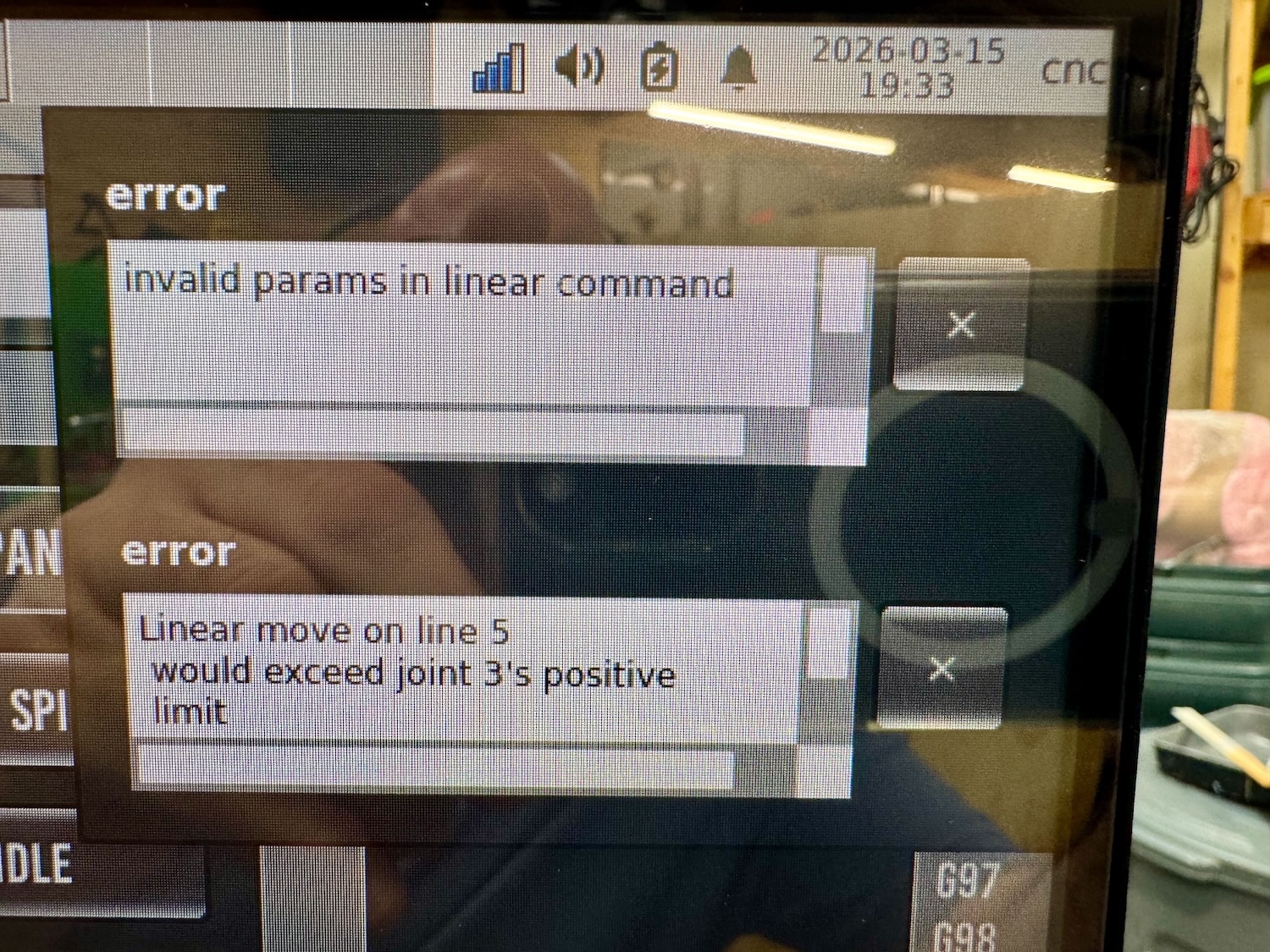
This occurs after running a surfacing from the conversational tab. I ran the gcode and stopped it to make adjustments to the positions and then run again. The only remedy seemed to re-probe with 3d touch probe and then reload the cutting tool. This seems excessive and not sure how to fix for the future.Invalid params in linear command
Linear move on line 5 would exceed joint 3's positive limit
Please Log in or Create an account to join the conversation.
- Lcvette
-

- Offline
- Moderator
-

- Posts: 1682
- Thank you received: 784
Please Log in or Create an account to join the conversation.
- kello711
-
Topic Author
- Offline
- Junior Member
-
- Posts: 26
- Thank you received: 0
My machine overall is a router style setup with a 30 in x 30 in work area. My spoil board is ~24 in x24 in. The spoil board corner is not at (0,0), well inside the machine soft limits. My tool table only has Z offset and Diameter. After probing the corner of the spoil board, the G54 offsets were: X=5.0161, Y=1.1693, and Z=-7.4953. Z probe Z offset is 2.3607 and cutting tool Z offset was 1.8513.what is your machine setup like regarding tool offsets?
T1   P1   D+0.125000 Z+3.566440 ; 1/8 end mill Sample Tool
T2   P2   D+0.062500 Z+0.100000 ; 1/16 end mill Sample Tool
T3   P3   D+0.201000 Z+1.273000 ; #7 tap drill Sample Tool
T4   P0   D+0.236200 Z+3.688692 ; 6mm DLC End MILL (DSA1F-D6.0-L22)
T5   P0   D+0.196900 ; 5mm DriLL
T6   P0   D+0.255900 ; 6.5mm dRILL
T10  P0   Z+3.791137 ; 6MM COUNTER BORE
T11  P0   D+0.984000 Z+2.056925 ; BAP - EAP300r (C12-25-80-3T)
T99  P99  D+0.078500 Z+2.285087 ; 3d Probe
T100 P0   ; SPINDLE NOSE
Please Log in or Create an account to join the conversation.
- Lcvette
-
- Offline
- Moderator
-
- Posts: 1682
- Thank you received: 784
Please Log in or Create an account to join the conversation.
- kello711
-
Topic Author
- Offline
- Junior Member
-
- Posts: 26
- Thank you received: 0
Please Log in or Create an account to join the conversation.
- Lcvette
-
- Offline
- Moderator
-
- Posts: 1682
- Thank you received: 784
Please Log in or Create an account to join the conversation.
- Lcvette
-
- Offline
- Moderator
-
- Posts: 1682
- Thank you received: 784
Also have you edited your var file and added all of the parameter numbers shown in the probe basic docs so the settings are persistent?
Please Log in or Create an account to join the conversation.
- kello711
-
Topic Author
- Offline
- Junior Member
-
- Posts: 26
- Thank you received: 0
Zero is at the top of travel with -6.3 at the bottom.Where is your zero home in z
Please Log in or Create an account to join the conversation.
- kello711
-
Topic Author
- Offline
- Junior Member
-
- Posts: 26
- Thank you received: 0
Attached. I think this is what you were asking for.Maybe send as screen shot of your roster settings and probe page settings as well as your z travel.
Yes, my ini includes a ref to the var file. Settings are persistent across executions of LinuxCNC. Or at least I think so.Also have you edited your var file and added all of the parameter numbers shown in the probe basic docs so the settings are persistent?
github.com/kello711/linuxcnc/blob/main/c...ntnc/probe_basic.var
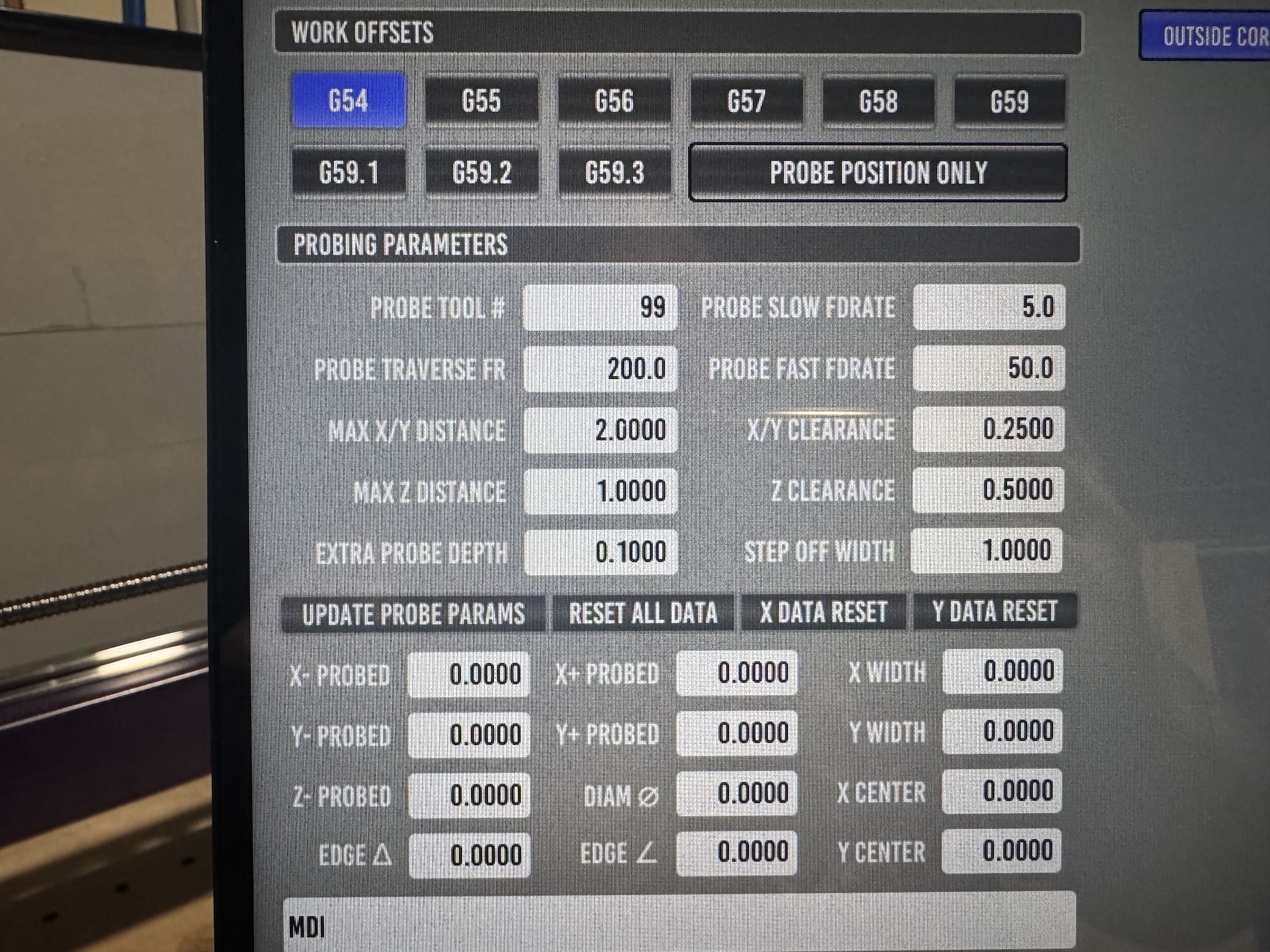
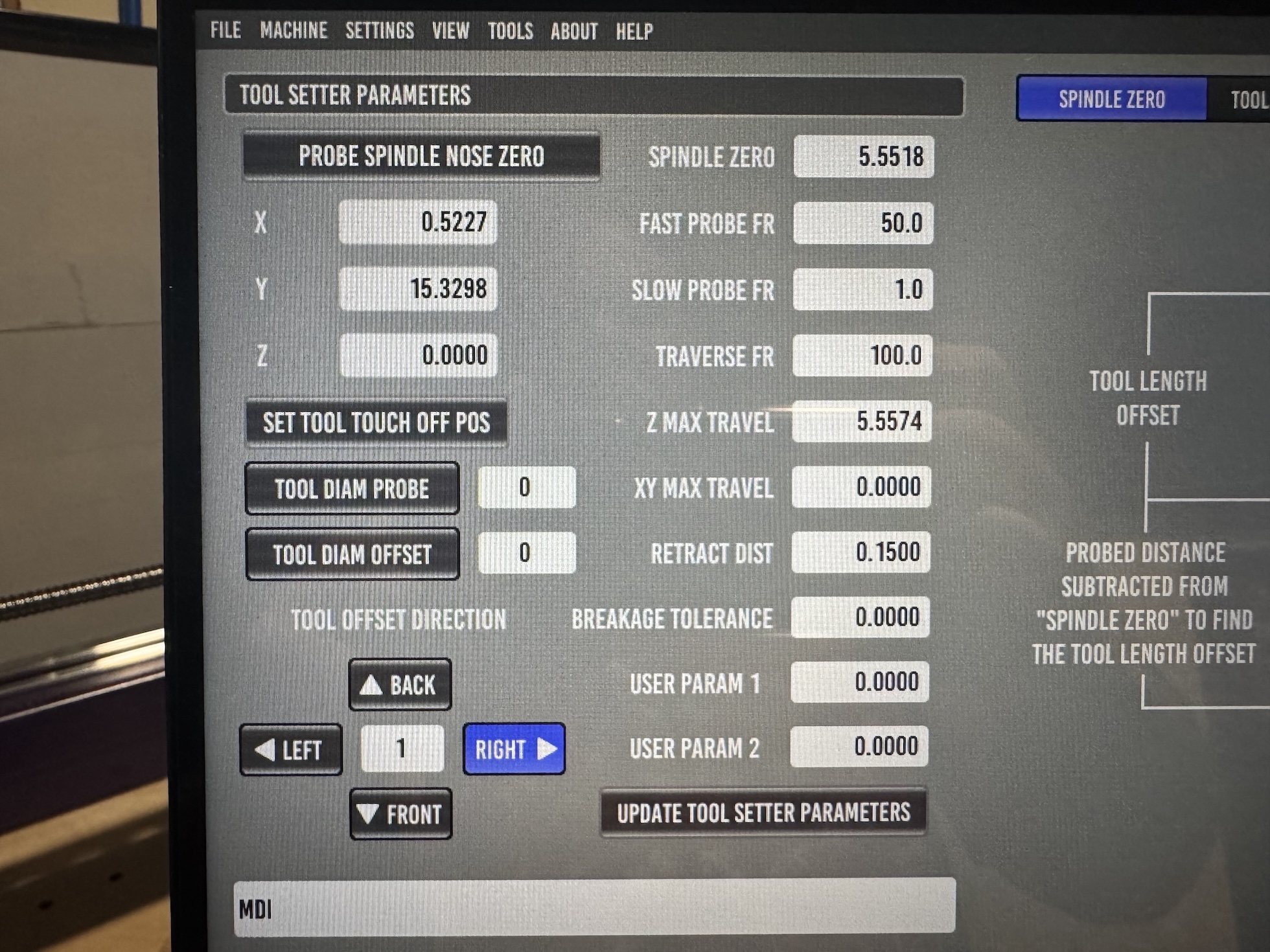
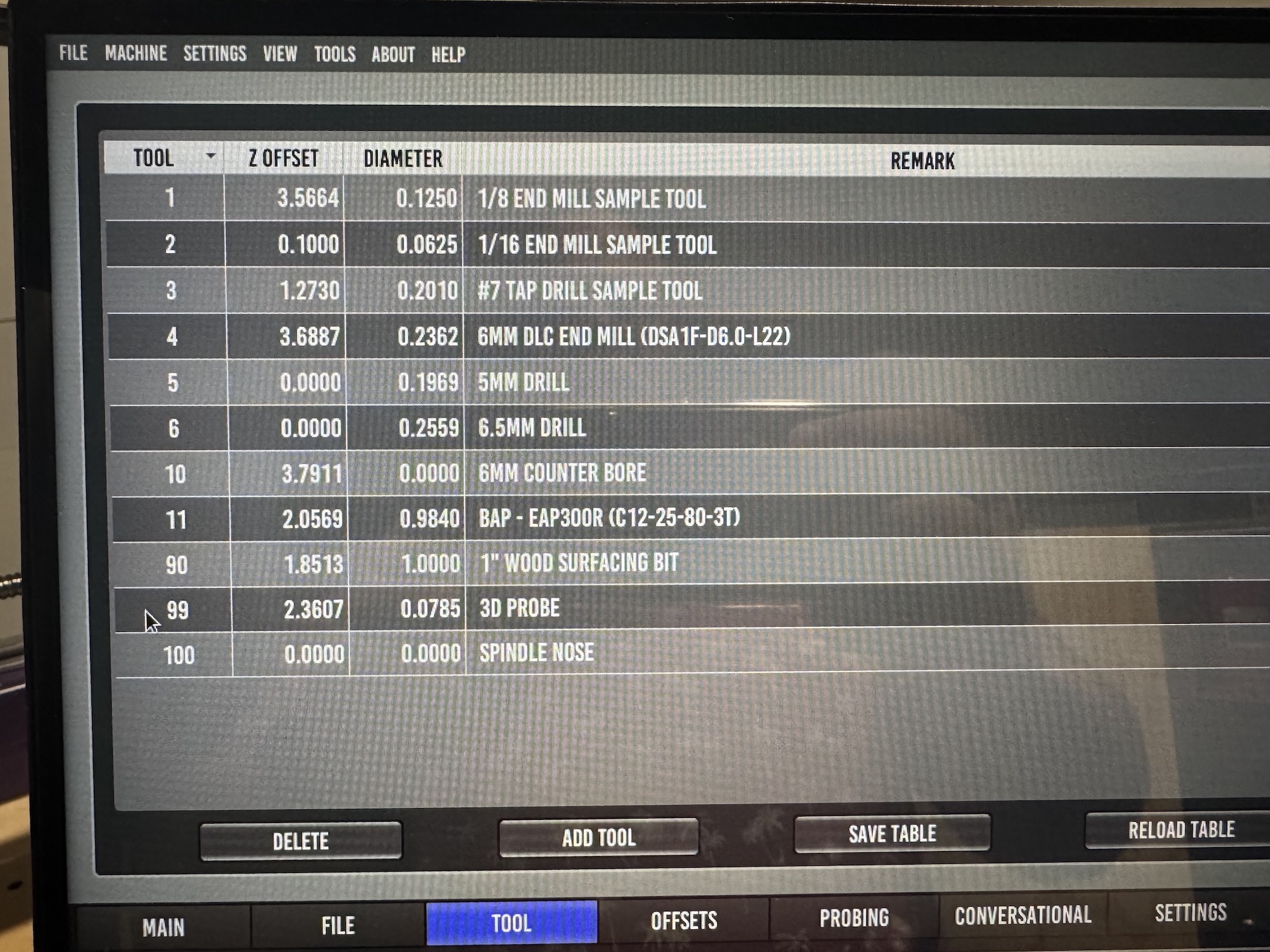
Please Log in or Create an account to join the conversation.
- Lcvette
-
- Offline
- Moderator
-
- Posts: 1682
- Thank you received: 784
is this a bt30 or is30/20 machine with repeatable holders? or is it an er collet type machine?
i'm trying to figure out where the issue is. maybe a detail written walk through r a video would be easier, i don't see anything wrong off the top of my head but without seeing dro's at time of command or active work offsets etc. triggering a limit isn't hard to do. especially if you have an offset set super close to min or max travel etc.
im not getting any of that behavior nor other reports so i have to assume user error, not to be taken as picking on you, just trying to identify where the issue becomes the issue.
if you are suing non repeatable holders, it may be better to use that type of tool touch off. it basically resets the work coordinate system for each tool so it cuts at the same height as the previous tool without storing tool offsets in the table. this tends to work better for er collet type machines and i think there is a really good touchoff routine by another member on here maybe tootall18 from memory? but that is only if you are an er collet. if you have repeatable holders like bt or iso style then the stock touch off is the correct one to use.
Please Log in or Create an account to join the conversation.