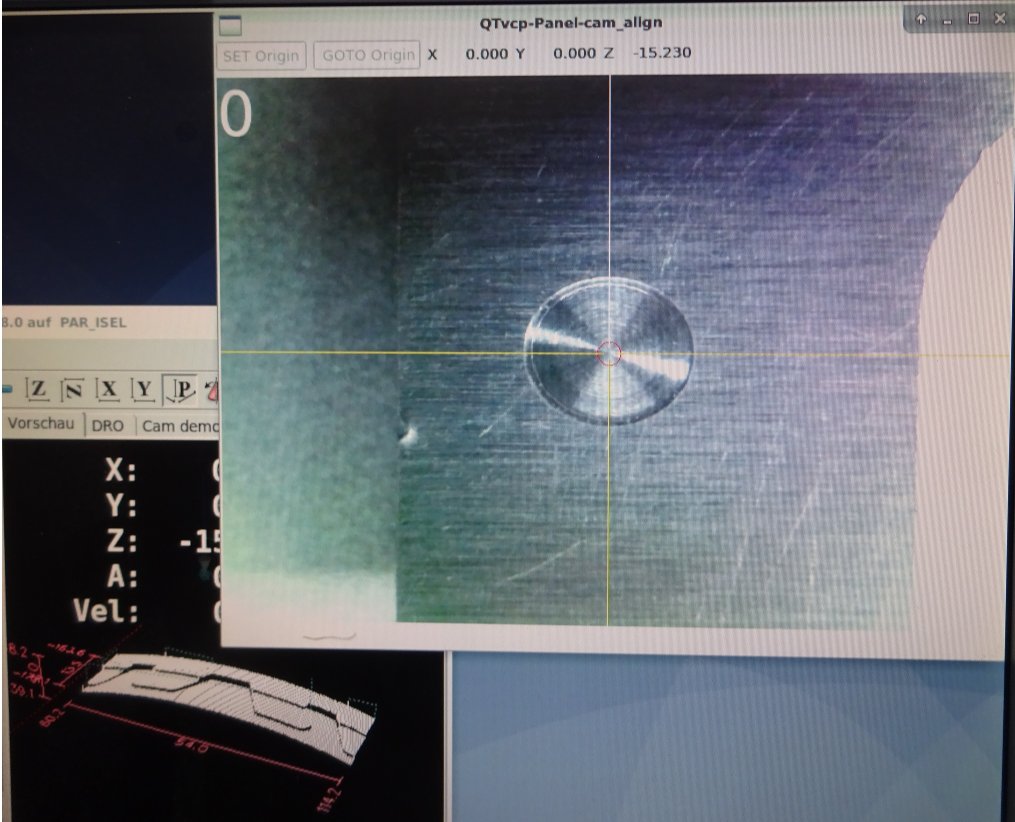
QTvcp Cam View Dialog

More
6 years 1 month ago #182066 by partec
QTvcp Cam View Dialog was created by partec
LinuxCNC 2.8.0 Buster installed from iso

formerly we used CamPY with 2.7.14


linuxcnc.org/docs/2.8/html/gui/qtvcp_wid...ml#_camview_widget_2

2.4. Camview Widget
This is used to align the work piece or zero part features using a webcam.
It uses opencv vision library.


attempt with traditional AXIS works fine
[DISPLAY]
EMBED_TAB_NAME
EMBED_TAB_COMMAND=halcmd loadusr qtvcp –push_xid cam_align

it would be nice if a better prepared variant could be included in the release or if practical instructions for individual configuration could be documented

can I do something about it

Please Log in or Create an account to join the conversation.

More
6 years 1 month ago #182079 by cmorley
Replied by cmorley on topic QTvcp Cam View Dialog
try this:

EMBED_TAB_NAME= qtscreen
EMBED_TAB_COMMAND= halcmd loadusr -Wn qtvcp_embed qtvcp -d -c qtvcp_embed -x {XID} cam_align
The following user(s) said Thank You: partec

Please Log in or Create an account to join the conversation.

More
6 years 1 month ago - 6 years 1 month ago #182085 by partec
Replied by partec on topic QTvcp Cam View Dialog
thank you Chris, this works fine to embed it correct to the tab, and how can the size of the circle be adjusted, make it more and less large? Peter
Last edit: 6 years 1 month ago by partec.

Please Log in or Create an account to join the conversation.

More
6 years 1 month ago #182092 by cmorley
Replied by cmorley on topic QTvcp Cam View Dialog
I use a laptop to test - I hope a mouse will be the same.
button1 + scroll = zoom
button 2 + scroll = rotate cross
button 3 + scroll ( or button 1+2 + scroll) = circle diameter.
The following user(s) said Thank You: partec

Please Log in or Create an account to join the conversation.

More
6 years 1 month ago #182093 by cmorley
Replied by cmorley on topic QTvcp Cam View Dialog
If you want the set origin and go to origin buttons to work you must add MDI monnads to the INI
something like this:

[MDI_COMMAND_LIST]
MDI_COMMAND = G10 L20 P0 X0Y0
MDI_COMMAND = G0x0y0z0
The following user(s) said Thank You: partec

Please Log in or Create an account to join the conversation.

More
6 years 1 month ago #182095 by partec
Replied by partec on topic QTvcp Cam View Dialog
Chris, this is high tech, absolutely perfectly finished, thank you for all that great work!

Please Log in or Create an account to join the conversation.

Moderators: cmorley
Time to create page: 0.086 seconds
Powered by Kunena Forum