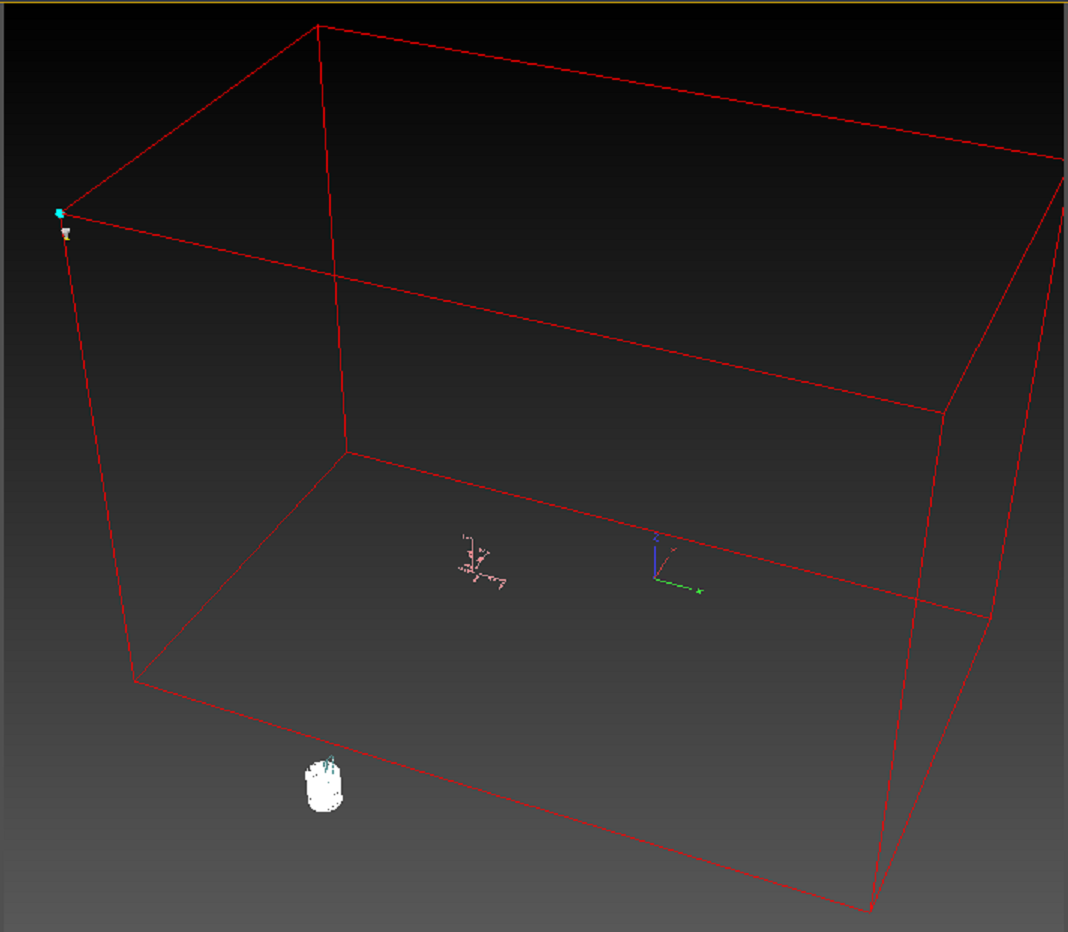
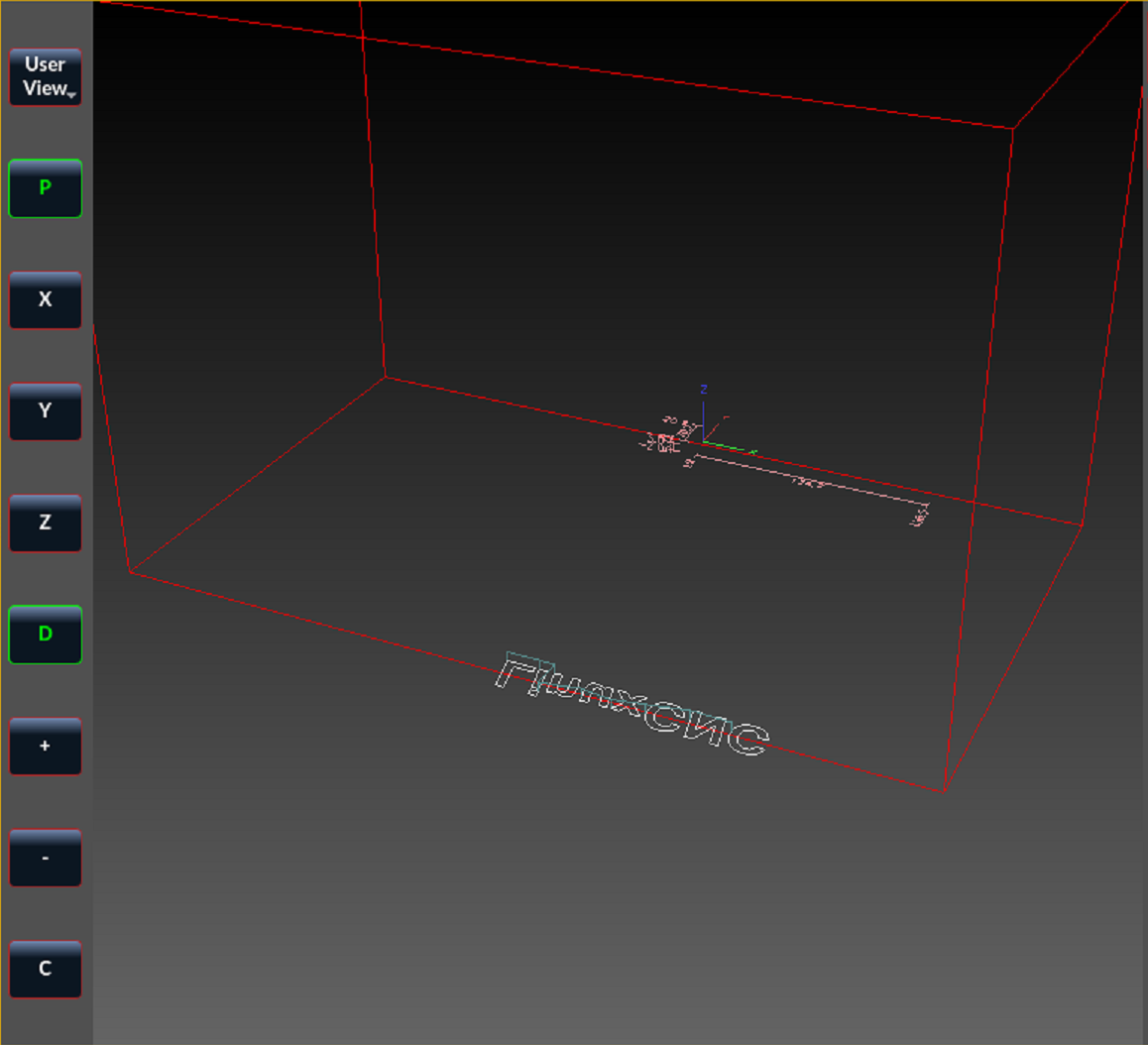
Red Machine Outline is backwards in Y dimension

More
1 year 8 months ago - 1 year 8 months ago #322129 by Vector
This is so specific, I'm guessing I've got a bone-headed mistake.
I've attached my .ini and a couple of screenshots.
My machine lines are showing going to the back of the Y=0 line, not in front.
All my homing and jogging and machine movements are correct.
I do have GEOMETRY = X-YZBC, but the red machine lines are out the back of the machine if I turn that to XYZBC, and when I set it without the -Y, movement in the display is mirrored in Y
My Y home sensor is in the back, X to the left, and Z on top, so the machine is oriented:
Z: Top is zero, Down is Negative; X: Far Left is zero, right is positive; Y: Far Back is zero, forward is positive.

Can I keep those orientations and get the red lines to show around the actual working space?
The inconvenience here includes that the measurement lines are inside the machine space, but waaay back from where it's visualizing the program (the white spiral lines).
The white spiral lines are in the right place, but the measurement lines and the axis lines and the red machine outline are all backwards with respect to Y.

(I'm on linuxcnc-uspace 1:2.9.4, and QtDragon)
 
Last edit: 1 year 8 months ago by Vector. Reason: Added version and gui

Please Log in or Create an account to join the conversation.

More
1 year 8 months ago #322171 by Vector
Argh!

Before anyone looks at this, it seems I do still have myself backwards.

I'm sure once I put my pants on front-wise I'll be out of the Looking Glass on this one.

Please Log in or Create an account to join the conversation.

More
1 year 8 months ago #322172 by Vector
Argh!

Before anyone looks at this, it seems I do still have myself backwards.

I'm sure once I put my pants on front-wise I'll be out of the Looking Glass on this one.


Please Log in or Create an account to join the conversation.

More
1 year 8 months ago #322173 by Aciera

when I set it without the -Y, movement in the display is mirrored in Y

This indicates a wrong machine setup. when you jog in the positive Y direction does the tool move toward the back of the table (on the real machine not the screen)?

My Y home sensor is in the back,

In this case your Y-axis and joint limits should be:
Code:
MIN_LIMIT = -300.0 MAX_LIMIT = 0.0
The following user(s) said Thank You: Vector

Please Log in or Create an account to join the conversation.

More
1 year 8 months ago #322179 by Vector
OK, alright, for anyone who finds this, and has the same cognitive block I did, here's my answer and hopefully it helps you.

Right hand rule: (as Rob has pointed out many times), um rules: so...
Top of Machine is low negative, and gets more negative as you go down.
Left of machine is zero, and gets more positive as you go right
Back of machine is High Positive, and gets more negative as you come forward (this was my Y axis and my first sticking point)

Depending on wiring and screw shafts and belts and whatever, you have to determine which way to move your axis so that it obeys that convention.
A test with writing will help, since it will be mirrored in some direction if you have your motors going the wrong way.
See: ~/linuxcnc/nc_files/examples/3dtest.ngc and /usr/share/axis/images/axis.ngc

To reverse a motor/axis (I needed to do this to get myself right: I was 'writing' the logo mirror-backwards in Y) the easiest thing is to go to your .ini file, to the [JOINT_n] for your axis, and reverse the sign on STEP_SCALE. (There are other ways, reversing wiring, etc, but this worked for me and is easy to undo and all my wiring was otherwise identical, so I preferred a software solution.)

Then you need to worry about homing. If you had it working before (as I did) then you'll need to reverse the signs on HOME_SEARCH_VEL and HOME_LATCH_VEL (Mine went from positive to negative).

Finally, and this is the one that bent me a bit. (And I see Aciera has jumped in to help me while I'm writing this, and I thank him very much, but I don't think the answer is quite right for me... I tried that and it wasn't very good.)

You have to make sure you're honoring the right-hand-rule, which means whereever your sensor is that trips to signal your axis has reached it during homeing, should be numbered accordingly.

The part I had to wrap my brain around was that in my case, this means it's:
Code:
HOME_OFFSET = 300 HOME = 290 MIN_LIMIT=0 MAX_LIMIT=300

I was trying all kinds of HOME_OFFSET settings waaay too close to zero.

Now my machine red lines are correct, and loaded files show inside the machine, and all the axes move the way they're supposed to.

It even 'air carves' LinuxCNC as pretty as can be.

Thank you thank you Aciera!

Cheers everyone!


File Attachment:

File Name: SaberCNC_10_fixed.ini
File Size:10.97 KB


Please Log in or Create an account to join the conversation.

More
1 year 8 months ago #322180 by Vector
Oh, and also, the GEOMETRY = XYZBC, no need for that -Y.

Please Log in or Create an account to join the conversation.

Moderators: cmorley
Time to create page: 0.065 seconds
Powered by Kunena Forum