
Search Results (Searched for: )
- Lcvette
17 Nov 2025 01:54
Replied by Lcvette on topic How to disable buttons in Probe Basic
Sure that's fine, it's basically using widget rules in your Python custom file which should be fine. Just adding a conditional for the button state. If that works roll with it! I don't see an issue with that.
- Lcvette
17 Nov 2025 01:50
Replied by Lcvette on topic probe_basic_postgui.hal conflicts with my gamepad*.hal
You're loading not in the main hal file but with only one name (instance), you need to add the complete list of names (each instance it is used) and loadrt not should only be in one hal file.
- Autumn Reign
17 Nov 2025 01:49
Replied by Autumn Reign on topic First Machine, can't get 6i25 to drive CL57Y/CL86Y
General configuration information:
BoardName : MESA5I25
FPGA Size: 9 KGates5
FPGA Pins: 144
Number of IO Ports: 2
Width of one I/O port: 17
Clock Low frequency: 33.3333 MHz
Clock High frequency: 200.0000 MHz
IDROM Type: 3
Instance Stride 0: 4
Instance Stride 1: 64
Register Stride 0: 256
Register Stride 1: 256
Modules in configuration:
Module: WatchDog
There are 1 of WatchDog in configuration
Version: 0
Registers: 3
BaseAddress: 0C00
ClockFrequency: 33.333 MHz
Register Stride: 256 bytes
Instance Stride: 4 bytes
Module: IOPort
There are 2 of IOPort in configuration
Version: 0
Registers: 5
BaseAddress: 1000
ClockFrequency: 33.333 MHz
Register Stride: 256 bytes
Instance Stride: 4 bytes
Module: QCount
There are 2 of QCount in configuration
Version: 2
Registers: 5
BaseAddress: 3000
ClockFrequency: 33.333 MHz
Register Stride: 256 bytes
Instance Stride: 4 bytes
Module: SSerial
There are 1 of SSerial in configuration
Version: 0
Registers: 6
BaseAddress: 5B00
ClockFrequency: 33.333 MHz
Register Stride: 256 bytes
Instance Stride: 64 bytes
Module: StepGen
There are 10 of StepGen in configuration
Version: 2
Registers: 10
BaseAddress: 2000
ClockFrequency: 33.333 MHz
Register Stride: 256 bytes
Instance Stride: 4 bytes
Module: LED
There are 1 of LED in configuration
Version: 0
Registers: 1
BaseAddress: 0200
ClockFrequency: 33.333 MHz
Register Stride: 256 bytes
Instance Stride: 4 bytes
Configuration pin-out:
IO Connections for P3
DB25 pin# I/O Pri. func Sec. func Chan Sec. Pin func Sec. Pin Dir
1 0 IOPort StepGen 0 Dir/Table2 (Out)
14 1 IOPort StepGen 0 Step/Table1 (Out)
2 2 IOPort StepGen 1 Dir/Table2 (Out)
15 3 IOPort StepGen 1 Step/Table1 (Out)
3 4 IOPort StepGen 2 Dir/Table2 (Out)
16 5 IOPort StepGen 2 Step/Table1 (Out)
4 6 IOPort StepGen 3 Dir/Table2 (Out)
17 7 IOPort StepGen 3 Step/Table1 (Out)
5 8 IOPort StepGen 4 Dir/Table2 (Out)
6 9 IOPort StepGen 4 Step/Table1 (Out)
7 10 IOPort SSerial 0 TXData0 (Out)
8 11 IOPort SSerial 0 RXData0 (In)
9 12 IOPort SSerial 0 TXData1 (Out)
10 13 IOPort SSerial 0 RXData1 (In)
11 14 IOPort QCount 0 Quad-IDX (In)
12 15 IOPort QCount 0 Quad-B (In)
13 16 IOPort QCount 0 Quad-A (In)
IO Connections for P2
DB25 pin# I/O Pri. func Sec. func Chan Sec. Pin func Sec. Pin Dir
1 17 IOPort StepGen 5 Dir/Table2 (Out)
14 18 IOPort StepGen 5 Step/Table1 (Out)
2 19 IOPort StepGen 6 Dir/Table2 (Out)
15 20 IOPort StepGen 6 Step/Table1 (Out)
3 21 IOPort StepGen 7 Dir/Table2 (Out)
16 22 IOPort StepGen 7 Step/Table1 (Out)
4 23 IOPort StepGen 8 Dir/Table2 (Out)
17 24 IOPort StepGen 8 Step/Table1 (Out)
5 25 IOPort StepGen 9 Dir/Table2 (Out)
6 26 IOPort StepGen 9 Step/Table1 (Out)
7 27 IOPort SSerial 0 TXData2 (Out)
8 28 IOPort SSerial 0 RXData2 (In)
9 29 IOPort SSerial 0 TXData3 (Out)
10 30 IOPort SSerial 0 RXData3 (In)
11 31 IOPort QCount 1 Quad-IDX (In)
12 32 IOPort QCount 1 Quad-B (In)
13 33 IOPort QCount 1 Quad-A
When using:
setp hm2_5i25.0.stepgen.03.direction.invert_output
setp hm2_5i25.0.stepgen.03.step.invert_output
Results:
Debug file information:
Note: Using POSIX realtime
./Autumn.hal:240: setp requires 2 arguments, 1 given
12304
Stopping realtime threads
Unloading hal components
RTAPI_PCI: Unmapped 65536 bytes at 0x7f370745c000
Note: Using POSIX realtime
But:
setp hm2_5i25.0.stepgen.03.direction.invert_output TRUE
setp hm2_5i25.0.stepgen.03.step.invert_output TRUE
Executes and launches
BoardName : MESA5I25
FPGA Size: 9 KGates5
FPGA Pins: 144
Number of IO Ports: 2
Width of one I/O port: 17
Clock Low frequency: 33.3333 MHz
Clock High frequency: 200.0000 MHz
IDROM Type: 3
Instance Stride 0: 4
Instance Stride 1: 64
Register Stride 0: 256
Register Stride 1: 256
Modules in configuration:
Module: WatchDog
There are 1 of WatchDog in configuration
Version: 0
Registers: 3
BaseAddress: 0C00
ClockFrequency: 33.333 MHz
Register Stride: 256 bytes
Instance Stride: 4 bytes
Module: IOPort
There are 2 of IOPort in configuration
Version: 0
Registers: 5
BaseAddress: 1000
ClockFrequency: 33.333 MHz
Register Stride: 256 bytes
Instance Stride: 4 bytes
Module: QCount
There are 2 of QCount in configuration
Version: 2
Registers: 5
BaseAddress: 3000
ClockFrequency: 33.333 MHz
Register Stride: 256 bytes
Instance Stride: 4 bytes
Module: SSerial
There are 1 of SSerial in configuration
Version: 0
Registers: 6
BaseAddress: 5B00
ClockFrequency: 33.333 MHz
Register Stride: 256 bytes
Instance Stride: 64 bytes
Module: StepGen
There are 10 of StepGen in configuration
Version: 2
Registers: 10
BaseAddress: 2000
ClockFrequency: 33.333 MHz
Register Stride: 256 bytes
Instance Stride: 4 bytes
Module: LED
There are 1 of LED in configuration
Version: 0
Registers: 1
BaseAddress: 0200
ClockFrequency: 33.333 MHz
Register Stride: 256 bytes
Instance Stride: 4 bytes
Configuration pin-out:
IO Connections for P3
DB25 pin# I/O Pri. func Sec. func Chan Sec. Pin func Sec. Pin Dir
1 0 IOPort StepGen 0 Dir/Table2 (Out)
14 1 IOPort StepGen 0 Step/Table1 (Out)
2 2 IOPort StepGen 1 Dir/Table2 (Out)
15 3 IOPort StepGen 1 Step/Table1 (Out)
3 4 IOPort StepGen 2 Dir/Table2 (Out)
16 5 IOPort StepGen 2 Step/Table1 (Out)
4 6 IOPort StepGen 3 Dir/Table2 (Out)
17 7 IOPort StepGen 3 Step/Table1 (Out)
5 8 IOPort StepGen 4 Dir/Table2 (Out)
6 9 IOPort StepGen 4 Step/Table1 (Out)
7 10 IOPort SSerial 0 TXData0 (Out)
8 11 IOPort SSerial 0 RXData0 (In)
9 12 IOPort SSerial 0 TXData1 (Out)
10 13 IOPort SSerial 0 RXData1 (In)
11 14 IOPort QCount 0 Quad-IDX (In)
12 15 IOPort QCount 0 Quad-B (In)
13 16 IOPort QCount 0 Quad-A (In)
IO Connections for P2
DB25 pin# I/O Pri. func Sec. func Chan Sec. Pin func Sec. Pin Dir
1 17 IOPort StepGen 5 Dir/Table2 (Out)
14 18 IOPort StepGen 5 Step/Table1 (Out)
2 19 IOPort StepGen 6 Dir/Table2 (Out)
15 20 IOPort StepGen 6 Step/Table1 (Out)
3 21 IOPort StepGen 7 Dir/Table2 (Out)
16 22 IOPort StepGen 7 Step/Table1 (Out)
4 23 IOPort StepGen 8 Dir/Table2 (Out)
17 24 IOPort StepGen 8 Step/Table1 (Out)
5 25 IOPort StepGen 9 Dir/Table2 (Out)
6 26 IOPort StepGen 9 Step/Table1 (Out)
7 27 IOPort SSerial 0 TXData2 (Out)
8 28 IOPort SSerial 0 RXData2 (In)
9 29 IOPort SSerial 0 TXData3 (Out)
10 30 IOPort SSerial 0 RXData3 (In)
11 31 IOPort QCount 1 Quad-IDX (In)
12 32 IOPort QCount 1 Quad-B (In)
13 33 IOPort QCount 1 Quad-A
When using:
setp hm2_5i25.0.stepgen.03.direction.invert_output
setp hm2_5i25.0.stepgen.03.step.invert_output
Results:
Debug file information:
Note: Using POSIX realtime
./Autumn.hal:240: setp requires 2 arguments, 1 given
12304
Stopping realtime threads
Unloading hal components
RTAPI_PCI: Unmapped 65536 bytes at 0x7f370745c000
Note: Using POSIX realtime
But:
setp hm2_5i25.0.stepgen.03.direction.invert_output TRUE
setp hm2_5i25.0.stepgen.03.step.invert_output TRUE
Executes and launches
- Autumn Reign
17 Nov 2025 01:38
Replied by Autumn Reign on topic First Machine, can't get 6i25 to drive CL57Y/CL86Y
I read a few posts that you said on this but it failed to compile when launching linuxcnc when I used that stepgen/invert nomenclature. Past posts included 1 or TRUE in the definition, I will try the above verbatim.
- Lcvette
17 Nov 2025 01:35
Replied by Lcvette on topic Probebasic tool length calculation
Sorry for the delay I'm in the process of swapping dev PC's around so I can test on a clean install. In the interim. Check and see if your tool table has pockets listed in the file. If so, make sure the pocket and roll numbers are the same. Something in latest release of linuxcnc changed with pockets that I think is making a bit of a mess in some areas.
- Lcvette
17 Nov 2025 01:31
Replied by Lcvette on topic Probe Basic Help | G0704 Conversion
Yes, you have a bit of a mess. chat gpt did you no favors. just follow the instructions. And first and foremost, verify the probe basic SIM works correctly. That will let you know if the installation is correct as it has correct configs.
Once verified the SIM works, take your time and go line by line through the doc and you will have a machine at the end. Start with a good working axis configuration..
Once verified the SIM works, take your time and go line by line through the doc and you will have a machine at the end. Start with a good working axis configuration..
- bmoo
17 Nov 2025 01:14
Probe Basic Help | G0704 Conversion was created by bmoo
Linux OS & kernel type
Debian GNU/Linux 12 (bookworm)
6.1.0-30-rt-amd64 #1 SMP PREEMPT_RT Debian 6.1.124-1 (2025-01-12) x86_64 GNU/Linux
Version of Linuxcnc
2.9.6
Version of QtPyVCP and Probe Basic
0.0 & 2.9.6
Howdy folks,
Forgive me in advance as this project is the first time I've touched linux, linuxcnc, probe basic, or attempted a CNC conversion. I used the quickstart guide to install, and I've gone through the hal and ini files. Although, both the hal and ini files could be severely incorrect now. I believe I have the necessary config files.
Now, admittedly, I've used ChatGPT way way too much for this, so I might need to start from scratch.
So, after installing linuxcnc, the sim.axis worked great, X and X moved well and were moving roughly correct distances (I don't have my Z installed yet).
I then installed probe basic and went through pncconfig to make my custom config file that opens into probe basic. In that custom config I can't get anything to work. The E-stop button freezes the screen for a few seconds, but it never disables the E-stop.
And now when I open into sim.axis, everything works but my motors don't actually move. E-stop disables, machine turns on, and jogging shows in the graphics.
Just trying to get some motors to move and maybe make a circle with gcode. That'll be a step in the right direction. HAL & INI are attached. Also I'm running a Lenovo M710Q with a Mesa 7i96s.
Thanks in advance
Debian GNU/Linux 12 (bookworm)
6.1.0-30-rt-amd64 #1 SMP PREEMPT_RT Debian 6.1.124-1 (2025-01-12) x86_64 GNU/Linux
Version of Linuxcnc
2.9.6
Version of QtPyVCP and Probe Basic
0.0 & 2.9.6
Howdy folks,
Forgive me in advance as this project is the first time I've touched linux, linuxcnc, probe basic, or attempted a CNC conversion. I used the quickstart guide to install, and I've gone through the hal and ini files. Although, both the hal and ini files could be severely incorrect now. I believe I have the necessary config files.
Now, admittedly, I've used ChatGPT way way too much for this, so I might need to start from scratch.
So, after installing linuxcnc, the sim.axis worked great, X and X moved well and were moving roughly correct distances (I don't have my Z installed yet).
I then installed probe basic and went through pncconfig to make my custom config file that opens into probe basic. In that custom config I can't get anything to work. The E-stop button freezes the screen for a few seconds, but it never disables the E-stop.
And now when I open into sim.axis, everything works but my motors don't actually move. E-stop disables, machine turns on, and jogging shows in the graphics.
Just trying to get some motors to move and maybe make a circle with gcode. That'll be a step in the right direction. HAL & INI are attached. Also I'm running a Lenovo M710Q with a Mesa 7i96s.
Thanks in advance
- PCW
17 Nov 2025 01:05
Replied by PCW on topic First Machine, can't get 6i25 to drive CL57Y/CL86Y
On the 6I25/5I25 mesaflash lists DB25 pin numbers
DB25 connectors are numbered:
1 2 3 4 5 6 7 8 9 10 11 12 13
14 15 16 17 18 19 20 21 22 23 24 25
Also you don't need to use GPIO to invert step or dir pins, there are aliased names like:
hm2_5i25.0.stepgen.00.direction.invert_output
hm2_5i25.0.stepgen.00.step.invert_output
DB25 connectors are numbered:
1 2 3 4 5 6 7 8 9 10 11 12 13
14 15 16 17 18 19 20 21 22 23 24 25
Also you don't need to use GPIO to invert step or dir pins, there are aliased names like:
hm2_5i25.0.stepgen.00.direction.invert_output
hm2_5i25.0.stepgen.00.step.invert_output
- Autumn Reign
17 Nov 2025 00:56
Replied by Autumn Reign on topic First Machine, can't get 6i25 to drive CL57Y/CL86Y
I believe it's Bob if I did the flash right. I'm still not 100% on how all these talk and write to one another. I'll run the readhmid after I am done making dinner.
I'm not sure if this nomenclature starts at 0 or 1. It's physically the 8th pin starting from 1 which is how I understand DB25 to be counted by, but the config starts joints from 0 and I'm not sure how to describe the count due to that.
I'm not sure if this nomenclature starts at 0 or 1. It's physically the 8th pin starting from 1 which is how I understand DB25 to be counted by, but the config starts joints from 0 and I'm not sure how to describe the count due to that.
- Autumn Reign
17 Nov 2025 00:45
Replied by Autumn Reign on topic First Machine, can't get 6i25 to drive CL57Y/CL86Y
2.9.7, Preempt rt ISO
Stepper online, no clones.
axis
The drivers, CLXX's no daughters.
I think the problem being between the 6i25 and the drivers is probable.
I tried some weak oscilloscopes. Nothing better than AC multimeters, it just read gibberish. I really should get a good one as a work expense. Something that can ID freq bands. I could go that route if this SHOULD work.
Stepper online, no clones.
axis
The drivers, CLXX's no daughters.
I think the problem being between the 6i25 and the drivers is probable.
I tried some weak oscilloscopes. Nothing better than AC multimeters, it just read gibberish. I really should get a good one as a work expense. Something that can ID freq bands. I could go that route if this SHOULD work.
- ihavenofish
17 Nov 2025 00:42
Replied by ihavenofish on topic lemontart - a call for help with s curve, ui's, and all the cool toys
So, to be more coherent on the control desires....
1: A new UI skinning of (probably) qtdragon, possibly vertical layout. I'll do the layouts, I'll need help turning it into a real working UI.
2: A linuxcnc build with a configuration wizard that includes ethercat and modbus, atc types, and some specific presets for lemontart (and then presets for any other machine people like - maybe presets can be just saved out from peoples manual configurations and shared).
3: Jerk limiting.at minimum on any exact top moves. Secondary is to add it to other motion. Bonus points for integrating all the fancier TP stuff from the tormach 1500.
For the physical control, I'm going to do a printed panel, with waveshare touch display, and a common low cost passively cooled dual nic mini itx board. Just so its easy and standard. "go buy these things, assemble, load linuxcnc onto it and run set up wizard"
1: A new UI skinning of (probably) qtdragon, possibly vertical layout. I'll do the layouts, I'll need help turning it into a real working UI.
2: A linuxcnc build with a configuration wizard that includes ethercat and modbus, atc types, and some specific presets for lemontart (and then presets for any other machine people like - maybe presets can be just saved out from peoples manual configurations and shared).
3: Jerk limiting.at minimum on any exact top moves. Secondary is to add it to other motion. Bonus points for integrating all the fancier TP stuff from the tormach 1500.
For the physical control, I'm going to do a printed panel, with waveshare touch display, and a common low cost passively cooled dual nic mini itx board. Just so its easy and standard. "go buy these things, assemble, load linuxcnc onto it and run set up wizard"
- PCW
17 Nov 2025 00:38 - 17 Nov 2025 00:57
Replied by PCW on topic First Machine, can't get 6i25 to drive CL57Y/CL86Y
What firmware are you using?
sudo mesaflash --device 5i25 --readhmid
Will print the pinout of the currently installed firmware
( assuming you are using the 5abob firmware, DB25 pin 7 is stepgen 2 DIR, not STEP )
sudo mesaflash --device 5i25 --readhmid
Will print the pinout of the currently installed firmware
( assuming you are using the 5abob firmware, DB25 pin 7 is stepgen 2 DIR, not STEP )
- ihavenofish
17 Nov 2025 00:32
Replied by ihavenofish on topic lemontart - a call for help with s curve, ui's, and all the cool toys
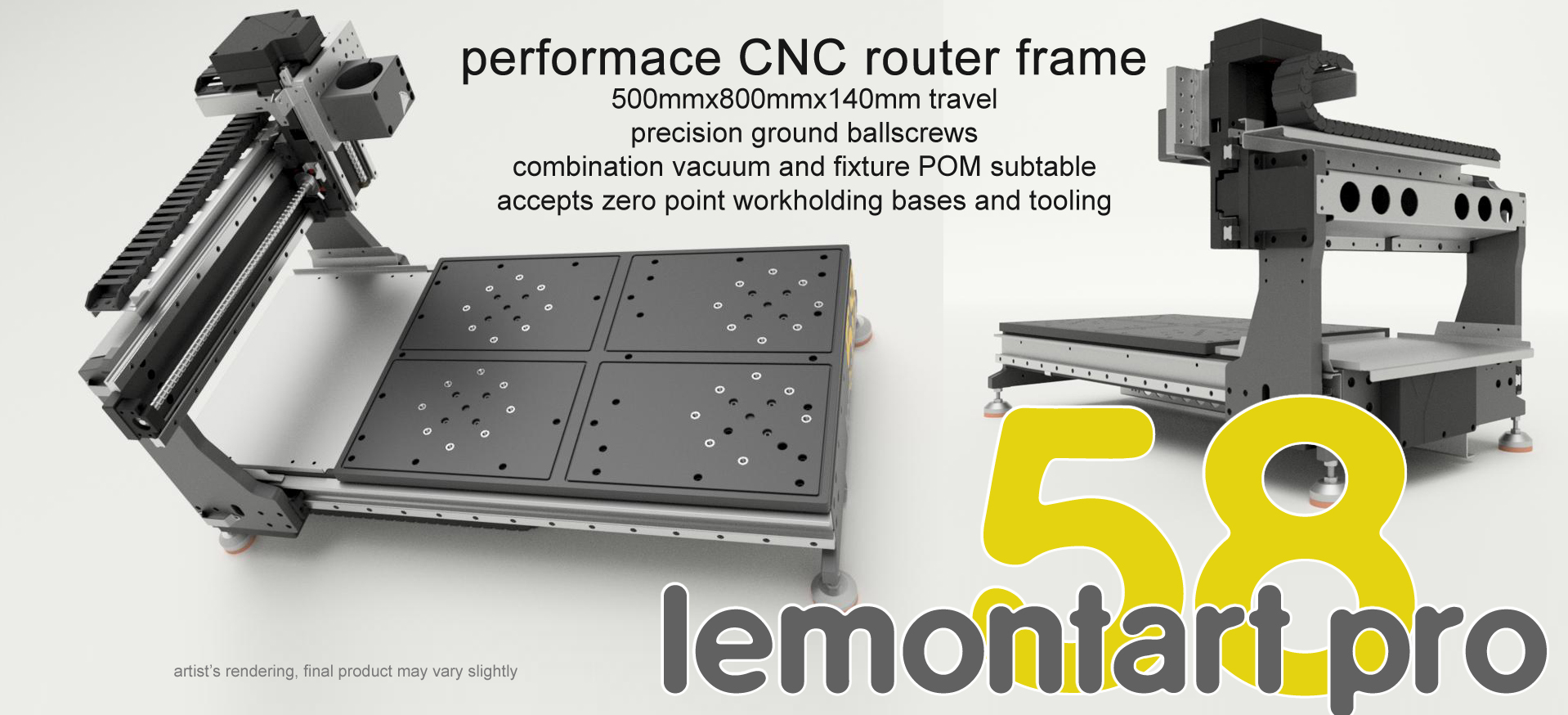
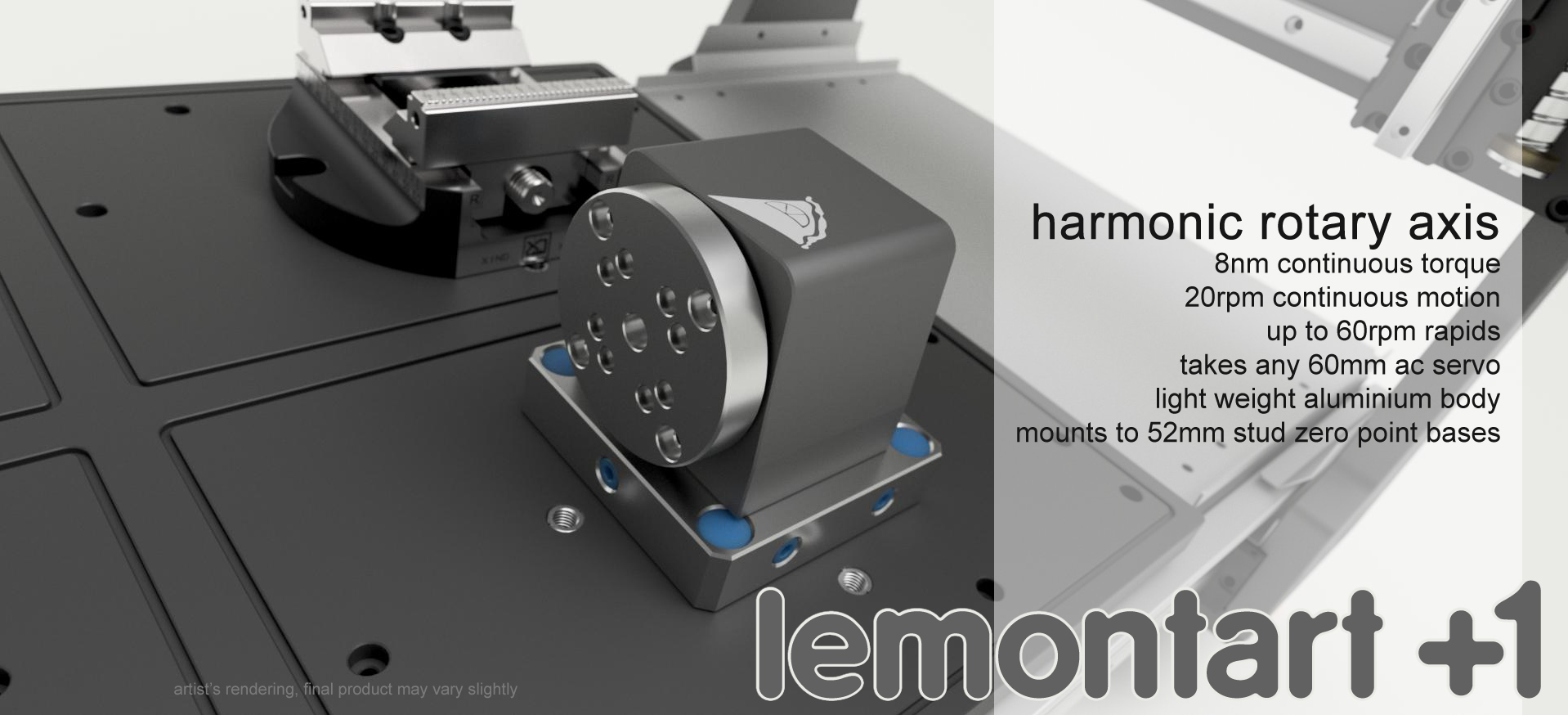
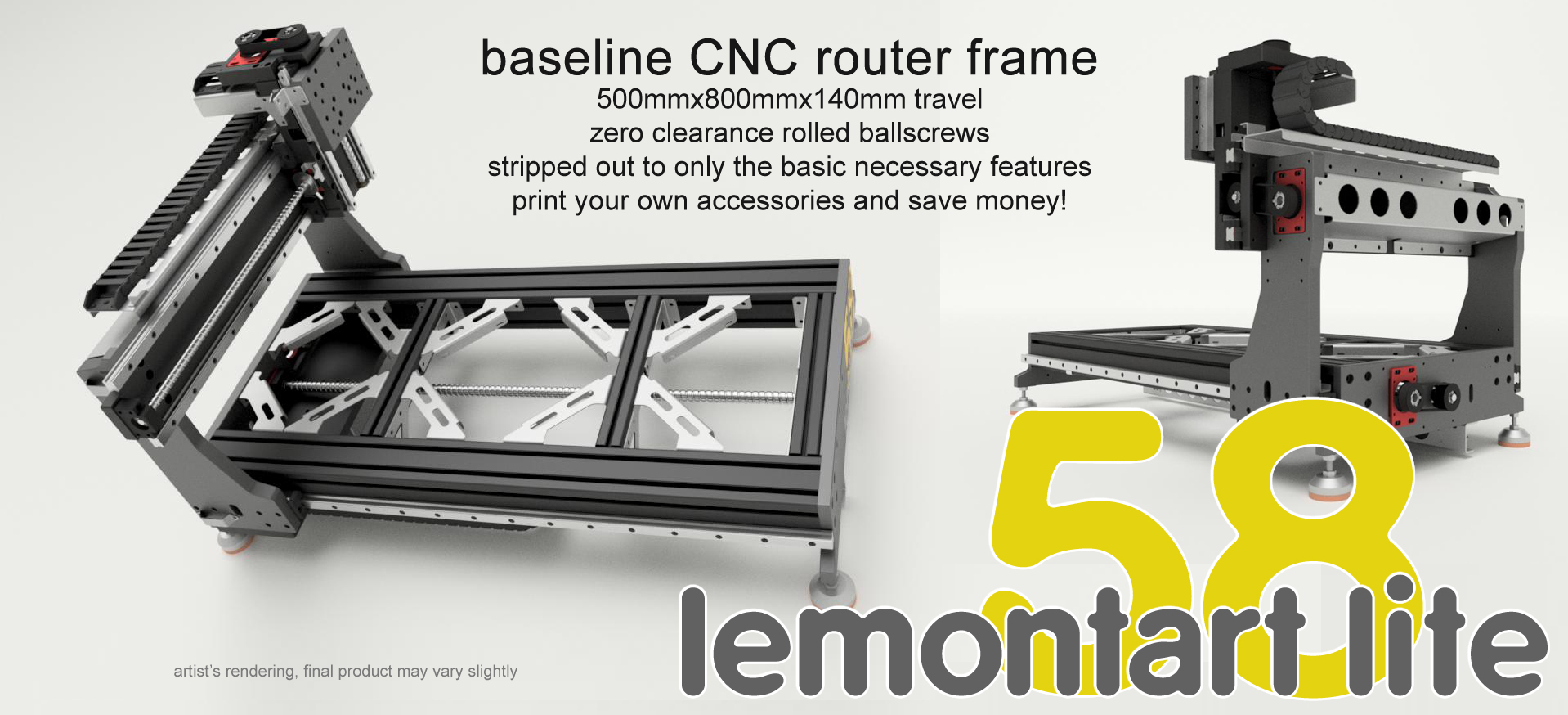
And we're done. Coordinating to start production tonight. Eep! (goes faster when someone else does all the work... and pays for it.  )
)
- Autumn Reign
16 Nov 2025 22:53
First Machine, can't get 6i25 to drive CL57Y/CL86Y was created by Autumn Reign
I've been working on a large format gantry cnc for a few months now and while I have plenty of mechanical design experience and a decent bit of controls, LinuxCNC and this style of hardware is well outside of my (current) comfort zone. I've got my HAL/ini files loading into LinuxCNC without error, and am starting to get the hang of syntax and method for this kind of machine control, but I've got some pretty glaring rookie issues left to sort.
I can power up the mesa board and actuate my steppers with mechanical switches on the 5v and 0v outputs, so my machine wiring is functional and my driver is not fried or otherwise inoperable. I am using 5v on PU+ for power input and then grounding PU- on my z axis stepgen on pin 7, starting the pin count from 0. I have inverted the pin with setp hm2_5i25.0.gpio.007.invert_output true in my hal and the pin reads 5V when idle so I think I have everything right up to that point. However, nothing moves when homing or jogging a joint, and when I let the home run I see no activity with a multimeter on the pin. I feel like I am doing something dumb and unless I can find a solution I'll go get some daughter cards for the 6i25. For several reasons none of the standard offering quite fit my needs but I can make some combination work.
Any advice? I've called into Mesa twice and have been able to make a lot of headway from the info gained there to even get to this point but this is where I am starting to stumble. I feel like I am missing something on timing or tuning obvious in retrospect. Files attached.
I can power up the mesa board and actuate my steppers with mechanical switches on the 5v and 0v outputs, so my machine wiring is functional and my driver is not fried or otherwise inoperable. I am using 5v on PU+ for power input and then grounding PU- on my z axis stepgen on pin 7, starting the pin count from 0. I have inverted the pin with setp hm2_5i25.0.gpio.007.invert_output true in my hal and the pin reads 5V when idle so I think I have everything right up to that point. However, nothing moves when homing or jogging a joint, and when I let the home run I see no activity with a multimeter on the pin. I feel like I am doing something dumb and unless I can find a solution I'll go get some daughter cards for the 6i25. For several reasons none of the standard offering quite fit my needs but I can make some combination work.
Any advice? I've called into Mesa twice and have been able to make a lot of headway from the info gained there to even get to this point but this is where I am starting to stumble. I feel like I am missing something on timing or tuning obvious in retrospect. Files attached.
- tsaG
16 Nov 2025 22:39
Replied by tsaG on topic Probebasic tool length calculation
My Home Position is at the top of the Unit.
yes, I am using the Tool setter Page for the spindle Zero. However the Manual measurement was only off by 0,39mm (202 vs. 202,39mm).
I was using the Automatic Tool changing but had some issues (putting tools back sometimes stopped before the pocket and I had to restart linuxcnc, them the Tool was duplicated in the rack). For now I am switching by Hand.
yes, I am using the Tool setter Page for the spindle Zero. However the Manual measurement was only off by 0,39mm (202 vs. 202,39mm).
I was using the Automatic Tool changing but had some issues (putting tools back sometimes stopped before the pocket and I had to restart linuxcnc, them the Tool was duplicated in the rack). For now I am switching by Hand.
Time to create page: 1.101 seconds