CNC Control Panel - Winter Project

More
2 years 10 months ago #289400 by blazini36
I like the first one better, too many concessions on the 2nd one and I think the trackball is a good idea. It always kinda surprises me that nobody sells a "ready made" control panel that the user can wire up and throw some electronics into. Trying to find a suitable panel keyboard and stuff like that is the biggest problem.

Please Log in or Create an account to join the conversation.

More
2 years 10 months ago #289410 by spumco
@klopp,

Very nice, can't wait to see it done.

Couple of thoughts if you're interested:
  • Estop - looks like it sticks up a bit.  Locating it in the middle of the keyboard panel may interfere with reaching up to touch something at the bottom of the screen.  One of those things that's hard to tell until you actually install it and it gets annoying (or doesn't).
  • Overrides - if you're set on 2 (not 3), you can use LCNC's mux component to switch functions between RRO/SRO/FRO/JRO (either with an on-screen or hardware button).  Maybe leave the FRO dedicated and the other one might be a multi-function encoder.
  • Keyboard - if you want a waterproof, rubberized keyboard to get started with they're available.  I found a company called "iKey" makes a line of panel-mountable wired & wireless keyboards for industrial use.  They're pricey new, but lots of nice used ones on ebay.
    • The one in particular I've installed on both my machines is an SB-97-TP.  Like all rubberized keyboards typing is miserable, but it's backlit and seems to be resistant to coolant & oil so far.  This one isn't designed for panel-mounting, but the rubber overlay forms a slight lip which makes it flush with a thin panel if the opening is just right.
    • iKey has a wide range of shapes/sizes and they publish specs & dimensional drawings which makes integration in a panel much less of a gamble.
  • Mouse
    • I've got a mouse on one of my lathes, and it's not great.  Machine vibrations cause it to walk off the 'tray' after a while.  I should make a little lip to trap it one of these days.
    • In addition the trackpad on my mill, I also rigged up a side tray with a thumb-type trackball.  It doesn't seem to get as nasty as a whole-hand trackball and it also doesn't walk around like a mouse does.

Good luck and thanks for the pics & update.  Always enjoy seeing what other folks come up with.
The following user(s) said Thank You: tommylight

Please Log in or Create an account to join the conversation.

More
2 years 9 months ago #291512 by klopp
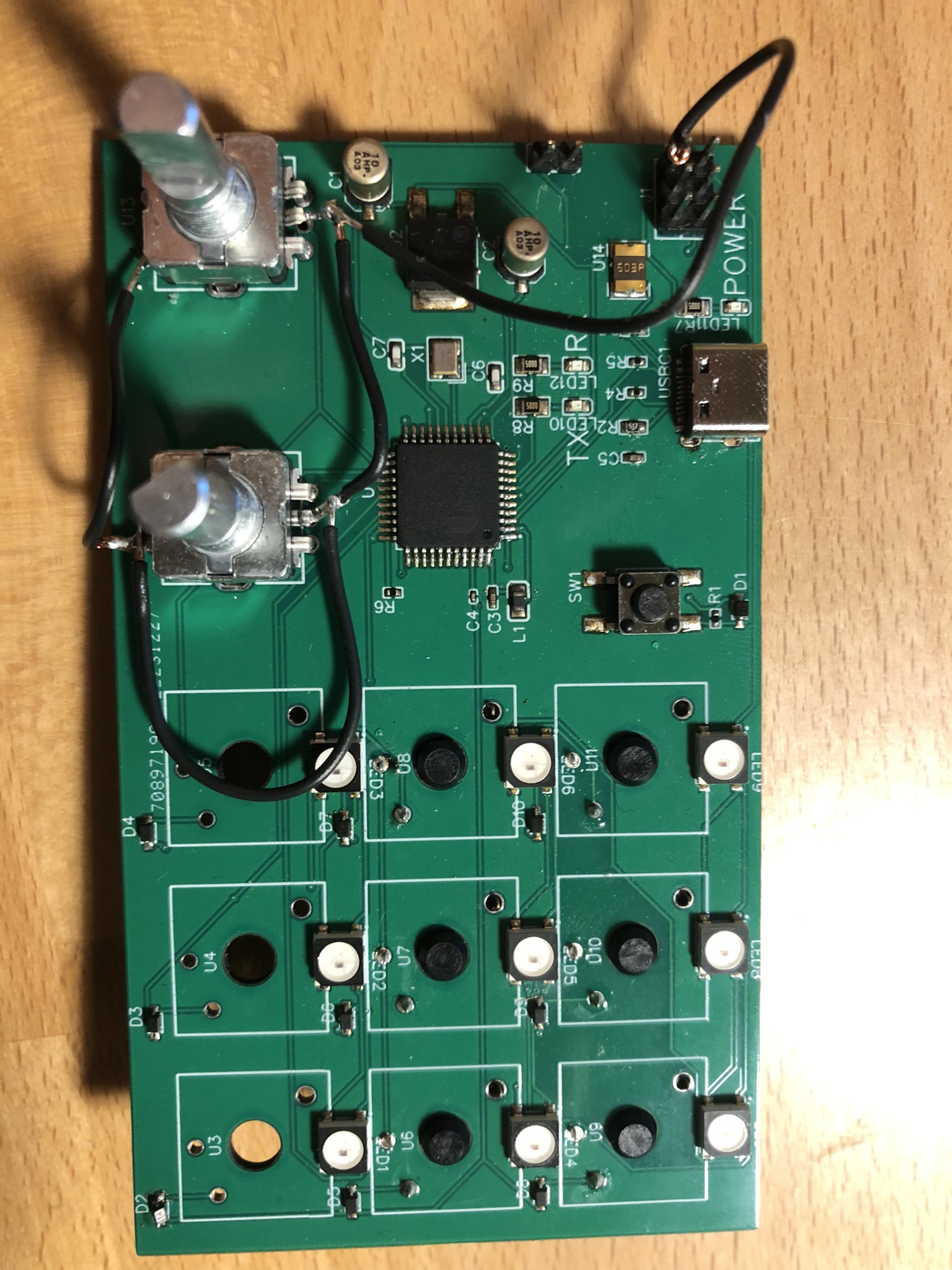
Okay some time has passed and I finally got to assemble and test my prototype for the function keys.
It uses an ATMega32U4 controller to control the RGB LEDs, encoders and keys via USB-C.

The plan is to keep the main keyboard separate from the function keys and read them via the hal_input module.


This is only a simple prototype to test functionality, as I knew I'd be making some mistakes anyway. Footprints for the keys were mirrored, used 5V instead of GND for the inputs and some other minor mistakes.
I fixed those mistakes and already ordered an improved PCB + parts.

There is still some work to do to be able to connect a handwheel, but I don't have enough IOs left on the ATMega, so I will probably need an IO expander and connect that via I²C.

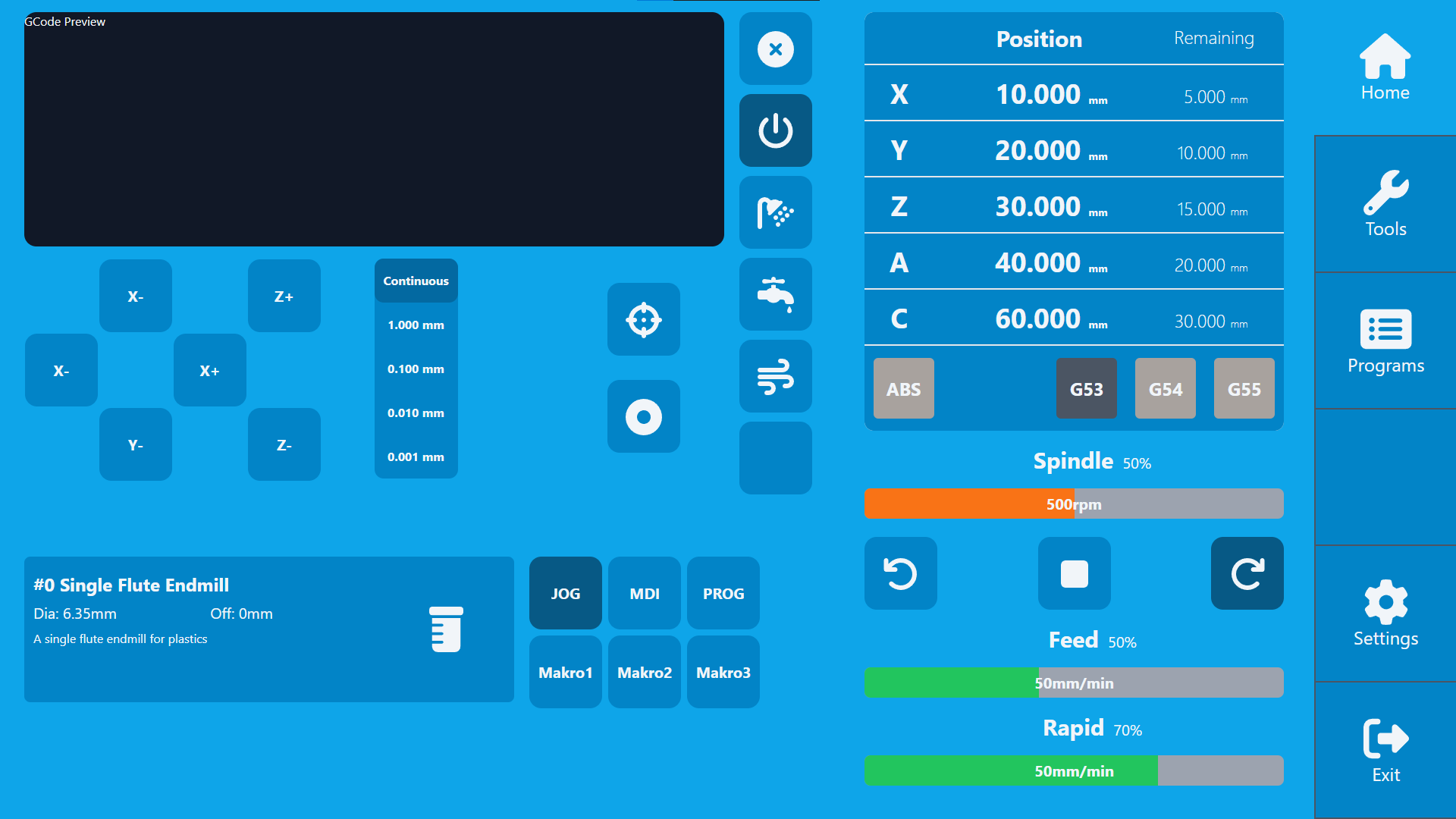
I'm also working on a new GUI concept to be used with the HMI. That's also part of the reason I went away from the "gmoccapy concept" with the buttons on the side.
While gmoccapy is very reliable and thought through, it also looks a bit outdated in my opinion. I know some people like the "functional approach" and I'm not really good at design myself, but here is a little preview of my implementation:


@spumco thank you very much for your feedback!
For the Estop you're right, but I guess I have to see it live to check if it really matters, changing it afterwards is not a big problem however.

The iKey keyboards look good, but 300€ for a used one is way to expensive for me. I could probably pour some silicone shell for my 10€ keyboard, but looking inside seems like it's not really prone to water damage anyway. Just some flexible PCB and a controller which is shielded pretty good.

For the mouse, I think it's just personal preference. I have one on my current setup and I really like it. Vibration has never been an issue for me but could cause problems on some other mills and lathes, I will keep that in mind.
The following user(s) said Thank You: tommylight, tivoi, spumco, TimP

Please Log in or Create an account to join the conversation.

More
2 years 9 months ago #291587 by TimP
i really like UI design, good color scheme and simple stylish icons

Please Log in or Create an account to join the conversation.

More
1 year 11 months ago #314266 by klopp
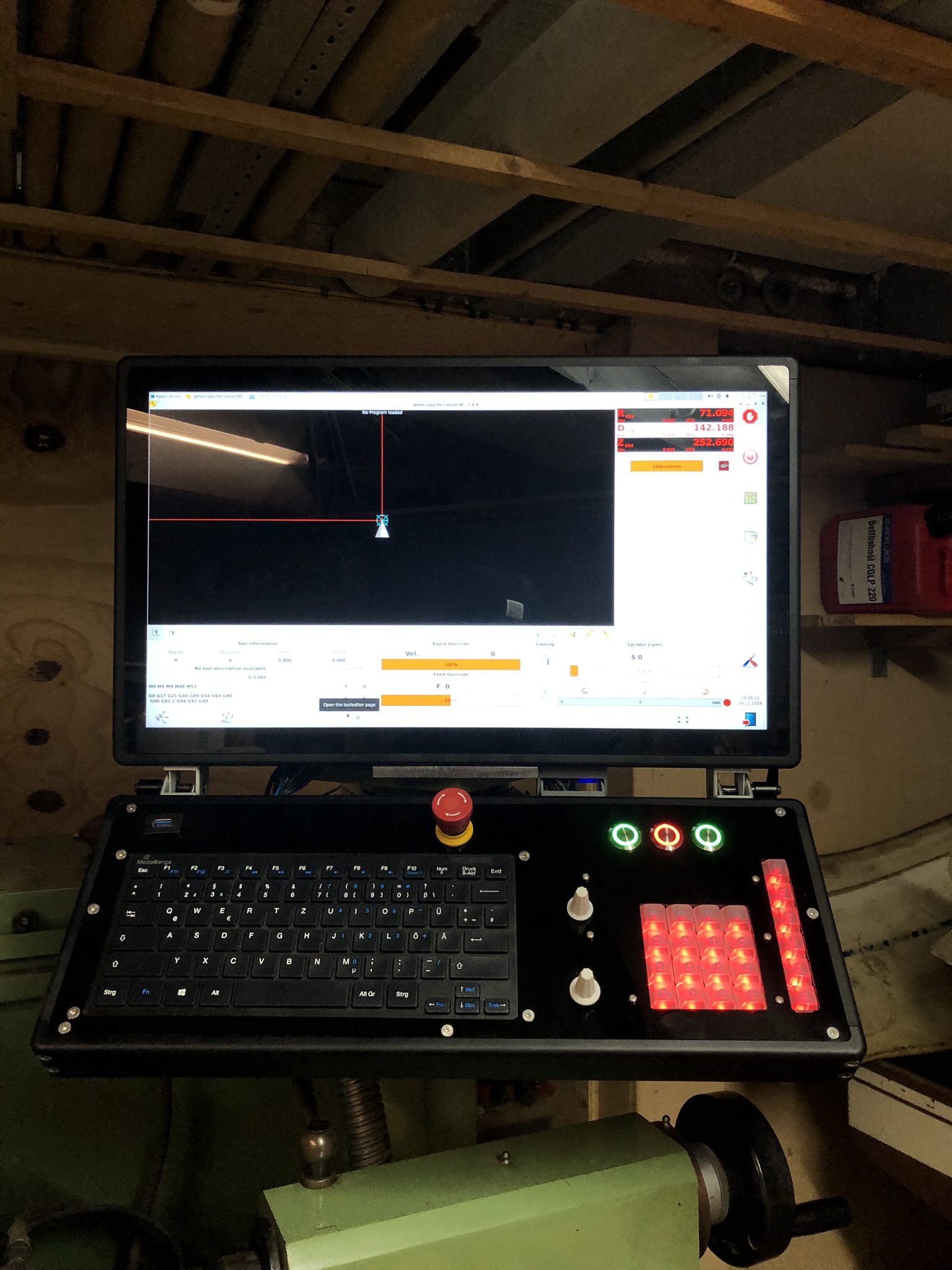
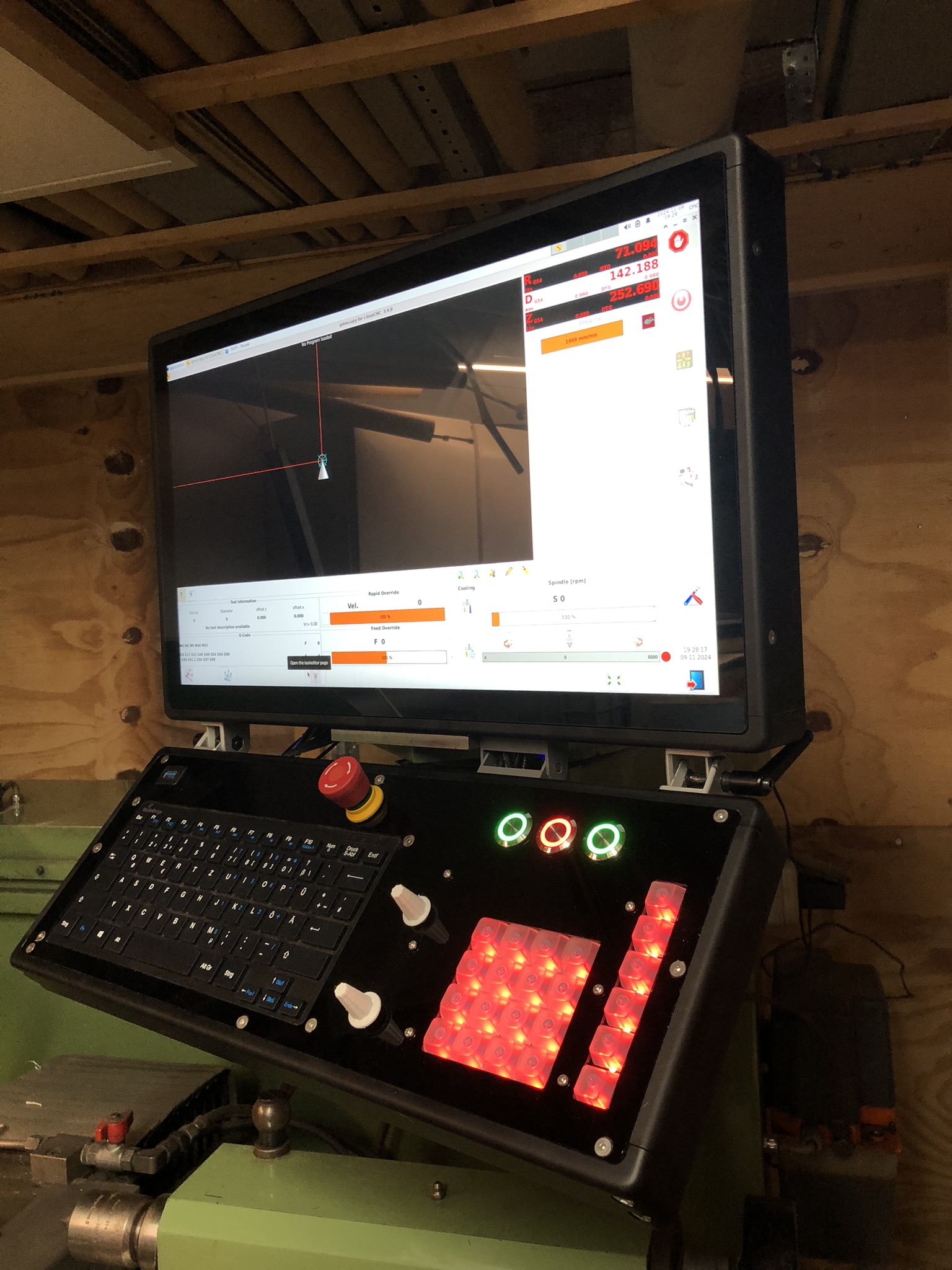
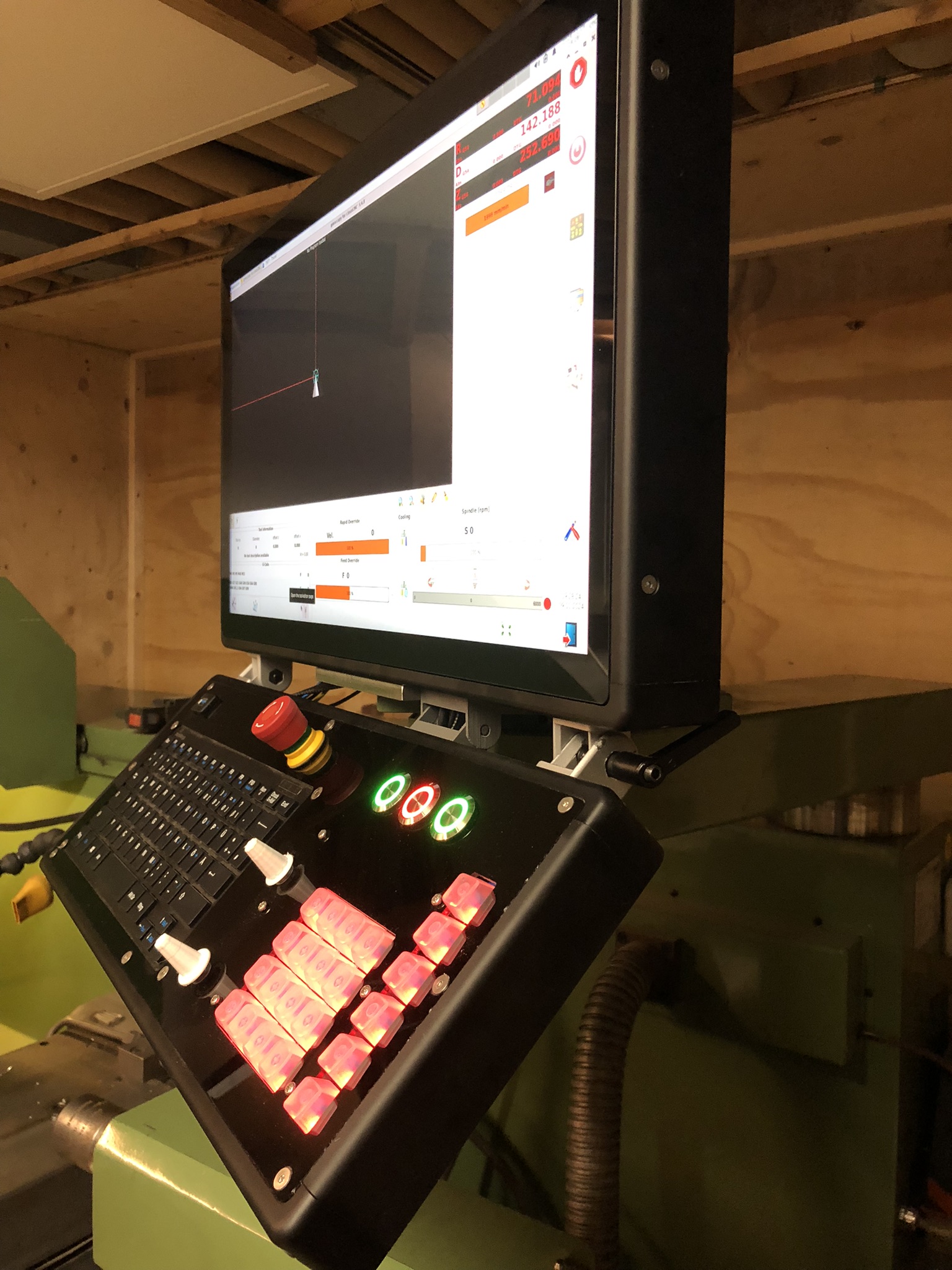
2 winters later and I've finally managed to get the panel finished. Some minor details are still missing, but it's enough to work properly.
I got the frame milled and anodized for me, as my CNC mill is too small for some parts and I don't have the tools to anodize them anyway.

The main part is the 22" touchscreen display. On the bottom part there are 3 dedicated buttons for spindle left/stop/right and 2 rotary encoders for feed and spindle overrides.
Also22 function keys that can be mapped to any function via HAL_INPUT. They also have a WS2812 LED each, so they can be illuminated in every RGB color individually. The LED control will be done via the Serial Port and a Python script.
The joints between the display and the keyboard allow for preferred adjustment.

I'm pretty happy on how it turned out, it really makes working with the Weiler a lot more enjoyable. The reworked GUI is still in progress, but that will take some more time as I have more important projects going on right now.


The following user(s) said Thank You: tommylight, Grotius, blazini36, spumco

Please Log in or Create an account to join the conversation.

More
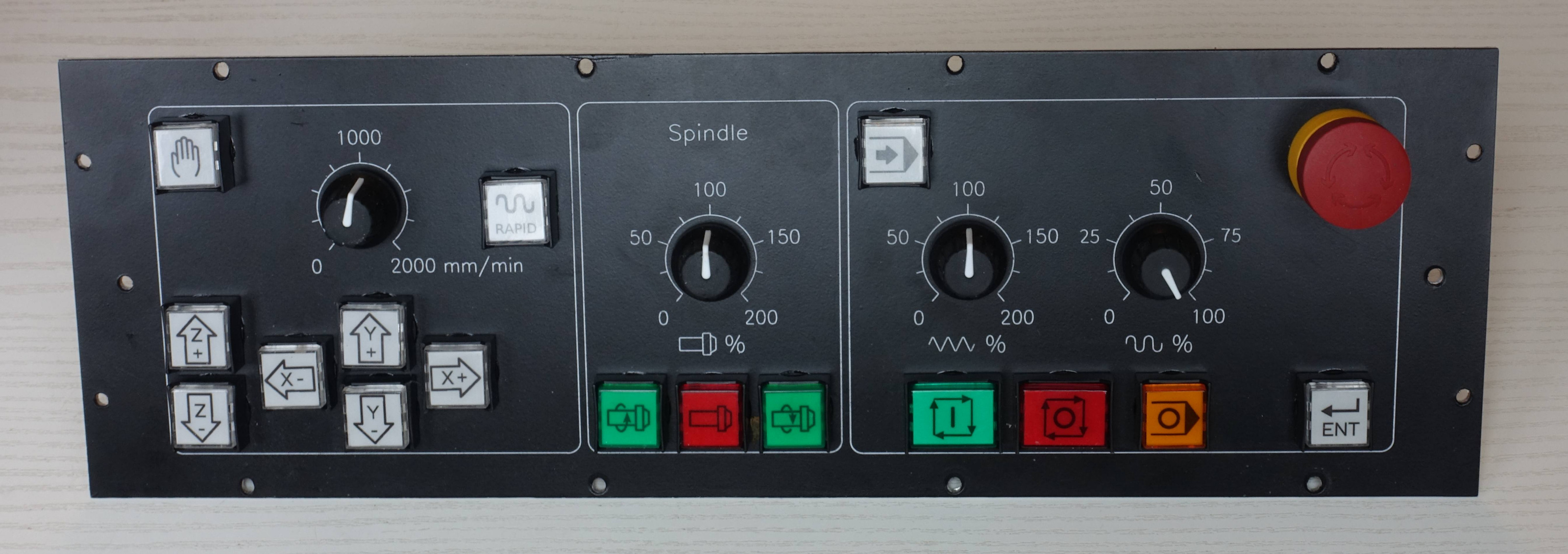
1 year 11 months ago #314284 by HansU
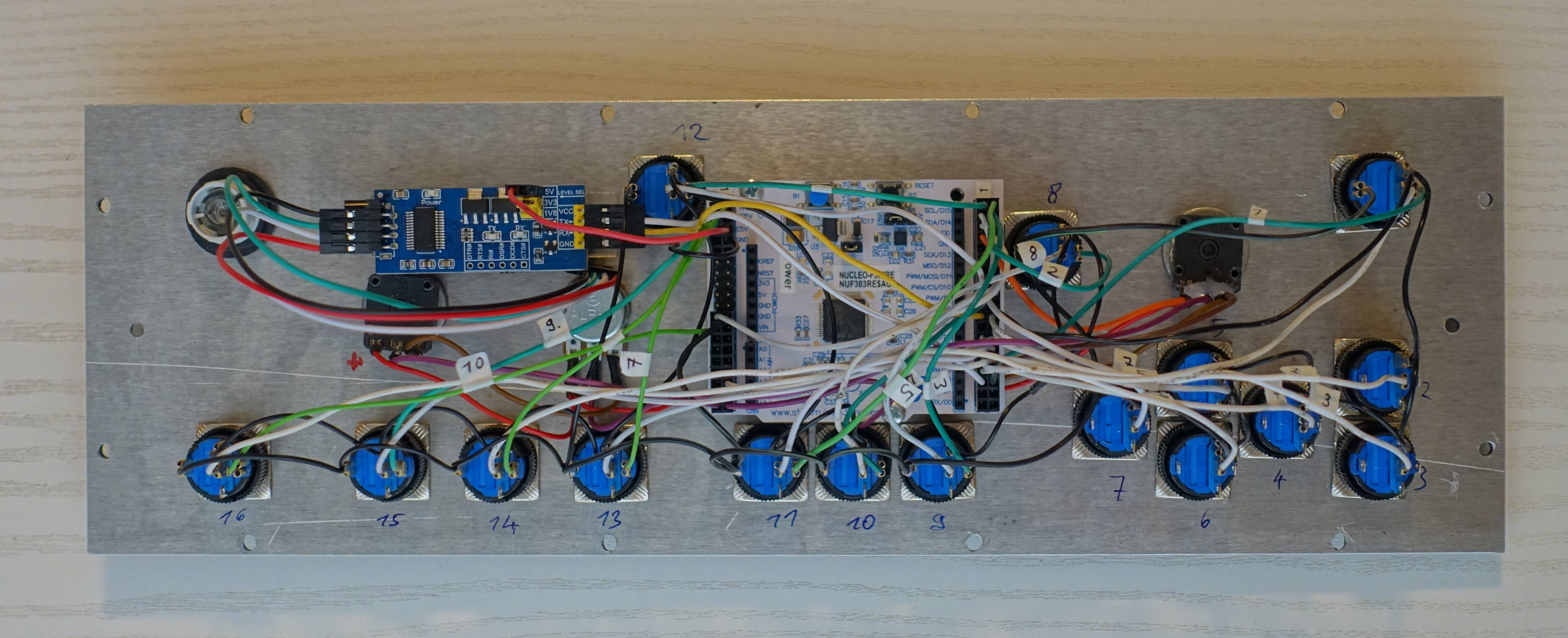
Funny, I just finished my Panel as well:


It communicates with LinuxCNC via Modbus, with a STM32 Nucleo board running a simple Modbus server: github.com/hansu/ModbusIO/tree/devel


The following user(s) said Thank You: tommylight, Grotius, spumco

Please Log in or Create an account to join the conversation.

Time to create page: 0.072 seconds
Powered by Kunena Forum