PID output not zero

More
5 years 1 week ago - 5 years 1 week ago #224027 by Firehunter
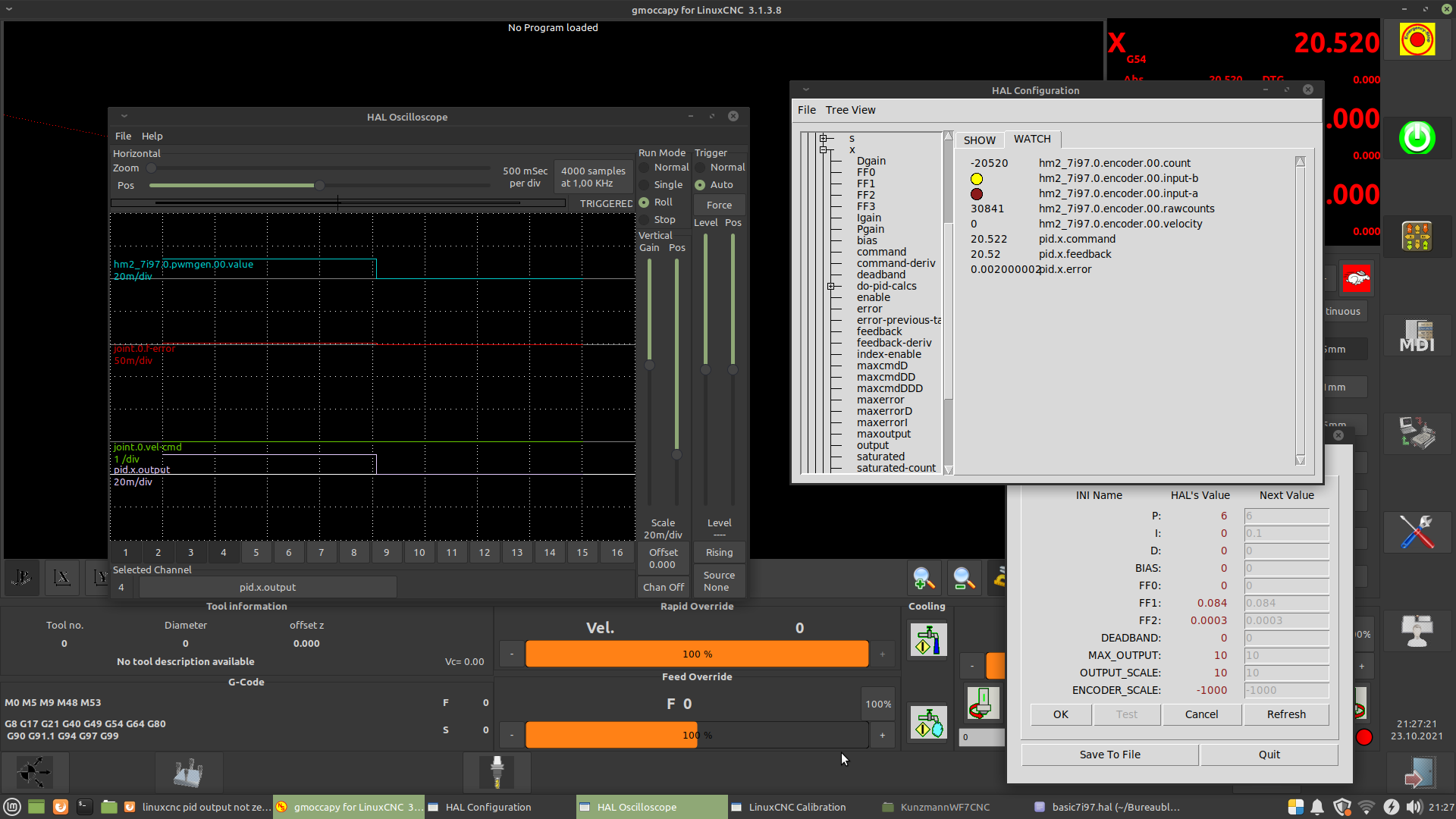
i'm currently trying to tune the servos of my milling machine. I'm having a bit of trouble with the pid output. there is continuosly a small error which causes the pid and analog output to never be 0. Changing P, bias or deadband doesn't help. Having a low I value doesn't help, having a larger I value causes the pid output to make a slanted "staircase" line.
I also had trouble with the servo hunting between two encoder counts (linear scales), but this was solved by adjusting the zero offset on the servo drive. The servo drive is an Indramat TDM.

What am I doing wrong?
Last edit: 5 years 1 week ago by Firehunter.

Please Log in or Create an account to join the conversation.

More
5 years 1 week ago #224032 by PCW
Replied by PCW on topic PID ouput not zero
I think its pretty difficult to get really precise PID
tuning when the position resolution is so low.

Normally you would expect to have at least 10 counts of
position error so you can get close to linear control in
the error band.

Please Log in or Create an account to join the conversation.

More
5 years 1 week ago - 5 years 1 week ago #224108 by Firehunter
Replied by Firehunter on topic PID output not zero
1um resolution isn't good enough?

But if the PID loop has an error, it should try to correct it, right? Or can it be that the servo drive has a small deadband and doesn't respond to the low analog output voltage? Should I try with a much higher I value?
Last edit: 5 years 1 week ago by Firehunter.

Please Log in or Create an account to join the conversation.

More
5 years 1 week ago #224110 by PCW
Replied by PCW on topic PID output not zero
Sorry I thought those were imperial units.

You can use a larger I term but note that if you
use any I term you will always dither between
2 encoder counts, with higher I terms speeding
the response time to small errors and the frequency
of the dither. Any dead band will just make the dither
range larger.

So one option is to use a large I term and live
with a micron or two of dither.

Please Log in or Create an account to join the conversation.

More
5 years 1 week ago #224115 by Firehunter
Replied by Firehunter on topic PID output not zero
Okay, I won't be using deadband. Haven't had any luck with that, neither on my lathe retrofit. It only offsets the error and hunting.

Do you know why the 0.002 error isn't corrected by the P gain?

Please Log in or Create an account to join the conversation.

More
5 years 1 week ago #224120 by chris@cnc
Replied by chris@cnc on topic PID output not zero
I had the same problem. I solved by changing the deadband term in pid.c file. With this modification has the deadband a real unit. If the position +/- deadband -> PID force to zero.  My first idea was to round the encoder feedback. In wood are 5µ not necessary.
But after 4 months i can say this modification works. The following error is near the same like without deadband and in stop position no vibration. For test you could exchange the file pid.so in folder /usr/lib/linuxcnc/modules/
I spoke here with Andy about this. He mean lincurve could also usefull to affect the PID. But i was happy with this solution an not searching more. 

I change this lines in file pid.c
old
Code:
/* apply the deadband */     if (tmp1 > *(pid->deadband)) {     tmp1 -= *(pid->deadband);     } else if (tmp1 < -*(pid->deadband)) {     tmp1 += *(pid->deadband);     } else {     tmp1 = 0;     }
new
Code:
/* apply the deadband  */ /*check if pid.error positiv and < deadband*/     if (*(pid->error) >= 0 && *(pid->error) < *(pid->deadband)) {     tmp1 = 0; /*check if pid.error negativ and < deadband*/     } else if (*(pid->error) <=0 && -*(pid->error) <= *(pid->deadband)) {     tmp1 = 0;     } 

Please Log in or Create an account to join the conversation.

Time to create page: 0.068 seconds
Powered by Kunena Forum