Retrofitting Mikron WF41C: Distance coded homing success

More
5 years 5 months ago #208015 by andypugh
Replied by andypugh on topic Retrofitting Mikron WF41C

mwinterm wrote: Finally however during that tuning process at one startup we had a mishap as the machine was crashing with the y-axis at full speed into the mechanical limitation. Halshow showed 0V on they y-output but we could measure nevertheless 10V on the 7i77 y-output with the multimeter.


This sounds like it should have tripped a following error and disabled the drives? I have never heard of a 7i77 doing that. I wonder if perhaps the 10V was coming from somewhere else in the wiring?

Please Log in or Create an account to join the conversation.

More
5 years 5 months ago #208016 by mwinterm
Replied by mwinterm on topic Retrofitting Mikron WF41C
We had the same suspicion.... but no, we disconnected everything and still had the 10V.
We were continuously tuning some stuff and might have introduced some typos in some places. Unfortunately I don't have the very configuration that caused the problem anymore. But I'm still wondering what kind of error I could introduce in the *.hal or *.ini files that could cause such a behavior (halshow showing 0V and having 10V on the output).

Please Log in or Create an account to join the conversation.

More
5 years 5 months ago #208052 by tommylight
Not helping, but, i have at least 5 or 6 of the Mesa 7i77 installed on industrial machines plus two i use for testing, never had any hiccup, ever.

Please Log in or Create an account to join the conversation.

More
5 years 5 months ago #208086 by mwinterm
Replied by mwinterm on topic Retrofitting Mikron WF41C
Hello,

I just want to clarify that I'm not blaming anyone or anything. In a project like this there is always a chance that something like that can happen. The reason I'm sharing this and what is bothering me the most is that I don't have a clue why it happened. Making mistakes is not so bad as long one can learn from them...

In that sense I would like to share in more details to the interested what happened exactly.
  1. While tuning some parameters in the *.ini file (like max speed, acceleration etc) we accidently moved the y-axis into the limit-switch.
  2. It has to be noted that the Mikron is normally operating with software limit switches. The hardware limit-switches are part of the e-stop chain. Once an e-stop limit switch is triggered there is a hardware switch in the electric cabinet of the machine that allows all limit switches to be bridged to allow to move the machine out of the limit-switch (obviously carefully as there is no additional layer of safety when these switches are bridged).
  3. To move the machine out of the e-stop I decided to do this by directly applying a voltage to the out-put of the 7i77 as the PID was not nicely tuned at that point yet. To do so I disconnected the PID from the output of the 7i77. I still had a signal called y-output connected to the output but no seed into that signal
  4. Then we restarted LinuxCNC without any problem i.e. reset e-stop, power-on and activated the feed-drive signal of machine (the machine has to layers to switch on the servo amplifier, first the feed-drive needs to be activated which activates a contactor to provide power to all the amplifiers, second each amplifier has to be 'approved' for motion individually. At that point none of the amplifiers were approved for motion yet.
  5. Then I started halshow and picked the y-output signal to visualize which indicated 0.
  6. Next I issued
    Code:
    halcmd sets y-output 0.5
    0.5V causes the machine to move rather slowly. Halshow indicated y-output to be 0.5.
  7. My colleague now bridged the e-stop limit switches and I issued
    Code:
    halcmd sets _A23_axis_2_approve true
    which approves the y-axis for movement.
  8. Crash, boom, bang..... machine crashed with full speed into the mechanical limit, servo spins on the tooth-belt, colleage releases the switch that bridged the limit switches. Stillness. :huh: :huh: :huh:
  9. Halshow still shows y-output 0.5
  10. Multimeter measurement on 7i77 shows 10V
  11. We disconnect the servo-drives from the 7i77 but the 10V persist
  12. I issue several
    Code:
    halcmd sets y-output ....
    with no effect on the actual physical output which stays at 10V
  13. I issue
    Code:
    halcmd sets x-output 0.5
    and the x-axis output on the 7i77 shows the 0.5V correctly.
  14. I restart LinuxCNC. Halshow again shows y-output to be 0V but we still measure 10V (Mistake 1: we did not measure voltage while LinuxCNC was not running)
  15. Warning, no we really messed it up: I reverted my git-repo to the last good configuration I committed without saving the configuration that caused the problem...:angry: To make it even worse we rebooted the control (disconnect/reconnect power).
  16. Everything runs normal again. Problem never happened again since... We have not clue what the problem was... :S :S :S

Regards,

Marc
The following user(s) said Thank You: J Green

Please Log in or Create an account to join the conversation.
More
5 years 5 months ago #208127 by J Green
Replied by J Green on topic Retrofitting Mikron WF41C
Marc
A very BIG THANK YOU for detailing that event ! It will be of much use for those doing future conversions to read an consider .
If it was me -- I would wonder if the axis limit override manual switch circuit was causing the problem , say a mis-wiring .

You questioned the large difference of P.I.D. values from Gaston48 vers your Mikron WF41C machine . I wonder if there is a big difference in " *.ini files (like max speed, acceleration etc) " ?
Would be quite useful if Gaston48 could share his Ini. & Hal. files . More of a let's improve a Wheel instead of the constant invent the Wheel .
The magical almost interconnect cable --- I sadly share that pain .
Best regards
Bob

Please Log in or Create an account to join the conversation.
More
5 years 5 months ago #208183 by mwinterm
Replied by mwinterm on topic Retrofitting Mikron WF41C
Damage update

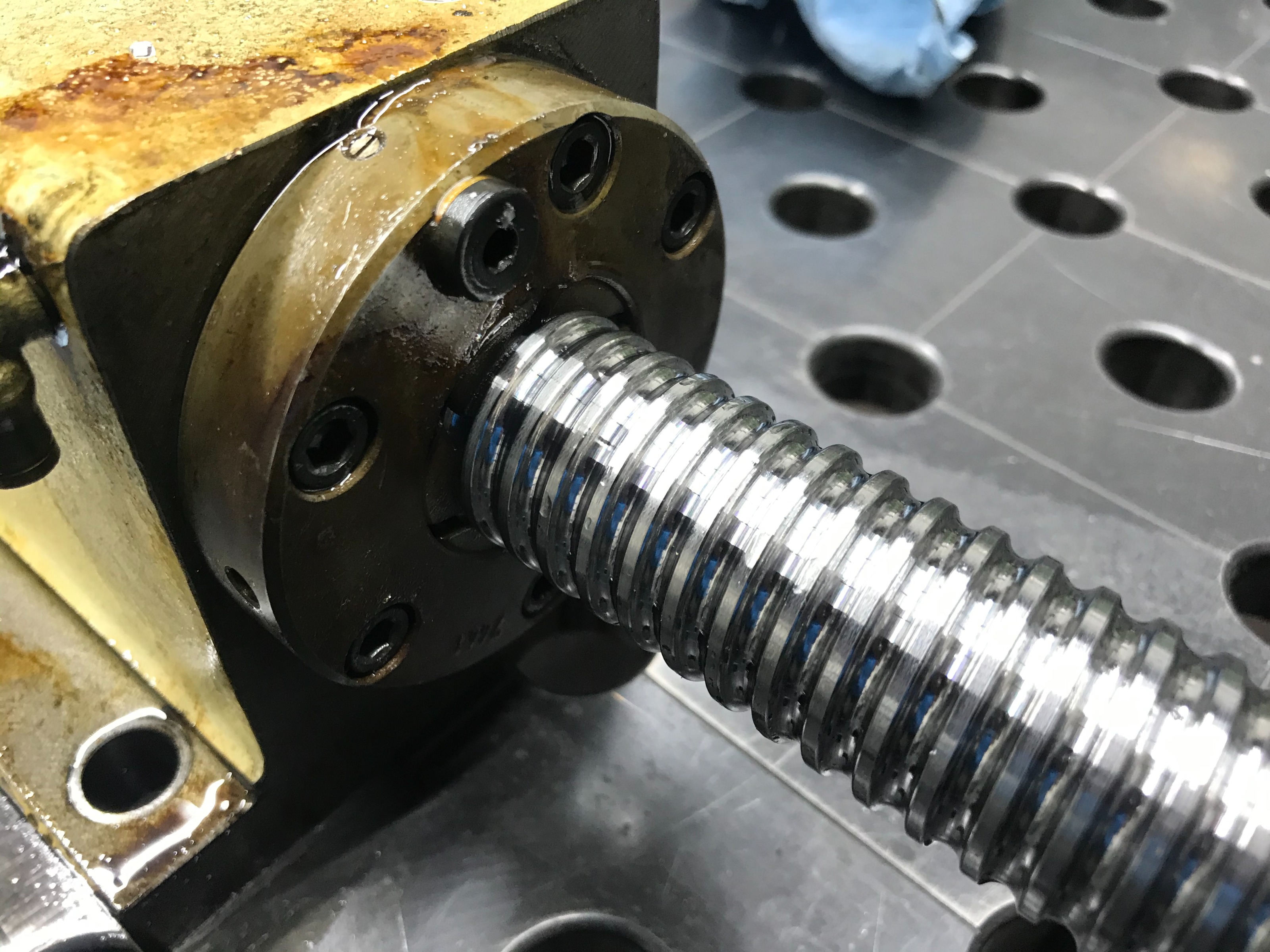
We checked the ball screw by fixing a 0.001mm dial indicator to the ball screw nut and having it touching on the ball screw thread. Then we turned the ball-screw forth and back and like that we would see any play between ball screw and ball screw nut. The result was mind blowing to me. There was not only zero play, the surface quality of the ball screw is so perfect that the 0.001mm indicator didn't move at all. I hade to touch it several times to make sure that it was actually working. This is really a testimonial about the quality of these machines and also underlines why it is worth to still invest in them with a new control.

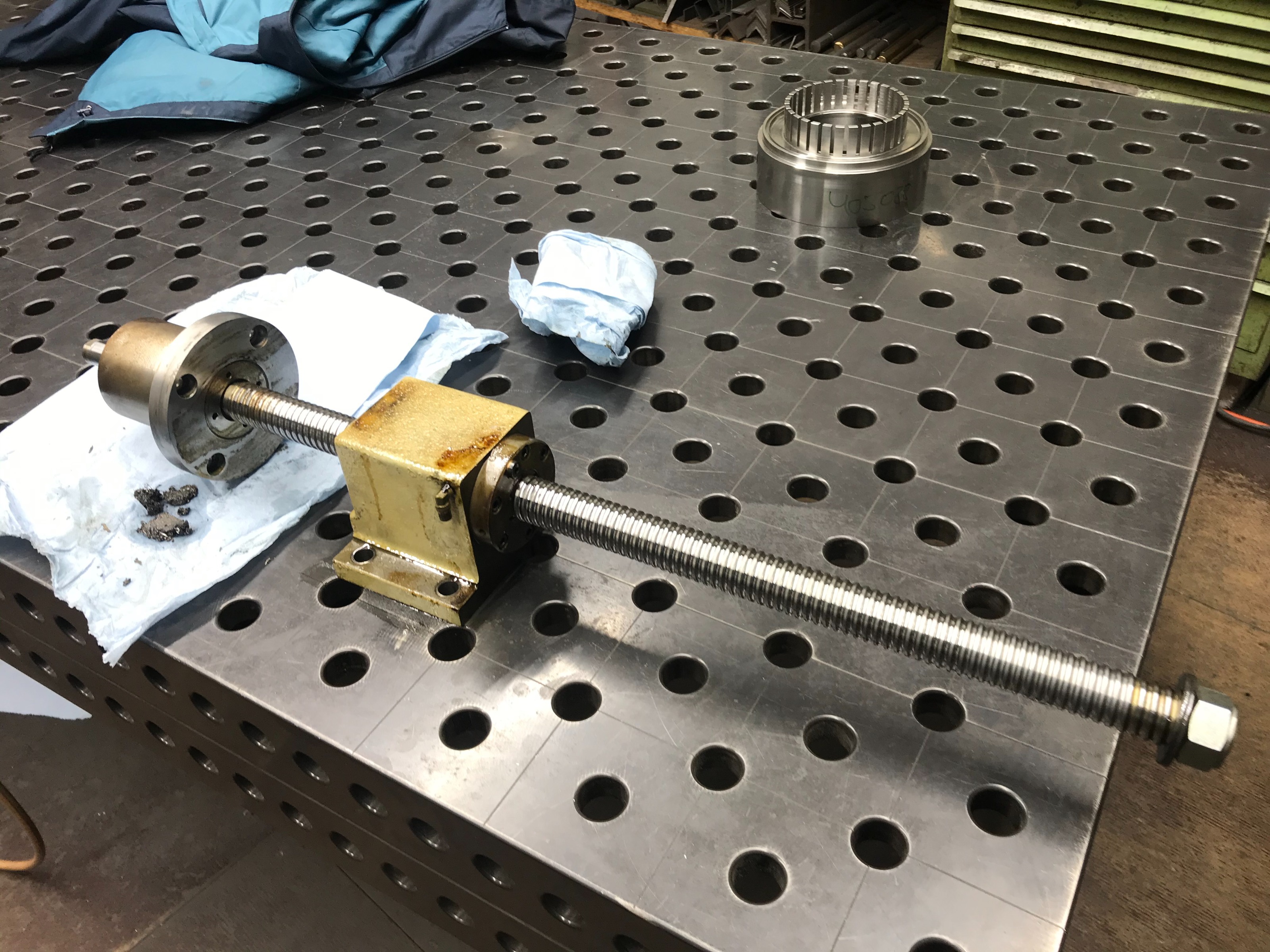
Then we removed the whole ball screw assembly from the machine.


Now we could very clearly feel that the bearings in the fixed block were damaged. They made a clear grinding noise when turning the ball screw by hand while as expected after the measurement the ball screw nut was moving smooth like butter.
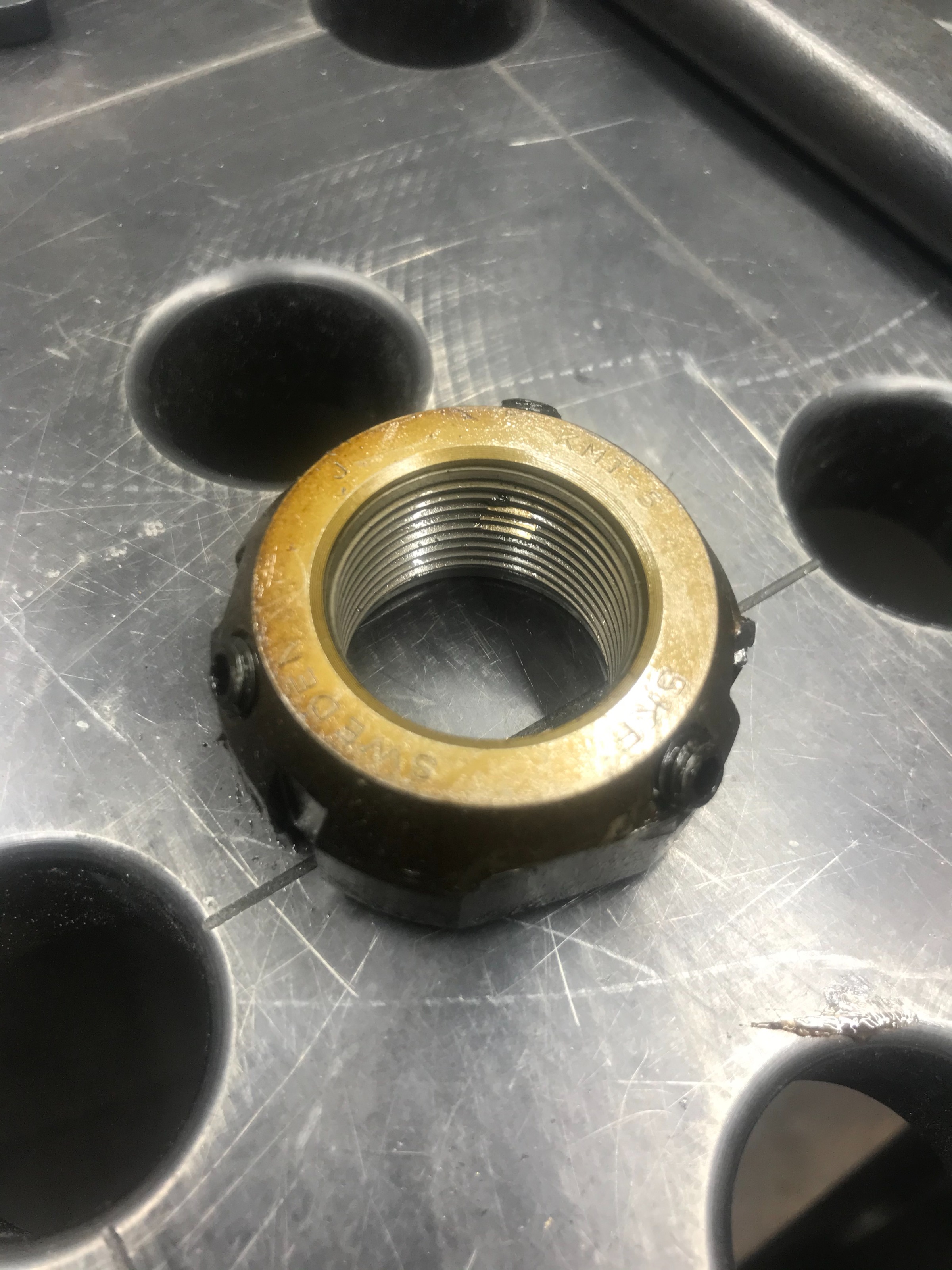
Sow we further disabled and removed the fixed block. Here the nut that fixed the ball screw to the fixed block (notice the little brass inserts that are worked into the nut and that lock the nut onto the thread when tightening the three set-screws).


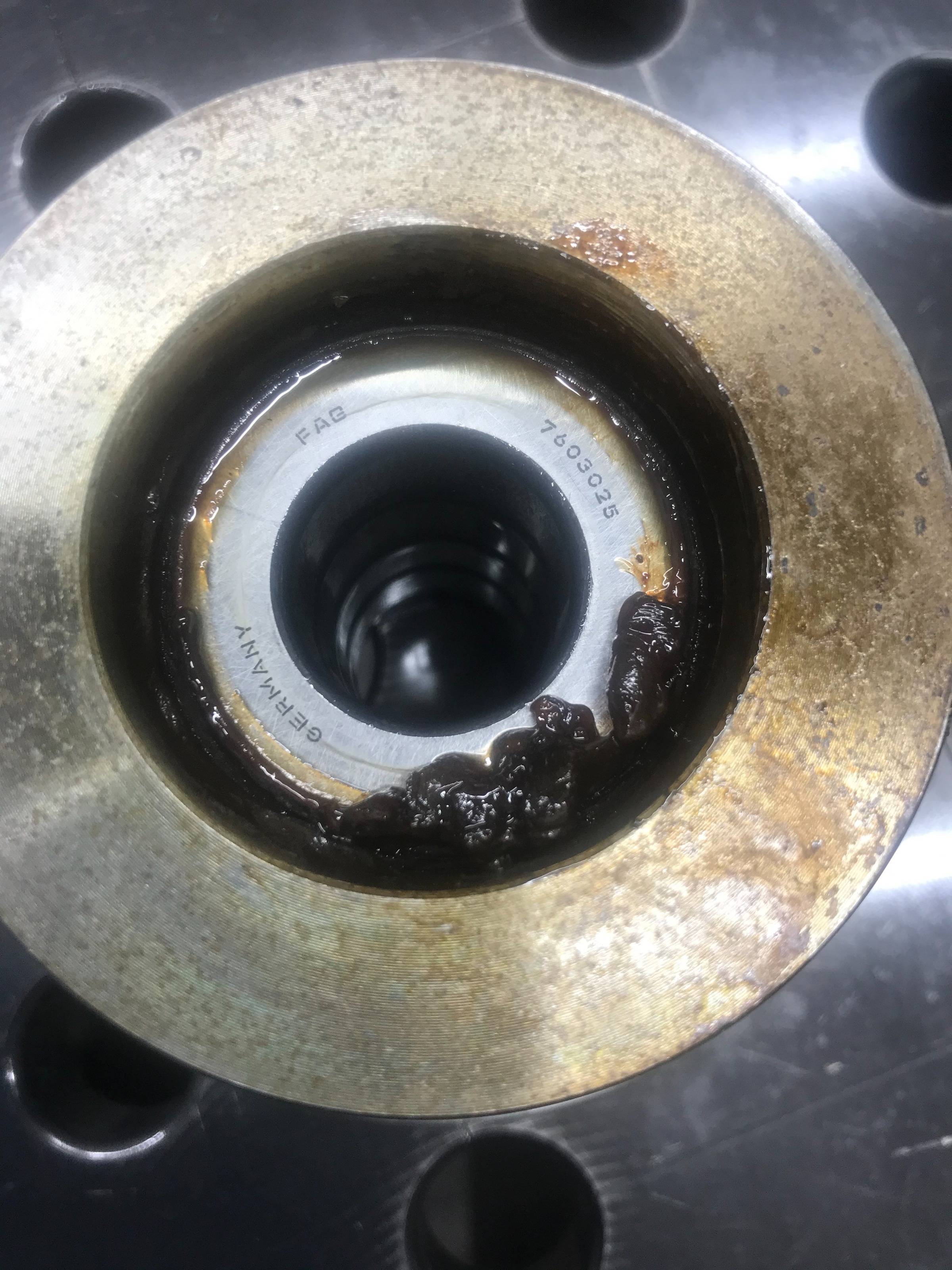
And here finally the fixed block with 4 axial trust bearings.


So after the initially excitement that ball-screw and nut were still perfect we got a little surprised when we realized that the 4 axial bearings (being as well super high quality standard) are 200 Euro each. Nevertheless still much cheaper than dealing with a broken ball screw.
Next we have now to make a little custom tool with 4 pins to remove the cap from the fixed block (see first picture) and order the bearings.

Best regards,

Marc
The following user(s) said Thank You: cscegypt

Please Log in or Create an account to join the conversation.
Time to create page: 0.482 seconds
Powered by Kunena Forum