
- GCode and Part Programs
- G&M Codes
- Crazy characters in code after import from another document (Word or eq.)
Crazy characters in code after import from another document (Word or eq.)
- Badger1875
- Offline
- New Member
-

Less
More
- Posts: 5
- Thank you received: 0
10 Mar 2026 12:11 #344087
by Badger1875
Crazy characters in code after import from another document (Word or eq.) was created by Badger1875
Hi folks,
did this appear to anyone of you in former times?
I'm fairly new to CNC and brandnew to LinuxCNC (MiniMill 2.9) and I needed a 'warmup_routine' for my machine, so I used the help of AI and generated a file to my purpose.
I imported the code to my Windows editor and saved the file as <name>.ngc.
I wrote shorter files on my own in g-code in advance, saved them, transfered them to the machine and opened them: they worked from the first second.
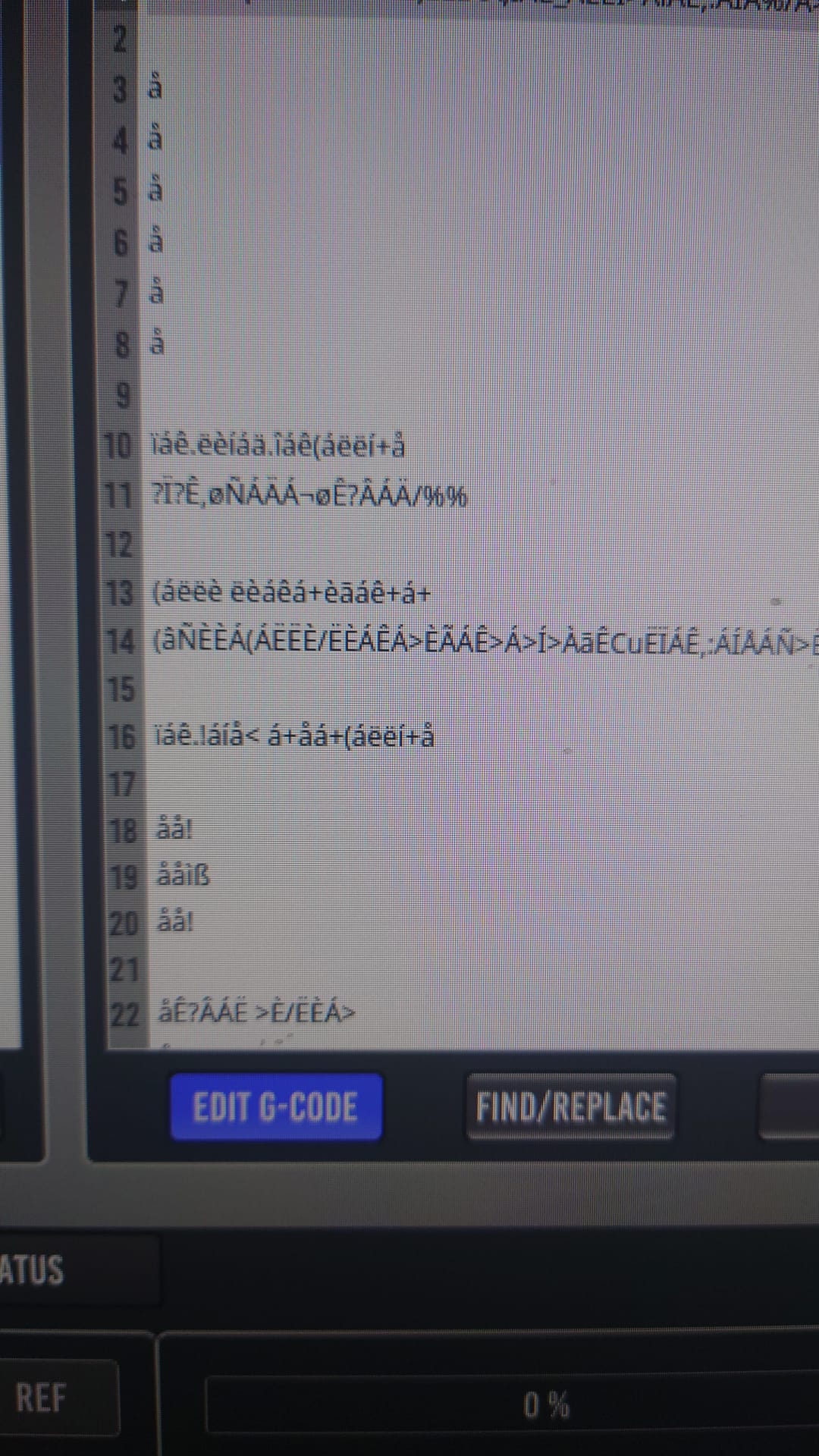
As I tried to open the g-code with the AI generated parts, I recieved absolute trashed characters in the code, the complete code was unreadable!
When I opened this file with the 'gedit' from Linux, everything looked fine...
Anyone of has some ideas, tipps or solutions?
Greetz
Freddie
did this appear to anyone of you in former times?
I'm fairly new to CNC and brandnew to LinuxCNC (MiniMill 2.9) and I needed a 'warmup_routine' for my machine, so I used the help of AI and generated a file to my purpose.
I imported the code to my Windows editor and saved the file as <name>.ngc.
I wrote shorter files on my own in g-code in advance, saved them, transfered them to the machine and opened them: they worked from the first second.
As I tried to open the g-code with the AI generated parts, I recieved absolute trashed characters in the code, the complete code was unreadable!
When I opened this file with the 'gedit' from Linux, everything looked fine...
Anyone of has some ideas, tipps or solutions?
Greetz
Freddie
Please Log in or Create an account to join the conversation.
- tommylight
-

- Away
- Moderator
-

Less
More
- Posts: 21959
- Thank you received: 7478
10 Mar 2026 14:50 #344090
by tommylight
Replied by tommylight on topic Crazy characters in code after import from another document (Word or eq.)
Do not use windows editors or office suits for editing machine files.
Use simple text editors such as notepad on windows or mousepad, gedit, nano, geany, etc on Linux.
Use simple text editors such as notepad on windows or mousepad, gedit, nano, geany, etc on Linux.
Please Log in or Create an account to join the conversation.
- Badger1875
- Offline
- New Member
-
Less
More
- Posts: 5
- Thank you received: 0
10 Mar 2026 22:16 - 10 Mar 2026 22:17 #344113
by Badger1875
Replied by Badger1875 on topic Crazy characters in code after import from another document (Word or eq.)
Hi,
I tried Editor, Notepad++ and eq. all the same result!
Still trying to figure out what the problem is...
If I open the file with gedit from Linux, everything looks fine, but as soonas I change to LinuxCNC I have the same crap...
Freddie
I tried Editor, Notepad++ and eq. all the same result!
Still trying to figure out what the problem is...
If I open the file with gedit from Linux, everything looks fine, but as soonas I change to LinuxCNC I have the same crap...
Freddie
Last edit: 10 Mar 2026 22:17 by Badger1875.
Please Log in or Create an account to join the conversation.
- GCode and Part Programs
- G&M Codes
- Crazy characters in code after import from another document (Word or eq.)
Time to create page: 0.806 seconds