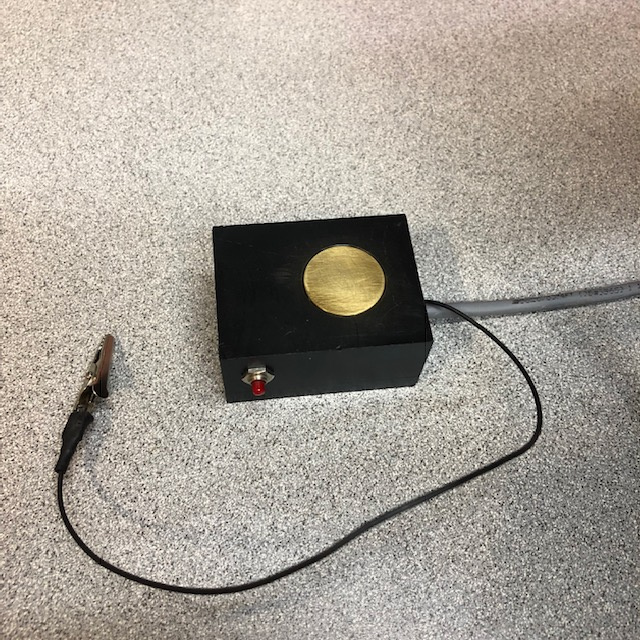
I built this touch-plate.
To use it you set it on the material then bring the tool within a 1/4 inch of the plate. Then connect the alligator clip to the tool. This ensures a good ground connection. Then press the button on the probe. That signal causes the probe routine to be executed. The probe routine will move the tool very slow down until contact with the plate is made or the probe distance is exceeded. If the plate is contacted the current Z position minus the height of the touch-pate is stored and represents where the top of the material is. The Z will rapid up the specified distance. One inch in my case. If the probe distance is exceeded without making contact the probe motion with stop and an error will appear on the screen
To set this up do the follow or some variation of it. I got this info from somewhere on this site so I am not the original author.
Put the following lines in a file named 100.ngc and place the file in your nc_files folder.
<pre>
o100 sub
G20
( Set current Z position to 0 so that we will always be moving down )
G10 L20 P0 Z0
( Probe to Z-.5 at F2 [Uses machine units, I work in inch, this is meant to be slow!] )
G38.2 Z-.25 f2
( Set Z0 at point where probe triggers with offset of +1.004 [this is the thickness of my touch plate. You must adjust this for your plate / setup] )
(G10 L20 = Set Coordinate System // P - coordinate system 0-9 0 = Not active)
G10 L20 P1 Z1.004
( Rapid up to Z.5 above the material )
(G10 L20 P1)
(Use machine coordinates)
G90
G53 G0
(Incremental mode)
G91
(Rapid Z up 1 inches)
G0 Z1
o100 endsub
</pre>
You MUST change this above to match your touch-plate.
Add
this line to your .ini file in the [HALUI] section. Note that in my case it is the 4th MDI_COMMAND in the HALUI section. You will need this number later.
[HALUI]
MDI_COMMAND=G28
MDI_COMMAND=M7
MDI_COMMAND=M9
MDI_COMMAND=o100 call
MDI_COMMAND=…
MDI_COMMAND=...
MDI_COMMAND=...
MDI_COMMAND=...
MDI_COMMAND=G10 L20 P1 X0
MDI_COMMAND=G10 L20 P1 Y0
MDI_COMMAND=G10 L20 P1 Z0
MDI_COMMAND=G0 X0
MDI_COMMAND=G0 Y0
MDI_COMMAND=G0 Z0
Add this line in the .hal file. This connects the pin on BOB (a Mesa 7i76 in my case) to the o100 routine. Change the hm2_5i25.0.7i76.0.0.input-06 to the hal pin that represents the physical pin that you connected the button to on the touch-plate.
net run-touch-btn <= hm2_5i25.0.7i76.0.0.input-06 => halui.mdi-command-04
Add these lines to the hal file. These lines take care of detecting when the tool touches the plate.
#limits debounce to stop false triggers
loadrt debounce cfg=1 #change to the number you want
setp debounce.0.delay 100 #this sets the delay 100 iterations of the servo-thread
addf debounce.0 servo-thread
net deb-probe-in debounce.0.0.in <= hm2_5i25.0.7i76.0.0.input-05-not
net probe-in debounce.0.0.out
net probe-in => motion.probe-input
#Change hm2_5i25.0.7i76.0.0.input-05-not to be the pin that you connected the touch-plate surface to. Note the "-not" at the end. This inverts the logic.
This is a useful link when working in the hal file.
Manual
I hope this helps and if I misspoke with incorrect info that someone chimes in. I've only been at this just under year.
John