
- Posts: 4737
- Thank you received: 1480
Servo Tuning
- Todd Zuercher
- Offline
- Platinum Member
-

Less
More
7 years 7 months ago - 7 years 7 months ago #129174
by Todd Zuercher
Replied by Todd Zuercher on topic Servo Tuning
Step motors don't need tuning. They just need to be to have the correct minimum timings set up for the drivers, and the correct velocity and acceleration limits set so they don't loose steps. If your machine is using a hardware step generator, such as a Mesa card, that uses a PID loop there are specific instructions for setting those. Again they are not tuned, for most Mesa setups the stepgen's PID should be set to P=1000 and FF1=1 and everything else 0.
Also be sure that backlash isn't messing up your measurements. I would turn off any backlash compensation while setting this up. Then make two moves in the same direction and measure the 2nd move. (1st move removes the backlash.)
Once you have it moving the correct distances and you're sure you are not loosing any steps, now measure your backlash, and setup the backlash compensation (or better yet correct the mechanical issues causing it.)
Also be sure that backlash isn't messing up your measurements. I would turn off any backlash compensation while setting this up. Then make two moves in the same direction and measure the 2nd move. (1st move removes the backlash.)
Once you have it moving the correct distances and you're sure you are not loosing any steps, now measure your backlash, and setup the backlash compensation (or better yet correct the mechanical issues causing it.)
Last edit: 7 years 7 months ago by Todd Zuercher.
Please Log in or Create an account to join the conversation.
- Roland2161
- Topic Author
- Offline
- Junior Member
-

Less
More
- Posts: 36
- Thank you received: 0
7 years 7 months ago #129255
by Roland2161
ok this explains a lot. I will dig into it shortly. Where would I find backlash compensation ? I believe I have .0005 backlash. not sure it is compensated for.
also when I try tho adjust acceleration it seems to accelerate fast then it slows down which is also causing the problem. soi am probably losing a step on acceleration and deceleration. I will post a video of what is happening after work. thank you. very helpful
Replied by Roland2161 on topic Servo Tuning
Todd Zuercher wrote: Step motors don't need tuning. They just need to be to have the correct minimum timings set up for the drivers, and the correct velocity and acceleration limits set so they don't loose steps. If your machine is using a hardware step generator, such as a Mesa card, that uses a PID loop there are specific instructions for setting those. Again they are not tuned, for most Mesa setups the stepgen's PID should be set to P=1000 and FF1=1 and everything else 0.
Also be sure that backlash isn't messing up your measurements. I would turn off any backlash compensation while setting this up. Then make two moves in the same direction and measure the 2nd move. (1st move removes the backlash.)
Once you have it moving the correct distances and you're sure you are not loosing any steps, now measure your backlash, and setup the backlash compensation (or better yet correct the mechanical issues causing it.)
ok this explains a lot. I will dig into it shortly. Where would I find backlash compensation ? I believe I have .0005 backlash. not sure it is compensated for.
also when I try tho adjust acceleration it seems to accelerate fast then it slows down which is also causing the problem. soi am probably losing a step on acceleration and deceleration. I will post a video of what is happening after work. thank you. very helpful
Please Log in or Create an account to join the conversation.
- Todd Zuercher
- Offline
- Platinum Member
-
Less
More
- Posts: 4737
- Thank you received: 1480
7 years 7 months ago #129285
by Todd Zuercher
Replied by Todd Zuercher on topic Servo Tuning
Backlash compensation is set in the ini file in the sections for each axis/joint
look for a line that says BACKLASH = n. To turn off the backlash compensation simply place a # in front of that line with a text editor and save it. If your ini file does not have any BACKLASH entries or they are already commented out (with the #), then you are not using it.
look for a line that says BACKLASH = n. To turn off the backlash compensation simply place a # in front of that line with a text editor and save it. If your ini file does not have any BACKLASH entries or they are already commented out (with the #), then you are not using it.
Please Log in or Create an account to join the conversation.
- Todd Zuercher
- Offline
- Platinum Member
-
Less
More
- Posts: 4737
- Thank you received: 1480
7 years 7 months ago #129286
by Todd Zuercher
Replied by Todd Zuercher on topic Servo Tuning
Remember the velocity and acceleration limits are specified in units/sec and units/sec^2 (inches/sec not inches/min.)
The acceleration in Linuxcnc should be linear for ordinary moves.
The acceleration in Linuxcnc should be linear for ordinary moves.
Please Log in or Create an account to join the conversation.
- Roland2161
- Topic Author
- Offline
- Junior Member
-
Less
More
- Posts: 36
- Thank you received: 0
7 years 7 months ago #129392
by Roland2161
Finally got out to the garage to take a video and pics. I have also attached my lathe.ini file. I do not see anything about backlash so i will assume it is not in use.
I have changed the scale to -20320 and lowered the acceleration from 37.5 to 19 and this helped my issue. It is still off about .007" over an inch and changes a small amount every .100" step I take. In the video you will notice after every move it over shoots a small amount and comes back sometimes to where it should be, alot of the times it's .001" off per move. In this video it comes back to 0, but most of the time it's off .001". Running a long program it will shift the zero over .100" by the time it is done. The faster the machine moves the more pronounced the issue. When the accleration is lowered, the issue is more pronounced at lower jog speeds as well.
Short example of the issue I am having . Notice the over shoot and return.
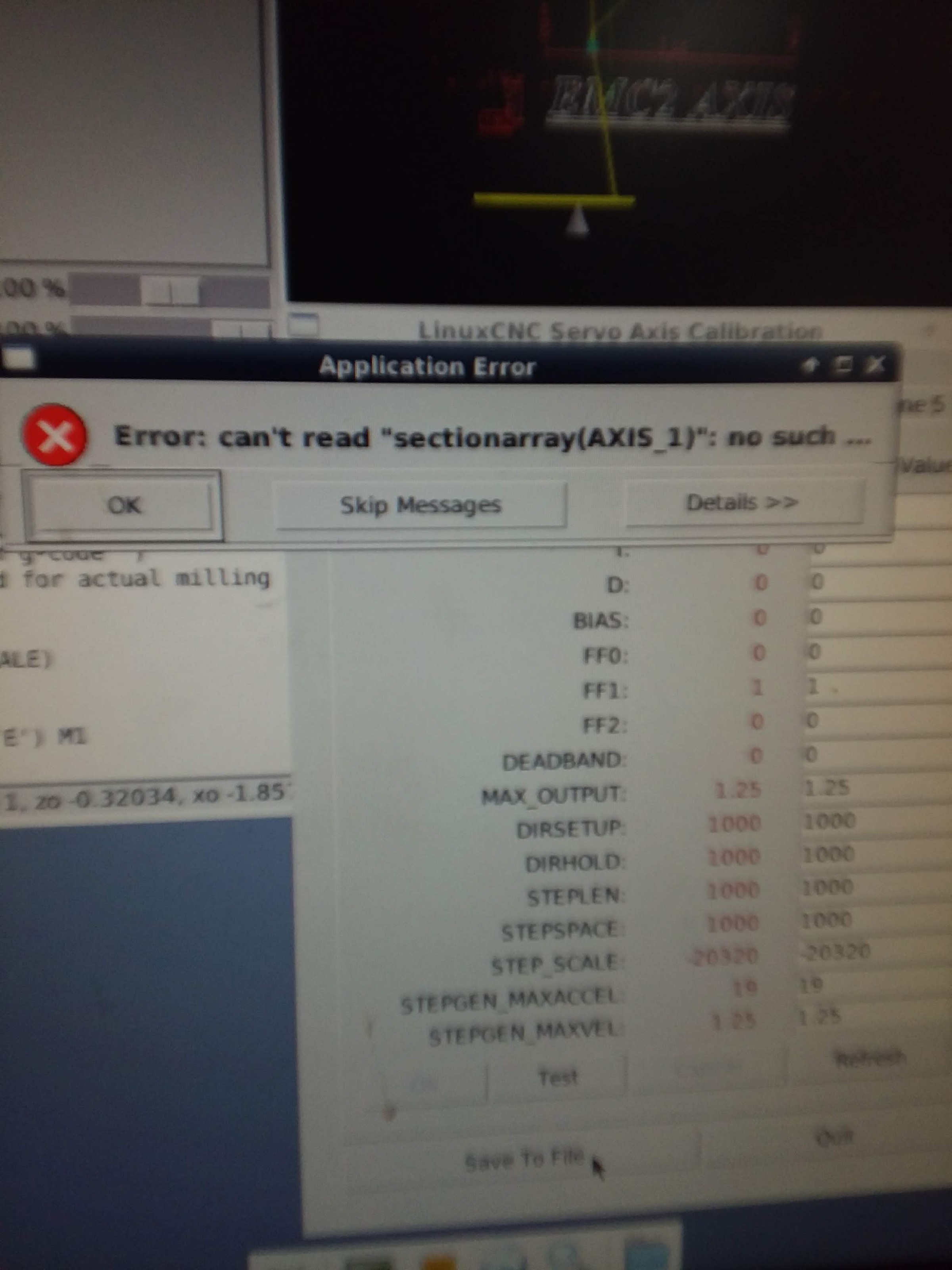
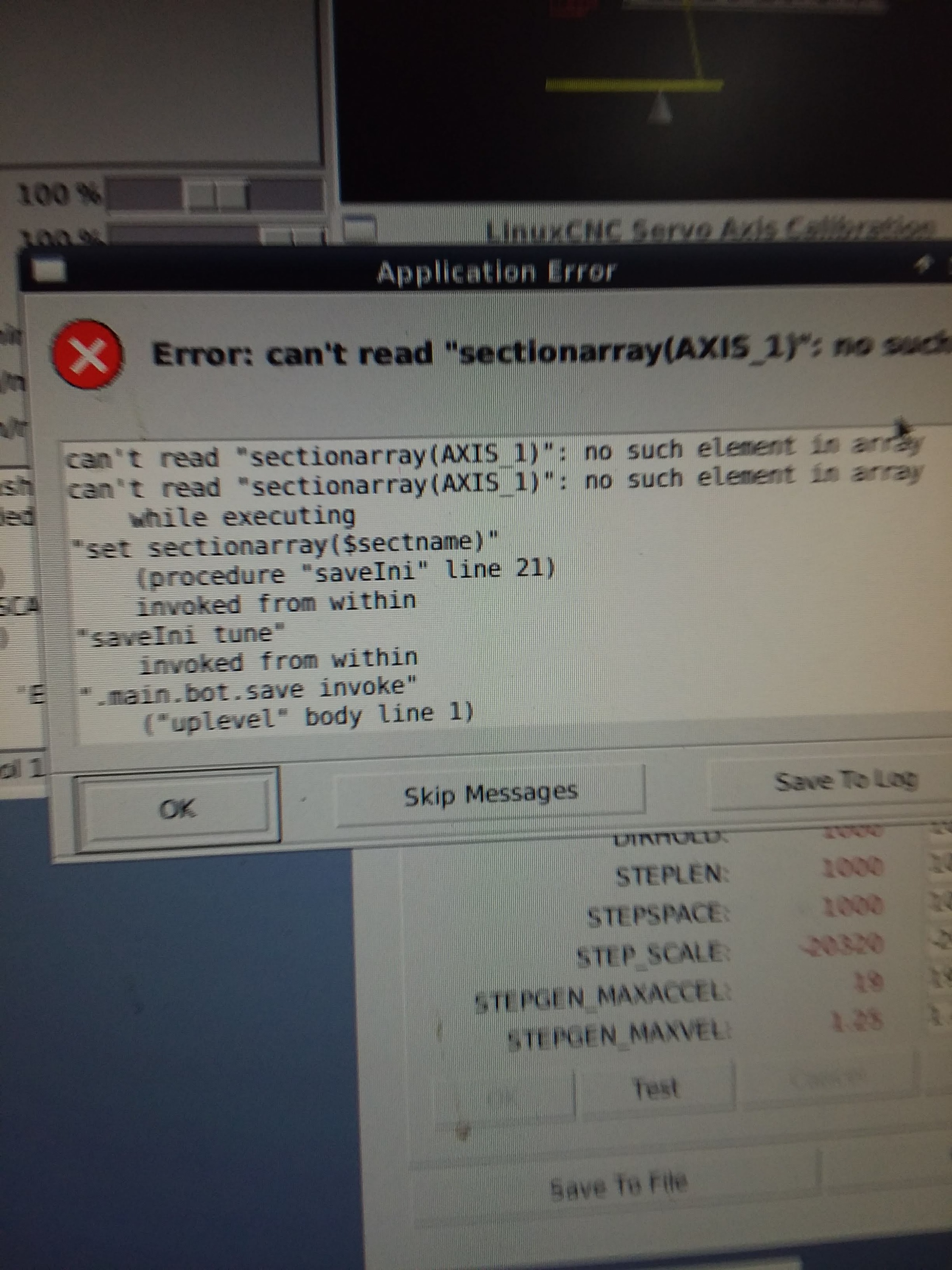
The last issue I am having is I can not save the calibration page. When I make the change to -20320, when I close emc2 it will reset back to the original problematic numbers. Thanks in advance.
Replied by Roland2161 on topic Servo Tuning
Todd Zuercher wrote: Backlash compensation is set in the ini file in the sections for each axis/joint
look for a line that says BACKLASH = n. To turn off the backlash compensation simply place a # in front of that line with a text editor and save it. If your ini file does not have any BACKLASH entries or they are already commented out (with the #), then you are not using it.
Finally got out to the garage to take a video and pics. I have also attached my lathe.ini file. I do not see anything about backlash so i will assume it is not in use.
I have changed the scale to -20320 and lowered the acceleration from 37.5 to 19 and this helped my issue. It is still off about .007" over an inch and changes a small amount every .100" step I take. In the video you will notice after every move it over shoots a small amount and comes back sometimes to where it should be, alot of the times it's .001" off per move. In this video it comes back to 0, but most of the time it's off .001". Running a long program it will shift the zero over .100" by the time it is done. The faster the machine moves the more pronounced the issue. When the accleration is lowered, the issue is more pronounced at lower jog speeds as well.
Short example of the issue I am having . Notice the over shoot and return.
The last issue I am having is I can not save the calibration page. When I make the change to -20320, when I close emc2 it will reset back to the original problematic numbers. Thanks in advance.
Please Log in or Create an account to join the conversation.

7 years 7 months ago #129393
by PCW
Replied by PCW on topic Servo Tuning
This looks like it was done with a quite old version of pncconf
At the minimum, in the ini file I would:
1. Change the servo period to 1000000
2. Set all P terms to 1000
3. Set all step times to 5000
4 Set all dir setup and hold times to 20000
then in the hal file
1. Delete all pid maxerror lines
At the minimum, in the ini file I would:
1. Change the servo period to 1000000
2. Set all P terms to 1000
3. Set all step times to 5000
4 Set all dir setup and hold times to 20000
then in the hal file
1. Delete all pid maxerror lines
Please Log in or Create an account to join the conversation.
Time to create page: 0.133 seconds