Installing LinuxCnc on and SSD

More
1 year 11 months ago - 1 year 11 months ago #315045 by Aldenflorio
Hello,

first off I want to apologize. I know this is asked all the time and I have asked it before. Though I always ALWAYS have tons of trouble with this and I don’t know why.

I have an external SSD drive that I want linuxcnc on. I have a usb drive I intend to use as the downloader for that SSD drive. I can never fully figure out how to do this properly.

It will control a plasma CNC table that utilizes an Ethernet mesa card. I do not want a live system. I want a fully functional and programmable one

what do I download onto the usb to format the SSD?

again I’m sorry!
Last edit: 1 year 11 months ago by Aldenflorio.

Please Log in or Create an account to join the conversation.

More
1 year 11 months ago - 1 year 11 months ago #315047 by Aldenflorio
Wait!

I think I think I remember where to find the instructionsFresh installs of LinuxCNC are most easily created using the Live/Install Image. This is a hybrid ISO filesystem image that can be written to a USB storage device or a DVD and used to boot a computer. At boot time you will be given a choice of booting the "Live" system (to run LinuxCNC without making any permanent changes to your computer) or booting the Installer (to install LinuxCNC and its operating system onto your computer’s hard drive).The outline of the process looks like this:
  1. Download the Live/Install Image.
  2. Write the image to a USB storage device using Rufus.
  3. Boot the Live system to test out LinuxCNC.
  4. Boot the Installer to install LinuxCNC.
Last edit: 1 year 11 months ago by Aldenflorio.

Please Log in or Create an account to join the conversation.

More
1 year 11 months ago #315050 by tommylight
0. Remove the internal hard drive/SSD/NVME

6. Install on the external drive same as when using internal one.

Please Log in or Create an account to join the conversation.
More
1 year 11 months ago #315052 by Aldenflorio
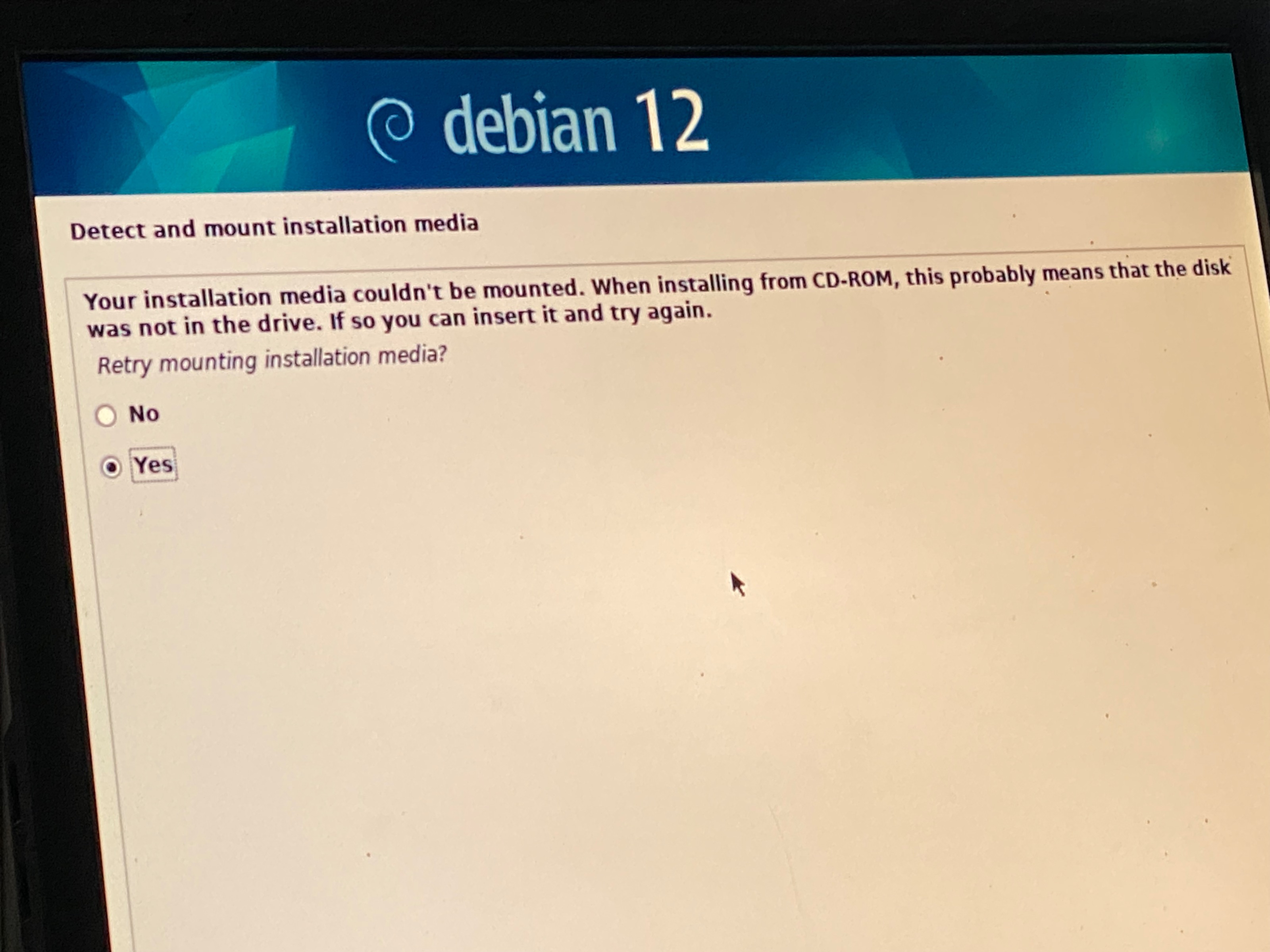
  Thank you, I’m getting this… so maybe my SSD is bad. But it’s new so I didn’t know

Please Log in or Create an account to join the conversation.

More
1 year 11 months ago #315053 by tommylight
Remove the live usb, wait 5 seconds, insert it, wait 5 sec, press yes and next.

Please Log in or Create an account to join the conversation.

More
1 year 11 months ago #315057 by Aldenflorio
That worked thank you!

Please Log in or Create an account to join the conversation.

Time to create page: 0.280 seconds
Powered by Kunena Forum
