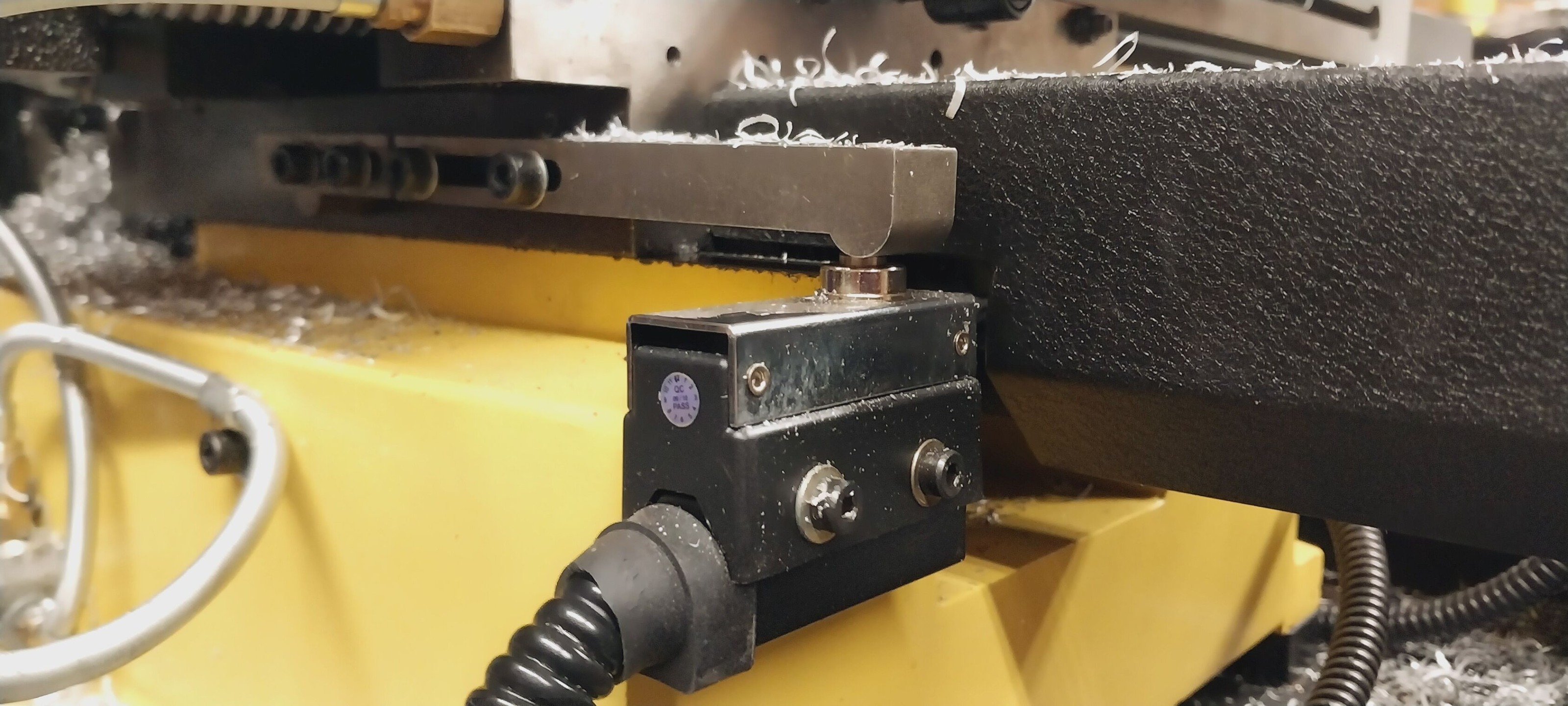
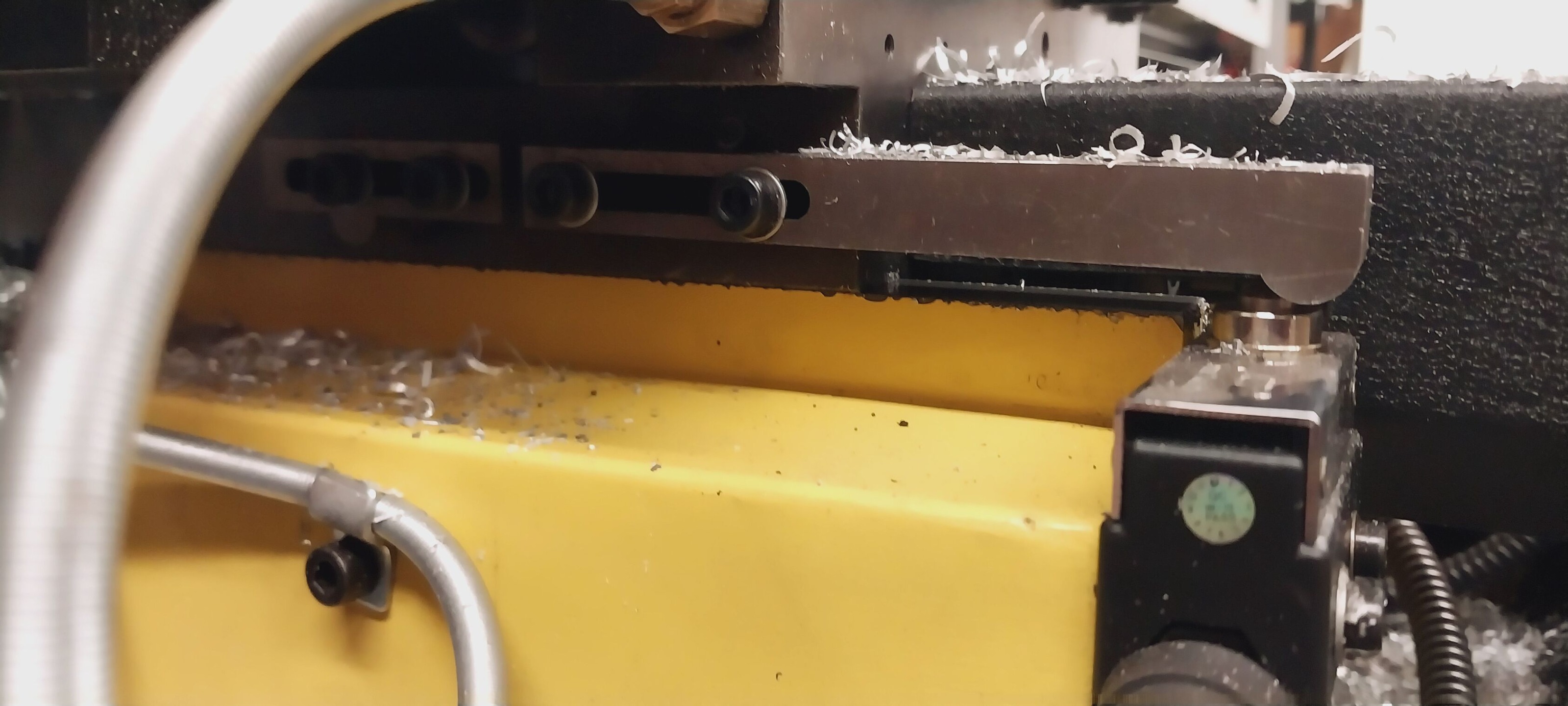
After homing move off of limit switch

More
1 year 10 months ago #317246 by Dave2024
How’s it going.  So, I'm trying to make my mill use only one limit switch for both the minimum and maximum travel of the table.  Every time the machine is homed the table moves to the minimum hits the switch it then does a second shorter slower home cycle but then parks with the switch engaged.  How do I make it so after the last short slow home cycle it then parks so the switch is not engaged?  I need to have it parked off the switch so I can configure it to also serve as my max travel limit switch.  If I’m configured for the same limit switch to also be the max I can never move the table after it has been homed. 

Which setting or file do I need to modify to make this functionality so lates say immediately after homed move slowly till the switch is disengaged?


Please Log in or Create an account to join the conversation.
More
1 year 10 months ago #317247 by PCW
This is controlled by the homing parameter settings in the ini file:


linuxcnc.org/docs/html/config/ini-homing.html
 

Please Log in or Create an account to join the conversation.

More
1 year 10 months ago #317251 by Dave2024
Ok great that worked perfect. I set HOME_OFFSET = -.07 and that makes it come perfectly a smidge back off of the switch after homing.

Another quick question though. Should I be adding these changes to the custom.hal file so if I ever run PNCconf again its going to keep my changes and not overwrite them? Or just never open PNCconf again and be sure to always make a backup copy of the Config.ini?

Please Log in or Create an account to join the conversation.

More
1 year 10 months ago - 1 year 10 months ago #317252 by PCW
The settings are in the ini file, not a hal file so custom.hal won't help here,
but pncconf remembers your homing settings so you can re-edit them later
with pncconf.  To do this, select "Modify a configuration already created by this program"
when starting pncconf. Note that if you edited your ini file or hal files outside of pncconf,
you will lose those edits.

I would backup the ini  and hal files anyway once you have a working system
Last edit: 1 year 10 months ago by PCW.

Please Log in or Create an account to join the conversation.

More
1 year 10 months ago - 1 year 10 months ago #317256 by Dave2024
Hey sorry but im back. So after I figured out how to get the table to move slightly forward and no longer on the limit switch after homing I went into my hal file and edited it so like so:

# --- HOME-X ---
net home-x <= [HMOT](CARD0).inm.00.input-02-not

# --- MAX-X ---
net max-x <= [HMOT](CARD0).inm.00.input-02-not


Now both home-x and max-x are pointed to the same pin with the one limit switch but when I goto run I get the error:

./BadassLinuxCNCmill.hal:49: Pin 'hm2_7i96s.0.inm.00.input-02-not' was already linked to signal 'home-x'


Does this mean that LinuxCNC will only allow you to assign one unique pin to each input signal? So like would I need to instead assign max-x to a different unused pin and then run a jumper wire across to it?


Also thanks with all the help with this
Last edit: 1 year 10 months ago by Dave2024.

Please Log in or Create an account to join the conversation.

More
1 year 10 months ago #317257 by PCW
Yes, you have a duplicated signal which is not allowed

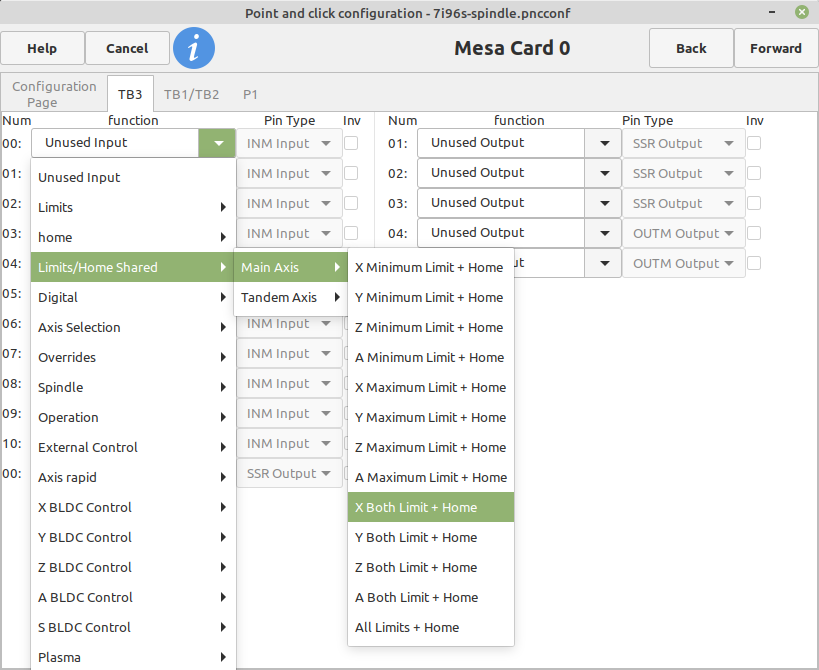
Have you tried using pncconf  and setting up combined
home/min-limit/max-limits ?

 Like this (for X) :

:
 

Please Log in or Create an account to join the conversation.

Time to create page: 0.089 seconds
Powered by Kunena Forum