
Issue getting XYYZ gantry to home (using 7i92t with 7i76u)
- SteepLearningCurve
- Offline
- New Member
-

Less
More
- Posts: 15
- Thank you received: 2
22 May 2025 21:08 #328939
by SteepLearningCurve
Issue getting XYYZ gantry to home (using 7i92t with 7i76u) was created by SteepLearningCurve
Hi All
I have an issue with getting XYYZ gantry to home (using 7i92t with 7i76u)
Home position is at bottom left of the work area.
I am trying to use the second option, of the four homing sequences, found in Figure3. Homing Sequences. (stop, back, forward, home)
Order of homing is Z (micro switch), then X (micro switch), then Y gantry (proximity sensor on both ends of gantry, Y and Y1).
The Z axis homes correctly.
The X axis homes correctly.
The Y gantry axis moves in the correct direction, towards the two proximity sensor stops.
The gantry stops for a spit second, as it find the proximity sensor stops.
The Y motor looks like it tries to begin to do the correct four step process (stop, back, forward, home), and it doesn’t ever crash.
However the Y1 motor side of the gantry, just continues straight forward, and crashes the machine every time, with a hammering sound.
Context:
The two switches, and both proximity sensors, provide +24v to the four inputs on the 7i76u.
in pncconf I had to invert the four inputs, otherwise all four inputs triggered before one began.
In halshow the switches and the proximity sensors all seem fine (to me).
I have negative values on all axis (see attached ini and hal), if I change these to positive, then it homes in the wrong direction.
Any ideas for troubleshooting greatly appreciated
I have an issue with getting XYYZ gantry to home (using 7i92t with 7i76u)
Home position is at bottom left of the work area.
I am trying to use the second option, of the four homing sequences, found in Figure3. Homing Sequences. (stop, back, forward, home)
Order of homing is Z (micro switch), then X (micro switch), then Y gantry (proximity sensor on both ends of gantry, Y and Y1).
The Z axis homes correctly.
The X axis homes correctly.
The Y gantry axis moves in the correct direction, towards the two proximity sensor stops.
The gantry stops for a spit second, as it find the proximity sensor stops.
The Y motor looks like it tries to begin to do the correct four step process (stop, back, forward, home), and it doesn’t ever crash.
However the Y1 motor side of the gantry, just continues straight forward, and crashes the machine every time, with a hammering sound.
Context:
The two switches, and both proximity sensors, provide +24v to the four inputs on the 7i76u.
in pncconf I had to invert the four inputs, otherwise all four inputs triggered before one began.
In halshow the switches and the proximity sensors all seem fine (to me).
I have negative values on all axis (see attached ini and hal), if I change these to positive, then it homes in the wrong direction.
Any ideas for troubleshooting greatly appreciated
Please Log in or Create an account to join the conversation.
- tommylight
-

- Offline
- Moderator
-

Less
More
- Posts: 21958
- Thank you received: 7478
22 May 2025 21:27 #328942
by tommylight
Replied by tommylight on topic Issue getting XYYZ gantry to home (using 7i92t with 7i76u)
1. make sure both Y spin in the correct direction
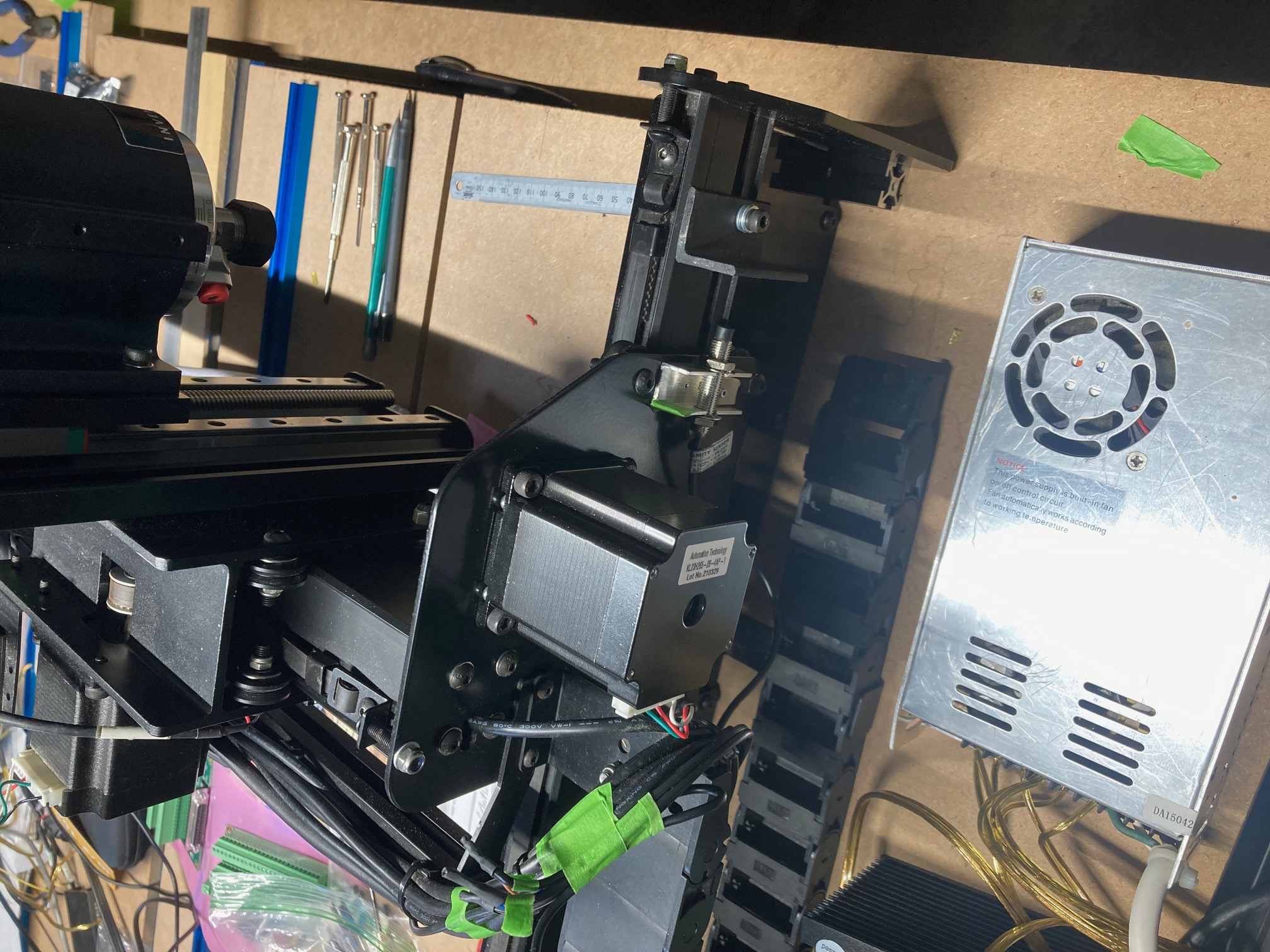
2. what sensing distance do the proximity switches have? 1 and 2mm should be avoided. And switches are not mounted correctly, they should be sideways to prevent crashing into stuff.
For 1:
make a normal 3 axis test config, test one Y with a short jog, change drive inputs and test second Y with a short jog.
This can be done on software but more complicated to explain.
2. what sensing distance do the proximity switches have? 1 and 2mm should be avoided. And switches are not mounted correctly, they should be sideways to prevent crashing into stuff.
For 1:
make a normal 3 axis test config, test one Y with a short jog, change drive inputs and test second Y with a short jog.
This can be done on software but more complicated to explain.
Please Log in or Create an account to join the conversation.
- PCW
-

- Away
- Moderator
-
Less
More
- Posts: 18094
- Thank you received: 5325
22 May 2025 21:39 - 22 May 2025 21:39 #328944
by PCW
Replied by PCW on topic Issue getting XYYZ gantry to home (using 7i92t with 7i76u)
Are you sure the proximity switches are deactivated (red in halshow) when not at home position?
If these were inverted, the "home" move might actually be LinuxCNC backing off what it thinks is
a closed switch.
If these were inverted, the "home" move might actually be LinuxCNC backing off what it thinks is
a closed switch.
Last edit: 22 May 2025 21:39 by PCW.
Please Log in or Create an account to join the conversation.
- SteepLearningCurve
- Offline
- New Member
-
Less
More
- Posts: 15
- Thank you received: 2
23 May 2025 02:08 #328955
by SteepLearningCurve
Replied by SteepLearningCurve on topic Issue getting XYYZ gantry to home (using 7i92t with 7i76u)
Hi All
Thank you for your feedback, greatly appreciated
The Y gantry completes the four step process now, well ... very nearly.
I think my problem was here
[AXIS_Y]
[JOINT_1]
has negative values
HOME_SEARCH_VEL = -10.000000
HOME_LATCH_VEL = -5.000000
(and joint 2 had the same negative values).
[JOINT_2]
I changed the signs to both positive
HOME_SEARCH_VEL = 10.000000
HOME_LATCH_VEL = 5.000000
After that change, the Y-axis homed in the four step way.
I don't understand why, maybe gantry motors that face one another need opposite signs, I have no idea.
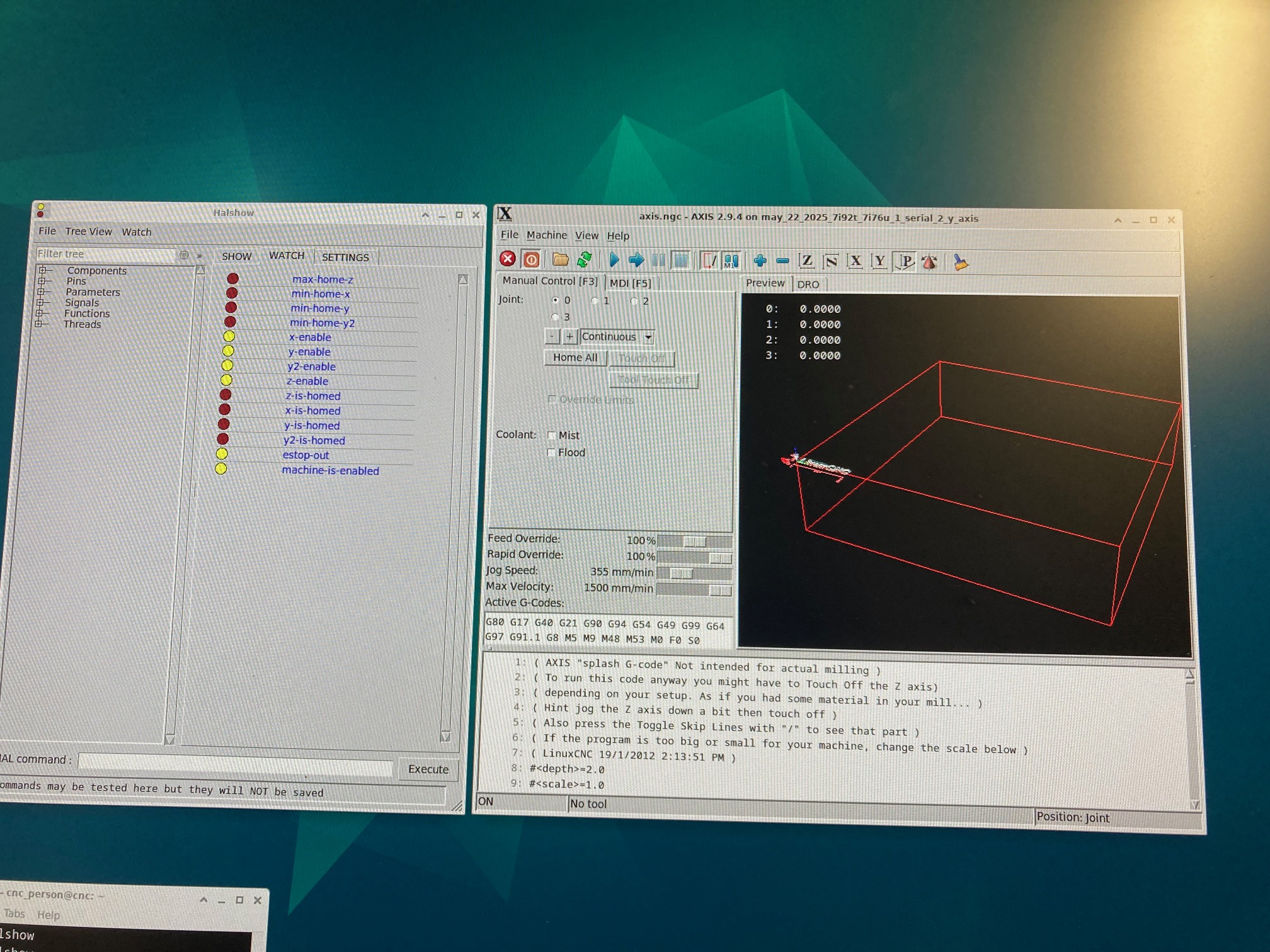
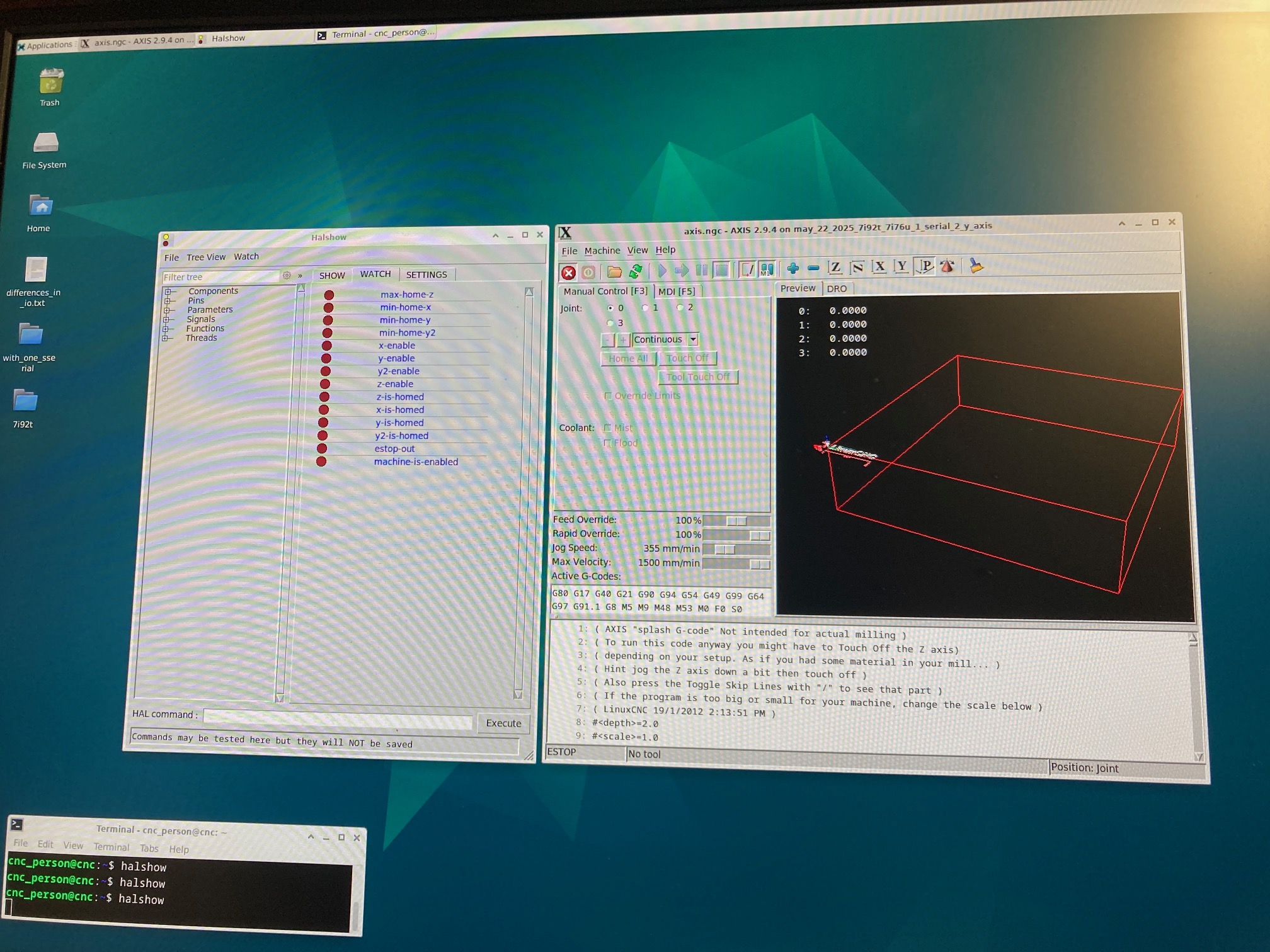
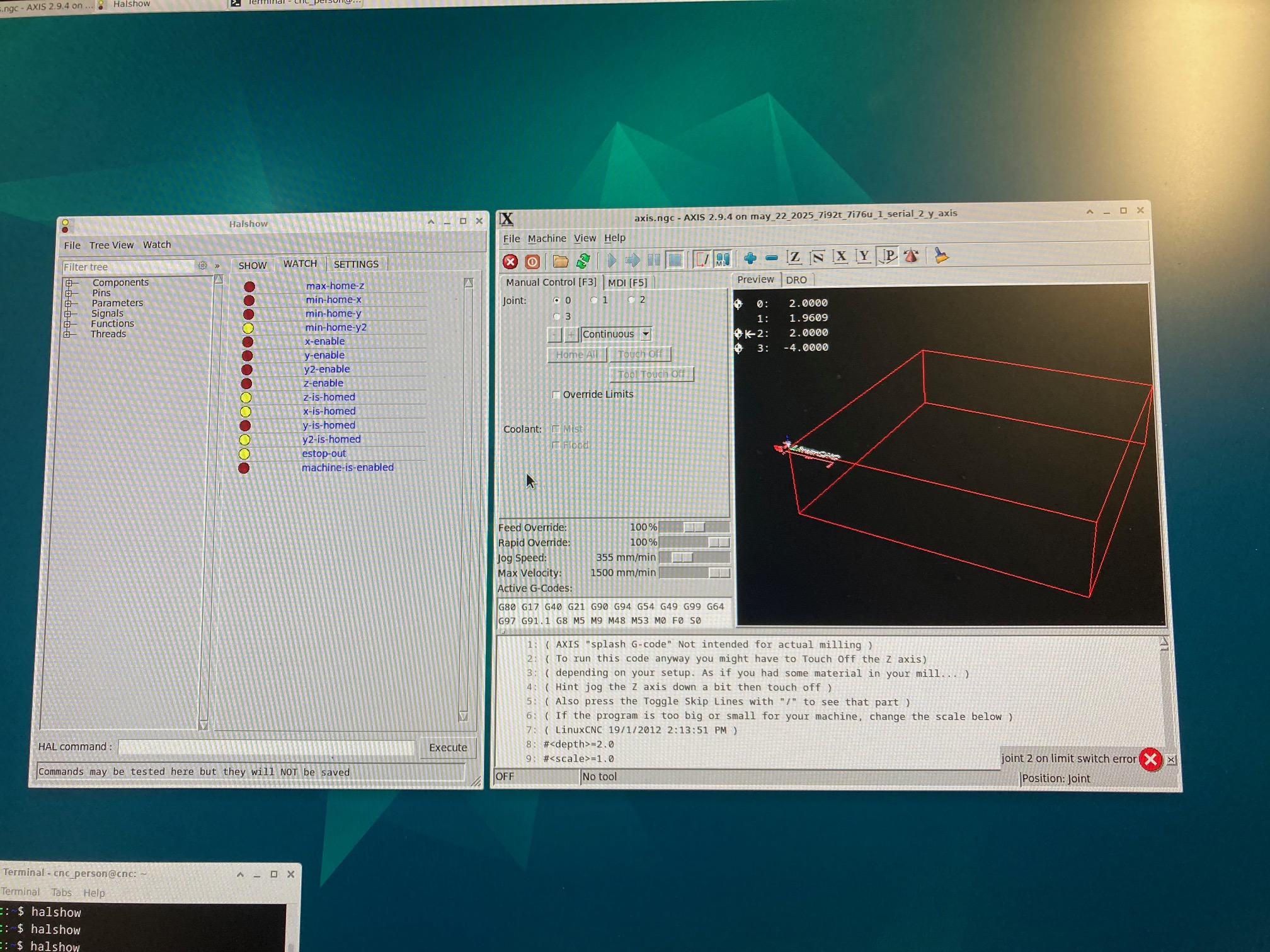
I have attached three screen photos with halshow
first - just switched on power supplies, and launched Linuxcnc.
second - after clicked estop, and clicked power.
third - end state after all thee axis homing has completed.
Physically the Y gantry does the correct four step movement.
However, Linuxcnc errors out right at the very end, indicating joint2 on limit switch error.
The y-is-homed is red , while x-is-homed, y2-is-homed and z-is-homed are all yellow.
These are the cheap 2mm proximity sensors , tommylight said earlier that these are best avoided.
I will buy better quality ones.
If anyone knows why that sign change worked please let me know
Thank you for your feedback, greatly appreciated
The Y gantry completes the four step process now, well ... very nearly.
I think my problem was here
[AXIS_Y]
[JOINT_1]
has negative values
HOME_SEARCH_VEL = -10.000000
HOME_LATCH_VEL = -5.000000
(and joint 2 had the same negative values).
[JOINT_2]
I changed the signs to both positive
HOME_SEARCH_VEL = 10.000000
HOME_LATCH_VEL = 5.000000
After that change, the Y-axis homed in the four step way.
I don't understand why, maybe gantry motors that face one another need opposite signs, I have no idea.
I have attached three screen photos with halshow
first - just switched on power supplies, and launched Linuxcnc.
second - after clicked estop, and clicked power.
third - end state after all thee axis homing has completed.
Physically the Y gantry does the correct four step movement.
However, Linuxcnc errors out right at the very end, indicating joint2 on limit switch error.
The y-is-homed is red , while x-is-homed, y2-is-homed and z-is-homed are all yellow.
These are the cheap 2mm proximity sensors , tommylight said earlier that these are best avoided.
I will buy better quality ones.
If anyone knows why that sign change worked please let me know
Please Log in or Create an account to join the conversation.
- PCW
-
- Away
- Moderator
-
Less
More
- Posts: 18094
- Thank you received: 5325
23 May 2025 02:26 #328956
by PCW
Replied by PCW on topic Issue getting XYYZ gantry to home (using 7i92t with 7i76u)
I think you need to specify a home position that's some distance from the home/limit switch location
linuxcnc.org/docs/html/config/ini-homing.html#_home
linuxcnc.org/docs/html/config/ini-homing.html#_home
Please Log in or Create an account to join the conversation.
- SteepLearningCurve
- Offline
- New Member
-
Less
More
- Posts: 15
- Thank you received: 2
26 Mar 2026 18:54 #344794
by SteepLearningCurve
Replied by SteepLearningCurve on topic Issue getting XYYZ gantry to home (using 7i92t with 7i76u)
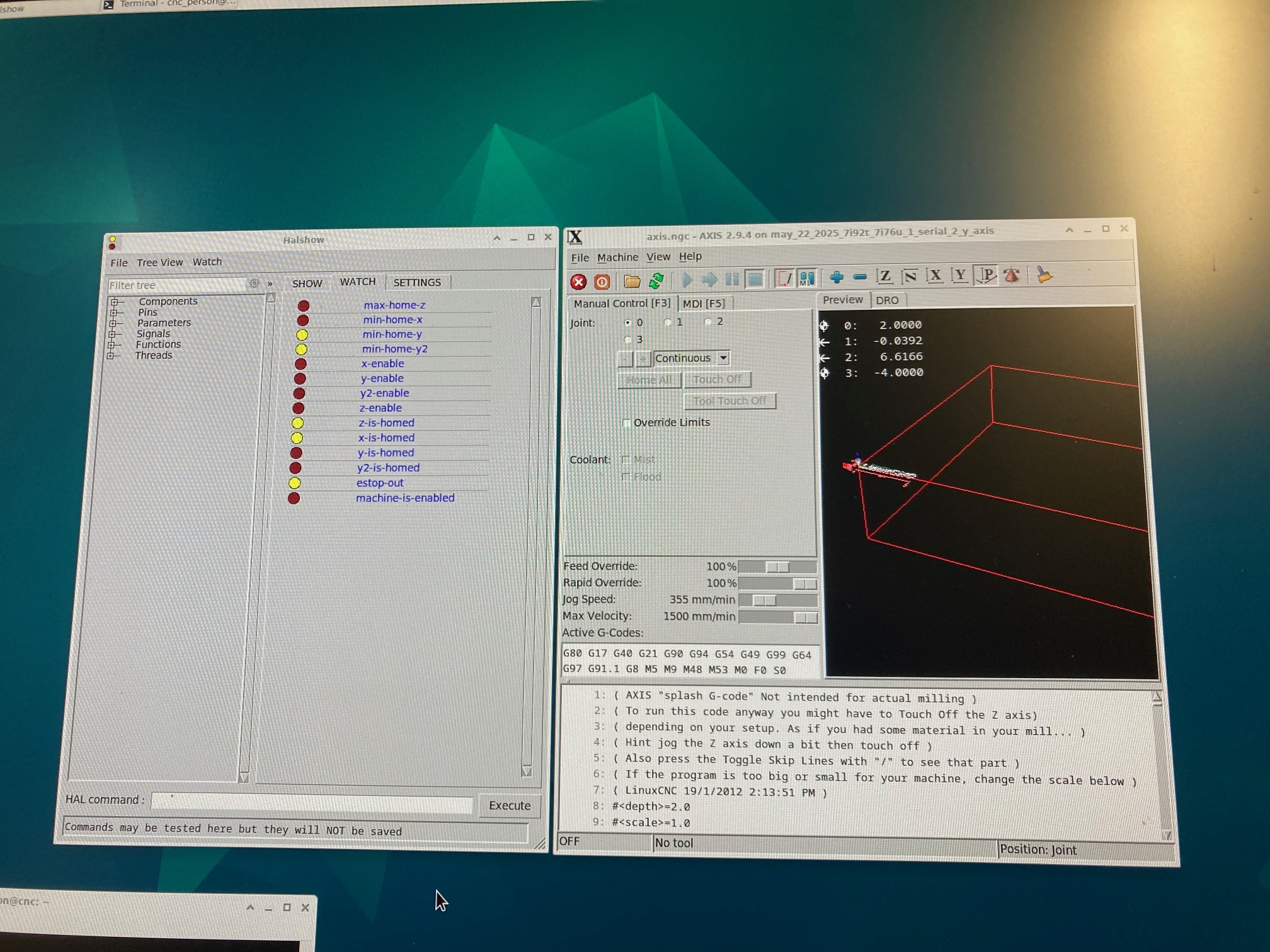
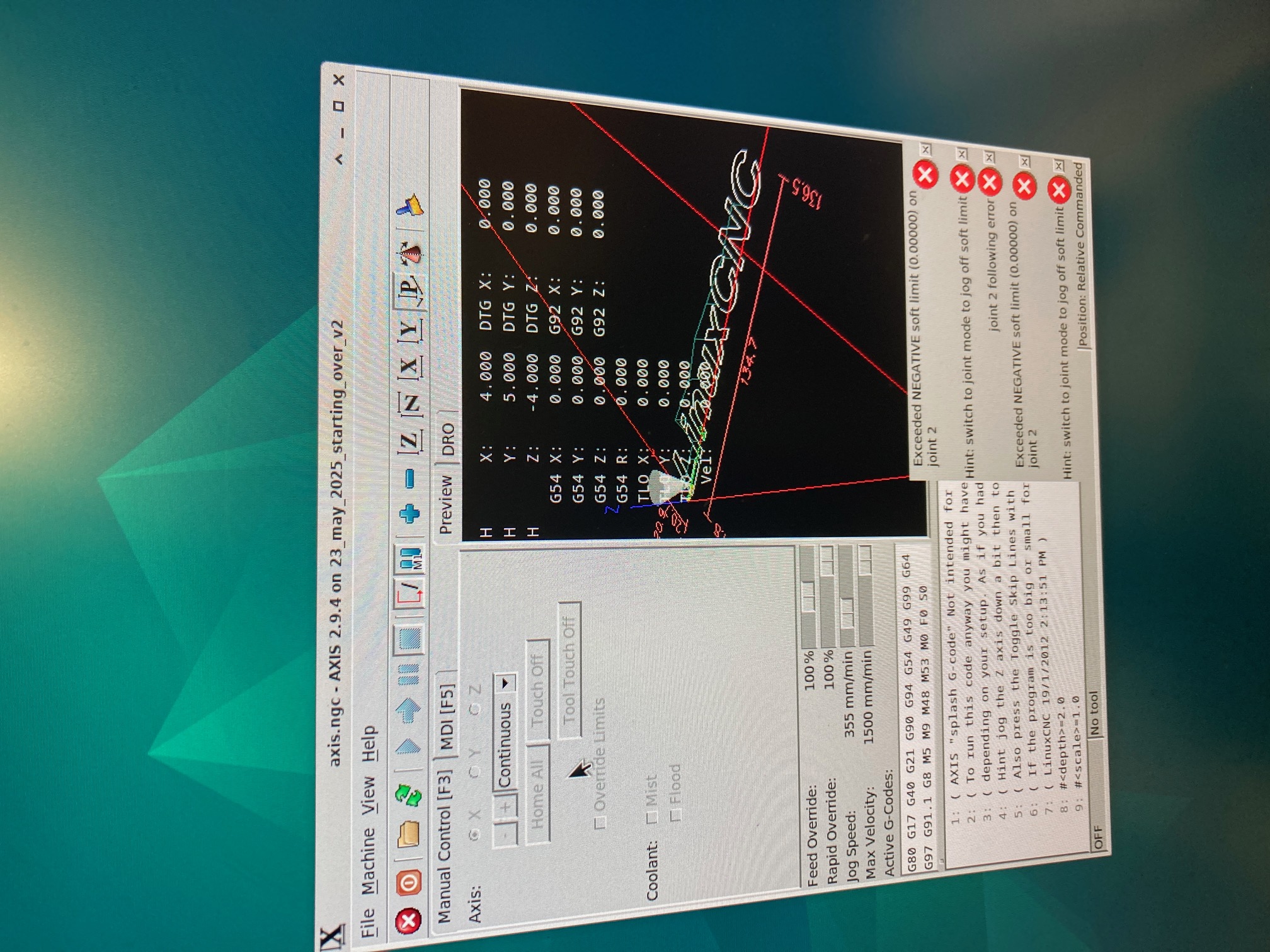
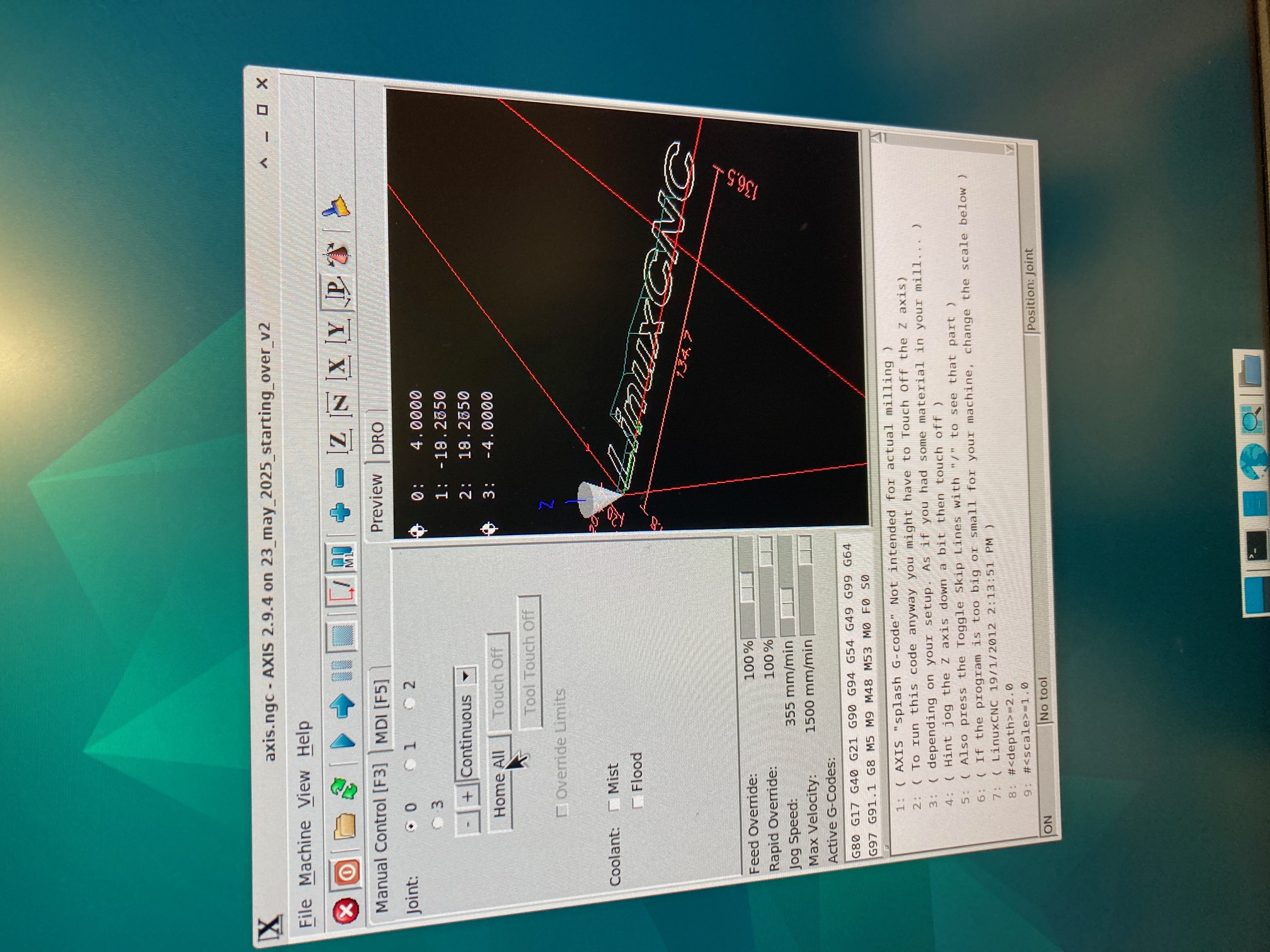
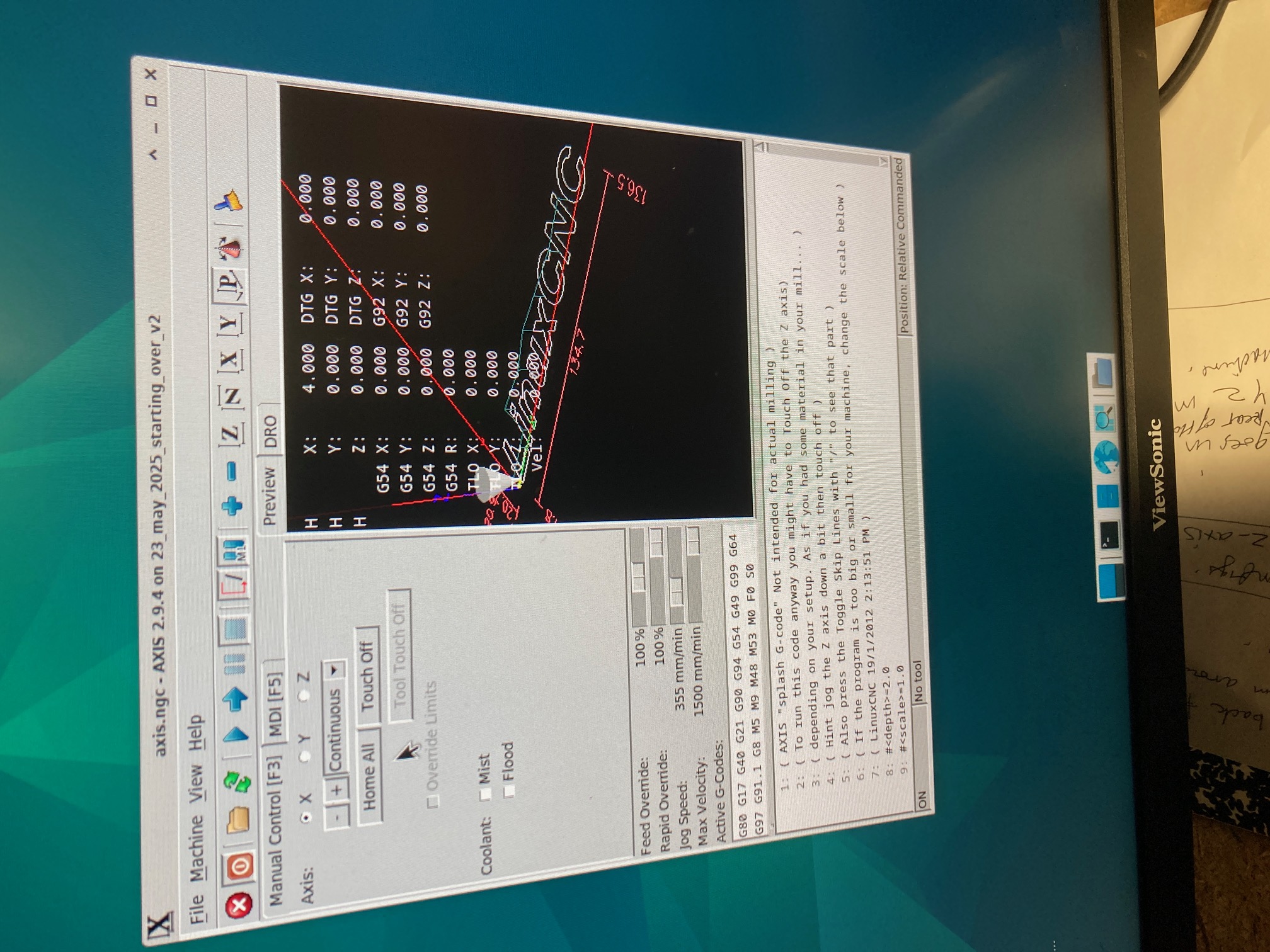
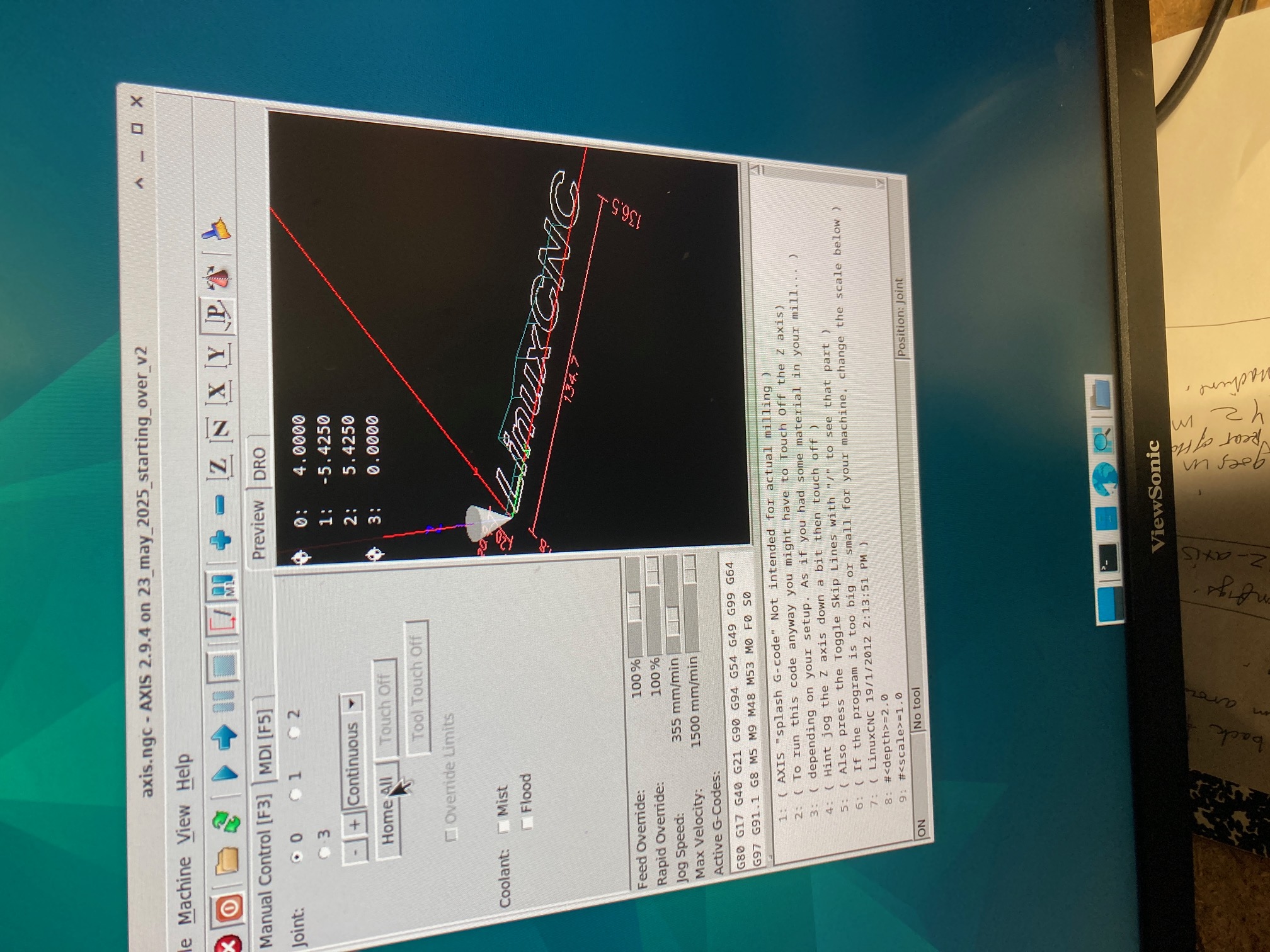
Hi PWC and many other folk. After many months I am having another go. I took the advice from this thread, and installed new proximity sensors, and added home positions. The issue that now have is that it homes the z axis correctly, homes the X axis correctly. The y axis homes in sync and in tandum (y1 and y2 gantry motors) as seen in the first photo. It completes the four part homing procedure as seen in the second photo. It shows a capital H for X, Y and Z axis and it also shows the correct Home locations. However it also shows an error - exceeded negitive softlimit on joint 2 . So even though it seemed to of homed correctly , it disables the machine, and I can do nothing with it.
Any suggestions are greatfully received.
PS: I have tried endless permutations. The current positive and negitive values are the only ones that make the four step process work. The software suggests that I jog the axis off the joint but its part of the gantry pair so wont do it.
Any suggestions are greatfully received.
PS: I have tried endless permutations. The current positive and negitive values are the only ones that make the four step process work. The software suggests that I jog the axis off the joint but its part of the gantry pair so wont do it.
Please Log in or Create an account to join the conversation.
- tommylight
-
- Offline
- Moderator
-
Less
More
- Posts: 21958
- Thank you received: 7478
26 Mar 2026 19:22 #344796
by tommylight
Replied by tommylight on topic Issue getting XYYZ gantry to home (using 7i92t with 7i76u)
You have HOME and HOME_OFFSET values mixed up, HOME = 0 , HOME_OFFSET = -4 or whatever value suits your machine.
Also, it seems you have one of the Y joints reversed, so be careful when jogging it, slowly, to check if all is OK.
Also, it seems you have one of the Y joints reversed, so be careful when jogging it, slowly, to check if all is OK.
Please Log in or Create an account to join the conversation.
- SteepLearningCurve
- Offline
- New Member
-
Less
More
- Posts: 15
- Thank you received: 2
03 Apr 2026 19:36 #345129
by SteepLearningCurve
Replied by SteepLearningCurve on topic Issue getting XYYZ gantry to home (using 7i92t with 7i76u)
Hi Tommylight
Thank you for the info, much appreciated
You were correct on both counts.
I didn't want to ask how you knew one of the Y motors is reversed, without first trying to figure it out myself first.
As you can see from the attachment text doc below, I tried a few things, but I was not able to figure it out.
What (which fields) caught your eye ?
My Y1 jogs in the correct direction, my Y2 jogs in the opposite direction.
Many thanks
***********************************
The long version of what I tried ....
The config attached is my last known good which Homes all three axis (with a but ...)
(X zero, and Y zero, is front bottom left - when standing in front of the machine , looking at it).
But ...
if I move the Y axis gantry as a whole , after homing completes, (jogging just 1mm at a time)
the Y1 gantry motor goes 1mm towards the rear of the machine (which is correct)
and
the Y2 gantry motor goes 1mm towards the front of the machine (which is incorrect)
So it just ends up racking the machine in slow motion
I tried very many settings, and eventually lost my way, and ended up relentlessly crashing the Y2 side of the machine
I don't know what settings to try to get the Y2 motor to Jog correctly, without affecting the Homing
***************************************************************
All motors are wired in exactly the same order, from the drivers to the motors
So I tried physically swapping the Y2 dir- and dir+ , but it didn't help the end result any
**************************************************************
I also made a config of just X and Y1 and Y2 (no Z) and NOT as a gantry (but as independent motors)
and was therefore able to bypass gantry Homing (as without homing, the gantry won't move)
each motor ran in the correct direction, when independently jogging a few mm at a time
(testing that there wasn't a physical problem with either the wiring or with the motor drivers)
**************************************************************
I also found that by making another test config using mesaCT, a with and without, a y2 reverse direction tick, it added two fields
STEP_INVERT= False
DIR_INVERT = True
I only tried the "DIR_INVERT = True" on the Y2 joint which didn't help either
**************************************************************
To recap
I have been able to make the homing of all three axis Home (although the signs still make no sense to me)
I have been able to test the x and y1 and y2 motors working in their correct jogging direction (when not in a gantry mode, and not homed)
I am unable to make the machine do BOTH things (Home AND then Jog the Y axis gantry with Y1 and Y2 in sync together, so gantry doesn't rack)
**************************************************************
My "process" for testing positive and negative homing values
Start by setting the Y axis gantry of the machine to 25mm (width of a ruler) , so both Y1 and Y2 motors
Have the same distance to travel, from their respective proximity sensors to the steel it senses against (so the Y axis gantry always starts from a known position)
Set all the signs of the values to positive on both y1 and y2 joints (in Geany)
Switch the power on to machine , and mesa cards
Wait for notification that ethernet is connected
Launch LinuxCNC
Select the config
Estop off, machine on
Home all
Watch which direction the gantry begins to move on both Y1 (left side) and Y2 (right side)
If it goes in the wrong direction , change the sign
Repeat for each of the 4 iterations of homing one axis
The attached file , Homes as the photos show. (But Y2 jogs in the opposite direction)
Just incase there is some random element to this somewhere , I re-ran this Homing configuration successfully, ten times in a row.
**************************************************************
Thank you for the info, much appreciated
You were correct on both counts.
I didn't want to ask how you knew one of the Y motors is reversed, without first trying to figure it out myself first.
As you can see from the attachment text doc below, I tried a few things, but I was not able to figure it out.
What (which fields) caught your eye ?
My Y1 jogs in the correct direction, my Y2 jogs in the opposite direction.
Many thanks
***********************************
The long version of what I tried ....
The config attached is my last known good which Homes all three axis (with a but ...)
(X zero, and Y zero, is front bottom left - when standing in front of the machine , looking at it).
But ...
if I move the Y axis gantry as a whole , after homing completes, (jogging just 1mm at a time)
the Y1 gantry motor goes 1mm towards the rear of the machine (which is correct)
and
the Y2 gantry motor goes 1mm towards the front of the machine (which is incorrect)
So it just ends up racking the machine in slow motion
I tried very many settings, and eventually lost my way, and ended up relentlessly crashing the Y2 side of the machine
I don't know what settings to try to get the Y2 motor to Jog correctly, without affecting the Homing
***************************************************************
All motors are wired in exactly the same order, from the drivers to the motors
So I tried physically swapping the Y2 dir- and dir+ , but it didn't help the end result any
**************************************************************
I also made a config of just X and Y1 and Y2 (no Z) and NOT as a gantry (but as independent motors)
and was therefore able to bypass gantry Homing (as without homing, the gantry won't move)
each motor ran in the correct direction, when independently jogging a few mm at a time
(testing that there wasn't a physical problem with either the wiring or with the motor drivers)
**************************************************************
I also found that by making another test config using mesaCT, a with and without, a y2 reverse direction tick, it added two fields
STEP_INVERT= False
DIR_INVERT = True
I only tried the "DIR_INVERT = True" on the Y2 joint which didn't help either
**************************************************************
To recap
I have been able to make the homing of all three axis Home (although the signs still make no sense to me)
I have been able to test the x and y1 and y2 motors working in their correct jogging direction (when not in a gantry mode, and not homed)
I am unable to make the machine do BOTH things (Home AND then Jog the Y axis gantry with Y1 and Y2 in sync together, so gantry doesn't rack)
**************************************************************
My "process" for testing positive and negative homing values
Start by setting the Y axis gantry of the machine to 25mm (width of a ruler) , so both Y1 and Y2 motors
Have the same distance to travel, from their respective proximity sensors to the steel it senses against (so the Y axis gantry always starts from a known position)
Set all the signs of the values to positive on both y1 and y2 joints (in Geany)
Switch the power on to machine , and mesa cards
Wait for notification that ethernet is connected
Launch LinuxCNC
Select the config
Estop off, machine on
Home all
Watch which direction the gantry begins to move on both Y1 (left side) and Y2 (right side)
If it goes in the wrong direction , change the sign
Repeat for each of the 4 iterations of homing one axis
The attached file , Homes as the photos show. (But Y2 jogs in the opposite direction)
Just incase there is some random element to this somewhere , I re-ran this Homing configuration successfully, ten times in a row.
**************************************************************
Please Log in or Create an account to join the conversation.
- PCW
-
- Away
- Moderator
-
Less
More
- Posts: 18094
- Thank you received: 5325
03 Apr 2026 20:00 #345130
by PCW
Replied by PCW on topic Issue getting XYYZ gantry to home (using 7i92t with 7i76u)
So I tried physically swapping the Y2 dir- and dir+ , but it didn't help the end result any
If swapping DIR+ and DIR- (on the drive _or_ 7I76 end only) does not change the Y2 direction,
There is a hardware or wiring issue.
If swapping DIR+ and DIR- (on the drive _or_ 7I76 end only) does not change the Y2 direction,
There is a hardware or wiring issue.
Please Log in or Create an account to join the conversation.
- tommylight
-
- Offline
- Moderator
-
Less
More
- Posts: 21958
- Thank you received: 7478
03 Apr 2026 22:51 #345132
by tommylight
Replied by tommylight on topic Issue getting XYYZ gantry to home (using 7i92t with 7i76u)
And to reverse any axis/joint, just add - sign in front of the SCALE value for that joint.
But beware, that will also change the homing direction for that joint so HOME_search/latch/final_VELOCITY might also need a - sign in front of their respective values.
But beware, that will also change the homing direction for that joint so HOME_search/latch/final_VELOCITY might also need a - sign in front of their respective values.
Please Log in or Create an account to join the conversation.
Time to create page: 0.180 seconds