
Introducing halflow, an interactive graphical hal editor
- NWE
-
 Topic Author
- Away
- Elite Member
-

Less
More
- Posts: 262
- Thank you received: 81
05 Jun 2026 16:28 - 06 Jun 2026 06:26 #346918
by NWE
Introducing halflow, an interactive graphical hal editor was created by NWE
I am aware of one or more similar projects, but they did not seem to fit my use case.
This is entirely vibe coded. I have not studied the code. I chose GPL for the code license, but considering this is an ai production, I was wondering, maybe I should change it to 'public domain' ?
Use at your own risk. This software is not for use anywhere it could cause machine damage or personel injuries.
This project is currently 'pre-release' stage. It can be installed via git from [1].
you will need to install sshpass, and have ssh access over the local trusted network to linuxcnc.
Goals of this project:
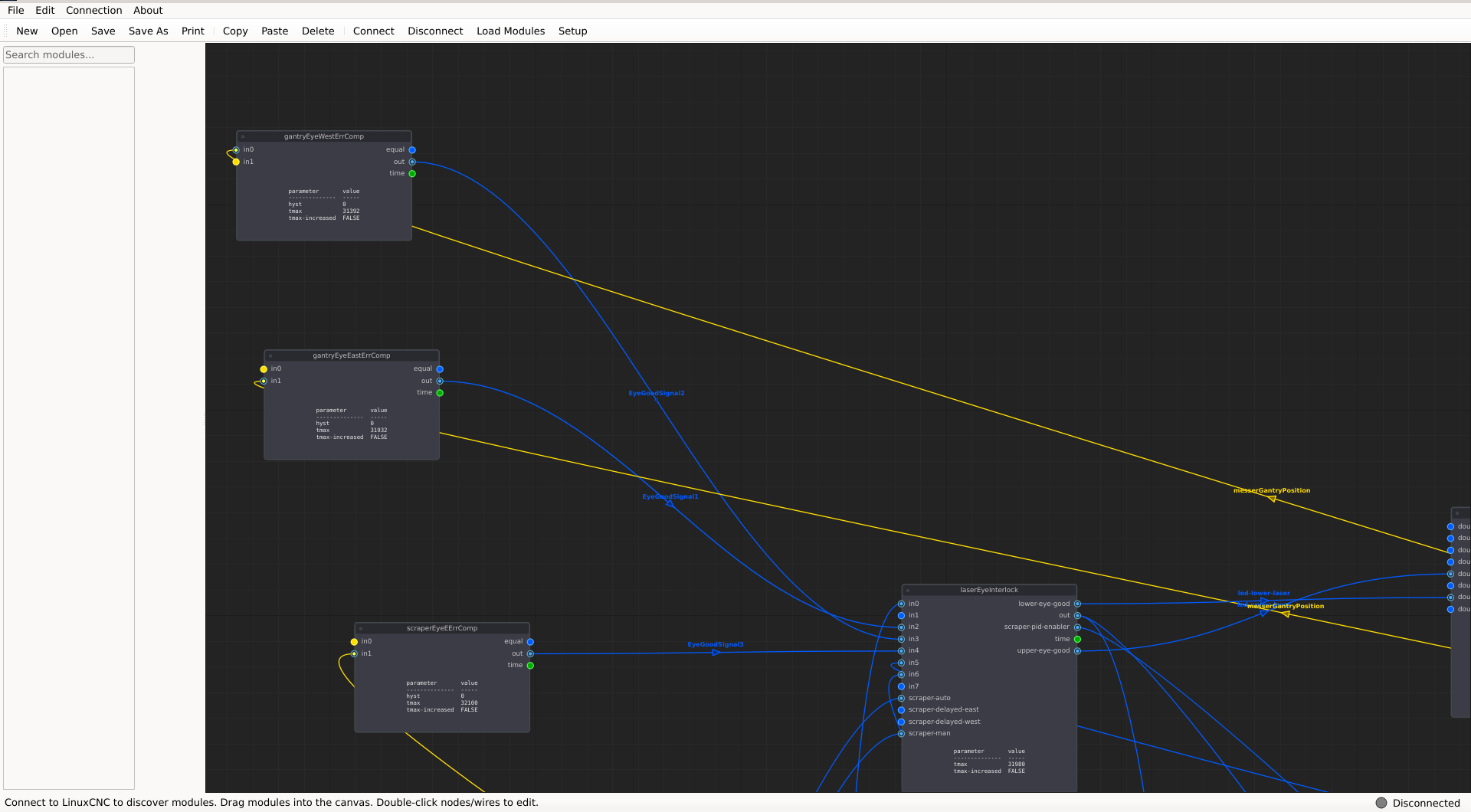
1. Visualization of the current running hal config on any LinuxCNC machine over local trusted network.
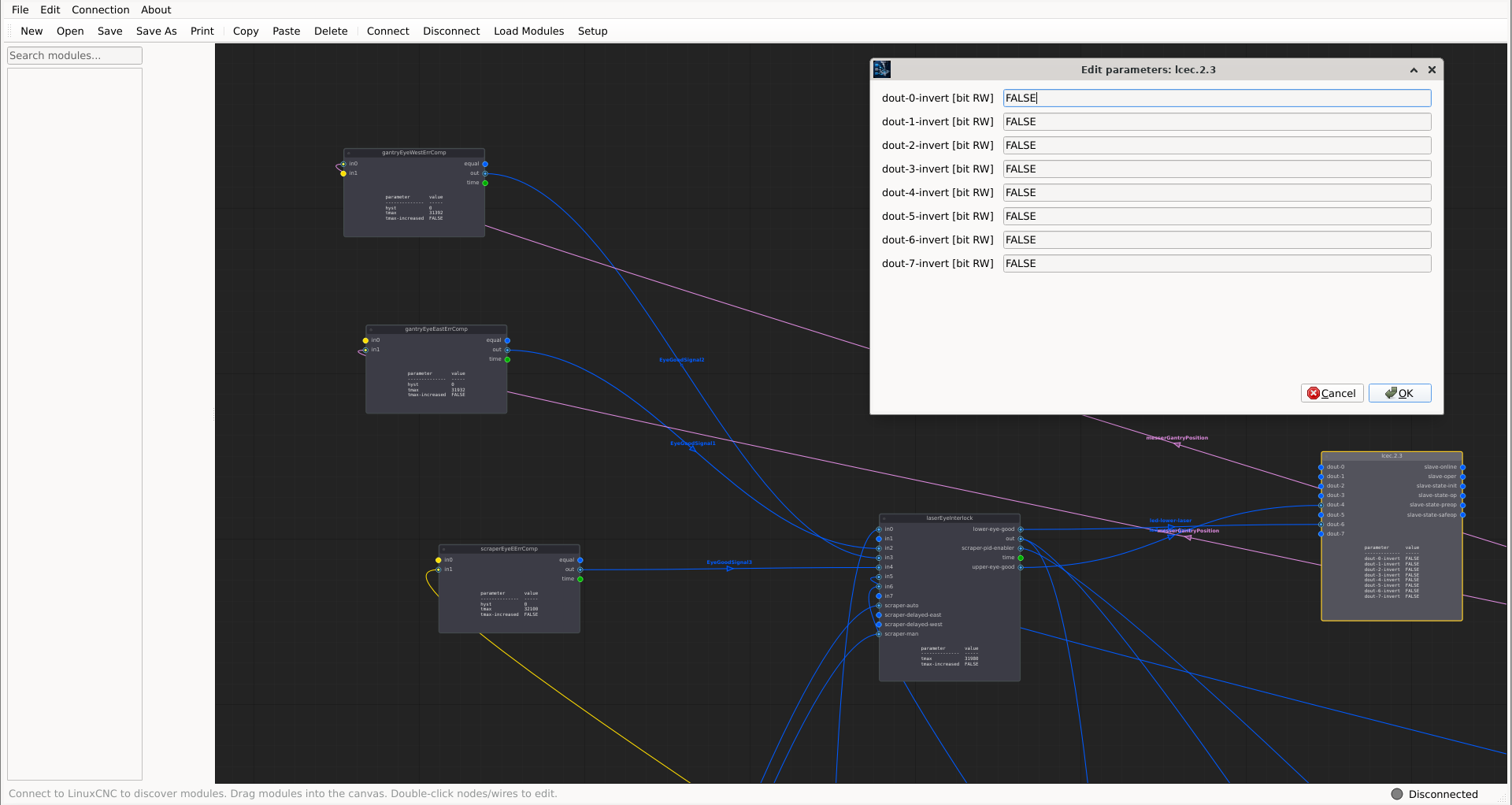
2. Editing of parameter values, signal names and values.
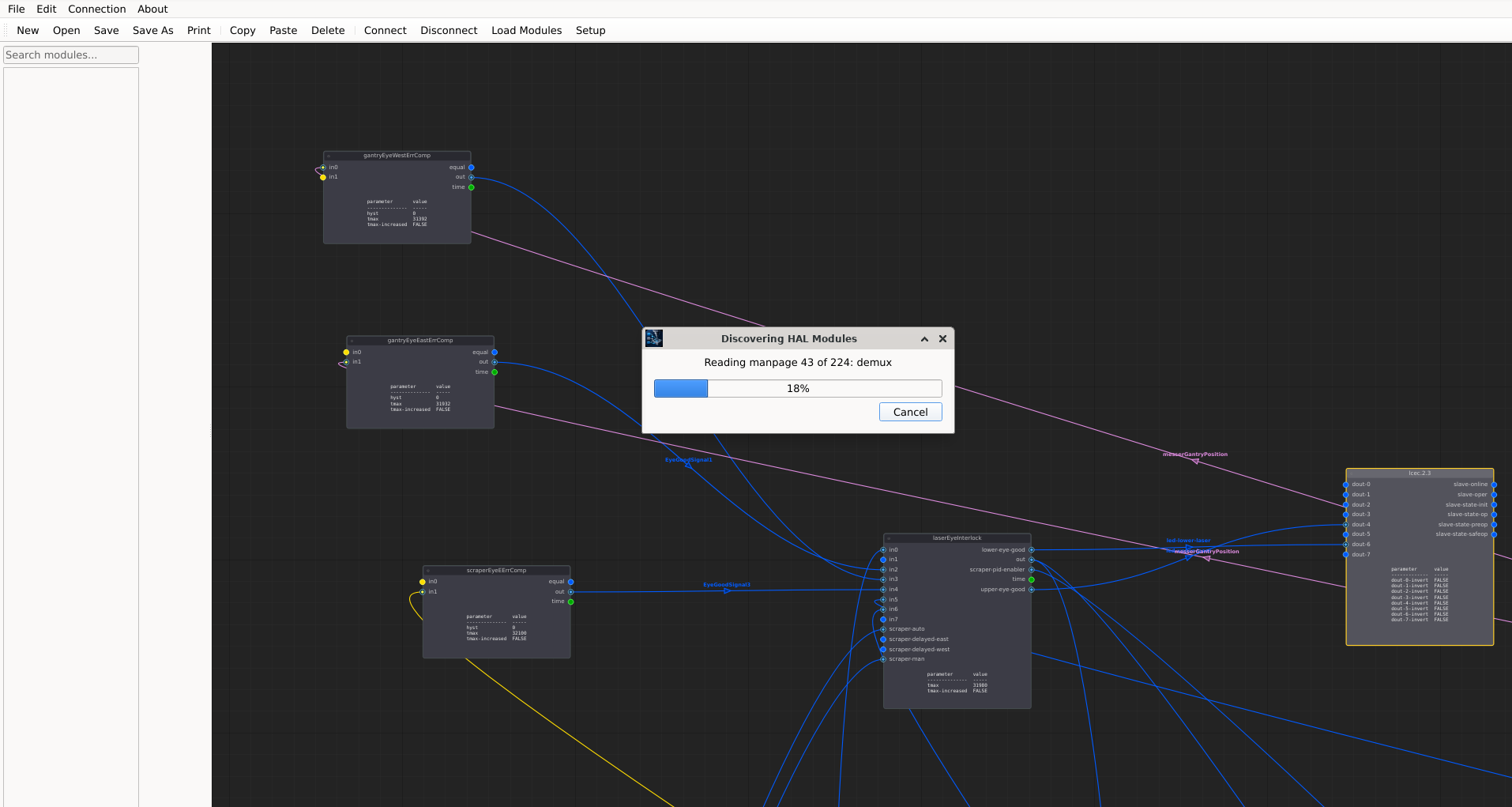
3. Automatic detection of loadable hal components on the running LinuxCNC instance.
4. Load/Save configuration projects within the linuxcnc/configs directory.
5. Live parameter and pin value displays while connected to a live hal system.
6. Live editing of the running hal via net, setp, unlinkp, loadrt, and related commands over ssh connection to the machine directly via interaction with the nodes in the canvas. This action will be preceded by a popup strongly encouraging the user to first e-stop the machine. This will avoid having to constantly reload linuxcnc after minor edits.
7. Still dreaming...
Of the above list:
(1.) is working on my pc.
(2.) Is working.
(3.) detects installed components; to properly detect custom components make sure you fully installed with:
sudo halcompile --install my-custom-component.comp
sudo halcompile --install-doc my-custom-component.comp
TODO: find custom python components also.
(4-7) Coming soon...
[1] git.disroot.org/nwe/halflow.git
This is entirely vibe coded. I have not studied the code. I chose GPL for the code license, but considering this is an ai production, I was wondering, maybe I should change it to 'public domain' ?
Use at your own risk. This software is not for use anywhere it could cause machine damage or personel injuries.
This project is currently 'pre-release' stage. It can be installed via git from [1].
you will need to install sshpass, and have ssh access over the local trusted network to linuxcnc.
Goals of this project:
1. Visualization of the current running hal config on any LinuxCNC machine over local trusted network.
2. Editing of parameter values, signal names and values.
3. Automatic detection of loadable hal components on the running LinuxCNC instance.
4. Load/Save configuration projects within the linuxcnc/configs directory.
5. Live parameter and pin value displays while connected to a live hal system.
6. Live editing of the running hal via net, setp, unlinkp, loadrt, and related commands over ssh connection to the machine directly via interaction with the nodes in the canvas. This action will be preceded by a popup strongly encouraging the user to first e-stop the machine. This will avoid having to constantly reload linuxcnc after minor edits.
7. Still dreaming...
Of the above list:
(1.) is working on my pc.
(2.) Is working.
(3.) detects installed components; to properly detect custom components make sure you fully installed with:
sudo halcompile --install my-custom-component.comp
sudo halcompile --install-doc my-custom-component.comp
TODO: find custom python components also.
(4-7) Coming soon...
[1] git.disroot.org/nwe/halflow.git
Last edit: 06 Jun 2026 06:26 by NWE.
The following user(s) said Thank You: andrax, COFHAL, Surmetall
Please Log in or Create an account to join the conversation.
- NWE
-
Topic Author
- Away
- Elite Member
-
Less
More
- Posts: 262
- Thank you received: 81
05 Jun 2026 17:51 #346921
by NWE
Replied by NWE on topic Introducing halflow, an interactive graphical hal editor
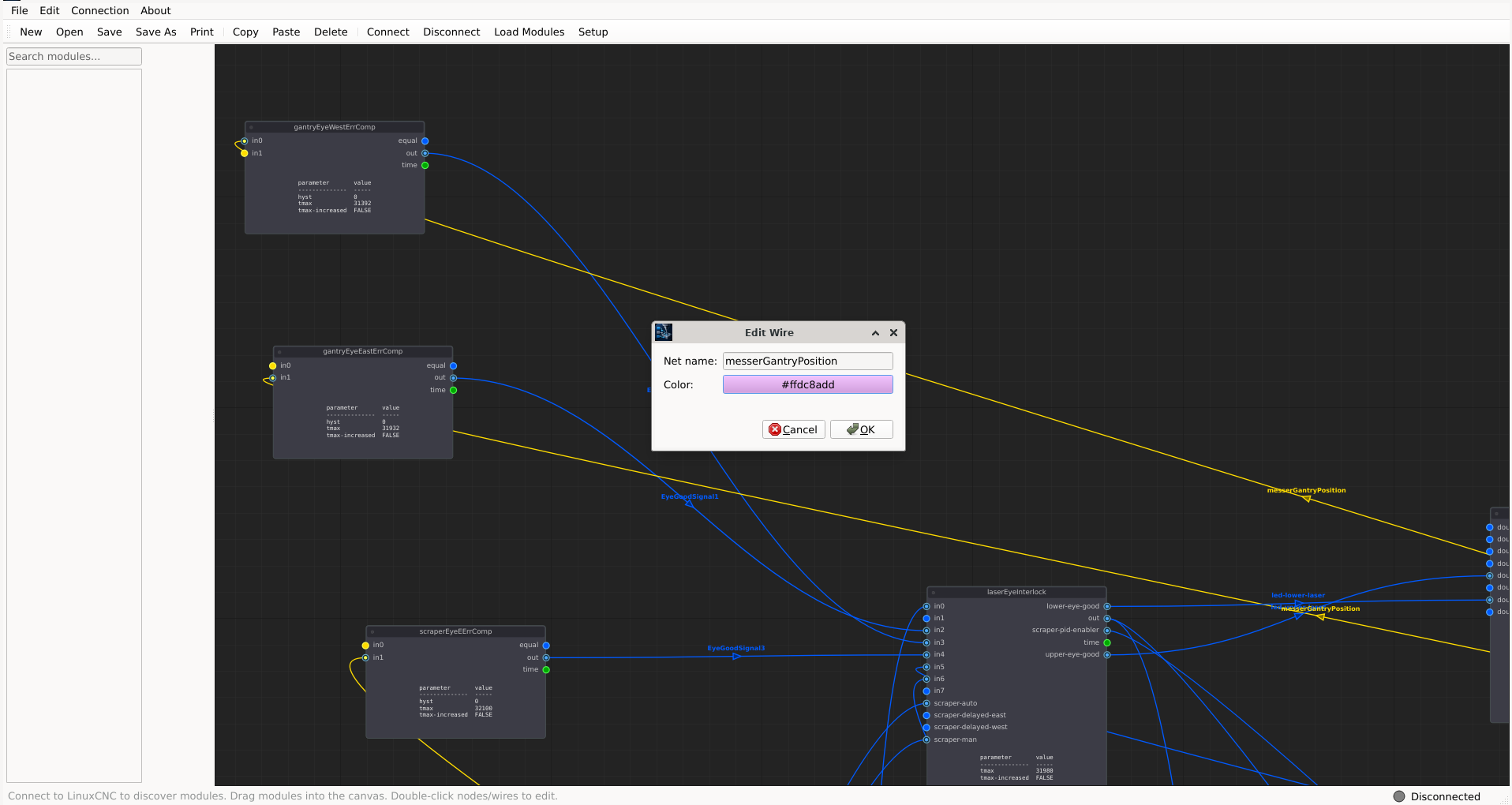
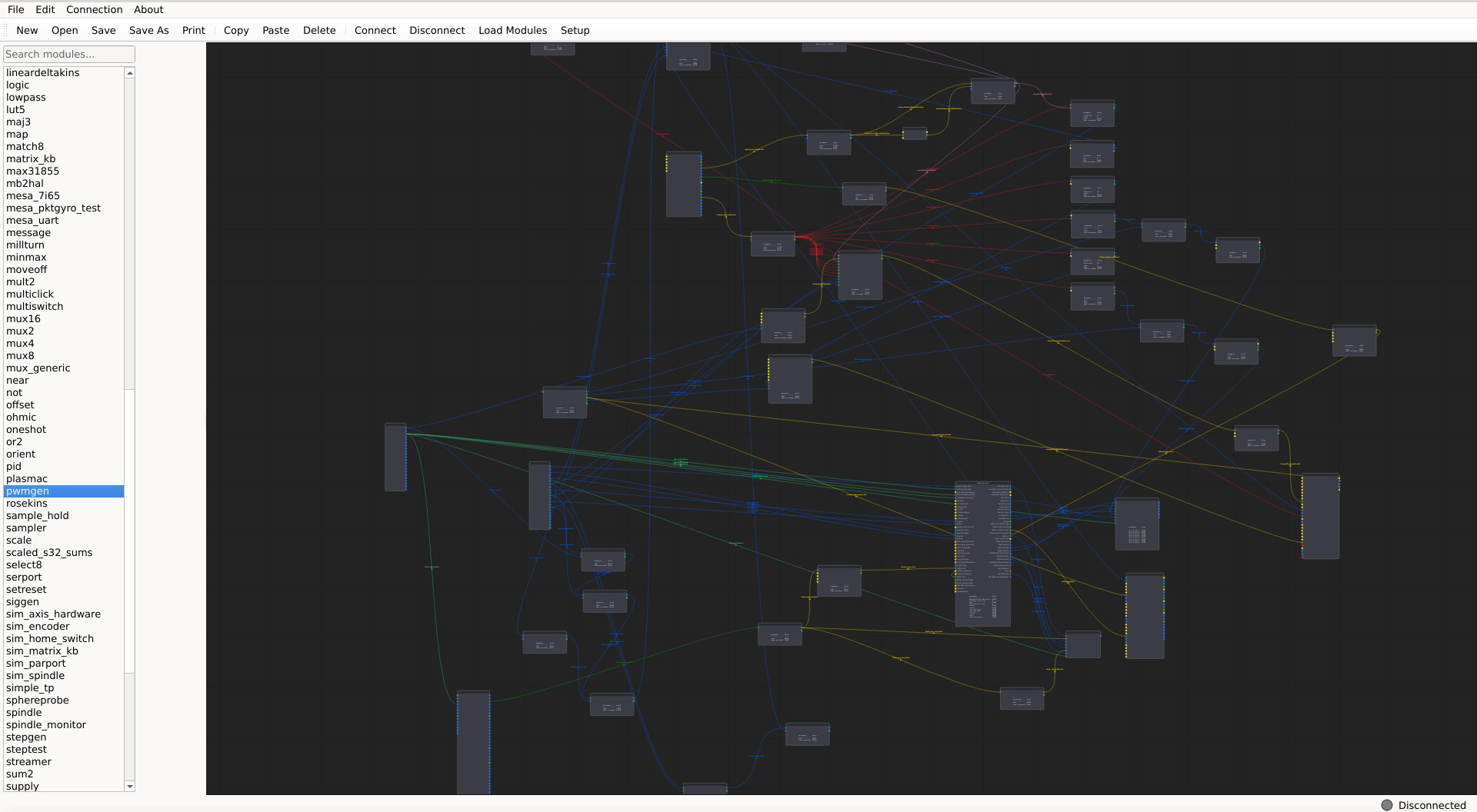
Signal wire colors default to color codes representing the signal type, but can be edited. If the rat's nest is a confusing mess of same-colored wires, double-click or right click a wire to edit its color. All wires connected to the same output are synced and will change to your edit.
You can also change the wire (hal signal) name, but the current version of halflow gives you no capability to load your edits back into your linuxcnc hal config.
You can also change the wire (hal signal) name, but the current version of halflow gives you no capability to load your edits back into your linuxcnc hal config.
The following user(s) said Thank You: tommylight, COFHAL
Please Log in or Create an account to join the conversation.
- NWE
-
Topic Author
- Away
- Elite Member
-
Less
More
- Posts: 262
- Thank you received: 81
06 Jun 2026 07:59 #346935
by NWE
Replied by NWE on topic Introducing halflow, an interactive graphical hal editor
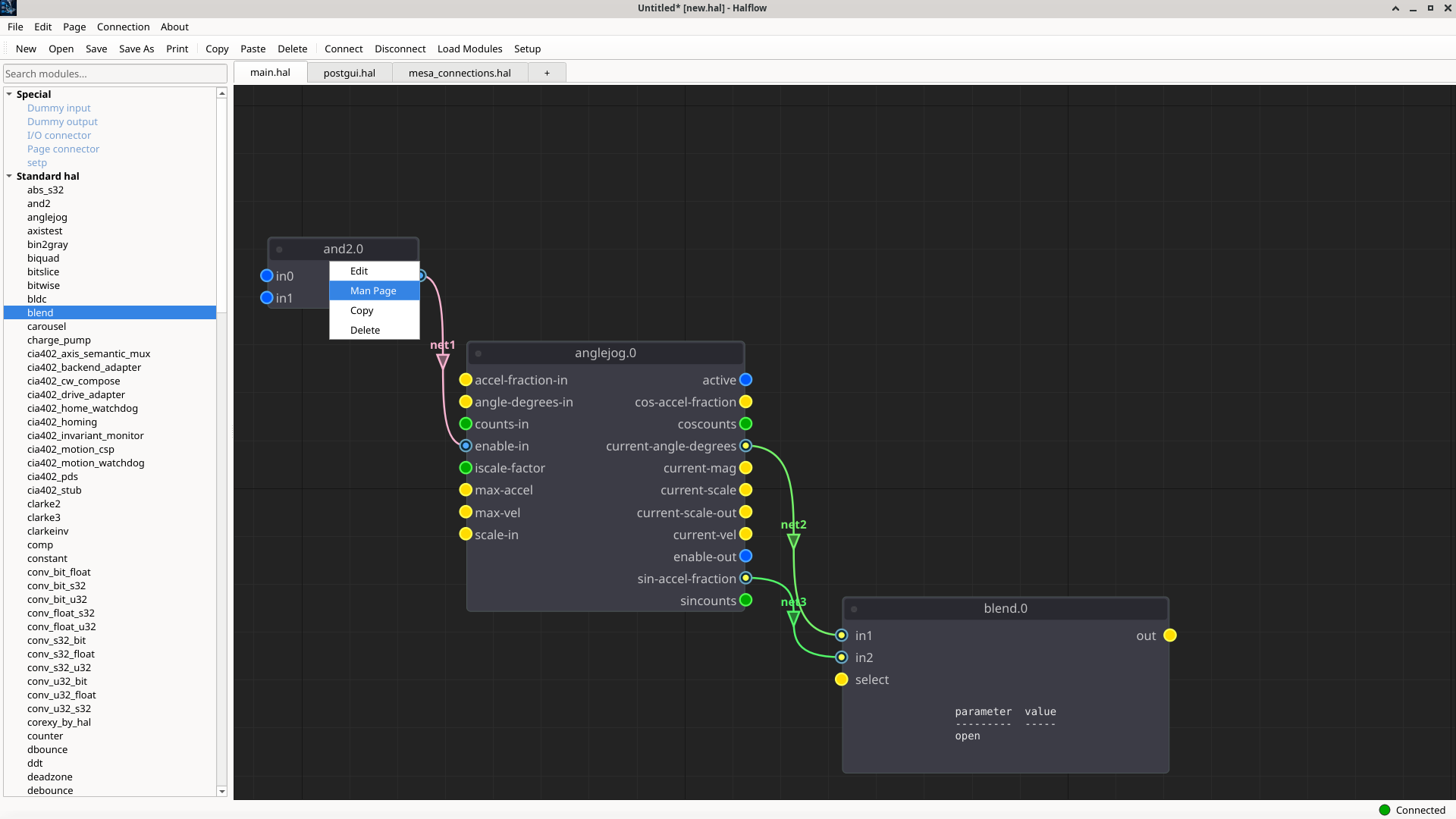
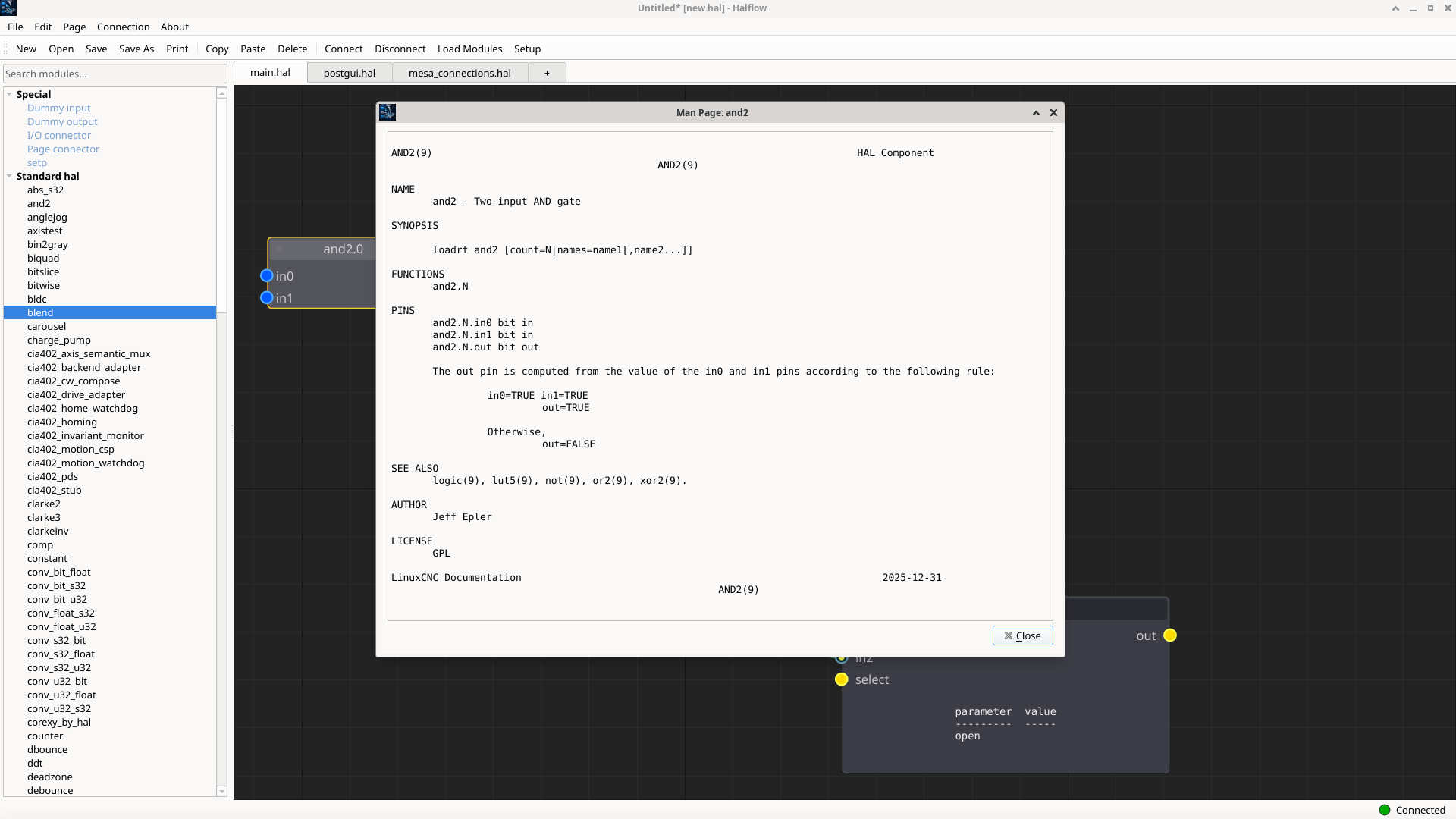
man pages built-in.
Now working on real hal files import/export.
Now working on real hal files import/export.
The following user(s) said Thank You: Surmetall
Please Log in or Create an account to join the conversation.
- NWE
-
Topic Author
- Away
- Elite Member
-
Less
More
- Posts: 262
- Thank you received: 81
08 Jun 2026 12:41 - 08 Jun 2026 12:47 #346971
by NWE
Replied by NWE on topic Introducing halflow, an interactive graphical hal editor
This is becoming useful for debugging a running LinuxCNC instance. I still have some features to add and bugs to fix before releasing an installer.
Up-to-date source code is available at the link on my first post.

video:
git.disroot.org/nwe/halflow/src/branch/m...a/halflow-tour-1.mp4
Up-to-date source code is available at the link on my first post.
video:
git.disroot.org/nwe/halflow/src/branch/m...a/halflow-tour-1.mp4
Last edit: 08 Jun 2026 12:47 by NWE.
The following user(s) said Thank You: koppi, tommylight
Please Log in or Create an account to join the conversation.
- NWE
-
Topic Author
- Away
- Elite Member
-
Less
More
- Posts: 262
- Thank you received: 81
17 Jun 2026 20:08 #347141
by NWE
Replied by NWE on topic Introducing halflow, an interactive graphical hal editor
Some new features added:
1. Net highliting for easier following of wires that are all part of the same signal: click or hover a wire and all wires on that signal illuminate.
2. Importing/drawing new wires can be configured to A: be colored by signal type, or B: be randomly colored.
3. An auto-placer for optimizing placement of components on the canvas. This feature is currently broken. It runs, but it usually makes a mess.
Current effort is on creating and exporting new configs for actual use in LinuxCNC. This process requires me to better understand the config loading process, so I can cause this to be interactively created by the halflow "New config" wizard. On an impulse, I asked chatgpt to give me a tour of the LinuxCNC config loading process. I found the result quite interesting and am sharing it at [1].
Currently it is possible to import configs NOT created by halflow, but ONLY FOR VIEWING. I am finding this feature quite helpful for visualizing and diagnosing some of my highly customized hand-edited configs.
Installer releases will be provided once I consider the project stable.
As always, the latest source code is available at the link shared in my first post.
[1] git.disroot.org/nwe/halflow/src/branch/m...ding%20ai%20tour.pdf
1. Net highliting for easier following of wires that are all part of the same signal: click or hover a wire and all wires on that signal illuminate.
2. Importing/drawing new wires can be configured to A: be colored by signal type, or B: be randomly colored.
3. An auto-placer for optimizing placement of components on the canvas. This feature is currently broken. It runs, but it usually makes a mess.
Current effort is on creating and exporting new configs for actual use in LinuxCNC. This process requires me to better understand the config loading process, so I can cause this to be interactively created by the halflow "New config" wizard. On an impulse, I asked chatgpt to give me a tour of the LinuxCNC config loading process. I found the result quite interesting and am sharing it at [1].
Currently it is possible to import configs NOT created by halflow, but ONLY FOR VIEWING. I am finding this feature quite helpful for visualizing and diagnosing some of my highly customized hand-edited configs.
Installer releases will be provided once I consider the project stable.
As always, the latest source code is available at the link shared in my first post.
[1] git.disroot.org/nwe/halflow/src/branch/m...ding%20ai%20tour.pdf
The following user(s) said Thank You: tommylight, onceloved
Please Log in or Create an account to join the conversation.
- NWE
-
Topic Author
- Away
- Elite Member
-
Less
More
- Posts: 262
- Thank you received: 81
06 Jul 2026 11:31 #347556
by NWE
Replied by NWE on topic Introducing halflow, an interactive graphical hal editor
There is now partial support for creating a LinuxCNC configuration. At a jobsite recently I jump-started my hand editing of a heavily customized LinuxCNC config by creating small parts of it with halflow and stitching things together in a text editor.
There is some initial support for modbus networks point-and-click setup. More on that later. After my earlier complaints against modbus, recently I'm finding it useful.
It seems there is only so much ai can do with vibe-coding. Till recently I was treating halflow as a black box and commanding the chatgpt robot make it do this, do that... Things were getting to the point it seemed to be taking more and more effort for less results, in spite of starting fresh with new chats, etc. Now I opened the pandora's box and am digging through the code, switched to claude, and am telling it how I want things done under the hood.
There is some initial support for modbus networks point-and-click setup. More on that later. After my earlier complaints against modbus, recently I'm finding it useful.
It seems there is only so much ai can do with vibe-coding. Till recently I was treating halflow as a black box and commanding the chatgpt robot make it do this, do that... Things were getting to the point it seemed to be taking more and more effort for less results, in spite of starting fresh with new chats, etc. Now I opened the pandora's box and am digging through the code, switched to claude, and am telling it how I want things done under the hood.
The following user(s) said Thank You: tommylight
Please Log in or Create an account to join the conversation.
Time to create page: 0.162 seconds