Advanced Search

Search Results (Searched for: LC_ALL)

  • Hakan
  • Hakan
08 Nov 2025 09:18 - 08 Nov 2025 10:17

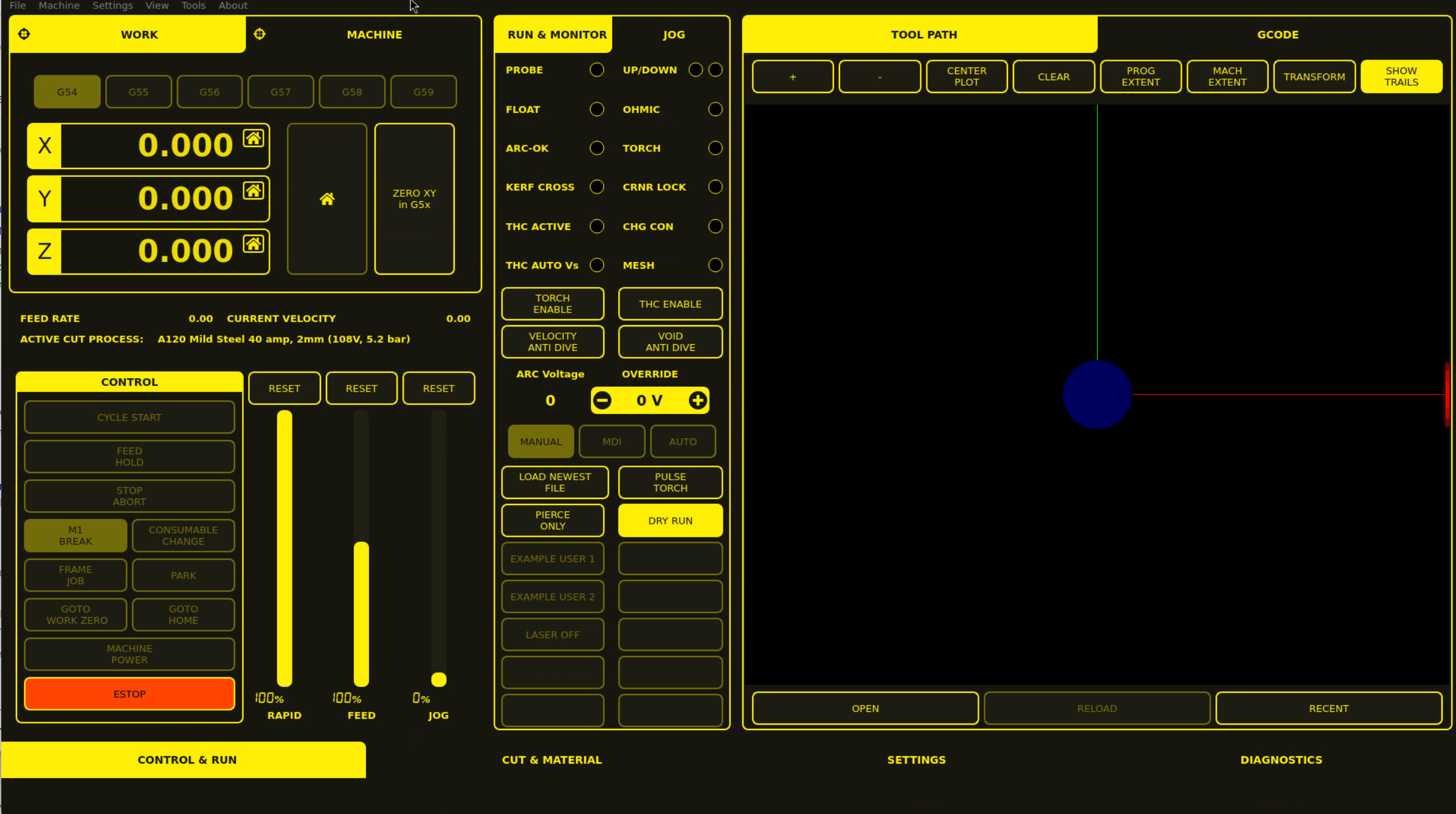
MonoKrom - QtPyVCP GUI for PlasmaC and Mill

Category: QtPyVCP

At least got it up and running. 
1. Had to replace "import imp" in  /usr/lib/python3/dist-packages/qtpyvcp/app/application.py 
with "import importlib.util"
and on line 159

        #module = imp.load_source('python_vcp', pyfile)
        spec = importlib.util.spec_from_file_location('python_vcp', pyfile)
        module = importlib.util.module_from_spec(spec)
        spec.loader.exec_module(module)

This comes from the python3-qtpyvcp apt package.
Is it qtpyvcp to blame or trixie that doesn't provide the imp module?

2. Missing [PLASMAC]SLAT_TOP in ini file. Added
SLAT_TOP=0.0 in PLASMAC section.
I guess it could be given a default value as is done for so many variables when they are missing.

3. Locale problems. <string>:1: SyntaxWarning: invalid decimal literal
Started linuxcnc with
debian@plasma$ LC_ALL=C linuxcnc xyz.ini


and it gives me a Monokrom screen.
 

Edit.
The LC_ALL=C wasn't needed.
But this one needs attention:
Note: Using POSIX realtime
!!!!db_init: </home/james/dev/venv/bin/plasma_tooldbpipe> not executable
emc/task/taskclass.cc 169: can't initialize DB_PROGRAM.
emc/task/taskclass.cc 188: can't load tool table.

  • Cant do this anymore bye all
  • Cant do this anymore bye all's Avatar
02 Jan 2025 01:49
Replied by Cant do this anymore bye all on topic PnCConf vs. Raspberry Pi 5

PnCConf vs. Raspberry Pi 5

Category: PnCConf Wizard

run the menu-config (menu_config) and set the locale.

This page (read the whole thing) may help
forum.linuxcnc.org/forum/search?query=LC_ALL&childforums=1
  • Cant do this anymore bye all
  • Cant do this anymore bye all's Avatar
14 Dec 2024 08:55
Replied by Cant do this anymore bye all on topic LinuxCNC on Raspberry Pi 5

LinuxCNC on Raspberry Pi 5

Category: Installing LinuxCNC

Perl complains if LC_ALL or LANGUAGE isn't set.
  • rodw
  • rodw's Avatar
14 Dec 2024 06:35
Replied by rodw on topic LinuxCNC on Raspberry Pi 5

LinuxCNC on Raspberry Pi 5

Category: Installing LinuxCNC

The default  settings come from userdata.txt github.com/rodw-au/rpi-img-builder-lcnc/...9.3/userdata.txt#L40
I.m not sure LANGUAGE  needs to be set for the locale if its en_US.UTF-8 as we use for the default config 

On my chrome book,  locale reports
rod@penguin:~$ locale
LANG=en_US.UTF-8
LANGUAGE=
LC_CTYPE="en_US.UTF-8"
LC_NUMERIC="en_US.UTF-8"
LC_TIME="en_US.UTF-8"
LC_COLLATE="en_US.UTF-8"
LC_MONETARY="en_US.UTF-8"
LC_MESSAGES="en_US.UTF-8"
LC_PAPER="en_US.UTF-8"
LC_NAME="en_US.UTF-8"
LC_ADDRESS="en_US.UTF-8"
LC_TELEPHONE="en_US.UTF-8"
LC_MEASUREMENT="en_US.UTF-8"
LC_IDENTIFICATION="en_US.UTF-8"
LC_ALL=

On my Debian PC in my office, I get 
rod@debian:~$ locale
LANG=en_AU.UTF-8
LANGUAGE=en_AU:en
LC_CTYPE="en_AU.UTF-8"
LC_NUMERIC="en_AU.UTF-8"
LC_TIME="en_AU.UTF-8"
LC_COLLATE="en_AU.UTF-8"
LC_MONETARY="en_AU.UTF-8"
LC_MESSAGES="en_AU.UTF-8"
LC_PAPER="en_AU.UTF-8"
LC_NAME="en_AU.UTF-8"
LC_ADDRESS="en_AU.UTF-8"
LC_TELEPHONE="en_AU.UTF-8"
LC_MEASUREMENT="en_AU.UTF-8"
LC_IDENTIFICATION="en_AU.UTF-8"
LC_ALL=

 
  • Cant do this anymore bye all
  • Cant do this anymore bye all's Avatar
14 Dec 2024 04:56
Replied by Cant do this anymore bye all on topic LinuxCNC on Raspberry Pi 5

LinuxCNC on Raspberry Pi 5

Category: Installing LinuxCNC

Just checked out your new image that you linked a couple of posts ago. Video works ok when using min hdmi to DVI adapter.
Just for those of us that are a bit silly what is the correct procedure & values to setup
1: LANGAUGE (currently unset)
2: LC_ALL (currently unset)
LANG = "en_AU.UTF-8" is fine.

Currently starting to test the new hm2_spix driver
Displaying 1 - 5 out of 5 results.
Time to create page: 1.200 seconds
Powered by Kunena Forum