Advanced Search

Search Results (Searched for: )

  • tommylight
  • tommylight's Avatar
17 Mar 2026 21:31
  • tommylight
  • tommylight's Avatar
17 Mar 2026 21:24

Axis position shift during helical boring - Fusion 360 Personal + Mesa 7i96s + C

Category: General LinuxCNC Questions

HLFB is configured at 20 counts and did NOT trigger.

How much is that in distance?
And that goes both directions, so the actual error can hypothetically be 39 counts without triggering.
Granted, i agree with others, interference is the first thing t eliminate as you do have cumulative errors on both axis, and probably the third, too.
  • Joco
  • Joco's Avatar
17 Mar 2026 21:18
Replied by Joco on topic Plasma table set, fine tuning a problem

Plasma table set, fine tuning a problem

Category: Plasmac

 Not sure if you have a cut chart for that machine.  Have a look at this generic cut chart to get a sense of amps to use for a thickness. It will also give you a guide on speeds.  1.5mm cut height and 2.5 to 3mm pierce is pretty standard.  


  • Xnke
  • Xnke
17 Mar 2026 21:12

Mitsubishi MR-J3-XX"A" drive + 7i94 config?

Category: Driver Boards

It is. I just bought some MR-J3-70B drives, for 29$ per drive, so I guess I'll have to get one of your cards next. Do you have an ethernet driven version? Or just the PCI version?

I hooked up one of the -A copper drives today in step/direction mode, and honestly it isn't that bad to hook up and it worked perfectly, but if I go with the SSCNET system, I can implement more drives without having to add more cables, just extending the fibre interface.

Eventually I'd like to have the tool changer on the SSCNET link as well, and that would be another 200W servo or two.
  • tommylight
  • tommylight's Avatar
17 Mar 2026 21:08
Replied by tommylight on topic pocketing program

pocketing program

Category: General LinuxCNC Questions

You can zip the program and attach it to the original post here.
Or make a new post as the editor likes to mess formatting.
  • 858PSJ
  • 858PSJ
17 Mar 2026 19:44
pocketing program was created by 858PSJ

pocketing program

Category: General LinuxCNC Questions

I have written a pocketing program using g-codes, it pockets triangles, rectangles, trapezoids and some unusual shapes. the attachment has a screendump of eight different ones.  The program is available as a .ngc file and runs on linuxcnc/axis version 2.6.13 on ubuntu 12.04 LTS 32 bit (using the rtai kernel to operate a Taigtool mill through a xylotec controller.)  I would like to donate this program to the site if there's any interest)  my email address is This email address is being protected from spambots. You need JavaScript enabled to view it.  
the program  is 580 lines long and includes 112 lines of sample polygons. it uses "o" codes a lot.
  • dm17ry
  • dm17ry's Avatar
17 Mar 2026 19:35
Replied by dm17ry on topic Mitsubishi MR-J3-XX"A" drive + 7i94 config?

Mitsubishi MR-J3-XX"A" drive + 7i94 config?

Category: Driver Boards

none. forget the rs422.
ok, you probably can read something out of it with a userspace comp with a limited frequency.. e.g. a torque feedback comes to mind. but i can't imagine anything else. doesn't worth the trouble, imho,

you'll need at least servo-on, step, direction outputs wired to CN1. alarm input is a must. utilizing absolute encoders require 2 more inputs and 3 outputs...

sscnet is so much more convenient...
  • RLA
  • RLA
17 Mar 2026 19:25

Wood lathe using joints for tools

Category: General LinuxCNC Questions

Hi...Have a diy cnc Wood lathe...have rough/finishing tools mirrored on part doing frequent arcs.....so one axis,2 tools..was hoping to put them on same side with 1" between them...in order to cut the same path finish tool would have to be delayed, then follow on toolpath..is this possible with joints?..
Also would need to use a different diameter offset for finish tool as it will need sharpening more often than rough...possible?

Thanks for any help,

Rick
  • hmnijp
  • hmnijp
17 Mar 2026 18:37 - 17 Mar 2026 18:39

Axis position shift during helical boring - Fusion 360 Personal + Mesa 7i96s + C

Category: General LinuxCNC Questions

DRO shows identical position at arc entry and exit — LinuxCNC believes the machine returned to the correct point. But probing a fixed reference shows X shifted +9.3mm and Y shifted -12.2mm. HLFB is configured at 20 counts and did NOT trigger. This means every commanded step was executed by the motor. The error is in the arc interpolation — the step path LinuxCNC generates to trace the circular arcs does not sum back to the correct physical position.
LinuxCNC version: Master (2.9), running on Raspberry Pi 5 (4GB), Debian Bookworm, Mesa 7i96s over ethernet (hm2_eth), SERVO_PERIOD = 1000000.


Linuxcnc doesn't generate a step signal. All planner calculations are based on position (float64 number) and velocity signals.These numbers (not steps or pulses) for each servo cycle are sent to the Mesa board, where "stepgens" converts them into pulses.

These are the connections in hal:
joint.N.pos-cmd -> hm2.N.stepgen.position-cmd;

Each cycle, Mesa sends back the counted number of generated pulses for reporting:
joint.N.pos-fb <- hm2.N.stepgen.position-fb;

The difference between the sent position and the feedback is tracked using the joint.N.f-error pin.The path planner (on the computer) and stepgen (inside the Mesa board) do not influence each other, but each performs its own role in the chain.

I hope you understand that, in this logic, the position can't simply shift in the planner. If there was an error, it would mean it was transmitting an incorrect coordinate to the mesa, and the same incorrect coordinate would be visible in your DRO (since it's also connected to the joint.N.pos-cmd == axis.N.pos-cmd signal). And the incorrect path would be drawn in the graphics window. The "live plot" draws either based on the pos-cmd or pos-fb numbers. there's a switch for this.

If "LinuxCNC believes the machine has returned to the correct point," then the planner has indeed returned to that point and is transmitting that exact position command to mesa.If the error occurred in stepgen inside mesa, then the position-fb counter would have returned an incorrect number of counts (as a float64 number, not pulses).

If your servos don't report their own following error, then there remains the possibility of an error between Mesa => Servo. Due to electrical interference/noise, not all pulses could have been received by your servo - it thinks it's following the path, but in fact, not all the pulses reached it.
This is confirmed by the fact that you saw a connection between the error and pulse timings.

I have been working with linuxcnc and fusion 360 for a long time as post programmer, so I can assure you - there is no connection between the post processor, pathplanner and your problem. Both work fine.
  • Hakan
  • Hakan
17 Mar 2026 18:33 - 18 Mar 2026 08:43
Replied by Hakan on topic El5101 Config

El5101 Config

Category: EtherCAT

Surprisingly I have an EL5101, totally forgot haha. And I had to fix it for synchronized moves today.

It is actually very well prepared, it is just that spindle-synchronized moves requires three signals,
spindle.0.at-speed, spindle.0.index-enable and spindle.0.revs linuxcnc.org/docs/html/gcode/g-code.html#gcode:g33

Here is how I connected up the EL5101 in the main hal file
setp lcec.0.3.enc-pos-scale [SPINDLE_9]ENCODER_SCALE
net spindle-revs  lcec.0.3.enc-pos
net spindle-index-enable  lcec.0.3.enc-index-c-enable

For at-speed, I use data from the vfd and I don't show that here.
  • jlfauvel
  • jlfauvel's Avatar
17 Mar 2026 17:59

Mouvement par à coups et bruyant avec servo X : CNC Precix 2100 et LinuxCNC

Category: Français

Bonjour... Je rencontre un problème avec un servomoteur X dont le mouvement est saccadé (Jog et G1). Le contrôleur d'origine a été mise à jour avec un ordinateur et LinuxCNC V2.8.2-8. La mise en route a été complexe, mais tout fonctionne à nouveau à l'exception du servomoteur X : son mouvement est saccadé et le moteur émet un bruit de grincement (il n'est pas fluide). Il semble y avoir un conflit entre l'accélération et le freinage. J'ai modifié plusieurs paramètres dans le fichier .INI, le mouvement s'est amélioré, mais je suis bloqué. Les variateurs Copley ont été réglés sur mesure en usine spécifiquement pour les servomoteurs Precix. Cependant, Copley ne peut pas m'aider. Quelqu'un a-t-il déjà rencontré ce problème ou sait-il quels paramètres ajuster pour le résoudre ? Le variateur Copley est-il en cause ? Voici un résumé de la CNC :

CNC : Precix 2100 (DC3 BR)
Contrôleur : mis à jour, Linux Mint 19.3, LinuxCNC V2.8.2-8 + Mesa 7i92 + Mesa 7i77
L'axe Y est parfaitement fluide.
Seul l'axe X présente des à-coups.
Le servomoteur semble être un moteur SEM.
L'amplificateur est un Copley 4122CE.

J'utilise LinuxCNC V2.8.2-8. Je joins les fichiers HAL et INI… cela pourrait-il être utile ? Merci d'avance !
 

File Attachment:

File Name: PRECIX_2026-03-17.ini
File Size:4 KB

File Attachment:

File Name: PRECIX_202...17-2.hal
File Size:11 KB
  • jlfauvel
  • jlfauvel's Avatar
17 Mar 2026 17:50

Jerky movement with X servo : Precix 2100 series with LinuxCNC

Category: General LinuxCNC Questions

I am stuck with a X Servo that has a jerky movement (Jog and G1).The original controller was updated with a computer and LinuxCNC V2.8.2-8. Getting it up and running was difficult, but everything is working again except for the X Servo : its movement is jerky, and the motor makes a grinding noise (not smooth). It seems to be a conflict between acceleration and braking. I've changed several parameters in the .INI file, the movement has improved but I'm stuck. Copley drives were custom-tuned at the factory specifically for Precix servos. However, Copley can't help me. Has anyone else experienced this problem or know which parameters to adjust to fix it? Is the Colpley drive the problem? Here's a summary of the CNC : 

File Attachment:

File Name: PRECIX_2026-03-17.hal
File Size:11 KB
 

File Attachment:

File Name: PRECIX.ini
File Size:4 KB
CNC : Precix 2100 (DC3 BR)
Controler : updated, Linux Mint 19.3, LinuxCNC V2.8.2-8 + Mesa 7i92 + Mesa 7i77
The Y axis is perfectly smooth.
The X axis is the only one that is jerky.
The servo motor appears to be a SEM motor.
The amplifier is a Copley 4122CE.
I am running LinuxCNC V2.8.2-8I am joining the HAL and INI files... if it can help! Thanks in advance!
  • Gogonfa
  • Gogonfa
17 Mar 2026 17:42

Umstieg von LinuxCNC + Mesa auf EtherCAT (Leadshine EL8 / Beckhoff) – Erfahrunge

Category: Deutsch

Hi zusammen,

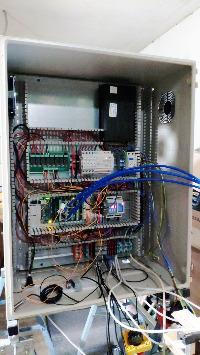
ich habe mir auch ein Ethercat System aufgebaut. Was die ganzen EMV Probleme angeht empfehle ich auf jeden Fall passende Netzfilter für jede Servo Endstufe und auch (ganz wichtig) für den VFD der Spindel! Hier mal ein Bild von meinem Schaltschrank während der finalen Bausphase. Der Netzfilter für den Delta Ethercat VFD ist noch nicht verbaut, der kommt über die Drossel.

Ansonsten war ich mit dem Testsystem zu frieden! Man hat durch den Ethercat Cycle immer einen Following Error, den konnte ich auch nicht weg tunen! Das ist aber nicht schlimm weil das nur ein Offset ist, LCNC bekommt die Ist-Position vom Drive praktisch um ein bis zwei Ethercat Zyklen später! Da Linux CNC hier aber sowieso nicht regelt (wie bei klassischen Mesa Systemen wo man PID settings nutzt um den Following Error zu minimieren) hab ich mir den DeASDA Treiber etwas modifiziert und gebe mir den realen Schleppfehler der Servo Endstufen aus. Da sieht man, dass dieser extrem klein ist und vernachlässigt werden kann. Die Servos erreichen praktisch immer ihre Sollposition innerhalb eines Zyklus.

Alles in allem wird das, denke ich auf jeden Fall ne deutlich flexiblere Lösung als mit MESA! Verarbeitung von Endschalter, Homing Sensoren und Probes muss man ordentlich machen! Homing/Endschalter kann man über schnelle Beckhoff Klemmen anschließen, damit es hochgenau wird und der Ethercat cycle offset hier nicht reinhaut, am besten den Index Pin der Servo Encoder als finale Position nutzen! Das ist extrem genau und sehr reproduzierbar (genauer als jeder induktiver Sensor und genauer als die mechanische Genauigkeit der Spindeln). Man kann die Sensoren aber auch direkt am Drive anschließen. Die Touch Probe hab ich an einer Klemme die auch Zeitstempel macht wenn ein Eingang geschaltet wird! Leider kann die Ethercat Implementierung in LinuxCNC diesen Zeitstempel nicht auswerten um die exakte Position beim antasten zu ermitteln….da einfach Geschwindigkeit beim zweiten Antasten so weit runter wie nötig um den Fehler im unterm Mikrometern Bereich zu halten. (Kennt jemand  hier einen besseren Weg?)

Beste Grüße 
  • grossm5000
  • grossm5000
17 Mar 2026 17:38
Replied by grossm5000 on topic Need help with Rotary position switch

Need help with Rotary position switch

Category: Turning

I am just now picking this project back up again. I'll keep on posting to this thread as I get it figured out.
I think my next hurtle is how to configure the hal file so it knows what to do with the different combination of inputs. I thought I saw something in one of the speed/feed override screens in PncConfig.
Displaying 121 - 135 out of 18050 results.
Time to create page: 0.373 seconds
Powered by Kunena Forum