
- Posts: 297
- Thank you received: 56
How to change perspective preview?
- tuxcnc
- Offline
- Elite Member
-

Less
More
5 years 6 months ago #205512
by tuxcnc
How to change perspective preview? was created by tuxcnc
After starting the program, or after changing the preview mode, the perspective preview is set with the default settings, the dimension and the viewing angle are not as I need.
Where can it be changed?
Where can it be changed?
Please Log in or Create an account to join the conversation.
- cmorley
- Offline
- Moderator
-

Less
More
- Posts: 7368
- Thank you received: 2181
5 years 6 months ago #205517
by cmorley
Replied by cmorley on topic How to change perspective preview?
You ned to tell us what screen you are using. What version of linuxcnc are you using?
Please Log in or Create an account to join the conversation.
- tuxcnc
- Offline
- Elite Member
-
Less
More
- Posts: 297
- Thank you received: 56
5 years 6 months ago - 5 years 6 months ago #205545
by tuxcnc
For what ?
I am writing in the "Gmoccapy" section and I ask where the default panoramic preview settings are.
What can not you understand here?
**************************
After run program :
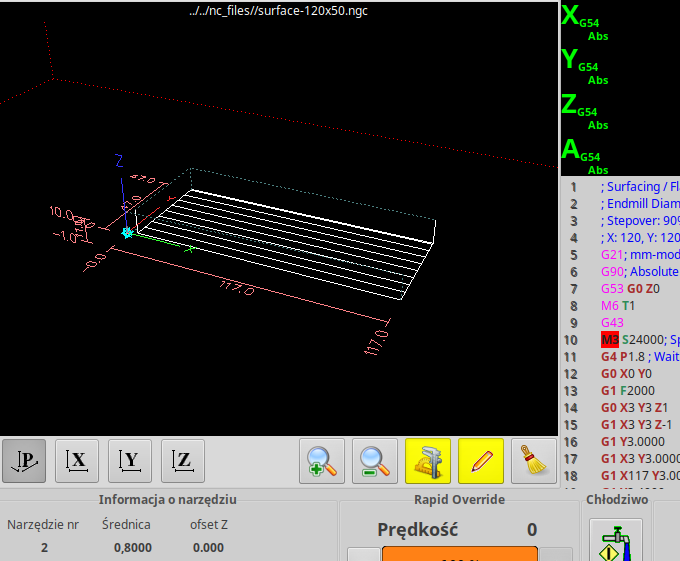
After manual change view (by mouse) :
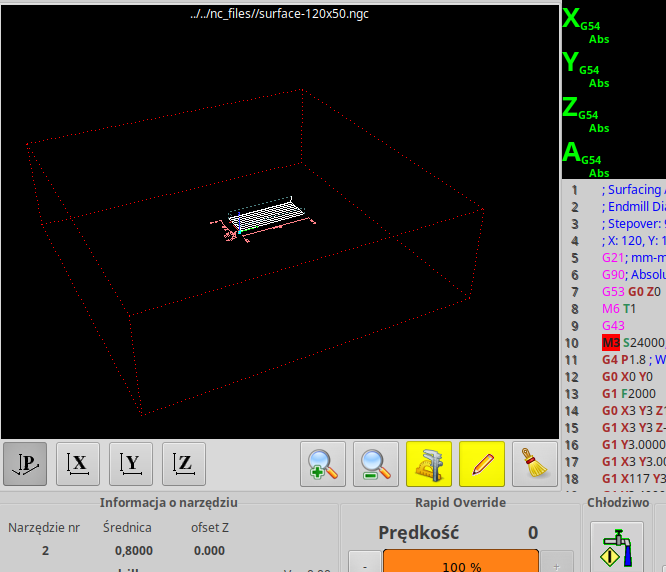
After switch from "P-view" to "Z-view" :
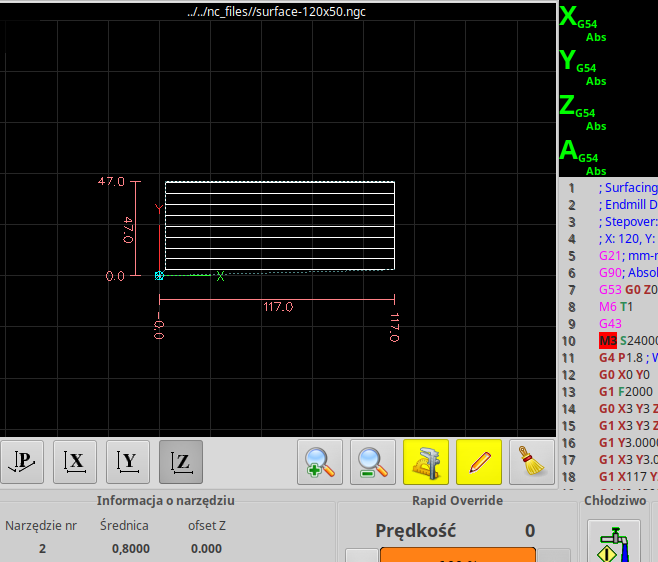
After switch to "P-view" again :
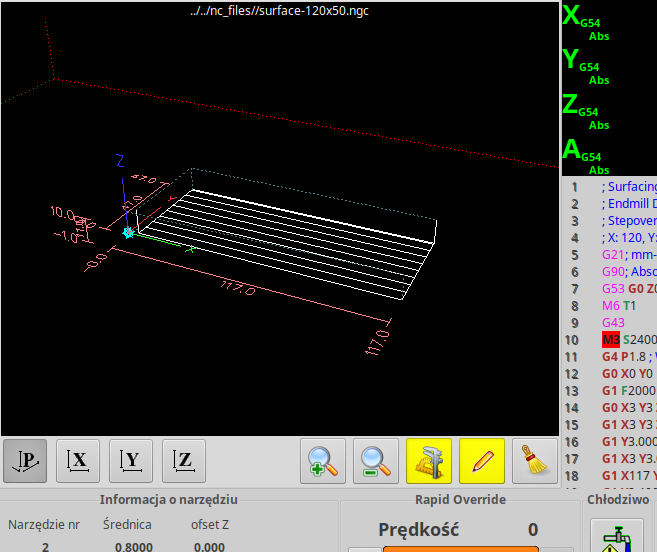
I have got touch screen, and its hard to change view without mouse.
Replied by tuxcnc on topic How to change perspective preview?
cmorley wrote: You ned to tell us what screen you are using. What version of linuxcnc are you using?
For what ?
I am writing in the "Gmoccapy" section and I ask where the default panoramic preview settings are.
What can not you understand here?
**************************
After run program :
After manual change view (by mouse) :
After switch from "P-view" to "Z-view" :
After switch to "P-view" again :
I have got touch screen, and its hard to change view without mouse.
Last edit: 5 years 6 months ago by tuxcnc.
Please Log in or Create an account to join the conversation.
- cmorley
- Offline
- Moderator
-
Less
More
- Posts: 7368
- Thank you received: 2181
5 years 6 months ago #205550
by cmorley
Replied by cmorley on topic How to change perspective preview?
My oversight - I didn't look at the section - only the title.
Is your question pertain to the default zoom of the perspective?
As your first image and second look the same.
Is your question pertain to the default zoom of the perspective?
As your first image and second look the same.
Please Log in or Create an account to join the conversation.
- tuxcnc
- Offline
- Elite Member
-
Less
More
- Posts: 297
- Thank you received: 56
5 years 6 months ago #205551
by tuxcnc
However, I would like to see a whole workspace at a different angle.
Size and location can be changed with your finger on the monitor, but to rotate the preview you need the right mouse button ...
Replied by tuxcnc on topic How to change perspective preview?
This is of course a preview of the same file, and in both cases it is shown correctly.cmorley wrote: Is your question pertain to the default zoom of the perspective?
As your first image and second look the same.
However, I would like to see a whole workspace at a different angle.
Size and location can be changed with your finger on the monitor, but to rotate the preview you need the right mouse button ...
Please Log in or Create an account to join the conversation.
- cmorley
- Offline
- Moderator
-
Less
More
- Posts: 7368
- Thank you received: 2181
5 years 6 months ago #205553
by cmorley
Replied by cmorley on topic How to change perspective preview?
Ahh you need a selection button to toggle between pan and rotate.
Do you have a keyboard connected - I believe holding the shift key should do it.
Do you have a keyboard connected - I believe holding the shift key should do it.
Please Log in or Create an account to join the conversation.
Moderators: newbynobi, HansU
Time to create page: 0.156 seconds