

- Posts: 22
- Thank you received: 0
Macros. File not open
1 year 9 months ago #319506
by Yaroslav
Macros. File not open was created by Yaroslav
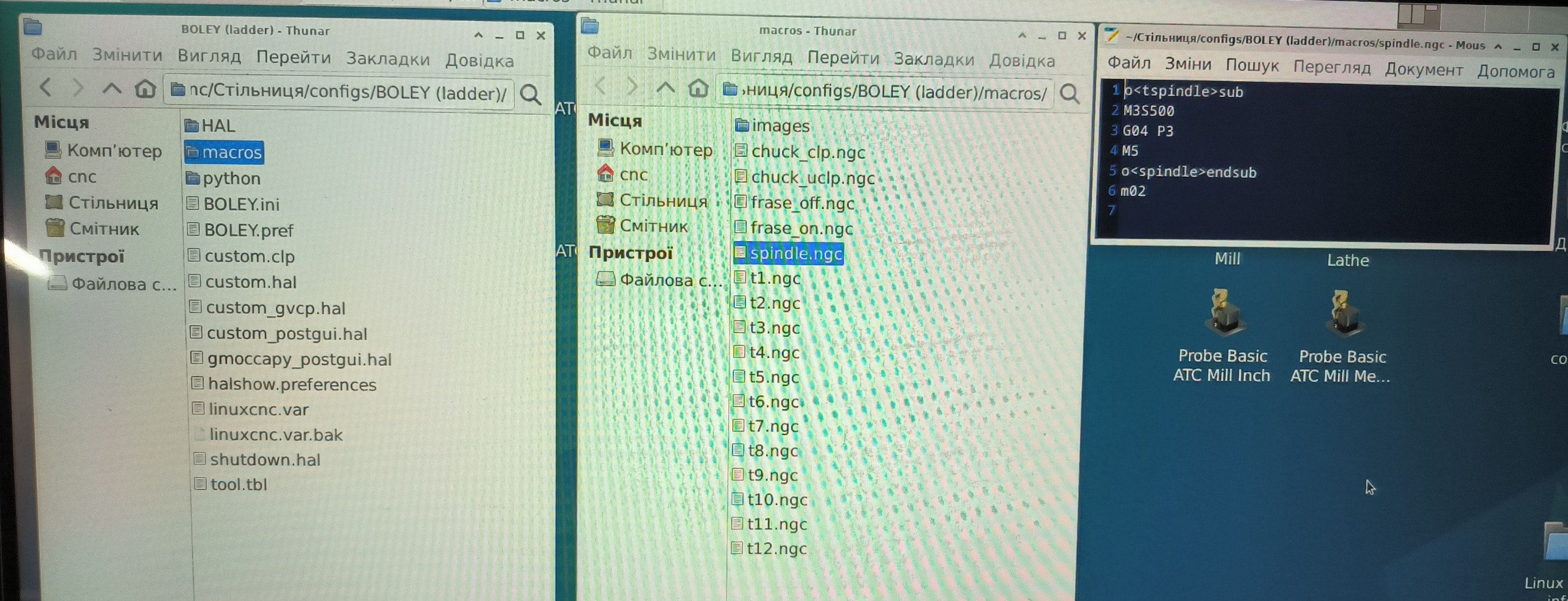
When trying to run a macro located in the "macros" folder, we get an error "File not open"
At the same time, in the MDI mode, the button of this macro and the image, which is located in the same folder, appear.
The file will work only if it is placed in the root of the folder configuration or the root folder nc-files.
This happens only on some configurations.
For example, I had a configuration with an ATC carousel, everything worked. I converted this same configuration to a ladder - and it stopped working.
It is more convenient if the macros are in a separate folder.

Please Log in or Create an account to join the conversation.

1 year 9 months ago #319530
by Aciera
Replied by Aciera on topic Macros. File not open
Moved to the 'Gmoccapy' section.
Please Log in or Create an account to join the conversation.

1 year 9 months ago - 1 year 9 months ago #320400
by HansU
Replied by HansU on topic Macros. File not open
Try to give an absolute path for the macros or play around with that value:
See linuxcnc.org/docs/devel/html/gui/gmoccapy.html#gmoccapy:macros [/color][/color][/color][/color][/code]
Code:
[RS274NGC]
SUBROUTINE_PATH = macros
See linuxcnc.org/docs/devel/html/gui/gmoccapy.html#gmoccapy:macros [/color][/color][/color][/color][/code]
Last edit: 1 year 9 months ago by HansU.
Please Log in or Create an account to join the conversation.
1 year 8 months ago #320599
by Yaroslav
Replied by Yaroslav on topic Macros. File not open
I did this on some machines. But it causes inconvenience when transferring the configuration, especially if it needs to be done remotely.
Please Log in or Create an account to join the conversation.
1 year 8 months ago #320629
by Aciera
Replied by Aciera on topic Macros. File not open
Just a stab but have you tried ./macros instead of just macros?
The following user(s) said Thank You: CNCGOOS
Please Log in or Create an account to join the conversation.
1 year 8 months ago #320660
by Yaroslav
Replied by Yaroslav on topic Macros. File not open
I tried both options. Version 2.9.4 is out. I'll try it and see if anything has changed.
Please Log in or Create an account to join the conversation.
Time to create page: 0.178 seconds