
Updating from LINUXCNC - 2.8.4-23, Mint 20.3 - gmoccapy lathe structure
- Aciera
-

- Away
- Administrator
-

Less
More
- Posts: 4806
- Thank you received: 2163
29 Nov 2025 12:25 #339419
by Aciera
Replied by Aciera on topic Updating from LINUXCNC - 2.8.4-23, Mint 20.3 - gmoccapy lathe structure
It's not that you are missing files but that your hal files content doesn't harmonize:
If you are unsure you can just comment out the line in your gmoccapy_postgui.hal and any others that may throw errors so you can start your config and see what is missing.
gmoccapy_postgui.hal:9: Signal 'tool-change-confirmed' can not add OUT pin 'gmoccapy.toolchange-changed', it already has OUT pin 'hal_manualtoolchange.changed'If you are unsure you can just comment out the line in your gmoccapy_postgui.hal and any others that may throw errors so you can start your config and see what is missing.
Please Log in or Create an account to join the conversation.
- Muzzer
- Offline
- Elite Member
-

Less
More
- Posts: 269
- Thank you received: 42
29 Nov 2025 18:46 #339442
by Muzzer
Replied by Muzzer on topic Updating from LINUXCNC - 2.8.4-23, Mint 20.3 - gmoccapy lathe structure
Aha. Many thanks - commenting out that duplicated line did the trick, so I now have the machine moving in closed loop, homing correctly and e-stopping safely. That's a great step forward and it feels as if I'm getting close to getting this sorted out.
I now have to get the xhc-whb04b-6 MPG connected up (currently commented out) and the spindle vfd doesn't respond, so I'll need to check that out too.
Andy Pugh's macros don't show up in my GUI. I have the tab showing up but clicking on it does nothing - none of the graphics appear. There are several gmoccapy lathe sims that work but something's not right in my setup. Again, I'm not clear what files need to be where and what configs need to be set up. Is there any documentation for the lathe macros that I can refer to?
Many thanks
I now have to get the xhc-whb04b-6 MPG connected up (currently commented out) and the spindle vfd doesn't respond, so I'll need to check that out too.
Andy Pugh's macros don't show up in my GUI. I have the tab showing up but clicking on it does nothing - none of the graphics appear. There are several gmoccapy lathe sims that work but something's not right in my setup. Again, I'm not clear what files need to be where and what configs need to be set up. Is there any documentation for the lathe macros that I can refer to?
Many thanks
Please Log in or Create an account to join the conversation.
- andypugh
-

- Offline
- Moderator
-

Less
More
- Posts: 19896
- Thank you received: 4648
30 Nov 2025 18:46 #339519
by andypugh
Replied by andypugh on topic Updating from LINUXCNC - 2.8.4-23, Mint 20.3 - gmoccapy lathe structure
I generally install avahi + samba on my Linux machine and that gives me a bonjour-style easy networking setup.
(My home system is a mixture of MacOS and Linux, Windows not invited to play but does connect when I am working from home as my job requires a lot of windows-only software.
(My home system is a mixture of MacOS and Linux, Windows not invited to play but does connect when I am working from home as my job requires a lot of windows-only software.
Please Log in or Create an account to join the conversation.
- Muzzer
- Offline
- Elite Member
-
Less
More
- Posts: 269
- Thank you received: 42
01 Dec 2025 21:22 #339610
by Muzzer
Replied by Muzzer on topic Updating from LINUXCNC - 2.8.4-23, Mint 20.3 - gmoccapy lathe structure
I have to admit that Linuxcnc is the only application I have that requires Linux. Like Andy, my engineering job requires almost exclusively Windows based programs, as do my family, for whom I appear to be IT manager.
@andypugh - could you suggest why your macros aren't showing up in my gmoccapy GUI? I've got no errors showing but clicking on the "cycles" tab doesn't change from the XZ preview.
@andypugh - could you suggest why your macros aren't showing up in my gmoccapy GUI? I've got no errors showing but clicking on the "cycles" tab doesn't change from the XZ preview.
Attachments:
Please Log in or Create an account to join the conversation.
- andypugh
-
- Offline
- Moderator
-
Less
More
- Posts: 19896
- Thank you received: 4648
09 Dec 2025 13:10 #339915
by andypugh
My first guess would be that you don't have rsvg installed, but as that is a dependency of LinuxCNC it should be there automatically.
Replied by andypugh on topic Updating from LINUXCNC - 2.8.4-23, Mint 20.3 - gmoccapy lathe structure
If you start LinuxCNC from the command line are there any clues?@andypugh - could you suggest why your macros aren't showing up in my gmoccapy GUI? I've got no errors showing
My first guess would be that you don't have rsvg installed, but as that is a dependency of LinuxCNC it should be there automatically.
Please Log in or Create an account to join the conversation.
- Muzzer
- Offline
- Elite Member
-
Less
More
- Posts: 269
- Thank you received: 42
14 Dec 2025 19:20 - 14 Dec 2025 21:12 #340095
by Muzzer
Replied by Muzzer on topic Updating from LINUXCNC - 2.8.4-23, Mint 20.3 - gmoccapy lathe structure
Thanks for the reply. I've been busy with roofing, plumbing, parquet flooring etc but managed to sneak out to the workshop finally.
I've managed to get the spin boxes to appear in an otherwise blank macro screen, which is some form of progress. This was by removing the "notouch=1 -U norun=0 -u" switches from the EMBED_TAB_COMMAND line.
However, the gmoccapy screen is now bigger than the primary display once gladevcp starts up. That doesn't seem to prevent anything new from working otherwise. Presumably I need to correct the screen resolution, possibly by installing better video drivers? It used to fit the screen.
EDIT: the native resolution of the Hanspree HT225 is 1920x1080, same as the second display. No end of playing with display seems to prevent the GUI spilling over beyond the extents of the display(s), other than commenting out the EMBED_TAB line.
My path statement looks like this but perhaps I need to read up on linux path syntax:SUBROUTINE_PATH = ~/nc_files:~/lathe_macros:~/subroutines:~/python
...where those subfolders are in the folder where the INI file is held.
EDIT: I now see I should use the dot character rather than tilde in linux to denote a relative path. I will try that...
Beyond that, when I run linuxcnc from the command prompt, it reveals a royal mess. Clearly gladevcp isn't happy (see attached log file).
I tried installing python-rsvg but it didn't like that:
murray@LinuxCNC:~$ sudo apt-get install python-rsvg
[sudo] password for murray:
Reading package lists... Done
Building dependency tree... Done
Reading state information... Done
E: Unable to locate package python-rsvg
There are a few things going on here, to say the least - could you suggest what I focus on in the first instance?
I've managed to get the spin boxes to appear in an otherwise blank macro screen, which is some form of progress. This was by removing the "notouch=1 -U norun=0 -u" switches from the EMBED_TAB_COMMAND line.
However, the gmoccapy screen is now bigger than the primary display once gladevcp starts up. That doesn't seem to prevent anything new from working otherwise. Presumably I need to correct the screen resolution, possibly by installing better video drivers? It used to fit the screen.
EDIT: the native resolution of the Hanspree HT225 is 1920x1080, same as the second display. No end of playing with display seems to prevent the GUI spilling over beyond the extents of the display(s), other than commenting out the EMBED_TAB line.
My path statement looks like this but perhaps I need to read up on linux path syntax:SUBROUTINE_PATH = ~/nc_files:~/lathe_macros:~/subroutines:~/python
...where those subfolders are in the folder where the INI file is held.
EDIT: I now see I should use the dot character rather than tilde in linux to denote a relative path. I will try that...
Beyond that, when I run linuxcnc from the command prompt, it reveals a royal mess. Clearly gladevcp isn't happy (see attached log file).
I tried installing python-rsvg but it didn't like that:
murray@LinuxCNC:~$ sudo apt-get install python-rsvg
[sudo] password for murray:
Reading package lists... Done
Building dependency tree... Done
Reading state information... Done
E: Unable to locate package python-rsvg
There are a few things going on here, to say the least - could you suggest what I focus on in the first instance?
Attachments:
Last edit: 14 Dec 2025 21:12 by Muzzer.
Please Log in or Create an account to join the conversation.
- tommylight
-

- Away
- Moderator
-
Less
More
- Posts: 21891
- Thank you received: 7463
15 Dec 2025 10:43 #340121
by tommylight
Instead, go read through this forum, watch pictures and videos, you might get some appreciation about what our members here are capable off.
Replied by tommylight on topic Updating from LINUXCNC - 2.8.4-23, Mint 20.3 - gmoccapy lathe structure
Stop offending people, i will not warn you again!Also, how can a person do roofing, plumbing, parquet flooring, and CNC?
Multi-talented! perhaps too multi-talented!
Instead, go read through this forum, watch pictures and videos, you might get some appreciation about what our members here are capable off.
The following user(s) said Thank You: snowgoer540, unknown
Please Log in or Create an account to join the conversation.
- Muzzer
- Offline
- Elite Member
-
Less
More
- Posts: 269
- Thank you received: 42
16 Dec 2025 10:17 #340181
by Muzzer
Replied by Muzzer on topic Updating from LINUXCNC - 2.8.4-23, Mint 20.3 - gmoccapy lathe structure
Haha no problem! Yes, I know I still have a lot to learn but I think I'm getting there in my own time.
I won't bother with pics of floors, roofs or pipes but here's some metal I did earlier in 2019. I look forward to hearing where I'm going wrong!
Like a lot of people on here, I also have a day job - in my case power electronics product development that requires a fair bit of travel to Korea and Japan, in addition to time in the office each week away from home.
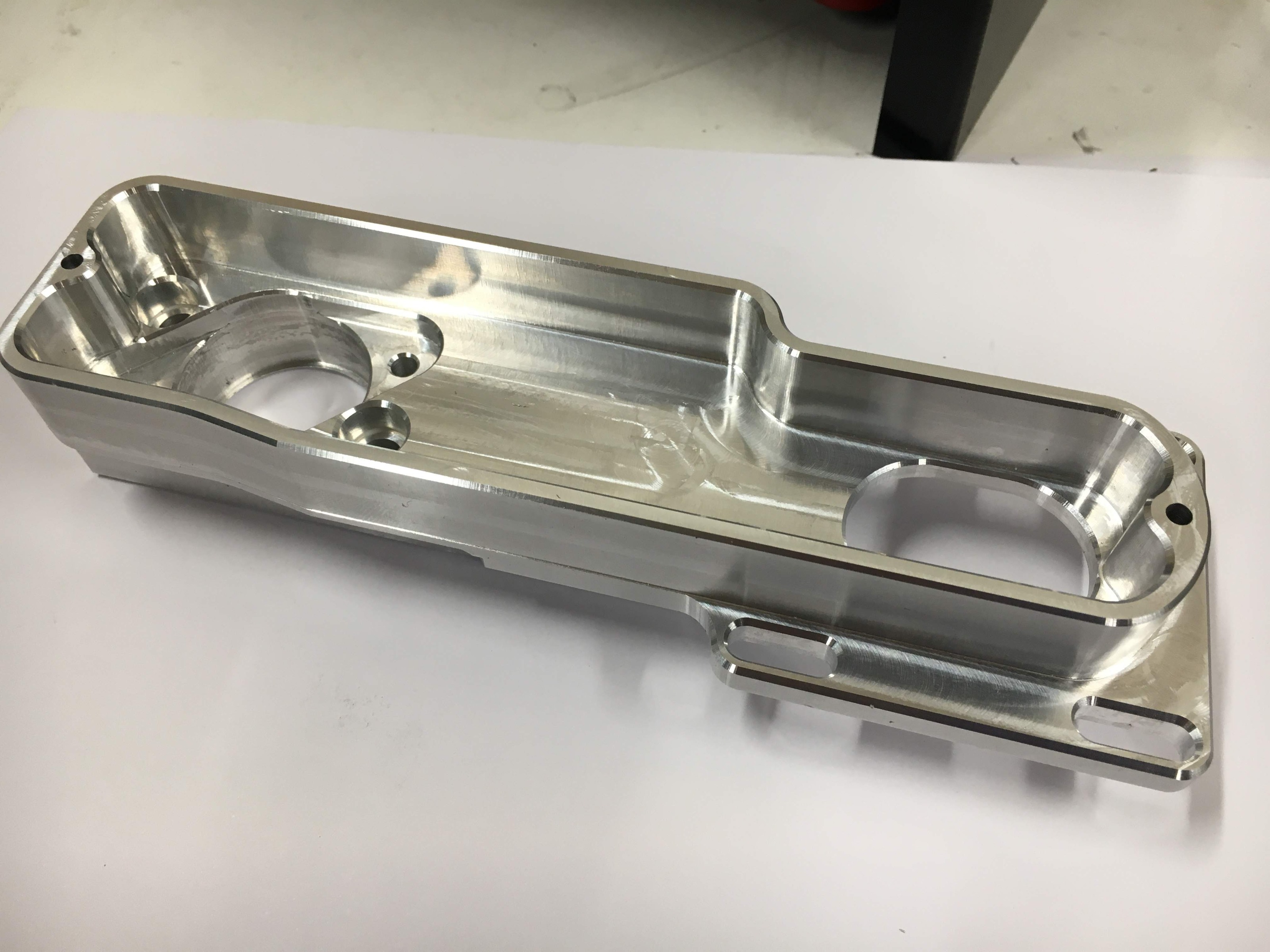
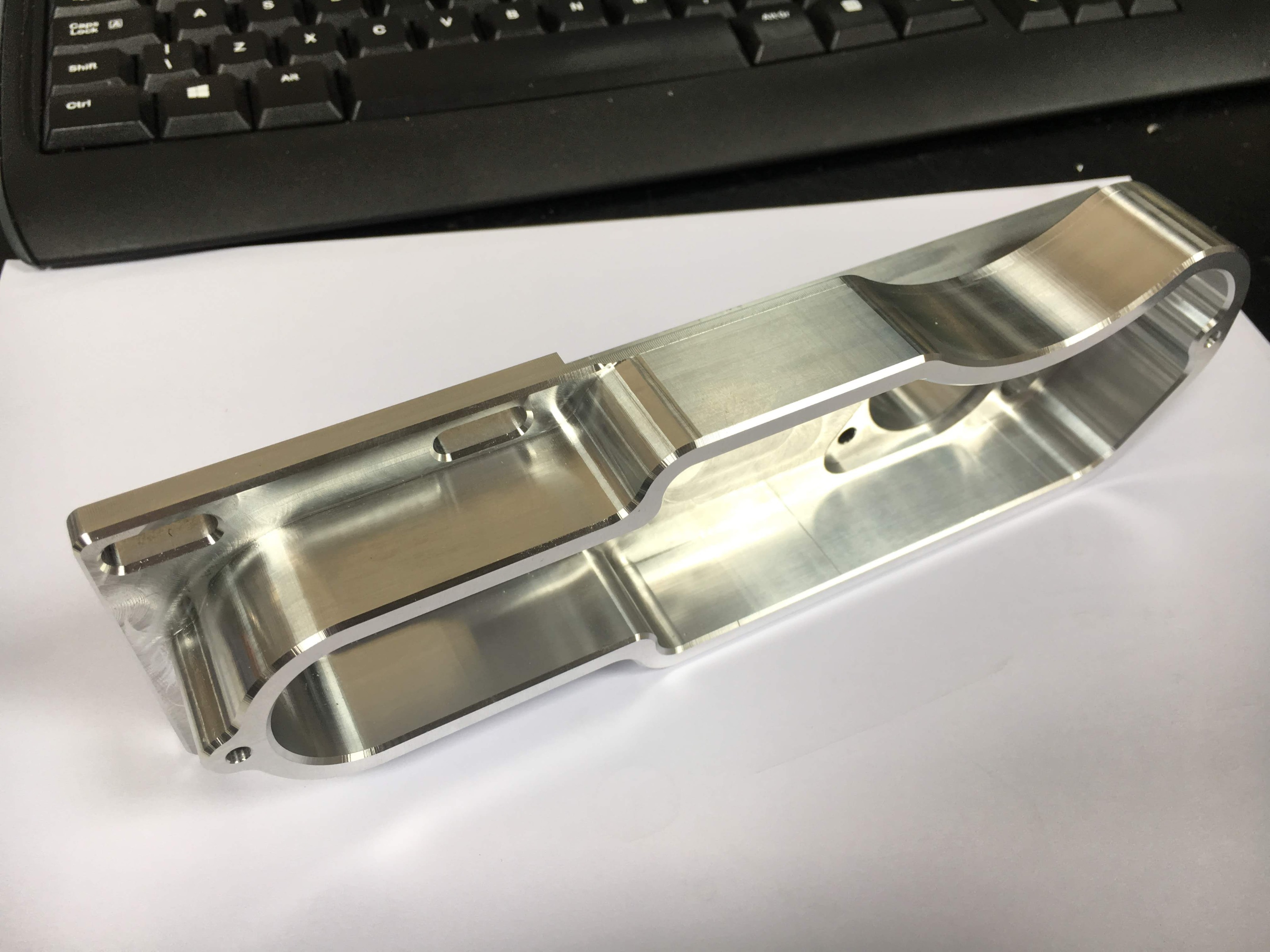
I won't bother with pics of floors, roofs or pipes but here's some metal I did earlier in 2019. I look forward to hearing where I'm going wrong!
Like a lot of people on here, I also have a day job - in my case power electronics product development that requires a fair bit of travel to Korea and Japan, in addition to time in the office each week away from home.
Attachments:
The following user(s) said Thank You: tommylight, , unknown
Please Log in or Create an account to join the conversation.
- unknown
- Offline
- Platinum Member
-

Less
More
- Posts: 888
- Thank you received: 325
16 Dec 2025 11:43 #340187
by unknown
Replied by unknown on topic Updating from LINUXCNC - 2.8.4-23, Mint 20.3 - gmoccapy lathe structure
Pretty sweet.
Nah that's really sweet. Wot it do ?
Nah that's really sweet. Wot it do ?
Please Log in or Create an account to join the conversation.
- tommylight
-
- Away
- Moderator
-
Less
More
- Posts: 21891
- Thank you received: 7463
16 Dec 2025 17:41 #340205
by tommylight
Replied by tommylight on topic Updating from LINUXCNC - 2.8.4-23, Mint 20.3 - gmoccapy lathe structure
Mmmmm shinny ...
I would venture a guess at it being a motor and ballscrew holder/mount with belt going inside of it ?
I would venture a guess at it being a motor and ballscrew holder/mount with belt going inside of it ?
Please Log in or Create an account to join the conversation.
Moderators: newbynobi, HansU
Time to create page: 0.292 seconds