
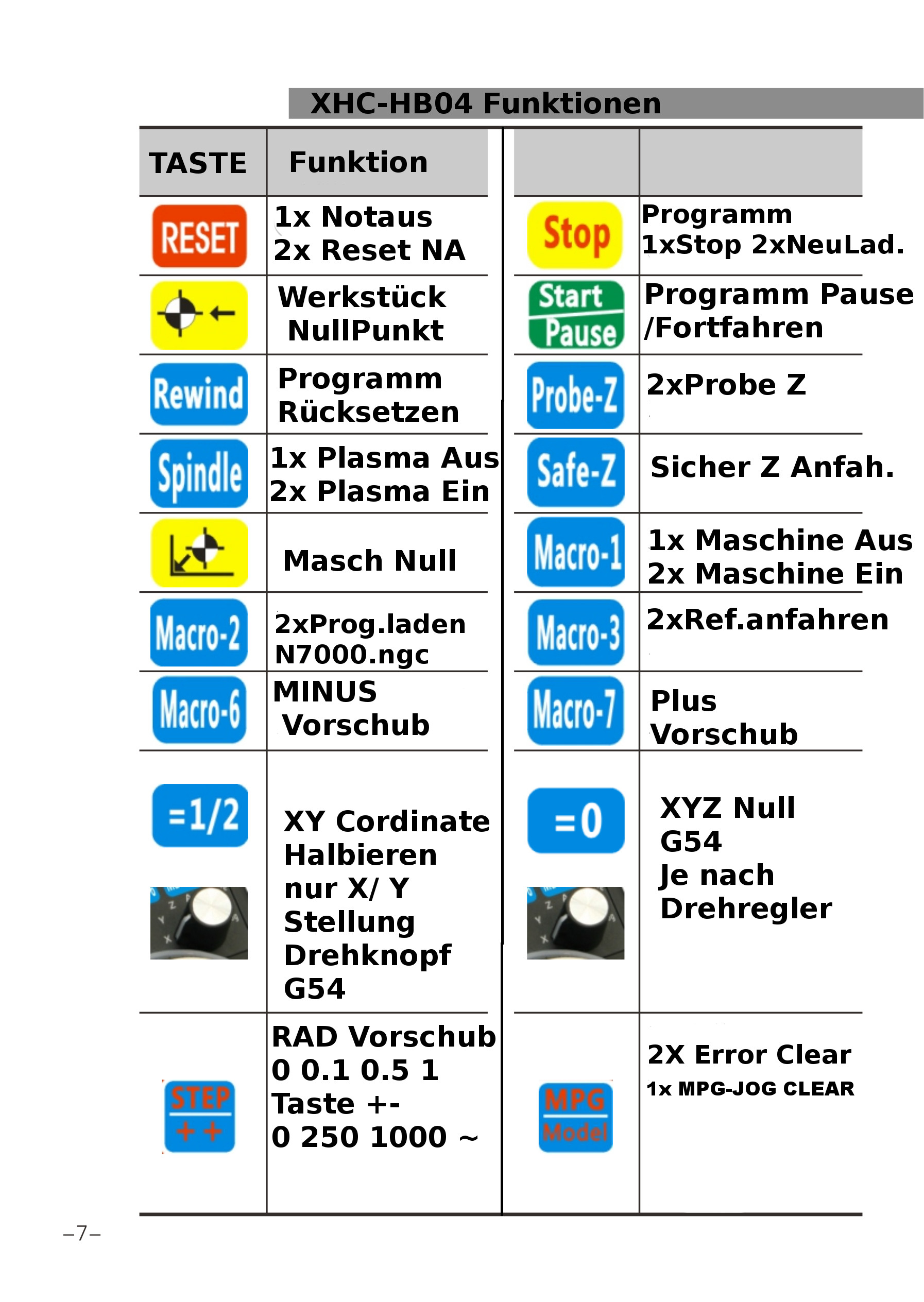
XHC-HB04, zero current axis from "=0" button, and axis selector

More
7 years 6 months ago #131256 by travis036
due to the flu, i was just able to test the changes. after some syntax error corrections, i was able to get everything working.

Many thanks to all who helped! :woohoo:

~Travis

Please Log in or Create an account to join the conversation.
More
7 years 6 months ago #131278 by pl7i92
i got the same
MDI_COMMAND=G10 L20 P1 X0
MDI_COMMAND=G10 L20 P1 Y0
MDI_COMMAND=G10 L20 P1 Z0

Please Log in or Create an account to join the conversation.

More
7 years 6 months ago #131301 by Todd Zuercher
If you use G10L10P0 instead of P1 it will affect the current active G5x coordinates instead of just G54.

Please Log in or Create an account to join the conversation.

More
7 years 6 months ago #131302 by travis036
G10L10P0?
linuxcnc.org/docs/2.7/html/gcode/g-code.html#gcode:g10-l10
"Set Tool Table"?

or did you mean "G10L20P0"? ;)
i thought the work offsets had to be on P1, and up. wouldn't zeroing P0 be like reseting the whole machine origin? then my "goto zero" button would no longer go to the same spot, or am i wrong?

~Travis

Please Log in or Create an account to join the conversation.

More
7 years 6 months ago #131329 by Todd Zuercher
No P0 just applies to whatever coordinate system is currently active. So if G54 is active it is applied same as using P1. But if G57 is active it would be the same as using P4. Because it is variably applied dependent on the current coordinate system, it might be useful for a button command like you are setting up. It lets you set any coordinate system offset rather than just one.
The following user(s) said Thank You: travis036

Please Log in or Create an account to join the conversation.

More
7 years 6 months ago #131330 by travis036
interesting, that could prove very useful. Thanks!

~Travis

Please Log in or Create an account to join the conversation.

Time to create page: 0.118 seconds
Powered by Kunena Forum