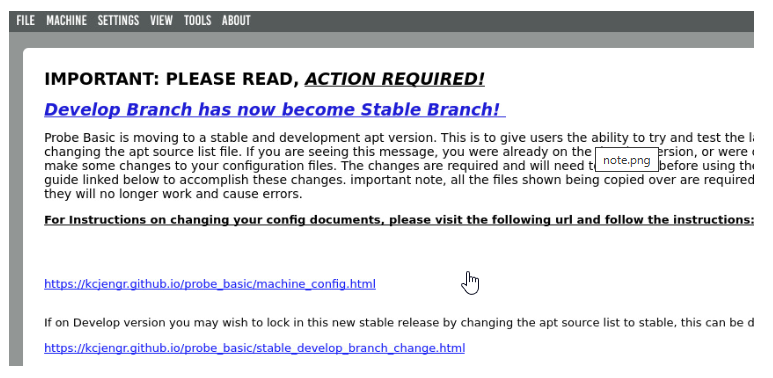
if you would like to change the opening screen to the main tab, you can change it by doing the following:
open a terminal and enter the following:
Code:
sudo editvcp probe_basic
enter your password and enter
Qtdesigner will open, if you wish to delete the status message label, simply click inside the white area anywhere and press the delete key. This will delete the message label and its contents.
Alternatively if you would like to keep the message there but change the tab that is seen when starting probe basic, click the main tab button to change the display page, and save. Close Qtdesigner and start probe basic as you normally would, this will now startup the program on the main tab and if opted to delete the status page message label widget it will also be gone. this will reappear if you are on the develop version after any updates have been pushed but should remain edited if on the stable version as no new changes are pushed to the stable version branch.
Hope this helps!
Chris