if you are going to use the user_tab sidebar_tab and new user_buttons to adjust your use case than i would strongly advise just installing via apt.
then in terminal run:
and use the dialog to select the ui files in the configs/(your_config)/user_**** folders, edit save and those will then be stored and kept even through updates. they follow your config folder and are loaded from at program start.
I just added the user_buttons in the latest develop apt distribution so its there for you editing pleasure and tested. saving to the config folder is not an issue as it requires no special root priviledges.
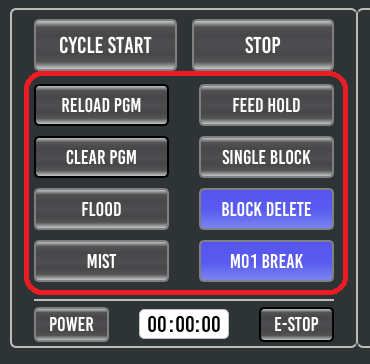
the following buttons are contained in a widget and you can now be change which buttons functions you would like add more buttons (although sizing will become a constraint) pretty much do what you want with this area which remains on the main screen always, it was a feature request for those with routers who would like flood/mist changed to something else such as dust collection, vaccum table etc. so should be a welcomed feature update!