Add Buttons in Probe Basic

More
8 months 5 days ago #343599 by Lcvette
Replied by Lcvette on topic Add Buttons in Probe Basic
great! glad you got everything setup! now ONLY use the apt install for the rest of the probe basic install!

Please Log in or Create an account to join the conversation.

More
8 months 4 days ago #343648 by DerKlotz
Replied by DerKlotz on topic Add Buttons in Probe Basic

once done you ONLY edit while running:

editvcp probe_basic

this goes for when you edit anything including the user sidebar, the user tabs, user buttons etc. this opens probe basic in qtdesigner and qtpyvcp so all of the existing custom widgets are available.

DO NOT EDIT THE PROBE BASIC SCREEN or it will break you apt update ability.

only run it to startup qtpyvcp with full functionality.


Just to verify...
-> edivcp probe basic
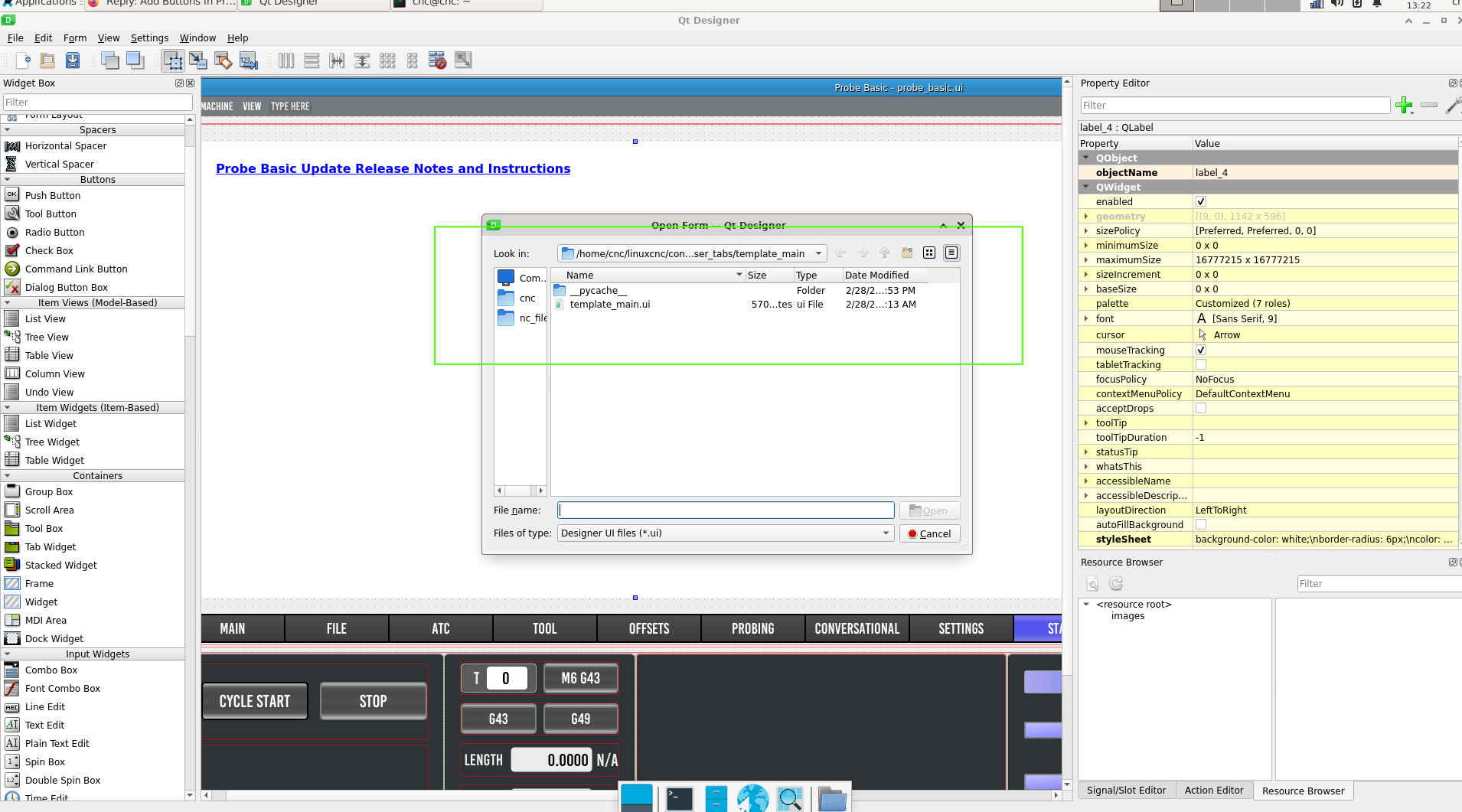
From there i open for example the main-template (attached photo) if i want to add buttons?

Please Log in or Create an account to join the conversation.

More
8 months 4 days ago #343652 by Lcvette
Replied by Lcvette on topic Add Buttons in Probe Basic
correct, from within the opened running fully loaded qtdesigner you open your templates for editing.
The following user(s) said Thank You: DerKlotz

Please Log in or Create an account to join the conversation.

More
8 months 4 days ago #343657 by DerKlotz
Replied by DerKlotz on topic Add Buttons in Probe Basic
Big Thanks

Please Log in or Create an account to join the conversation.

More
7 months 4 weeks ago - 7 months 4 weeks ago #343827 by DerKlotz
Replied by DerKlotz on topic Add Buttons in Probe Basic
After some days of trial and error i don´t know further

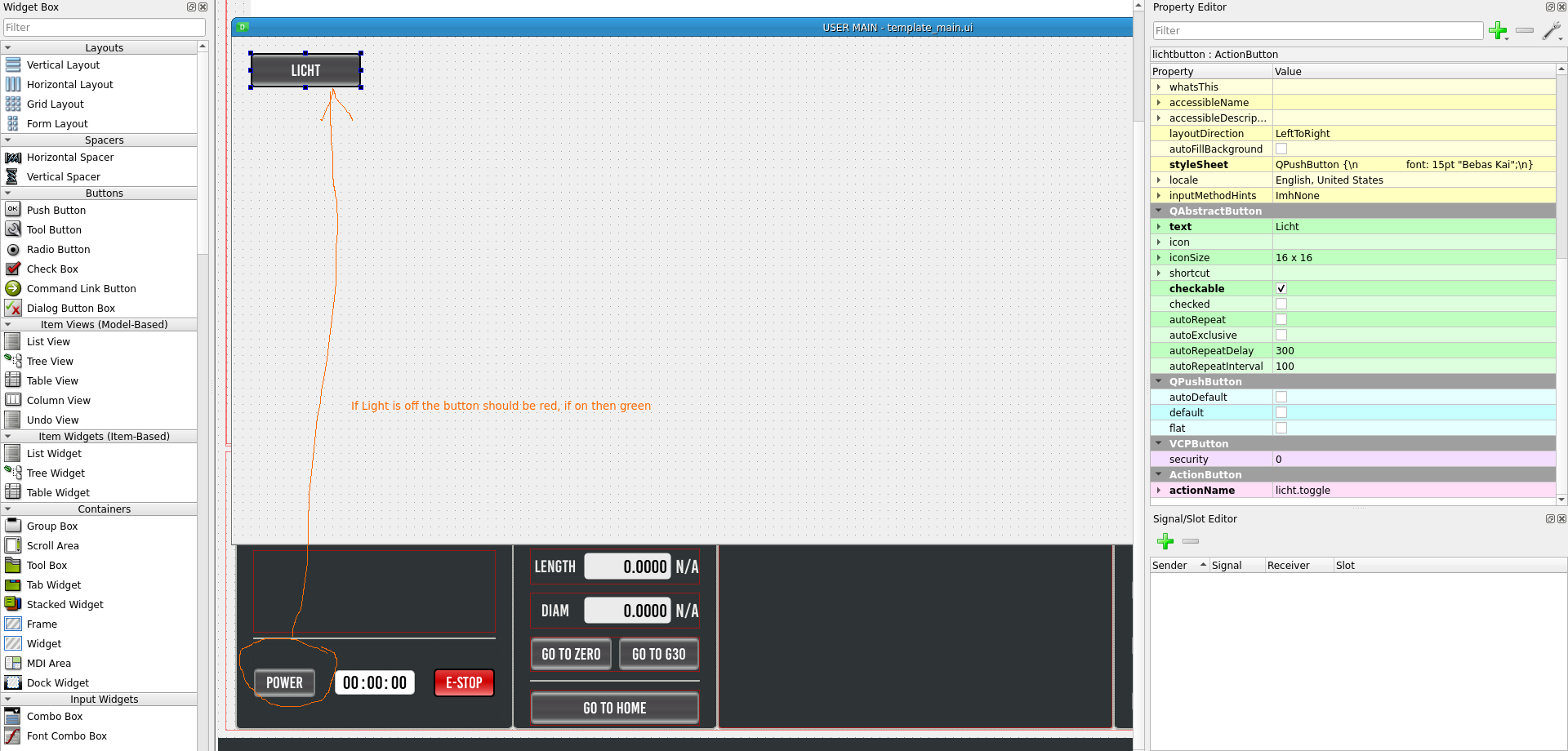
I created a button "Licht" in QtPyVCP. This light button should switch on my hm2_7i76e.0.7i76.0.0.output-02 from my Mesa 7i76e. In my probe_basic_postgui.hal and tried to implement this function with no success. See postgui Liine 28 and 29.

In addition it would be nice when the "Licht" button is read when off and turns into green when on. The Power on button in the basic GUI turns into green when on.
 

Code:
[code]Debug file information: .... /home/cnc/linuxcnc/configs/Fräse_Probe/probe_basic_postgui.hal:28: Pin 'qtpyvcp.licht.out' does not exist Failed to load POSTGUI_HALFILE with error: 1 .... [code] 
[/code][/code]
Last edit: 7 months 4 weeks ago by DerKlotz.

Please Log in or Create an account to join the conversation.

More
7 months 4 weeks ago #343844 by Lcvette
Replied by Lcvette on topic Add Buttons in Probe Basic
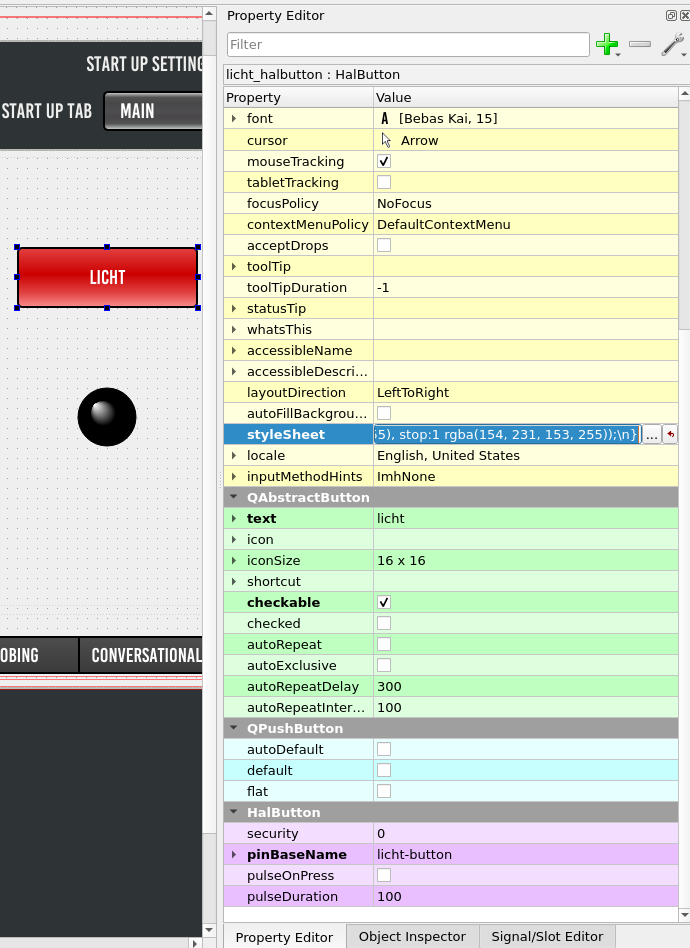
You are trying to control a hal pin, so you will want to use a HalButton from the custom widgets tree. the halpin will have the pinBaseName property you need to set for the button's connection to your licht net. see image below for references:


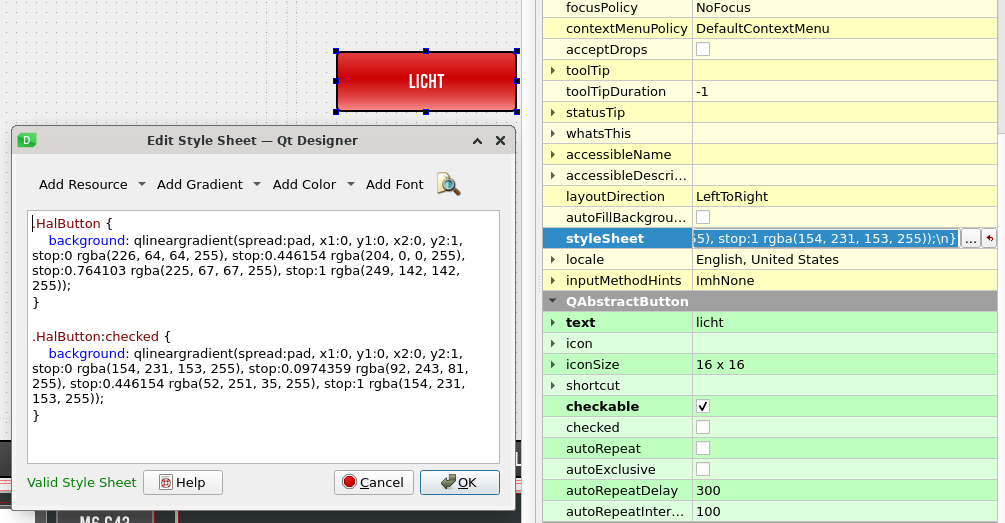
the button color can be style in the stylesheet (see image below) using the following color connections:
Code:
.HalButton { background: qlineargradient(spread:pad, x1:0, y1:0, x2:0, y2:1, stop:0 rgba(226, 64, 64, 255), stop:0.446154 rgba(204, 0, 0, 255), stop:0.764103 rgba(225, 67, 67, 255), stop:1 rgba(249, 142, 142, 255)); } .HalButton:checked { background: qlineargradient(spread:pad, x1:0, y1:0, x2:0, y2:1, stop:0 rgba(154, 231, 153, 255), stop:0.0974359 rgba(92, 243, 81, 255), stop:0.446154 rgba(52, 251, 35, 255), stop:1 rgba(154, 231, 153, 255)); }


The button probe_basic_postgui.hal file connection code is as follows:
Code:
loadrt time loadrt not addf time.0 servo-thread addf not.0 servo-thread # *** Time items required for Probe Basic to run *** net prog-running not.0.in <= halui.program.is-idle net prog-paused halui.program.is-paused => time.0.pause net cycle-timer time.0.start <= not.0.out net cycle-seconds qtpyvcp.timerseconds.in <= time.0.seconds net cycle-minutes qtpyvcp.timerminutes.in <= time.0.minutes net cycle-hours qtpyvcp.timerhours.in <= time.0.hours #  ---manual tool change signals--- net tool-change-request     =>  qtpyvcp_manualtoolchange.change net tool-change-confirmed   <=  qtpyvcp_manualtoolchange.changed net tool-number             =>  qtpyvcp_manualtoolchange.number # *** Probe graphic simulation trigger push probe tip *** net probe-in  =>  qtpyvcp.probe-in.out net probe-in  <=  qtpyvcp.probe-led.on # *** Set line below for actual spindle readout from your hal file *** net spindle-rpm-filtered scale_to_rpm.out  =>  qtpyvcp.spindle-encoder-rpm.in # *** custom gui hal widget connections *** net licht  <=  qtpyvcp.licht-button.checked net licht  =>  hm2_7i76e.0.7i76.0.0.output-02

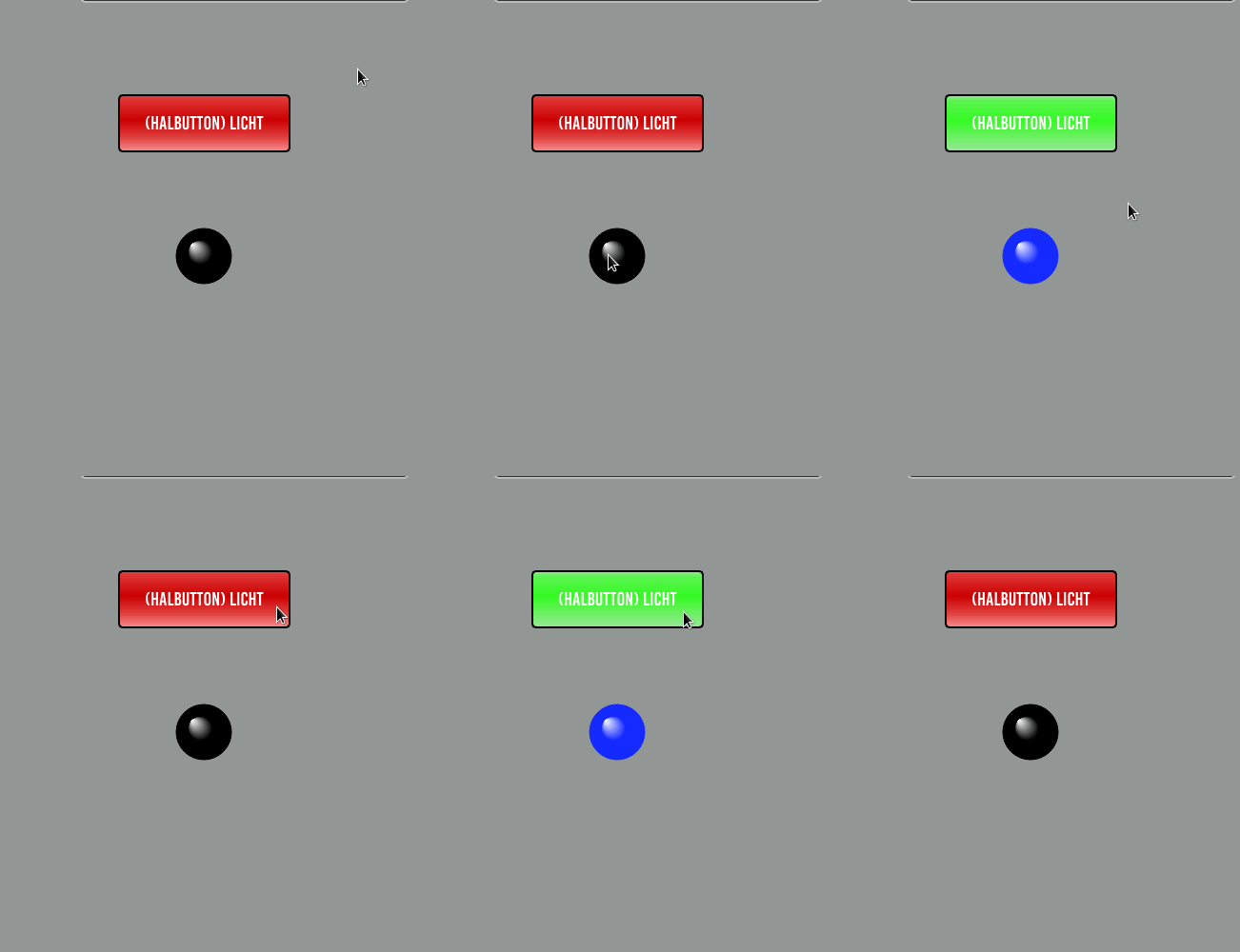
once done you should have something that works like this gif below, but for your physical light:


The following user(s) said Thank You: DerKlotz

Please Log in or Create an account to join the conversation.

Moderators: KCJ, Lcvette
Time to create page: 0.376 seconds
Powered by Kunena Forum