Probe Basic Errors after successfully probing

More
7 months 2 weeks ago - 7 months 2 weeks ago #344444 by Lcvette
Maybe send as screen shot of your roster settings and probe page settings as well as your z travel.

Also have you edited your var file and added all of the parameter numbers shown in the probe basic docs so the settings are persistent?
Last edit: 7 months 2 weeks ago by Lcvette.

Please Log in or Create an account to join the conversation.

More
7 months 2 weeks ago #344483 by kello711

Where is your zero home in z
Zero is at the top of travel with -6.3 at the bottom.

Please Log in or Create an account to join the conversation.
More
7 months 2 weeks ago #344484 by kello711

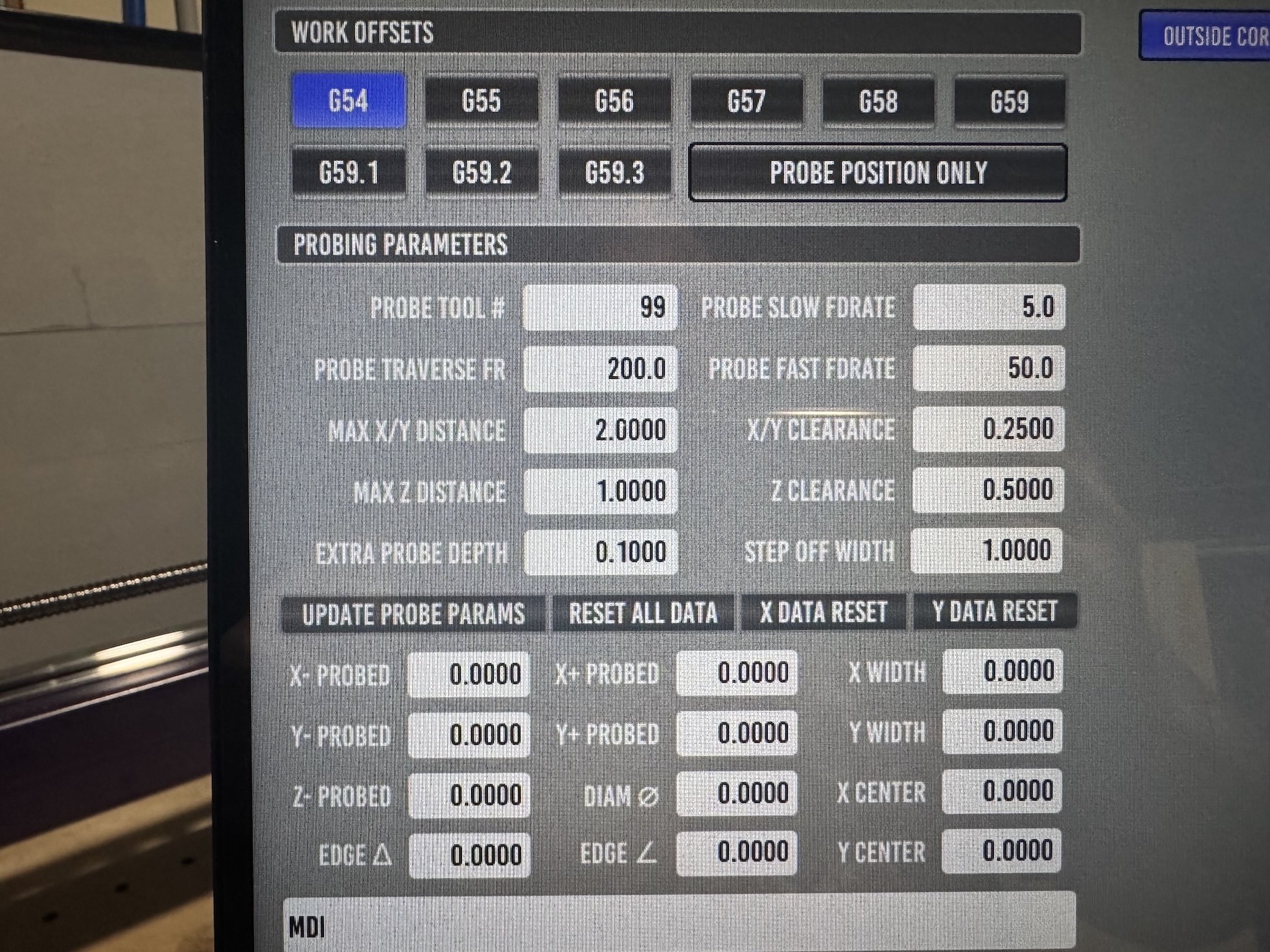
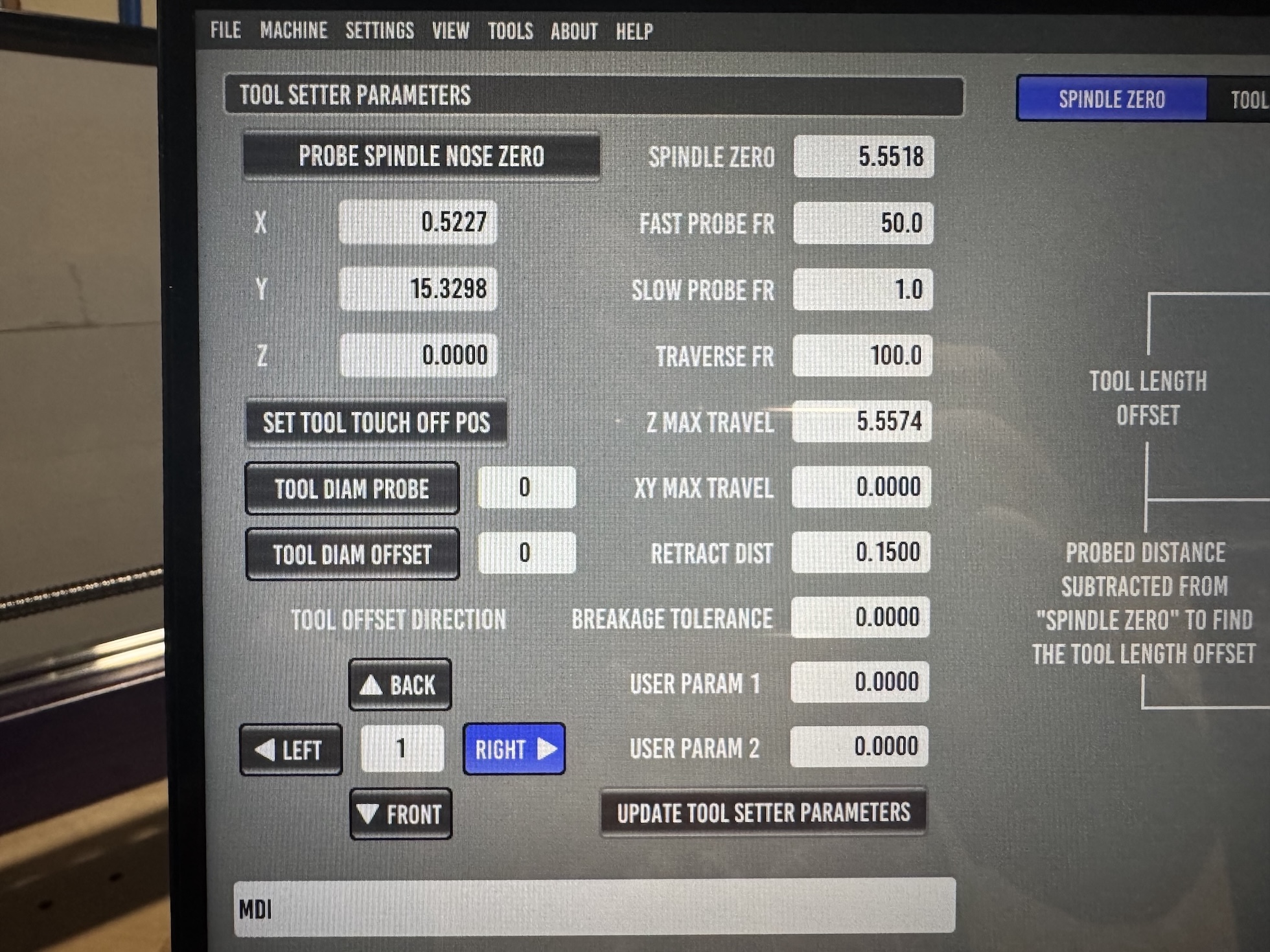
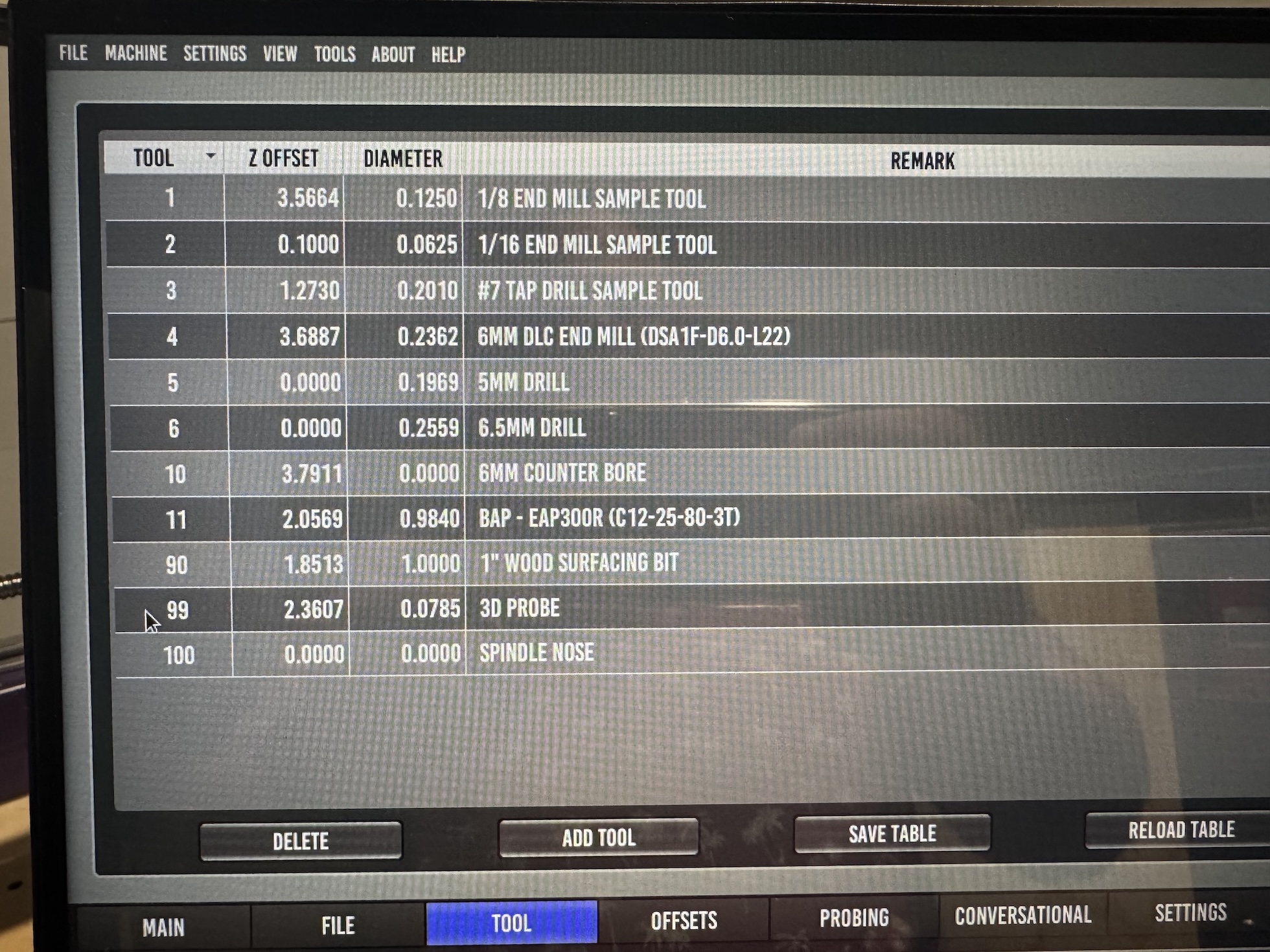
Maybe send as screen shot of your roster settings and probe page settings as well as your z travel.
Attached. I think this is what you were asking for.

Also have you edited your var file and added all of the parameter numbers shown in the probe basic docs so the settings are persistent?

Yes, my ini includes a ref to the var file. Settings are persistent across executions of LinuxCNC. Or at least I think so.

github.com/kello711/linuxcnc/blob/main/c...ntnc/probe_basic.var

Please Log in or Create an account to join the conversation.
More
7 months 1 week ago #344502 by Lcvette
ok, i'm a bit confused, maybe something is wrong but mostly what i see looks ok. you said your z range is Z0 to Z-6.3, but i see your earlier post referencing Z=-7.4953 something doesn't seem to be adding up.

is this a bt30 or is30/20 machine with repeatable holders? or is it an er collet type machine?

i'm trying to figure out where the issue is. maybe a detail written walk through r a video would be easier, i don't see anything wrong off the top of my head but without seeing dro's at time of command or active work offsets etc. triggering a limit isn't hard to do. especially if you have an offset set super close to min or max travel etc.

im not getting any of that behavior nor other reports so i have to assume user error, not to be taken as picking on you, just trying to identify where the issue becomes the issue.

if you are suing non repeatable holders, it may be better to use that type of tool touch off. it basically resets the work coordinate system for each tool so it cuts at the same height as the previous tool without storing tool offsets in the table. this tends to work better for er collet type machines and i think there is a really good touchoff routine by another member on here maybe tootall18 from memory? but that is only if you are an er collet. if you have repeatable holders like bt or iso style then the stock touch off is the correct one to use.

Please Log in or Create an account to join the conversation.
More
7 months 1 week ago #344503 by kello711
This is a PrintNC setup so router style setup with ER20 collet spindle. Workflow wise, I was using a 3d probe for workpiece locating and a tool setter for determining the tool offset each time a tool is loaded. Like you mentioned, since this is a collet setup I touch off each time the tool is loaded. The Z=-7.4953 value is a G54 value that I assume came from the tool offset calculation, but I may be wrong. I can go try to capture some video. It very well may be operator error.

I appreciate all the help.

Please Log in or Create an account to join the conversation.

More
7 months 1 week ago #344507 by Lcvette
yeah some video would be very helpful. so your probe length changing is not really gonna help your cause. it should be fine for x and y, but your z is gonna be all over the place. you will be better off using a non repeatable holder touchoff routine which will basically use the height between the tool setter trigger position and your finished spoilboard. and make z0 the spoilboard surface for your programs. then every tool touch off will reset the work offset based on a calculation between tool setter and spoilboard and new tool touch. other ways to do it also but im not really a router guy so maybe better posting a thread asking for router tool touchoff help from the other users doing that already.

Please Log in or Create an account to join the conversation.

Moderators: KCJ, Lcvette
Time to create page: 0.293 seconds
Powered by Kunena Forum
