
- Posts: 44
- Thank you received: 8
Can't run first job with qtdragon_hd
- ucancallmebob89
- Offline
- Senior Member
-

Less
More
4 years 10 months ago - 4 years 10 months ago #229661
by ucancallmebob89
Can't run first job with qtdragon_hd was created by ucancallmebob89
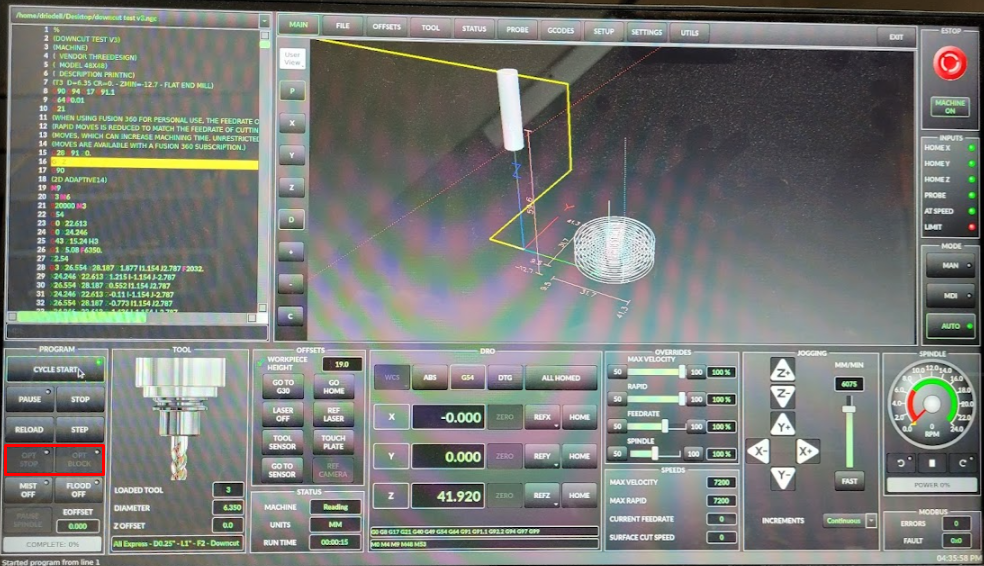
Feeling pretty stumped. I'm trying to run my first job with qtdragon_hd and the "downcut test v3.ngc" program always stops at line 16.
After I started LinuxCNC, I followed these steps:
After I started LinuxCNC, I followed these steps:
- home axes
- select tool
- open my .ngc file
- zero my G54 offsets
- Select AUTO mode on right hand side
- Select CYCLE START
The behavior I'm seeing is the Z axis moves up to Z0 (top of travel) and then down 5mm. Then nothing happens. Looking through the gcode I can't figure out why it would hang on this line.
I can jog just fine, I can interact with the machine over MDI, I can start and stop my spindle with the spindle controls. I'm not sure why it's hanging.
Also, can someone explain to me what the OPT STOP and OPT BLOCK buttons are for?
Last edit: 4 years 10 months ago by ucancallmebob89.
Please Log in or Create an account to join the conversation.
- andypugh
- Offline
- Moderator
-

Less
More
- Posts: 19899
- Thank you received: 4655
4 years 10 months ago #229670
by andypugh
Replied by andypugh on topic Can't run first job with qtdragon_hd
This sounds like a problem with the spindle-at-speed signal.
Can you checl (with Halmeter) if this is true or false at the point where motion stops?
You have the loop set up, but also a call in pyvcp_options.hal that tries to set it. (though I don't see that being called)
Can you checl (with Halmeter) if this is true or false at the point where motion stops?
You have the loop set up, but also a call in pyvcp_options.hal that tries to set it. (though I don't see that being called)
The following user(s) said Thank You: ucancallmebob89
Please Log in or Create an account to join the conversation.
- ucancallmebob89
- Offline
- Senior Member
-
Less
More
- Posts: 44
- Thank you received: 8
4 years 10 months ago #229676
by ucancallmebob89
Replied by ucancallmebob89 on topic Can't run first job with qtdragon_hd
That sounds plausible, I got a bit confused when setting up my HAL files originally. I'll take another look at them tonight after the kids go to bed
Please Log in or Create an account to join the conversation.
- ucancallmebob89
- Offline
- Senior Member
-
Less
More
- Posts: 44
- Thank you received: 8
4 years 10 months ago #229740
by ucancallmebob89
Replied by ucancallmebob89 on topic Can't run first job with qtdragon_hd
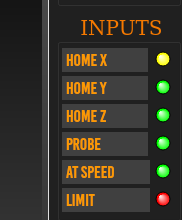
Ok so in trying to clean up my hal files, I'm trying to figure out how to connect these LEDs to the axis home status.
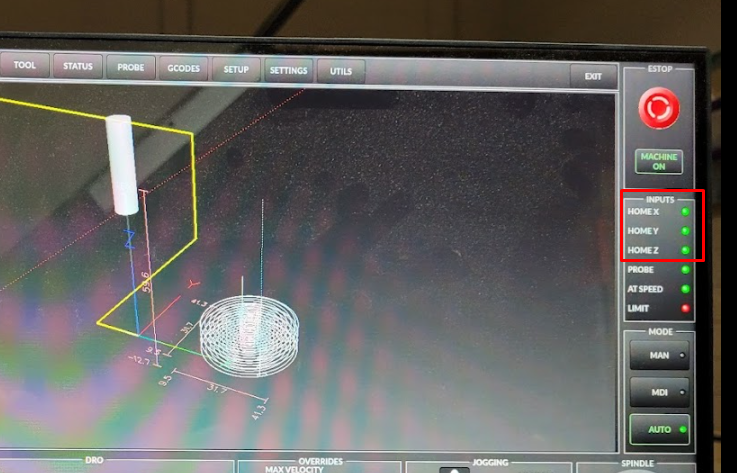
I think each one needs to be connected to the joint.[x].homed pin in my custom_postgui.hal file. I dug into qtdragon_hd.ui and found a widget named "hal_led_home_x", but when I opened qtdragon_hd_handler.py I can't find any reference to this widget. I thought it would have an event handler or something like it.
In custom_postgui.hal I tried to do
but when I launch LinuxCNC it I get a "Pin 'qtdragon.hal_led_home_x' does not exist" error.
I think each one needs to be connected to the joint.[x].homed pin in my custom_postgui.hal file. I dug into qtdragon_hd.ui and found a widget named "hal_led_home_x", but when I opened qtdragon_hd_handler.py I can't find any reference to this widget. I thought it would have an event handler or something like it.
In custom_postgui.hal I tried to do
Code:
net x-is-homed qtdragon.hal_led_home_x <= joint.0.homed
Please Log in or Create an account to join the conversation.
- ucancallmebob89
- Offline
- Senior Member
-
Less
More
- Posts: 44
- Thank you received: 8
4 years 10 months ago #229745
by ucancallmebob89
Replied by ucancallmebob89 on topic Can't run first job with qtdragon_hd
I opened up halmeter and ran the program. When it stops, it looks like all of the spindle-related signals are FALSE except spindle-comm-ok.
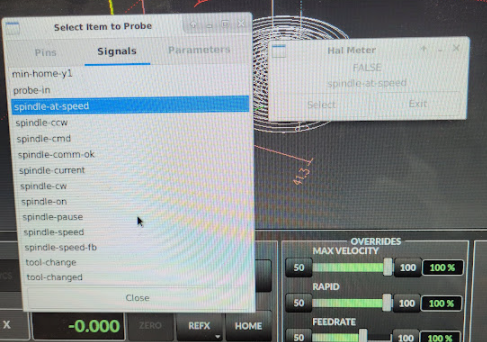
I do have a separate HAL file called vfd.hal that has my spindle signals.
I do have a separate HAL file called vfd.hal that has my spindle signals.
Code:
loadusr -Wn vfd hy_vfd -n vfd -d /dev/serial_vfd -p none -r 9600
setp vfd.enable 1 # this enables the VFD in the driver
net spindle-speed spindle.0.speed-out => vfd.speed-command
net spindle-cw spindle.0.forward => vfd.spindle-forward
net spindle-ccw spindle.0.reverse => vfd.spindle-reverse
net spindle-on spindle.0.on => vfd.spindle-on
net spindle-speed-fb => vfd.spindle-speed-fb
net spindle-current <= vfd.OutA
net spindle-comm-ok <= vfd.hycomm-ok
net spindle-at-speed => vfd.spindle-at-speed
net spindle-at-speed <= spindle.0.at-speed
Please Log in or Create an account to join the conversation.
- hottabich
- Offline
- Platinum Member
-

Less
More
- Posts: 574
- Thank you received: 96
4 years 10 months ago #229747
by hottabich
Replied by hottabich on topic Can't run first job with qtdragon_hd
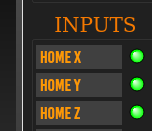
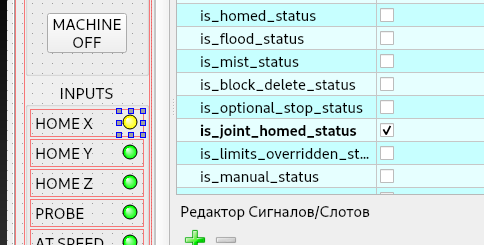
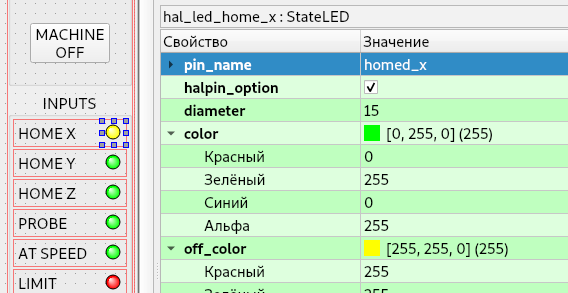
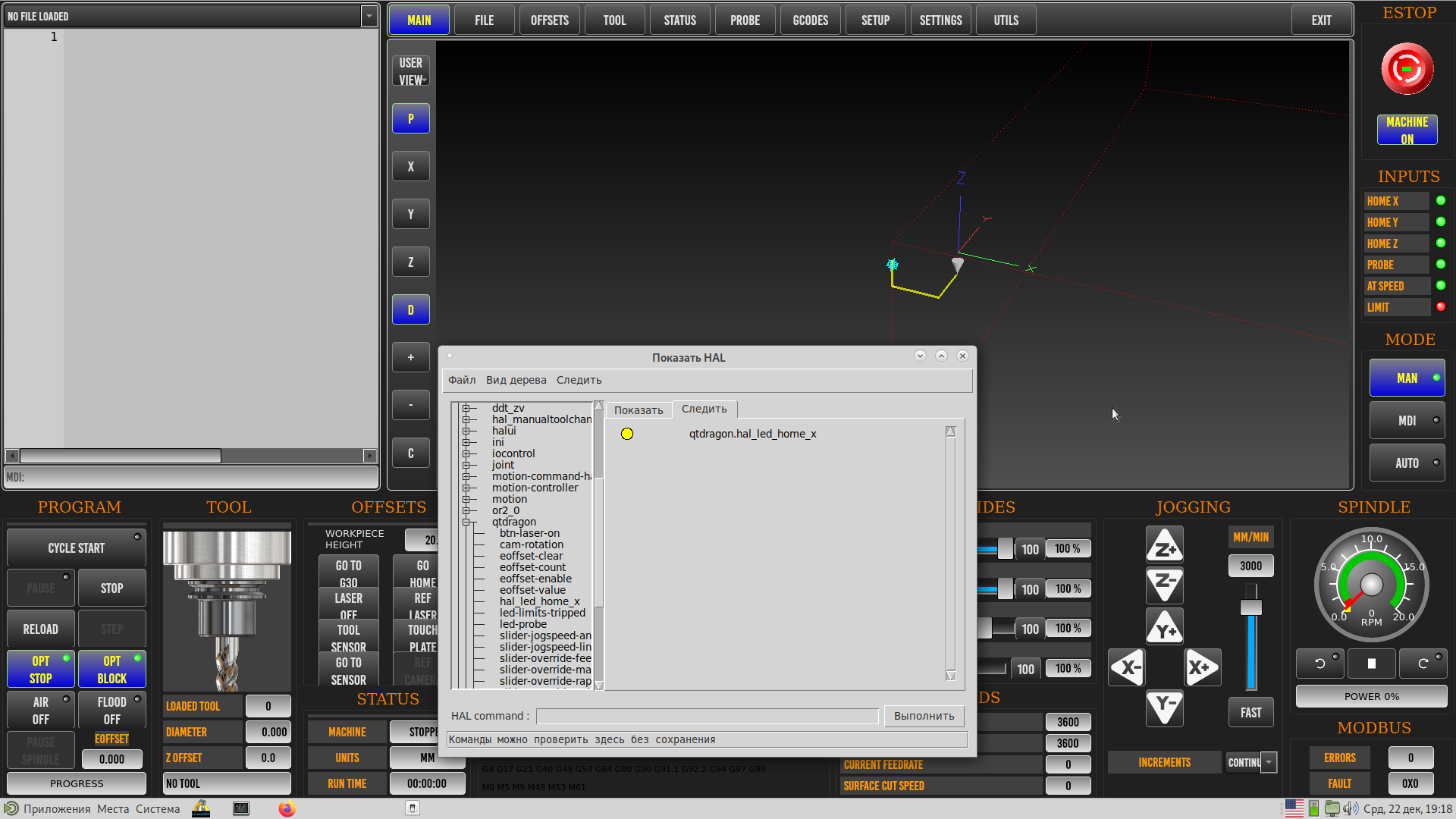
Hello. This is StateLed. In the designer, you need to change off_color to a different color. And to get hal_pin_x, you need to select it in the designer. I think the screenshots will help you.
The following user(s) said Thank You: ucancallmebob89
Please Log in or Create an account to join the conversation.
Moderators: cmorley
Time to create page: 2.836 seconds