Proper Single Block (fanuc/siemens style)

More
4 years 4 months ago #244824 by fsabbatini
Hi Andy,
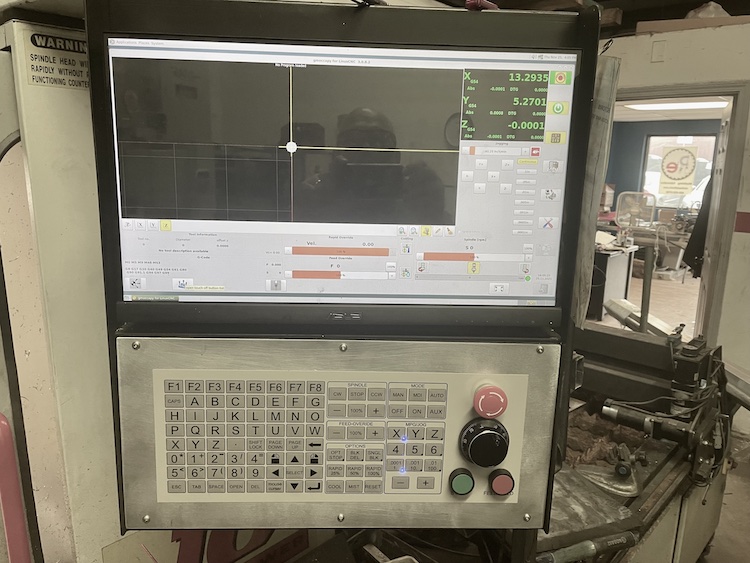
On the current version, there is not a SINGLE BLOCK, just a stepping mode where first you need to pause, then continue with not RUN but with STEP.
On every industrial CNC you can just press a button called SBL (single block) and the machine will stop when the current block is done. After it on every "cycle start" press, it will just move block by block (only motion, calculations is stepped all over until next motion). Also, the inverse behavior is valid, while is on single block and the current movement is executing, you can remove the single block just with a button and the motion will not stop...

To finish my explanation, there is an awful bug on the current version that if you press STEP several times while executing the current step it will just do as many STEPS as clicks on STEP button.

Regards
Franco!
The following user(s) said Thank You: HalaszAttila

Please Log in or Create an account to join the conversation.

More
3 years 11 months ago #257736 by microsprintbuilder
I too would like to know how to fix this. I have made some button panels and would like to use the single step button like on my other machines that still have commercial controls. A little off topic Id like to get the run from line to work like a commercial controller as well. My g-code post processor puts out safe start lines at every new operation so I don't need all that extra stuff the current way works. It causes my machine to multiple tool changes to get to where you selected.

Please Log in or Create an account to join the conversation.

Time to create page: 0.174 seconds
Powered by Kunena Forum