
- Posts: 4819
- Thank you received: 2177
VTK based version of Vismach
- Aciera
- Offline
- Administrator
-

Less
More
11 months 2 weeks ago #338450
by Aciera
Replied by Aciera on topic VTK based version of Vismach
I certainly could but would we want to make the python vtk module a runtime dependency?
Please Log in or Create an account to join the conversation.
- andypugh
- Offline
- Moderator
-

Less
More
- Posts: 19899
- Thank you received: 4655
11 months 2 weeks ago #338577
by andypugh
Replied by andypugh on topic VTK based version of Vismach
It's 52MB on top of a stock Bookworm install.
What was your motivation for doing it? Do you think that others will share that motivation?
What was your motivation for doing it? Do you think that others will share that motivation?
Please Log in or Create an account to join the conversation.
- Aciera
- Offline
- Administrator
-
Less
More
- Posts: 4819
- Thank you received: 2177
11 months 2 weeks ago #338605
by Aciera
Replied by Aciera on topic VTK based version of Vismach
The current opengl implementation seems dated. For example setting transparency has been broken for a while now. I'm interested in more complex simulation models that can, among other things, load 3d geometry at runtime and have a more modern look while still offering a reasonably manageable learning curve.
I had a look at using modern opengl but it is more complex than the old style we currently use and I could not get a grip on it.
ProbeBasic uses vtk for its preview display, so I had a look at that and found it quite easy to work with.
I guess it's a situation similar to GUI development, we could just have gone on using tkinter, which comes with every python installation, but GTK and later PyQt (which is also required for this variant of vismach) offered so much more capability.
For somebody who wants to build a simulation model vtk-vismach will certainly offer new opportunities but building simulation models is rather a niche activity so I'm not sure it is worth adding yet another library at this point.
I had a look at using modern opengl but it is more complex than the old style we currently use and I could not get a grip on it.
ProbeBasic uses vtk for its preview display, so I had a look at that and found it quite easy to work with.
I guess it's a situation similar to GUI development, we could just have gone on using tkinter, which comes with every python installation, but GTK and later PyQt (which is also required for this variant of vismach) offered so much more capability.
For somebody who wants to build a simulation model vtk-vismach will certainly offer new opportunities but building simulation models is rather a niche activity so I'm not sure it is worth adding yet another library at this point.
Please Log in or Create an account to join the conversation.
- Vegko
- Offline
- New Member
-

Less
More
- Posts: 5
- Thank you received: 3
3 weeks 6 days ago #350105
by Vegko
Replied by Vegko on topic VTK based version of Vismach
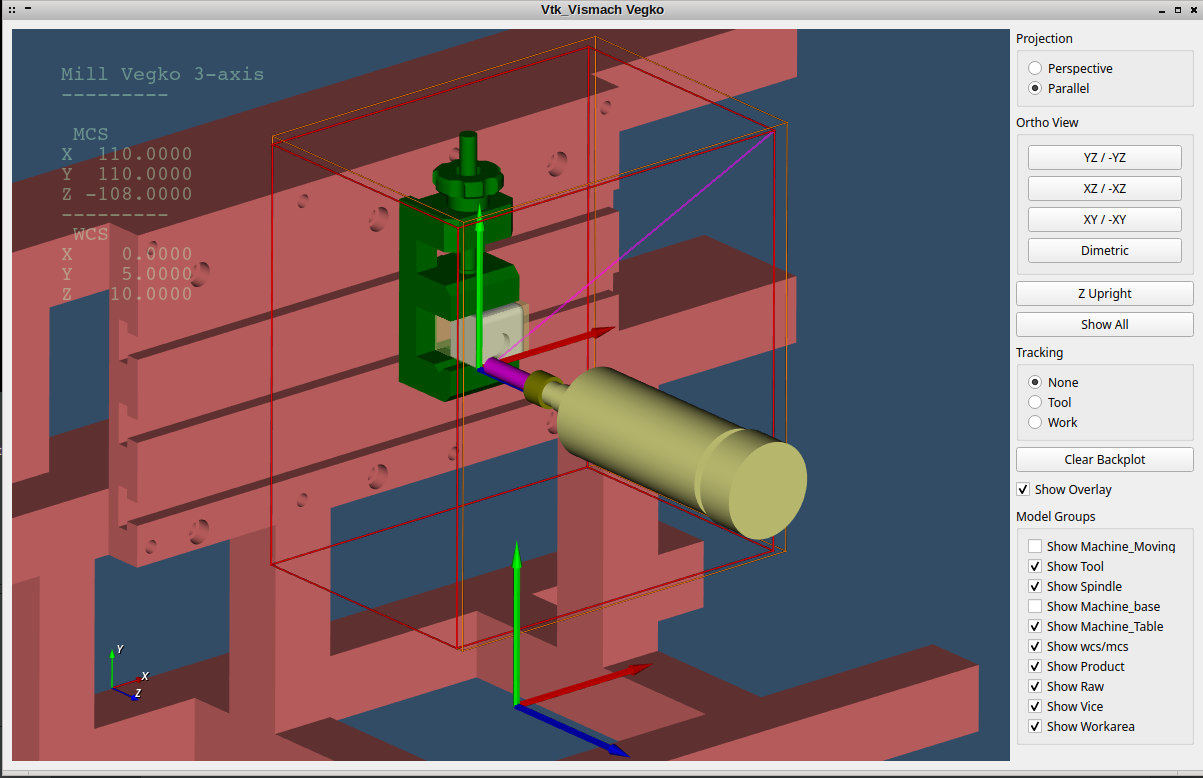
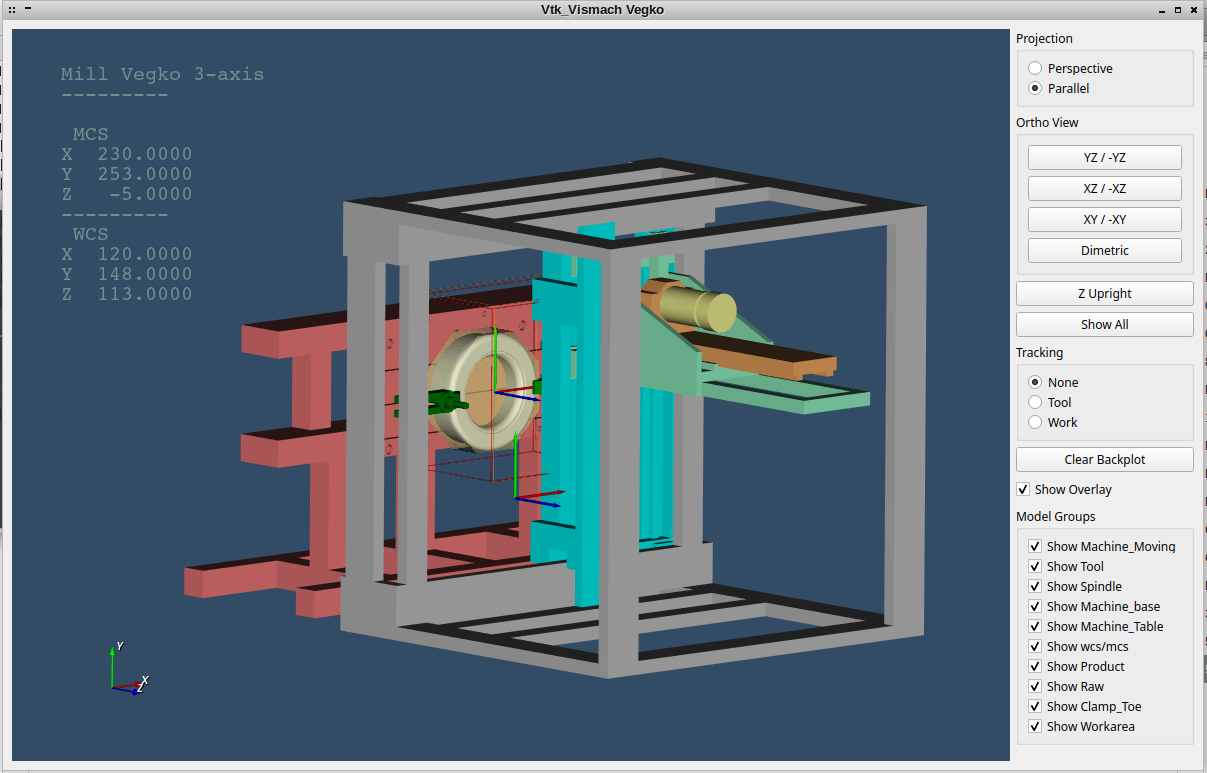
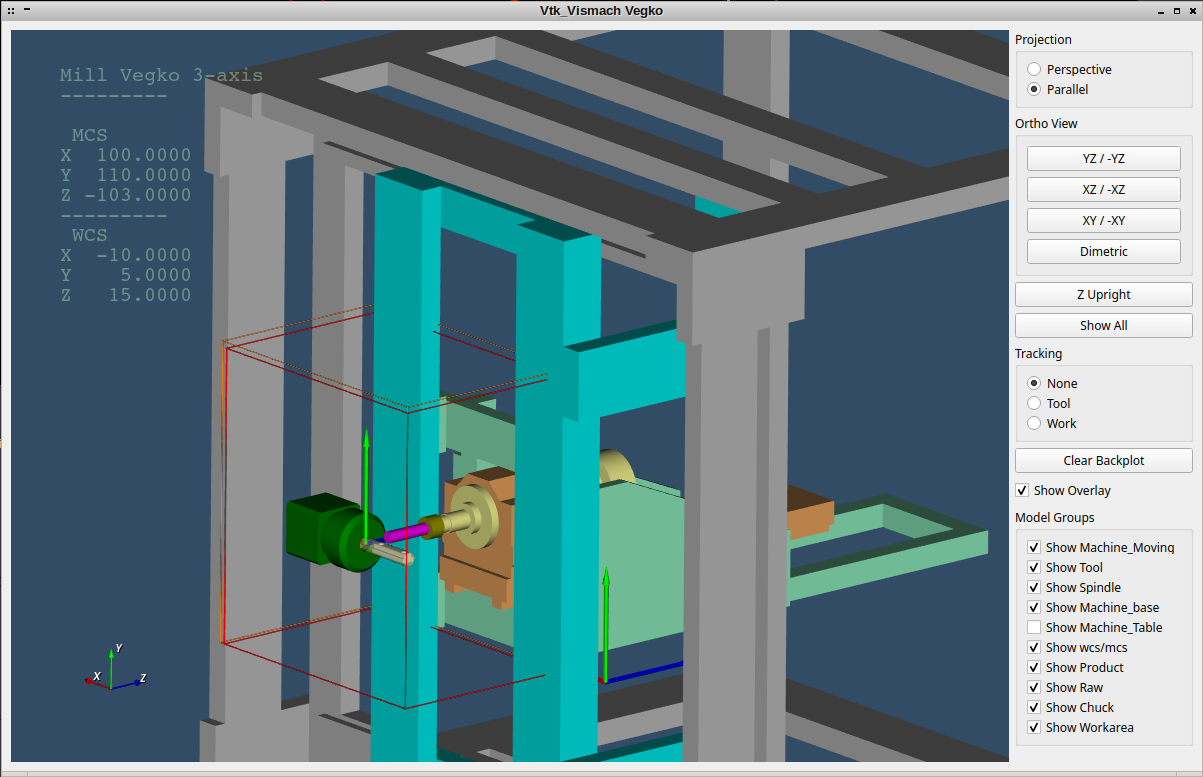
I have converted my old vismach to this VTK and i must say that i am impressed with it!
My configuration is only a simple 3 axis machine.
In the attachments, my configuration (vtkvismach is in the config folder) and 3d files (these go in your nc_files folder)
Some pro's for the new VTK implementation, in my opinion:
The pins necessary for my HUD are now created in "custom.hal".
Also i added a few extra lines (classes) to vtk_vismach.py, some for my own preferences/use
My configuration is only a simple 3 axis machine.
In the attachments, my configuration (vtkvismach is in the config folder) and 3d files (these go in your nc_files folder)
Some pro's for the new VTK implementation, in my opinion:
- Smaller stl from freecad (old vismach you needed to export as .ast, now normal .stl)
- In less lines you can configure your machine.
- Model groups are a real nice way to toggle off machine components you don't want to see during simulation.
- Transparent stock!
- Runs from you config folder stand alone.
- You can start it while your program is already running, or even if your machine is not homed yet.
- Quick switching of the viewing planes.
The pins necessary for my HUD are now created in "custom.hal".
Also i added a few extra lines (classes) to vtk_vismach.py, some for my own preferences/use
- ini_work_file:
ini file reading, i use a ini file in the NC folder to specify my Job, in the ini file you can state your workpiece, raw stock and the work holding. In my example the files are read from the nc_files folder.- Syntax:
- Product_stl=ini_work_file('WorkpieceModel', 'solidname').database_read(INI_Path_File)
- Syntax:
- Polygon:
enter a polygon solid in Z direction (for example: used for my stock creation from hexbar to round)- Syntax:
- Polygon((comp),x_center, y_center, z_center, length, radius, number_sides, inscribed)
- number_sides = number of polygon sides
- inscribed = boolean = if the given radius is: read as inscribed, measured on flats (1) or measured on the points (0).
- Syntax:
- ThreadBox:
Creates a box of "wiremess" (for example: used for my working area)- Syntax:
- Polygon((comp),xmin, ymin, zmin, xmax, ymax, zmax, radius, sradius)
- xyz min and max for your corners.
- radius = the radius of the ribs.
- sradius = the radius of the sphers on the corners.
- Syntax:
- Small aditions, icon, View_Ori and TextHeightButtons (to keep the screen small with to many model groups).
- Made parallel the starting option.
- Changed "show overlay" from radio button to check box
- CylinderOriented, this function won't work if xystart and xyend are equal. i added some (brute force) logic to check and bypass the used matrix.
The following user(s) said Thank You: COFHAL
Please Log in or Create an account to join the conversation.
Time to create page: 0.140 seconds