WHB04B-6 Manual Pulse Coder

More
9 years 6 months ago - 9 years 6 months ago #91014 by smalla
Replied by smalla on topic WHB04B-6 Manual Pulse Coder
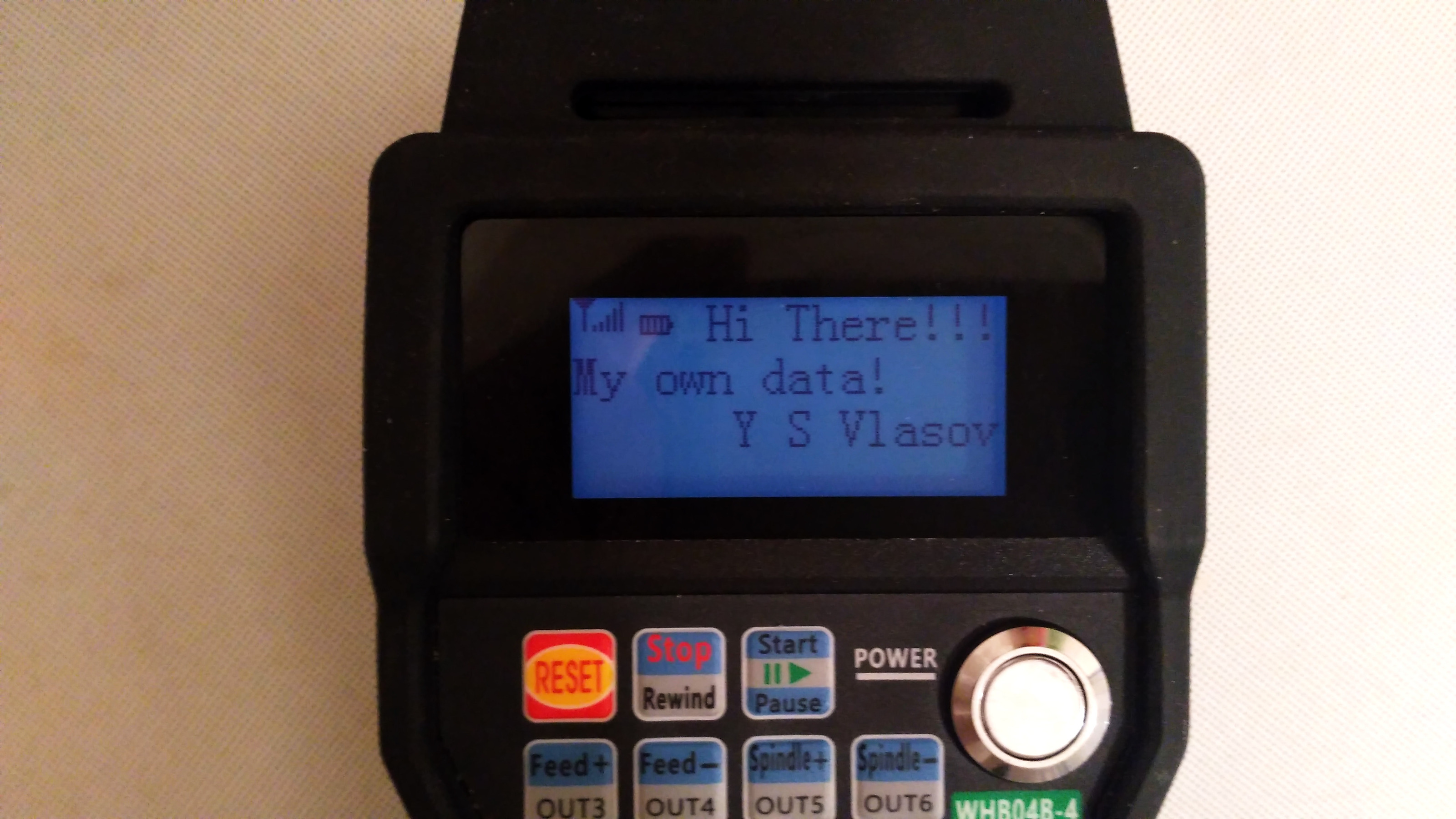
There were too many changes to guide you step be step, if I remember well, need to change 9 files, basically I copied the xhc04 files as a base, and added/ changed the code for whb04. But it still a work in progress, buttons are all working, but no FN secondary functions yet. Display isn't working at all. I will attach the files here for reference, but won't support them. Need to copy the files to their location in the source tree, and build binaries for yourself.
Last edit: 9 years 6 months ago by smalla. Reason: Attaching Files
The following user(s) said Thank You: nebelnoir

Please Log in or Create an account to join the conversation.

More
9 years 6 months ago #91032 by nebelnoir
Thank you. I'll try to improve it

Please Log in or Create an account to join the conversation.
More
9 years 5 months ago - 9 years 5 months ago #92937 by nebelnoir
for rewers inginering - on windows:
1. install mach3-demo
2. install USBLizer www.usblyzer.com/ trial (prefered) or free device monitoring studio freeserialanalyzer.com/features
3. do installetion instruction from WHB04B-4 CD:
3.1. Delete all file ShuttlePro.Vxx.dll in the directory mach3\plugins
3.2. Copy ShuttlePro-V5.32.dll files to the directory Mach3\plugins\ directory (parallel port card users please copy ShuttlePro-V5.51.dll driver files)
3.3. Copy the M930.m1s file to the..Mach3\macros\Mach3Mill directory
3.4. Copy the M999.m1s file to the..Mach3\macros\Mach3Mill directory
3.5. Copies of M200.m1s, M201.m1s, M202.m1s, M203.m1s, M204.m1s, M205.m1s, M206.m1s, M207.m1s, M208.m1s, M209.m1s to the directory ..Mach3\macros\Mach3Mill
3.6. Open the Mach3 Software.. click settings-> settings plug-in->ShuttlePro-V5.32-XHC-HB04B-FOR-MACH3,enalbe the plugin in front of the choice.
4 in software [2.] select your device and start capture
5 run mach3
6 do different actions with pendant and mach3 software
Last edit: 9 years 5 months ago by nebelnoir.
The following user(s) said Thank You: smalla

Please Log in or Create an account to join the conversation.

More
9 years 5 months ago - 9 years 5 months ago #92938 by nebelnoir
Several additional important things:

I.
MPG:
04 XX XX XX XX XX 02- XX - MPG +2
04 XX XX XX XX XX 03- XX - MPG +3
04 XX XX XX XX XX 04- XX - MPG +4
..
..
04 XX XX XX XX XX FF- XX - MPG -1
04 XX XX XX XX XX FE- XX - MPG -2
..
..
04 XX XX XX XX XX 00 XX - MPG idle

II.
when usb radio module is pluged in:
04 XX 00 00 00 00 00 XX
04 XX 00 00 XX XX 00 XX (if pendant is on)
when usb radio module is pluged out:
04 XX 00 00 00 00 00 XX
00 00 00 00 00 00 00 00

III.
Buttons:
04 XX 00 XX XX XX XX XX - no button is pressed

IV.
Buttons if "Fn" is pressed:
04 XX 0C 01 XX XX XX XX - Reset
04 XX 0C 02 XX XX XX XX - Rewind (Stop)
04 XX 0C 03 XX XX XX XX - Start/Pause
04 XX 0C 04 XX XX XX XX - OUT3 (Feed+)
04 XX 0C 05 XX XX XX XX - OUT4 (Feed-)
04 XX 0C 06 XX XX XX XX - OUT5 (Spindle+)
04 XX 0C 07 XX XX XX XX - OUT6 (Spindle-)
04 XX 0C 08 XX XX XX XX - OUT7 (Morigin <-)
04 XX 0C 09 XX XX XX XX - Safe-Z (/2)
04 XX 0C 0A XX XX XX XX - Probe-Z (Worigin <-)
04 XX 0C 0B XX XX XX XX - Spindle On/off
04 XX 0C 0D XX XX XX XX - Switch Coorinate

V.
from computer to device:
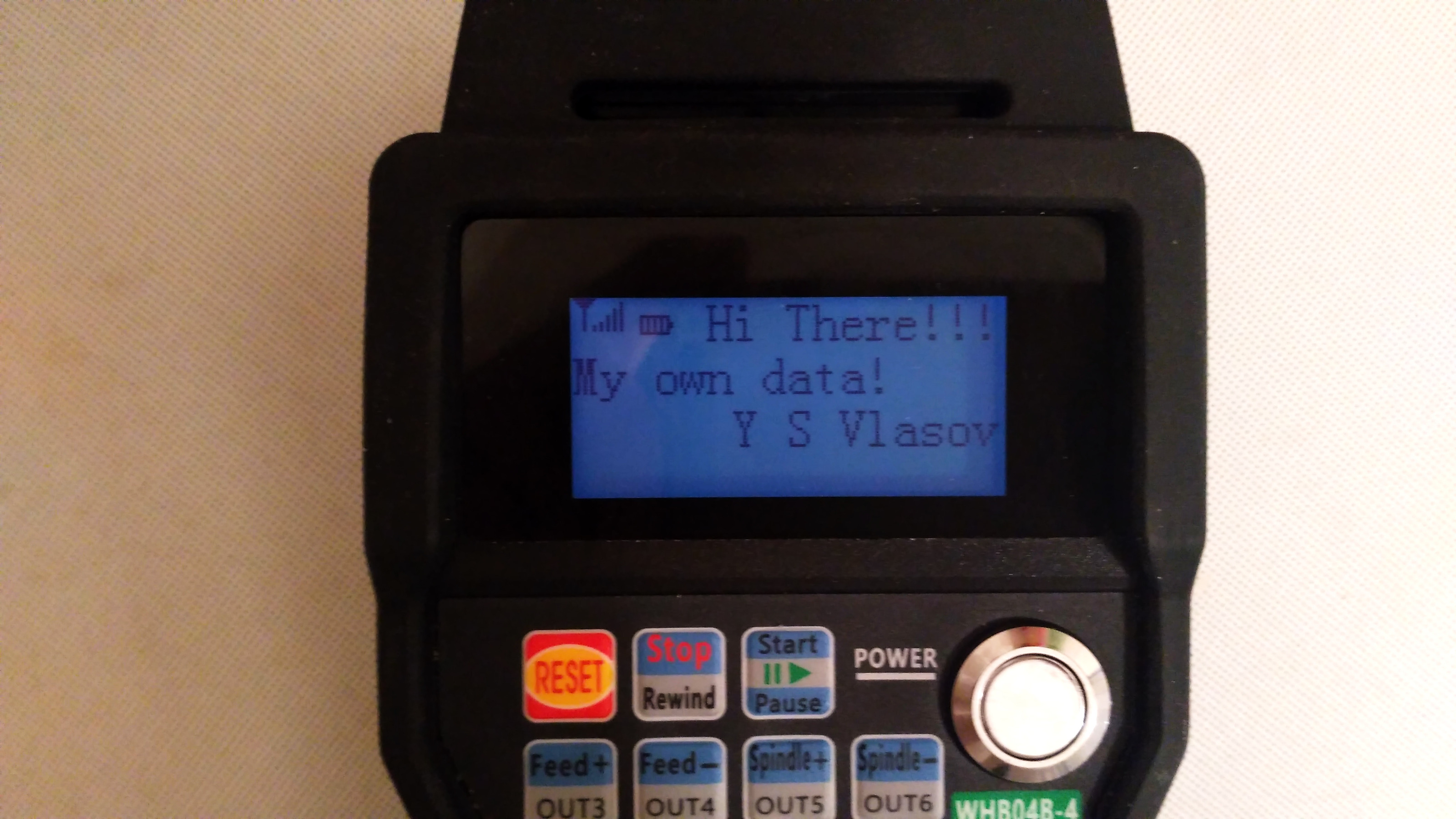
06 FE FD 09 XX XX XX XX
06 XX XX XX XX XX XX XX
06 XX XX XX XX 00 00 00

for example:
06 FE FD 09 52 45 53 45 //.??.RESE//
06 54 20 20 20 20 31 58 //.T 1X//
06 58 3A 30 2E 34 35 32 //.X:0.452//
06 30 20 20 20 20 20 20 //.0 //
06 20 20 46 3A 36 20 20 //. F:6 //
06 53 3A 30 20 20 20 20 //.S:0 //
06 20 20 20 20 00 00 00 //. ...//
(2 ascii characters instead "??")

I suppose, you can put there any infirmation.
1st string 11 signs,
2nd string 16 signs,
3rd string 16 signs.
(in mach3: RESET(or several spaces), several spaces, step rate, current axis position, several spaces, feed, 2 spaces, speed, several spaces)
("RESET 100XY:-10.3400 F:1000 S:500 ")
Last edit: 9 years 5 months ago by nebelnoir.
The following user(s) said Thank You: smalla

Please Log in or Create an account to join the conversation.
More
9 years 5 months ago #92963 by smalla
Replied by smalla on topic WHB04B-6 Manual Pulse Coder
I have forked the master branch on github to smalla/linuxcnc if anyone interested.
The code is in the process of properly handle the simultaneous two button pressing (fn).
The concept is that any button can be a function button, which defined in the config.
From the two buttons a unique code is generated (cantored) which identified and can be passed to linuxcnc as a pin.

Any help is welcome :)

Please Log in or Create an account to join the conversation.

More
9 years 5 months ago - 9 years 5 months ago #93103 by nebelnoir
I presume to use this with the GRBL project with own interface.
A little bit later I'll attach the project for Qt creator for using this device.
One problem: works under Linux, but under Windows 10 the libusb library gives an error on sending data "an incorrect parameter" (control transfer), although the get data is working (interrupt transfer).

libusb_control_transfer(handle, 0x21, 0x09, 0x0306, 0, data, 8/*sizeof(data)*/, 0);
Last edit: 9 years 5 months ago by nebelnoir.

Please Log in or Create an account to join the conversation.

Time to create page: 0.215 seconds
Powered by Kunena Forum
