
Tool life tracking with tooldata
- spacestate1
- Offline
- Senior Member
-

- Posts: 59
- Thank you received: 10
Not sure how well known it is, or how much development time it has gotten. Looks like it's been around since 2021.
Please Log in or Create an account to join the conversation.
- Aciera
-

- Offline
- Administrator
-

- Posts: 4819
- Thank you received: 2176
linuxcnc.org/docs/devel/html/tooldatabase/tooldatabase.html
For example, a db_program database application can maintain the operating hours for all tools by tracking each load/unload of a tool. A machine could then have three 6 mm endmills in pockets 111, 112, and 113 with the database application programmed to assign tool number 110 to the 6 mm endmill with the fewest operating hours. Then, when a LinuxCNC program requests tool 110, the database would specify the appropriate pocket based on tool usage history.
Please Log in or Create an account to join the conversation.
- spacestate1
- Offline
- Senior Member
-
- Posts: 59
- Thank you received: 10
I think this is a useful feature. Here's what I've put together so far, it's still a work in progress and I want to make it work with the database structure from here
wiki.linuxcnc.org/cgi-bin/wiki.pl?ToolDatabase
My branch:
github.com/spacestate1/linuxcnc/tree/master
Please Log in or Create an account to join the conversation.
- spacestate1
- Offline
- Senior Member
-
- Posts: 59
- Thank you received: 10
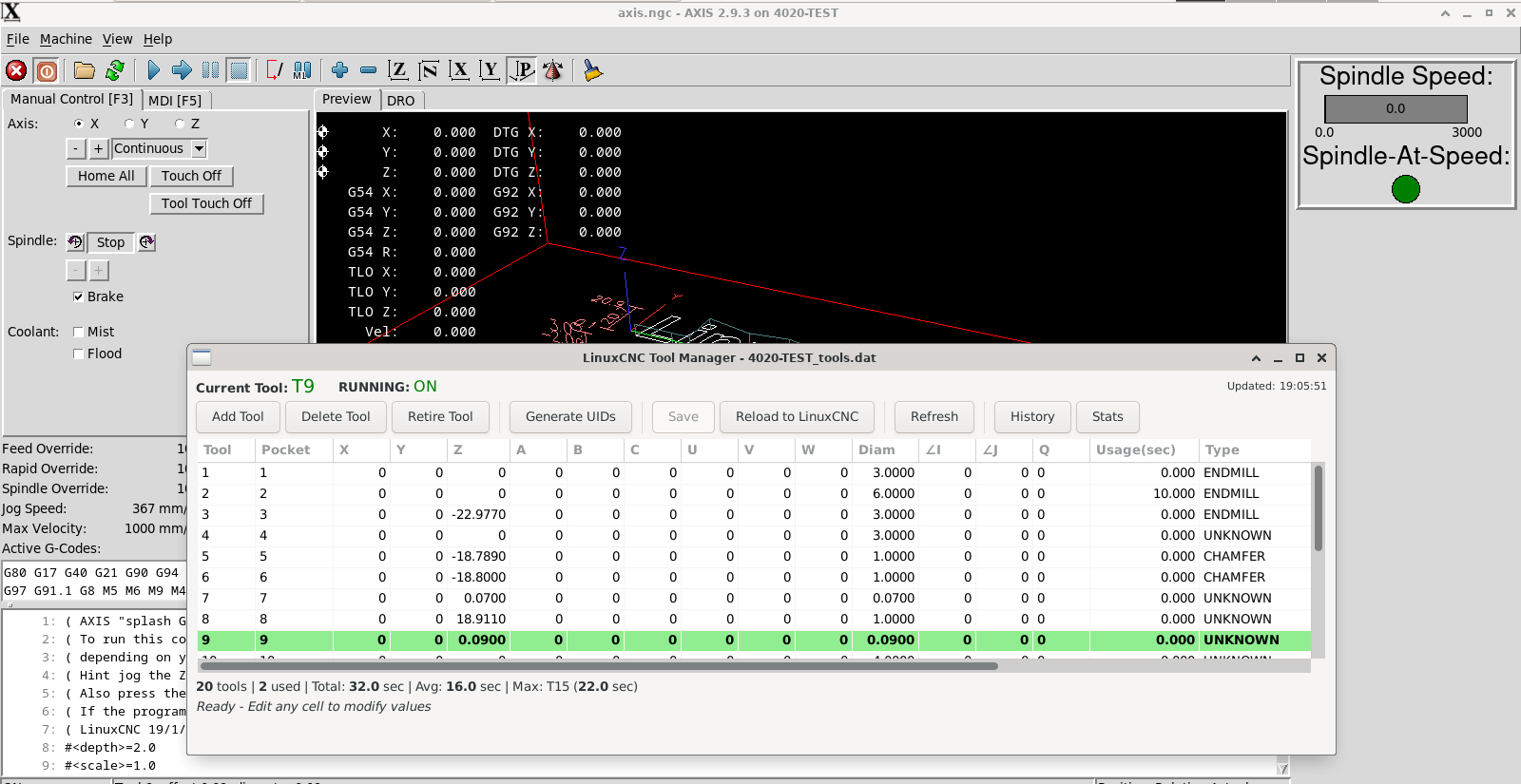
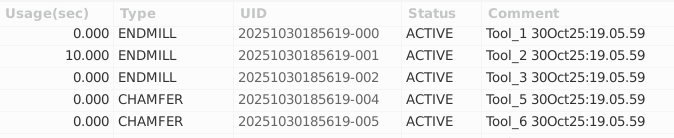
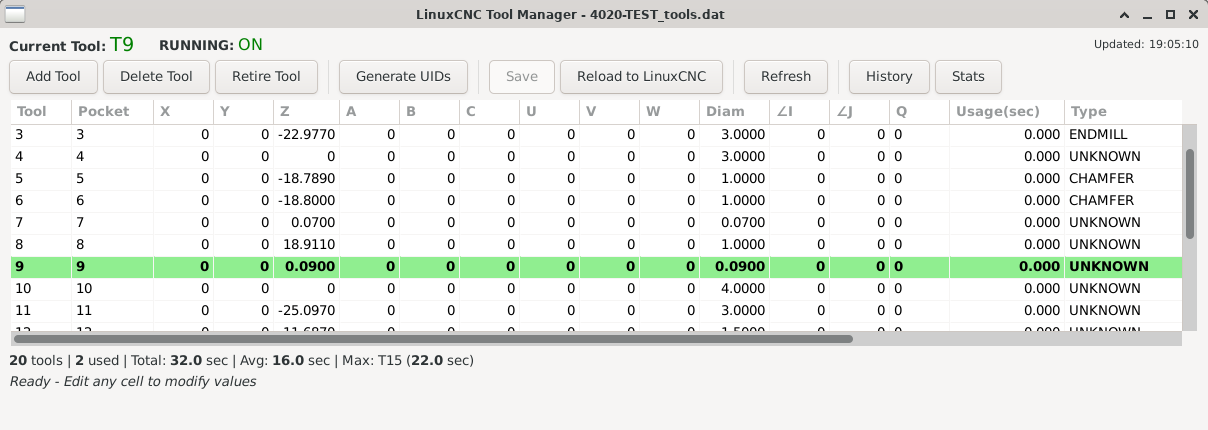
Here is a tool usage track for LinuxCNC it used the existing tool db api code to get the information it uses. It does take the place of the current linuxCNC tool table so be aware of this.
It tracks tool usage time (somewhat accurate, +/-3 sec) it's also not super accurate with drilling.
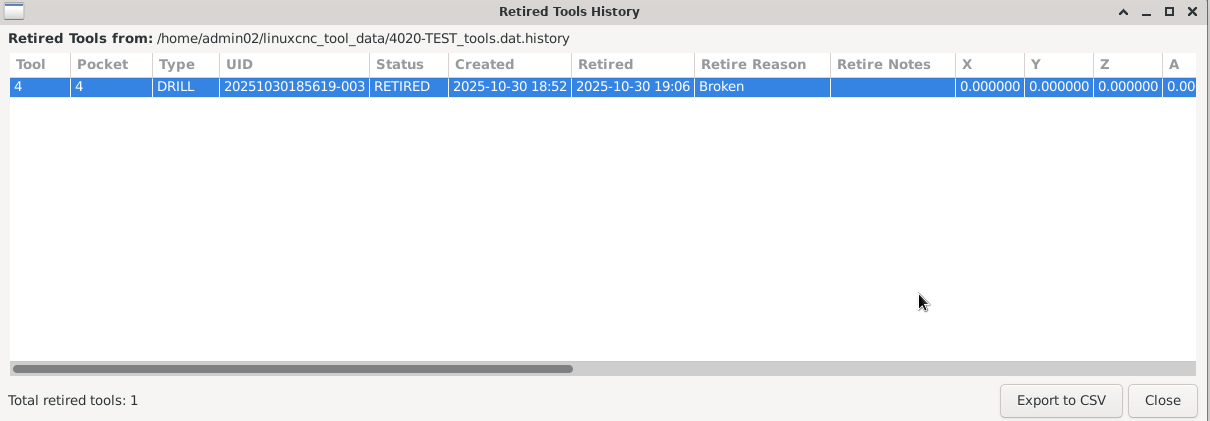
There's also a tool retirement feature and tool UID tagging so tool wear and breaks can be tracked.
The attached Debian also contains all the source to build this, and it's MIT so have at it.
INSTRUCTIONS:
INSTALL THE PACKAGE
Install with dpkg:
sudo dpkg -i linuxcnc-db-tool_1.0.0_amd64.deb
This installs:
/usr/local/bin/db_tool - Main daemon
/usr/local/bin/db_tool_manager - GUI manager
/usr/local/bin/db_tool_monitor - GUI viewer
/usr/local/share/linuxcnc-db-tool/ - Documentation & examples
STEP 3: CONFIGURE LINUXCNC
Edit your LinuxCNC INI file and add:
[EMCIO]
DB_PROGRAM = /usr/local/bin/db_tool /path/to/your/tool_table.tbl
Example:
[EMCIO]
DB_PROGRAM = /usr/local/bin/db_tool /home/cnc/linuxcnc/configs/my_mill/tool.tbl
STEP 4: START LINUXCNC
Start LinuxCNC as normal. The tool database daemon will:
Start automatically
Launch the GUI manager (if enabled)
Begin tracking tool usage
Please Log in or Create an account to join the conversation.
- 3D-Master
- Offline
- Elite Member
-

- Posts: 238
- Thank you received: 5
Please Log in or Create an account to join the conversation.
- Becksvill
- Offline
- Elite Member
-
- Posts: 224
- Thank you received: 115
Please Log in or Create an account to join the conversation.
- meister
- Offline
- Platinum Member
-

- Posts: 805
- Thank you received: 502

Please Log in or Create an account to join the conversation.