
Huanyang FC01 modbus
- Lpkkk
- Offline
- Senior Member
-

Less
More
- Posts: 58
- Thank you received: 5
15 Nov 2025 10:30 #338454
by Lpkkk
Huanyang FC01 modbus was created by Lpkkk
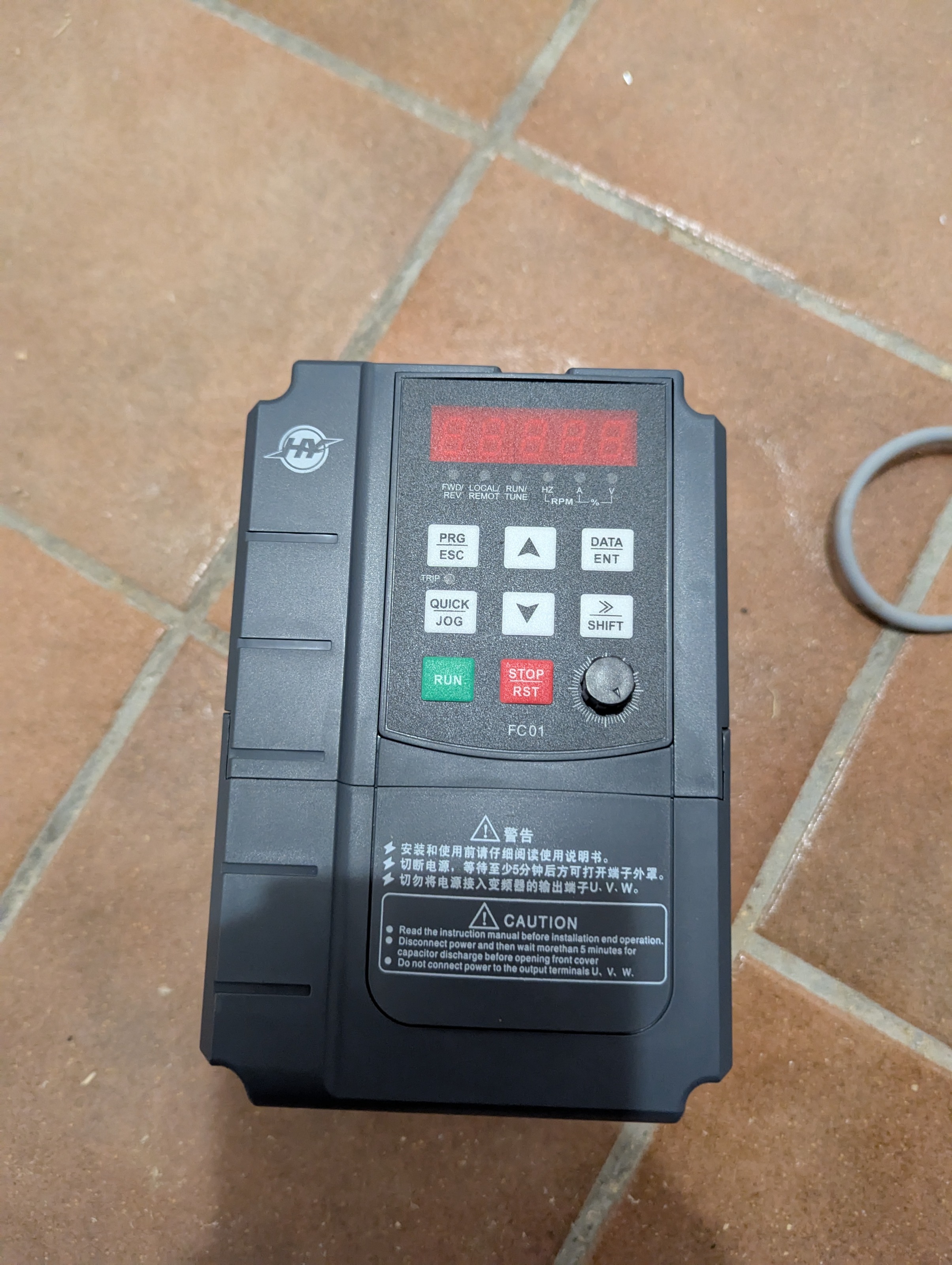
Hi guys, previously I've been using hy inverter which worked well with hy_vfd via modbus. After it failed I've bought huanyang FC01 and connected the same way. Unfortunately with the same configuration it didn't work straight out of the box as I expected. Did anyone succeed with FC01 model?
Please Log in or Create an account to join the conversation.
- Hakan
- Offline
- Platinum Member
-

Less
More
- Posts: 1317
- Thank you received: 454
15 Nov 2025 11:12 #338455
by Hakan
Replied by Hakan on topic Huanyang FC01 modbus
The manual www.huanyangvfd.com/wp-content/uploads/2.../FC01-Series-VFD.pdf says it uses Modbus, did you try that?
Please Log in or Create an account to join the conversation.
- Lpkkk
- Offline
- Senior Member
-
Less
More
- Posts: 58
- Thank you received: 5
15 Nov 2025 12:00 #338456
by Lpkkk
Replied by Lpkkk on topic Huanyang FC01 modbus
Same as the previous one. Same wiring. Same usb adapter.
Please Log in or Create an account to join the conversation.
- Hakan
- Offline
- Platinum Member
-
Less
More
- Posts: 1317
- Thank you received: 454
15 Nov 2025 12:24 #338458
by Hakan
Replied by Hakan on topic Huanyang FC01 modbus
Try Modbus. hy_vfd isn't Modbus.
Please Log in or Create an account to join the conversation.
- Lpkkk
- Offline
- Senior Member
-
Less
More
- Posts: 58
- Thank you received: 5
15 Nov 2025 20:14 #338467
by Lpkkk
Replied by Lpkkk on topic Huanyang FC01 modbus
You mean like writing my own hal component?
Where can I find some more info?
Where can I find some more info?
Please Log in or Create an account to join the conversation.
- Lpkkk
- Offline
- Senior Member
-
Less
More
- Posts: 58
- Thank you received: 5
23 Nov 2025 17:41 #339065
by Lpkkk
Replied by Lpkkk on topic Huanyang FC01 modbus
Based on modbus specification in this inverter manual I wrote a python program to steer vfd. Things so far I did (maybe useful for someone) :
1)connect Huanyang FC01 to 485-usb and then to rpi4 with linuxcnc
2)set jumper 4 to On on vfd to enable communication
3)program vfd:
P00.01 = 2
P00.06 = 8
P00.07 = 1
P00.09 = 0
P14.00 = 1
P14.01 = 3
P14.02 = 0
4)start my vfd_monitor
After those steps I was able to connect successfully and drive my spindle.
Next step will be to integrate it somehow with linuxcnc
1)connect Huanyang FC01 to 485-usb and then to rpi4 with linuxcnc
2)set jumper 4 to On on vfd to enable communication
3)program vfd:
P00.01 = 2
P00.06 = 8
P00.07 = 1
P00.09 = 0
P14.00 = 1
P14.01 = 3
P14.02 = 0
4)start my vfd_monitor
After those steps I was able to connect successfully and drive my spindle.
Next step will be to integrate it somehow with linuxcnc
Please Log in or Create an account to join the conversation.
- Lpkkk
- Offline
- Senior Member
-
Less
More
- Posts: 58
- Thank you received: 5
25 Nov 2025 19:46 - 25 Nov 2025 20:01 #339219
by Lpkkk
Replied by Lpkkk on topic Huanyang FC01 modbus
How use MB2HAL with Huanyang FC01 :
1) Install userspace component if you don't have it:sudo apt install linuxcnc-uspace linuxcnc-uspace-dev
2) create fc01_vfd.ini3) create vfd.hal4) add vfd.hal to your machine ini file
1) Install userspace component if you don't have it:sudo apt install linuxcnc-uspace linuxcnc-uspace-dev
2) create fc01_vfd.ini
[MB2HAL]
# === Serial Port Settings ===
TYPE=rtu
DEVICE=/dev/ttyUSB0
BAUD=9600
PARITY=E
STOPBITS=1
DATABITS=8
SLAVE=1
POLL_RATE=100 ; ms
#=========================================================
# WRITE REGISTERS
# =========================================================
# HAL pin: hy.fc01.control → Modbus register 0x2000
# Example values:
# 0x0001 = Forward Run
# 0x0002 = Reverse Run
# 0x0005 = Stop
# 0x0006 = E-Stop
# 0x0007 = Reset Fault
[WR_REG_1]
MBREG=0x2000
HALPIN=hy.fc01.control
TYPE=u16
# HAL pin: hy.fc01.freq_set → FC01 expects freq ×100
# Write float in Hz, MB2HAL will convert via SCALE
[WR_REG_2]
MBREG=0x2001
HALPIN=hy.fc01.freq_set
TYPE=float
SCALE=100 ; multiply when writing
# =========================================================
# READ REGISTERS
# =========================================================
# Output frequency (×100)
[RD_REG_1]
MBREG=0x3001
HALPIN=hy.fc01.freq
TYPE=float
SCALE=0.01 ; divide when reading
# Bus Voltage
[RD_REG_2]
MBREG=0x3002
HALPIN=hy.fc01.busvolt
TYPE=float
# Output Voltage
[RD_REG_3]
MBREG=0x3003
HALPIN=hy.fc01.outvolt
TYPE=float
# Current
[RD_REG_4]
MBREG=0x3004
HALPIN=hy.fc01.current
TYPE=float
# Speed (RPM)
[RD_REG_5]
MBREG=0x3005
HALPIN=hy.fc01.speed
TYPE=float
# =========================================================
# ERROR HANDLING
# =========================================================
# Create a HAL bit pin that becomes TRUE if MB2HAL detects a Modbus exception
[ERROR_BIT]
HALPIN=hy.fc01.faultloadusr -W mb2hal fc01_vfd.ini
net spindle-enable => hy.fc01.control
loadrt mux2 count=1
addf mux2.0 servo-thread
# select direction code
setp mux2.0.in0 1 # forward
setp mux2.0.in1 2 # reverse
net spindle-reverse mux2.0.sel
net spindle-code mux2.0.out => hy.fc01.control
net spindle-speed-cmd => hy.fc01.freq_set
Last edit: 25 Nov 2025 20:01 by Lpkkk. Reason: Codes updated
Please Log in or Create an account to join the conversation.
- Lpkkk
- Offline
- Senior Member
-
Less
More
- Posts: 58
- Thank you received: 5
28 Nov 2025 20:42 - 29 Nov 2025 01:00 #339391
by Lpkkk
Replied by Lpkkk on topic Huanyang FC01 modbus
Mb2hal version didn't work great. I'm working on python hal component currently.
Meanwhile I made python app to drive FC01 inverter.
Available : github.com/dangervoid12/VFD-FC01-Monitor/tree/main
Meanwhile I made python app to drive FC01 inverter.
Available : github.com/dangervoid12/VFD-FC01-Monitor/tree/main
Last edit: 29 Nov 2025 01:00 by Lpkkk.
Please Log in or Create an account to join the conversation.
- bruce_d
- Offline
- New Member
-

Less
More
- Posts: 1
- Thank you received: 0
22 Jan 2026 23:21 #341739
by bruce_d
Replied by bruce_d on topic Huanyang FC01 modbus
Greetings,
I too have a fc01 and have just started to try rs485. I have had no luck using the python code supplied from the manufacturer. One inconsistency that i noticed in their code as well as the code in this thread is:
The parameter is set P14.02 = 0 , from the manual p64 this is "0: No check (N,8,1)for RTU" but in the code above parity is specified as E.
Sorry if I have missed something. Thanks bruce
I will to get your python working on my pi5 or my desktop.
I too have a fc01 and have just started to try rs485. I have had no luck using the python code supplied from the manufacturer. One inconsistency that i noticed in their code as well as the code in this thread is:
The parameter is set P14.02 = 0 , from the manual p64 this is "0: No check (N,8,1)for RTU" but in the code above parity is specified as E.
Sorry if I have missed something. Thanks bruce
I will to get your python working on my pi5 or my desktop.
Please Log in or Create an account to join the conversation.
Time to create page: 0.161 seconds