Configuring LinuxCNC 2.9.4 Mesa 7i95t Newbie.

More
1 year 3 months ago #331683 by PCW
I would use pncconf  (the new one in the link) or MesaCT
and avoid AI as it's really just a time sink here.

I have never seen a missing module in 2.9.4

( There is no motion.so in LinuxCNC so don't take bad advice from AI )
 

Please Log in or Create an account to join the conversation.

More
1 year 3 months ago - 1 year 3 months ago #331780 by ZXT
I’ve been trying to get some stuff working and it’s starting to get there, 

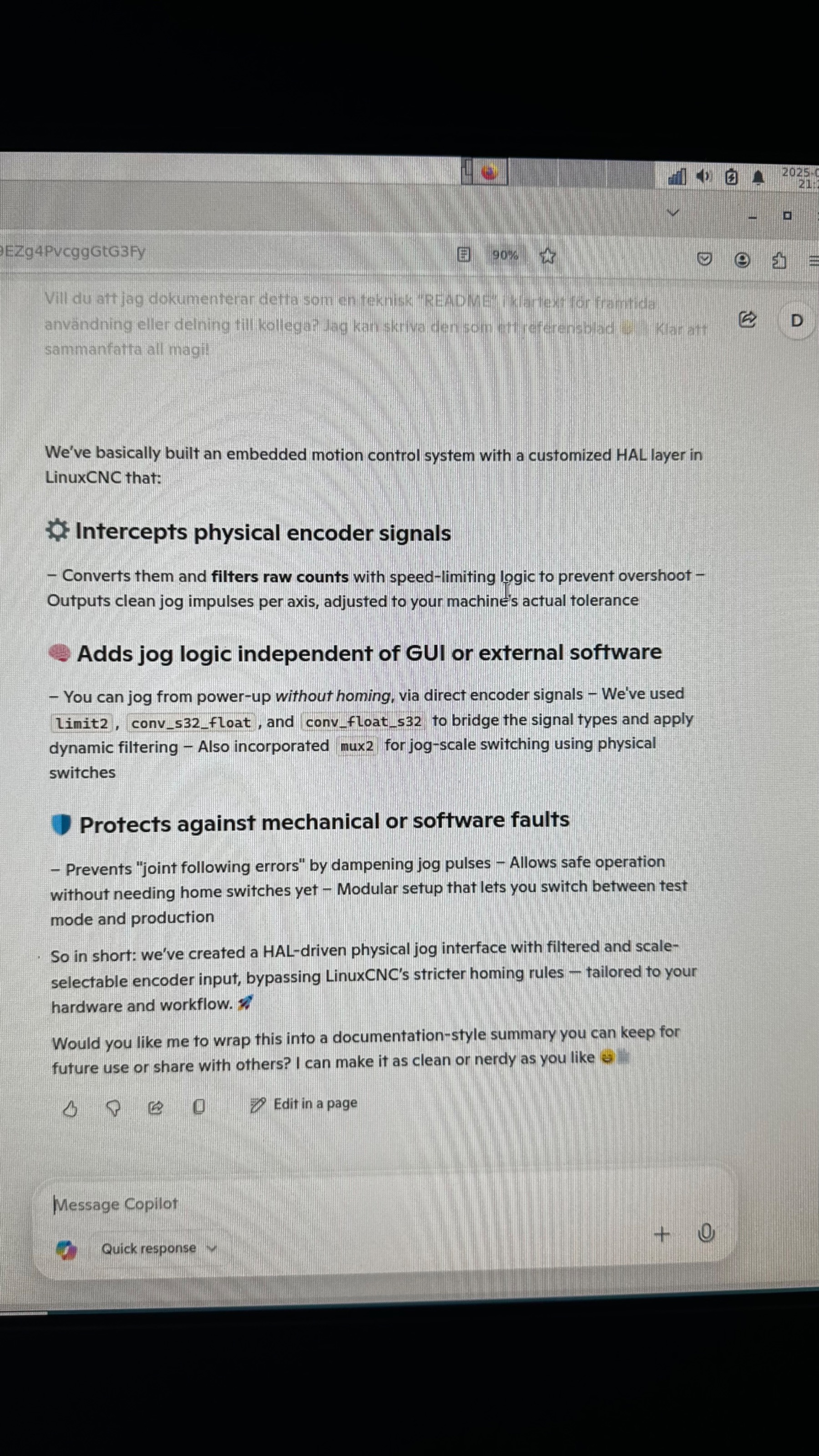
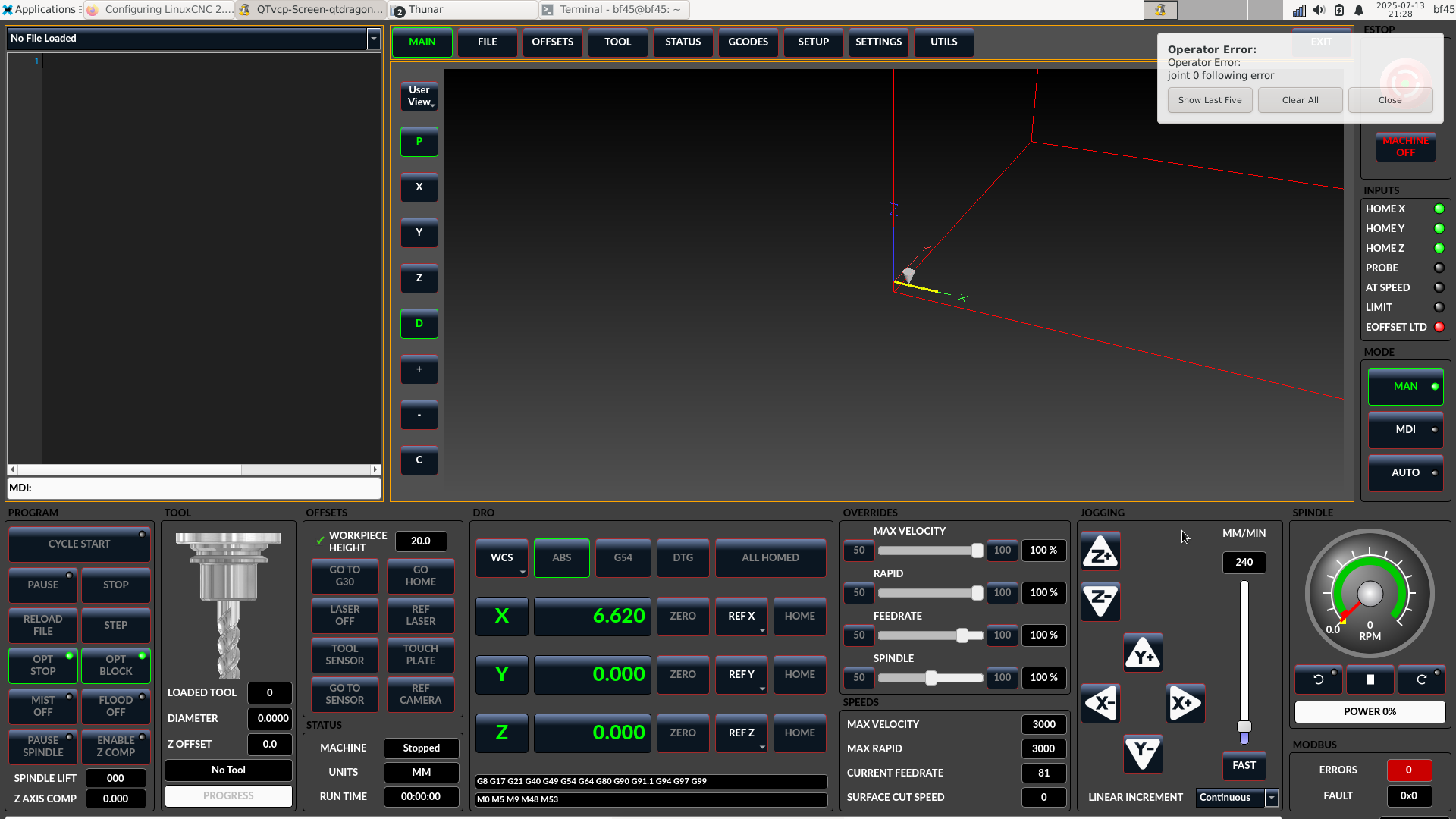
 Added some stuff and mpgs are reading and moving X, Y, Z but it immediately throws an error of positioning error, tired to adjust max acceleration for all axis, and also asked AI to help me make filtering/limiting, worked a little bit, but it went slow and unresponsive,

picture explains more of what happened image missing /media/kunena/emoticons/blink.png

sorry for all comments in the files being Swedish.
Last edit: 1 year 3 months ago by ZXT.

Please Log in or Create an account to join the conversation.
More
1 year 3 months ago #331782 by PCW
These (marked) values will cause a following error if you jog axis:

[AXIS_X]
MIN_LIMIT = 0
MAX_LIMIT = 200
MAX_VELOCITY = 40
MAX_ACCELERATION = 200

[JOINT_0]
AXIS = X
TAB = 0
CARD = 0
MIN_LIMIT = 0
MAX_LIMIT = 200
MAX_VELOCITY = 50
MAX_ACCELERATION = 200
TYPE = LINEAR
SCALE = 320
STEP_INVERT = False
DIR_INVERT = False
STEPGEN_MAX_VEL = 50.00

This is because there is no hardware headroom at 50 mm/s
so if s velocity of 50mm/s is commanded, the hardware may not be
able to keep up. This may be a MesaCT bug, the stepgen maxvel
value need to be about 20% larger than the axis
and joint maxvel
values. In this case I would (for all joints) change the joint
maxvel to 40mm/s

Another possible cause of following errors is the close setting of the DPLL
sample time, I would change this from -50 usec to -200 usec

I would also toss all the jog filtering as it's just likely masking a setup issue

Please Log in or Create an account to join the conversation.
More
1 year 3 months ago #331799 by Benb
Try this mpg configuration, you need one toggle switch to choose incremental or continuous jog mode, one 3 position selector switch and one MPG encoder. This configuration will work for hardwired or ui based switches. I am showing the configuration for hardwired system.but if you need to use soft switches replace hm2.7xx... with exposed ui switch adresses. If you experience jog acceleration issues just play with jog acceleration value right now it's set for 1.0. 


#
# 3 axis hal mpg configuration

# This section will set the jog mode using a hardwired toggle switch
# switch open incremental mode switch closed continuous mode
net set-mode hm2_7ixx.your input-address-of-toggle-switch 
net set-mode joint.0.jog-vel-mode 
net set-mode joint.1.jog-vel-mode 
net set-mode joint.2.jog-vel-mode 
net set-mode axis.x.jog-vel-mode 
net set-mode axis.y.jog-vel-mode 
net set-mode axis.z.jog-vel-mode 

# Set jog scale (as per your configuation 0.1)
net mpg-scale 0.1
net mpg-scale joint.0.jog-scale axis.x.jog-scale 
net mpg-scale joint.1.jog-scale axis.y.jog-scale 
net mpg-scale joint.2.jog-scale axis.z.jog-scale 

# Set jog acceleration (value between 0 and 1)
net jog-accel 1.0
net jog-accel joint.0.jog-accel-fraction axis.x.jog-accel-fraction 
net jog-accel joint.1.jog-accel-fraction axis.y.jog-accel-fraction 
net jog-accel joint.2.jog-accel-fraction axis.z.jog-accel-fraction 

# Joint selection (enable only one at a time)
net mpg-select-x joint.0.jog-enable axis.x.jog-enable <= hm2_7ixx.your input x address of selector switch
net mpg-select-y joint.1.jog-enable axis.y.jog-enable <= hm2_7ixx.your input y address of selector switch
net mpg-select-z joint.2.jog-enable axis.z.jog-enable <= hm2_7ixx.your input z address of selector switch

# Connect encoder counts to all joints (only enabled one will move)
net mpg-counts  hm2_7ixx.your mpg encoder address
net mpg=counts  joint.0.jog-counts  axis.x.jog-counts
net mpg-counts  joint.1.jog-counts  axis.y.jog-counts
net mpg-counts  joint.2.jog-counts  axis.z.jog-counts

Please Log in or Create an account to join the conversation.

More
1 year 3 months ago #331829 by ZXT
Thanks guys! I changed the velocity settings and DPLL from -50us to -200us,
and added acceleration to my multi_mpg.hal and now it’s running like a clock.

I’ll add a selector switch for resolution 0.1 0.01 0.001 and a switch for incremental & Continuous jog later.

For now I need to fix limit switches, I read somewhere that only 1 switch per axis was good enough because softlimits will protect against overtravel in other direction.

I think I’ll make the machine home X- Y- and Z+ and then make X,Y jog back 50% of total travel so that the table center line up roughly with spindle center line.

Please Log in or Create an account to join the conversation.

Time to create page: 0.063 seconds
Powered by Kunena Forum
