Results of latency test, list of computers tested for use with LinuxCNC

More
3 years 5 months ago #272384 by mattdom142
hello all,

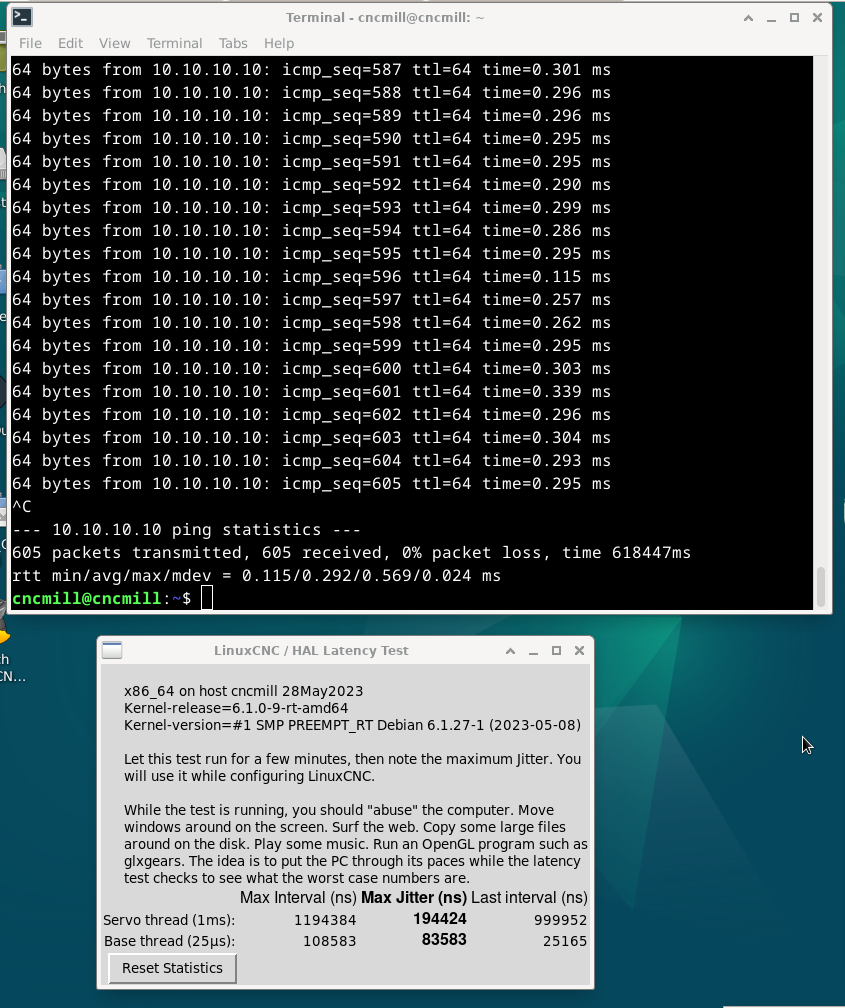
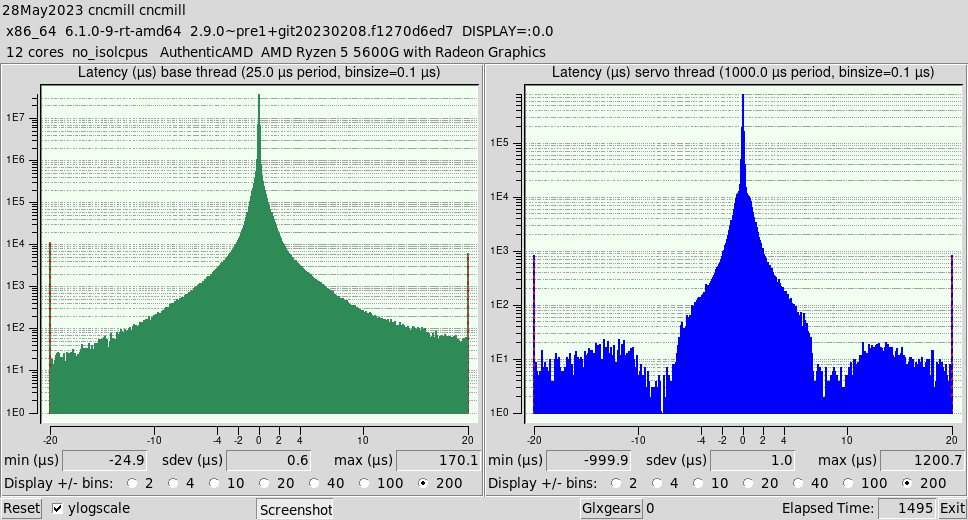
I had a bit of trouble with the automated test and will post my issues in that thread. But i did get some results. here they are. i do not understand them nor do i know what to do with them.

my machine is a HP M01-F3006

I added a network adapter as the built in one dropped tones of packets and was not useable. This is the one I added.

Gigabit CT PCI-E, EXPI9301CTBLK intel based chip that works just fine.

Your thoughts and questions are highly welcome. I will be testing the machine latter this week or next in the cut to se how it dose.

FYI i have 1um glass scales attached to the machine and will be using them for feed back.

I had two windows open running youtube in the background for this test for less then 30mins.

Please Log in or Create an account to join the conversation.

More
3 years 5 months ago #272422 by tommylight
If you do not plan on using parallel port, try running latency tests without a base period.
As for lan and its latency there is a long topic about Realtek having issues with new 6.n kernels that got fixed on 6.3 kernel, and if it is an Intel card it needs coalescing set to 0.
The following user(s) said Thank You: mattdom142

Please Log in or Create an account to join the conversation.
More
3 years 5 months ago #272439 by mattdom142
Thank you @tommylight. 
I am having a few issues with getting the latest 6.3 kernel. I run the update and upgrade commands and still have 6.1. Do i need to udgrade the kernel some other way?
And when i use ethtool to try and change the coalescing to 0 it won't accept the command and returns.

ncmill@cncmill:~$ sudo ethtool -C enp3s0 coalesce 0
[sudo] password for cncmill: 
ethtool (-C): unknown parameter 'coalesce'
cncmill@cncmill:~$ 

am i using that tool wrong? 


Please Log in or Create an account to join the conversation.
More
3 years 5 months ago - 3 years 5 months ago #272440 by PCW
it would be
sudo ethtool -C enp3s0 rx-usecs 0

Not that this will be lost when you reboot.

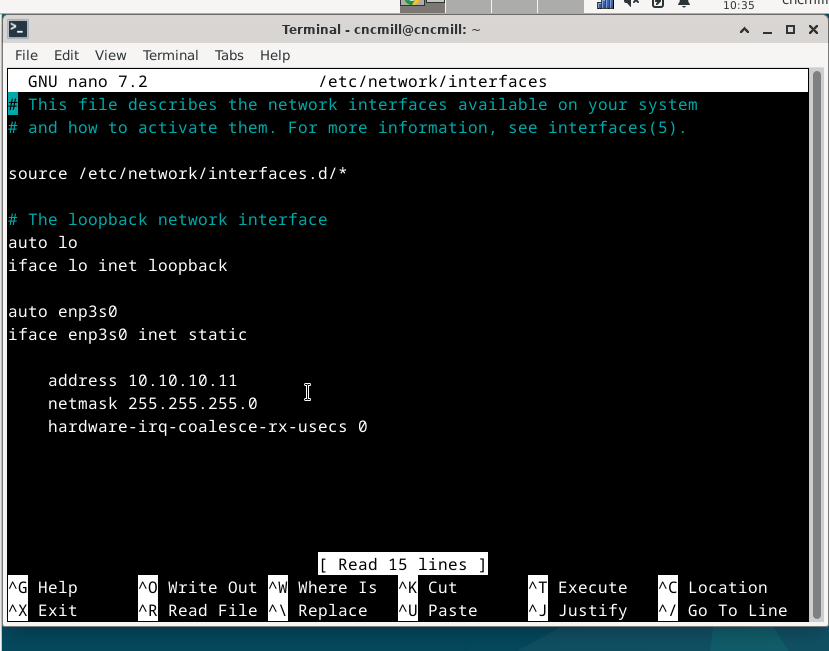
To make this permanent, you would need to add something like:

       auto enp3s0
       iface enp3s0 inet static
           address 10.10.10.100
           hardware-irq-coalesce-rx-usecs 0

to the network/interfaces file


Last edit: 3 years 5 months ago by PCW.
The following user(s) said Thank You: mattdom142

Please Log in or Create an account to join the conversation.
More
3 years 5 months ago #272441 by mattdom142
ok so in the nano network. something like this see picture

Please Log in or Create an account to join the conversation.

More
3 years 5 months ago #272443 by PCW
Yes.

You can verify if it worked with:

sudo ethtool -c enp3s0
The following user(s) said Thank You: mattdom142

Please Log in or Create an account to join the conversation.

Time to create page: 0.515 seconds
Powered by Kunena Forum
