Error finishing read... *sigh*

More
1 year 4 months ago #330289 by DMNZ
Replied by DMNZ on topic Error finishing read... *sigh*
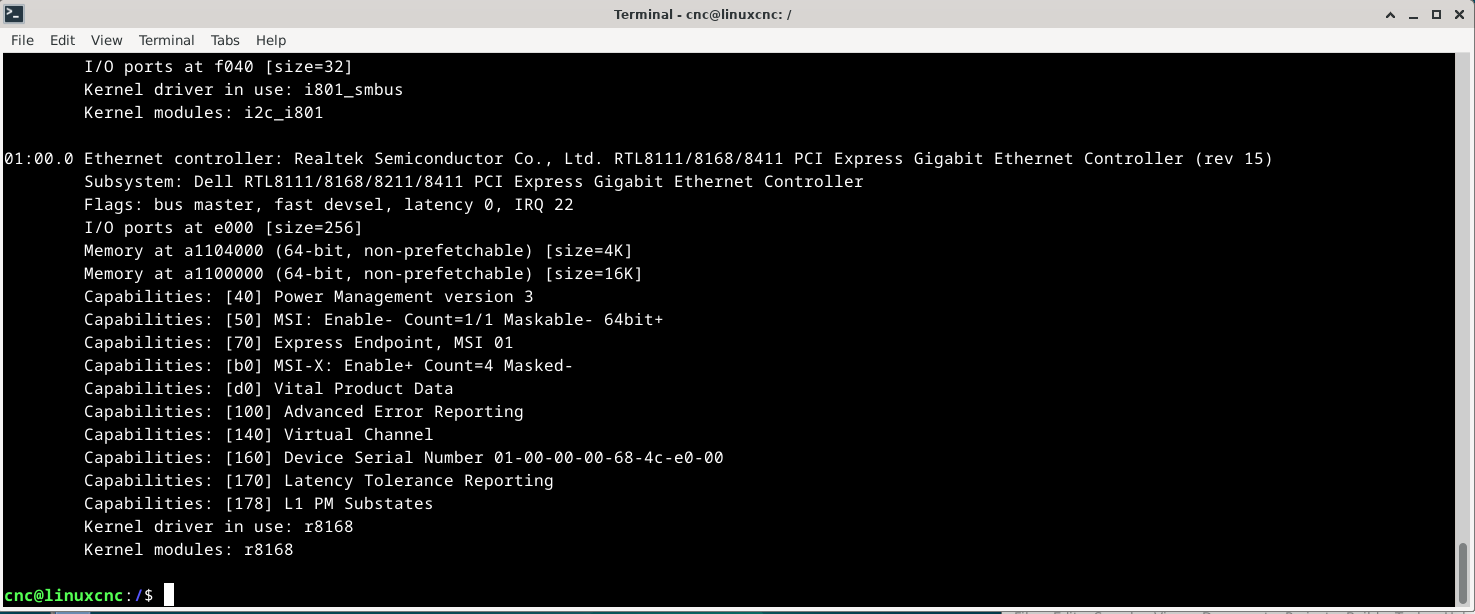
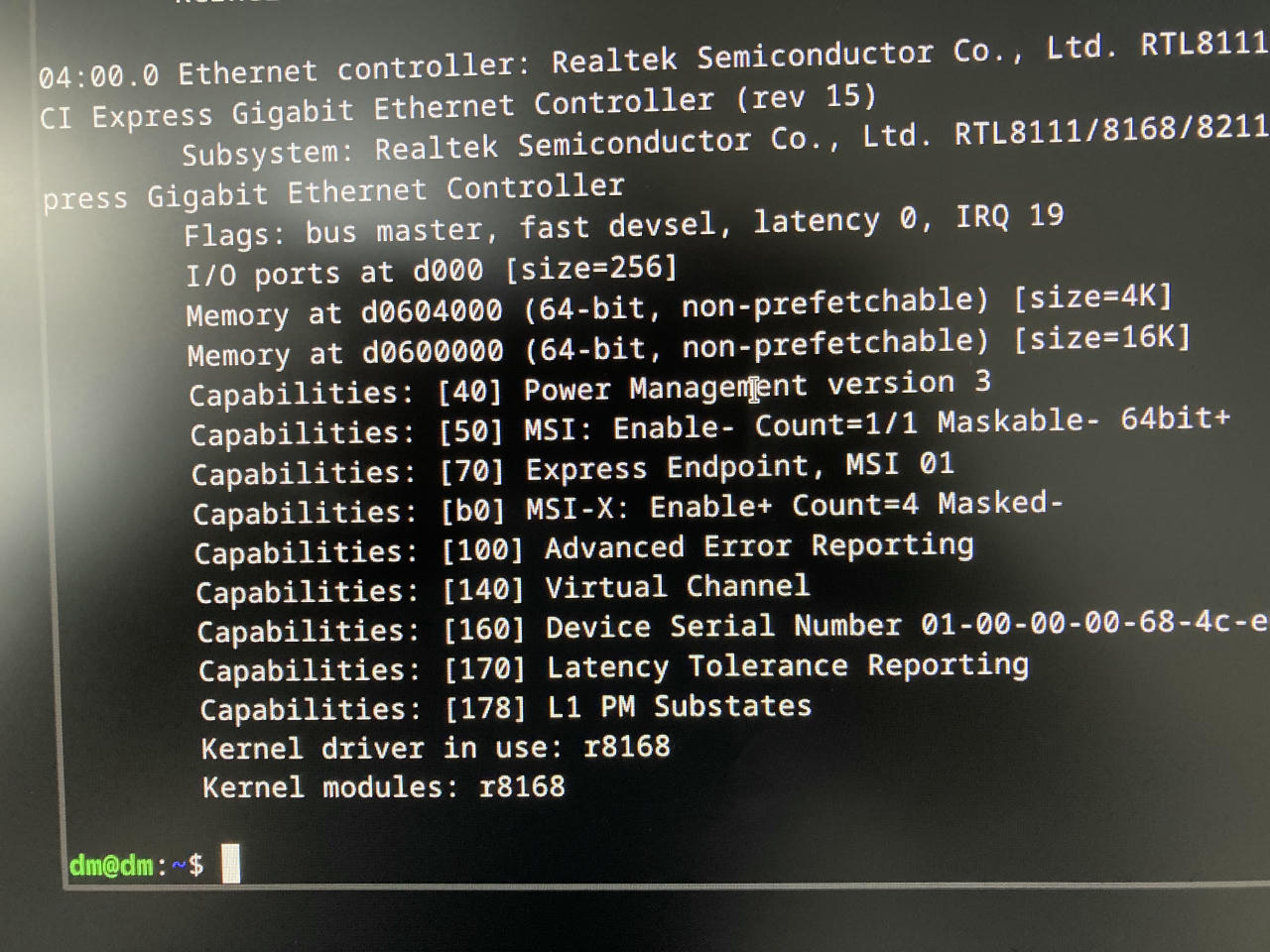
after installing the driver run this to check that it is the right one being used:
sudo lspci -v
under Realtek controller check Kernel driver in use, it should be r8168. (see attached screenshot)

to avoid problems i suggest to blacklist the r6169 driver completely in grub by adding: modprobe.blacklist=r8169

or, since your pc looks similar to mine you can add the whole my line to /etc/default/grub which through trial and error i found the most stable:

GRUB_CMDLINE_LINUX="irqaffinity=0-1 kthread_cpus=0-1 isolcpus=domain,managed_irq,2-3 rcu_nocb_poll pcie_aspm=off r8168.aspm=0 r8168.eee_enable=0 modprobe.blacklist=r8169,mei_txe"

don't worry it will not kill your pc  it just rebalance your cores to do different things. image missing /media/kunena/emoticons/cool.png

dont forget to run "sudo update-grub" to update grub configuration otherwise you won't see any changes after restart.

also check sudo dmesg for any errors during boot.

having 1.2ms ping once in a blue moon won't kill you. i suggest to add "grep -v time=0." to see how many actual pings you got over 1ms.

i normally run something like this:

sudo chrt 99 ping -i 0.001 -q 10.10.10.10 -c 1800000 | grep -v time=0. 

this will run ping for 30 minutes with 1ms pings and only show you the pings that took longer then 0.999 ms.

if you see only one or two 1.2 ms in 30 minutes it is not a problem, 8ms is super bad though. 

have fun!
The following user(s) said Thank You: SebastianM

Please Log in or Create an account to join the conversation.

More
1 year 4 months ago #330292 by SebastianM
thank you, that is very helpful.
By running "sudo lspci -v", I could confirm that the right driver is used (see attachment).


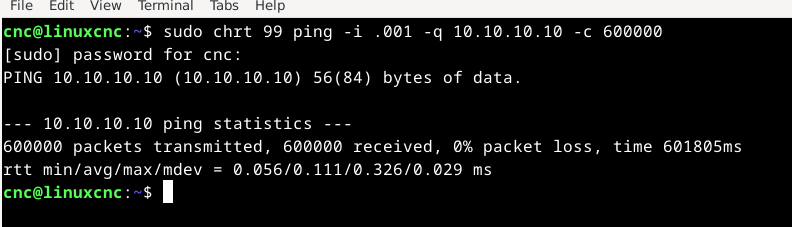
But when I try to run the modified ping command, the result is just the same as before. It doesnt filter out any packets over 1ms... again, see screenshot.
I guess the command has to be modified a bit...
 
Regards and thank you
Sebastian

Please Log in or Create an account to join the conversation.
More
1 year 4 months ago #330295 by DMNZ
Replied by DMNZ on topic Error finishing read... *sigh*
sorry, my bad, you should remove that -q in the command which makes your ping output quiet. try this:
sudo chrt 99 ping -i 0.001 10.10.10.10 -c 1800000 | grep -v time=0.

btw. are you still getting that error finishing read?

Please Log in or Create an account to join the conversation.

More
1 year 4 months ago #330306 by SebastianM
Thx.
Can’t tell if I still get would that error as I took the mesa out of the workshop and back into my “office” for bench testing and debugging.

Will apply the grub parameters today that you posted.
Currently I do have the following code in my grub customizer (guess I have to remove it).

quiet isolcpus= 3 pcie.aspm=0 r8168.eee_enable=0 pcie_aspm=off idle=poll

The arguments are slightly different (isolcpus 3 vs 2,3), but let’s see.

Please Log in or Create an account to join the conversation.
More
1 year 4 months ago #330318 by SebastianM
this is crazy!! after applying your parameters, my ping went down from 1.xx to 0.3xx

Thx so much.

 
The following user(s) said Thank You: tommylight

Please Log in or Create an account to join the conversation.
More
1 year 4 months ago #330324 by DMNZ
Replied by DMNZ on topic Error finishing read... *sigh*
yip, very similar to what i am having on mine, interesting to see your latency histogram figures.

i still see occasional 1+ms packets once in a while mostly when I heavily use disk or usb which interrupt pci bus, or may be it is just noise and bad cable, but as i mentioned hm2_eth can work around it unless you get something over 3-4ms or 3-4 long packets in a row. then it will error out with can't finish read.

cheers!
The following user(s) said Thank You: tommylight

Please Log in or Create an account to join the conversation.

Time to create page: 0.546 seconds
Powered by Kunena Forum
